
 August 5, 2014 at 16:21
Debug Qt Style Sheet
- Tutorial
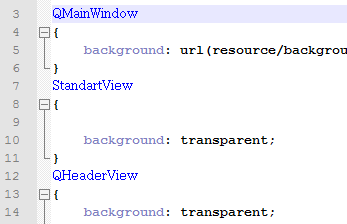 The popular Qt framework has a very convenient mechanism for managing UI styles - Qt Style Sheet. Thanks to which the style of widgets and windows can be set in a CSS-like form. Style can be stored both in application resources and in an external file.
 In my practice, I was constantly faced with the task of debugging a style file in a real project. If for web applications it is enough to press F5 in the browser, then on the desktop you will have to restart the application, sometimes log in, get to the desired form. This is a big waste of time. Let's try to make a tool for convenient debugging of styles. I will formulate a user scenario:
We want to edit the style file and immediately see how it looks in any form of the application.
Getting started, we assume that the user will be satisfied with the option - save the style file - click the update button in the application. The implementation will rely on the application event interception mechanism (eventFilter). When you start the application, install an event hook that will reload the style file when you press the specified key.
A bit of code:
Class description
StyleLoader.h
#ifndef STYLELOADER_H
#define STYLELOADER_H
#include
#include
class StyleLoader: public QObject
{
    Q_OBJECT
public:
    static void attach(const QString& filename = defaultStyleFile(),
                       QKeySequence key = QKeySequence("F5"));
    bool eventFilter(QObject *obj, QEvent *event);
private:
    StyleLoader(QObject * parent, const QString& filename, const QKeySequence& key);
    void setAppStyleSheet();
    static QString defaultStyleFile();
    QString m_filename;
    QKeySequence m_key;
};
#endif // STYLELOADER_H
and implementation:
#include "StyleLoader.h"
#include
#include
#include
#include
void StyleLoader::attach(const QString &filename, QKeySequence key)
{
    StyleLoader * loader = new StyleLoader(qApp, filename, key);
    qApp->installEventFilter(loader);
    loader->setAppStyleSheet();
}
bool StyleLoader::eventFilter(QObject *obj, QEvent *event)
{
    if (event->type() == QEvent::KeyPress)
    {
        QKeyEvent *keyEvent = static_cast(event);
        if(m_key == QKeySequence(keyEvent->key()))
            setAppStyleSheet();
        return true;
    }
    else
        return QObject::eventFilter(obj, event);
}
void StyleLoader::setAppStyleSheet()
{
    QFile file(m_filename);
    if(!file.open(QIODevice::ReadOnly))
    {
        qDebug() << "Cannot open stylesheet file " << m_filename;
        return;
    }
    QString stylesheet = QString::fromUtf8(file.readAll());
    qApp->setStyleSheet(stylesheet);
}
QString StyleLoader::defaultStyleFile()
{
    return QApplication::applicationDirPath() + "/style.qss";
}
StyleLoader::StyleLoader(QObject *parent, const QString& filename, const QKeySequence &key):
    QObject(parent),
    m_filename(filename),
    m_key(key)
{
}
To connect the tool to the application, just write one line somewhere in main ():
StyleLoader::attach();
In this embodiment, will be used by default settings:
style file:
Папка_с_исполняемым файлом/style.qss; key for the upgrade:
F5. You can set your own values:
StyleLoader::attach("c:/myStyle.qss", QKeySequence("F6"));Now we can launch our application, correct the style file at any time, press F5 and immediately see how it will look.
PS: the code is compact, so I recommend just pulling it into the project. Soon I will post on Github under a free license.