 September 5, 2014 at 14:23
ForkLift - Advanced replacement for Total Commander for Mac OS
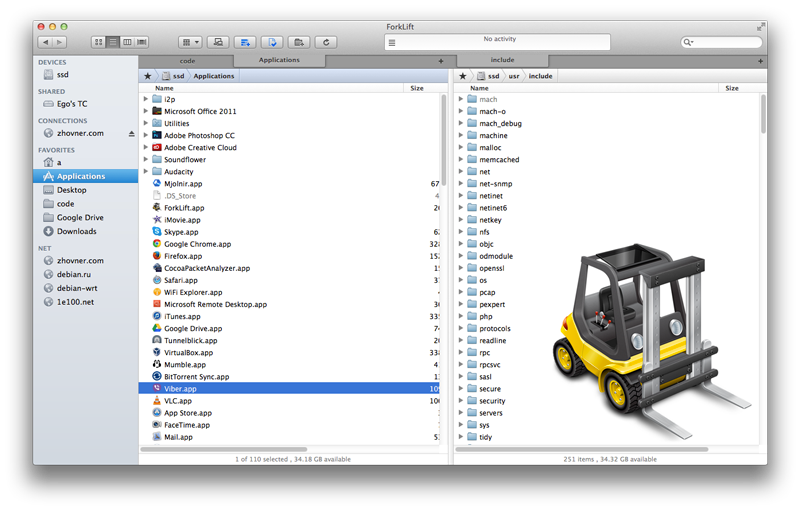
A lot of guys complain about the lack of a replacement for Total Commander for Mac OS and are not aware of the existence of the ForkLift file manager, which could completely replace Total Commander.
A brief overview of the features:
Supported protocols
 FTP, SFTP, WebDAV, S3, iDisk, SMB, AFP, NIS The
ability to mount a remote file system and work with it as if it were local. When editing files on a remote system in a local editor, the changes are immediately applied without the need for a separate confirmation “download a new version of the file?”.
It is also possible to mount any of the remote file systems as a local disk, so the files will be accessible from the system as local.

If you do not specify a password when connecting via SFTP, the default private key ~ / .ssh / id_rsa will be used, which is very convenient.
Bookmarks with remote servers are located on the left in the same list with local folders, and are accessible with a single click. No need to search for them in the menu as in Total Commander.
Archives
 7z, rar, zip, gz, bz2
Ability to view the contents of archives as regular folders (not for all types of archives).
Pack / Unpack.
 Group Rename
Allows you to rename files in groups according to the specified mask:

 Quick Look
The same quick view, by pressing the spacebar, as in Finder.
Allows you to quickly look at text files, including on remote systems.
 Multithreading downloads and queues
You can configure multithreading downloads or set up queues for downloading files one at a time.
Downloading a single file in multi-threaded mode can be paused or canceled.

 Uninstalling programs
When you uninstall a .app package through ForkLift, a menu appears suggesting you to delete the files associated with the program.
Usually, these are the settings and cache in the home folder.
 Folder synchronization
A simple replacement for rsync, with which you can compare file structures and synchronize them.
 Customizable HotKeys
You can easily reassign burning keys to make it easier to move from other file managers.
In fact, the functionality is much richer, I described only the “feature killer”.
A fully functional trial version can be downloaded from the site.
$ 20 for one license (if you buy through the App Store) *
$ 30 for one license (if you buy through the website) *
$ 50 for a "family" license
Website: www.binarynights.com/forklift
Wiki: wiki.binarynights.com
App Store : itunes.apple.com/us/app/forklift-file-manager-ftp/id412448059?mt=12
*A little trick: it is better to buy the program through the site, and not in the App Store. Since the version from the App Store is not able to mount remote file systems as disks and always has an outdated version. True, I managed to first buy the program in the App Store, and then ask for the key for the version from the site.









