Perl-support plugin for vim
- Tutorial
Plugin installation
mkdir ~/.vim
cd ~/.vim
curl http://www.vim.org/scripts/download_script.php?src_id=21048 -o perl-support.zip
unzip perl-support.zip
rm   perl-support.zip
echo "filetype plugin on" >> ~/.vimrc
yum install perl-Perl-Critic  perltidy
Create a new file
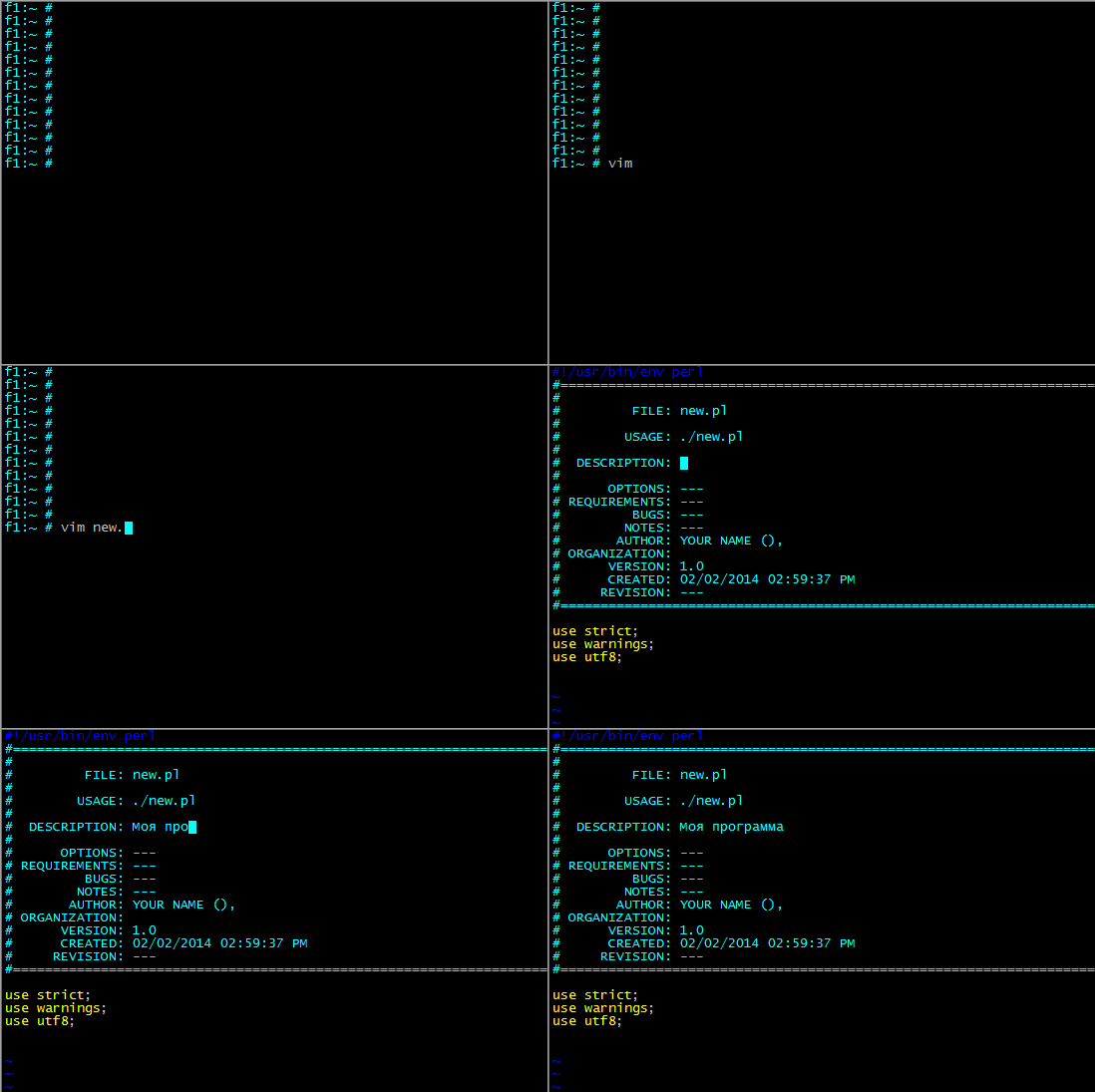
If the file has the extension .pl or .pm, the file is created with a header for documentation.
The plugin also prescribes use strict, use warnings, use utf8.
Customize for yourself - it will not be difficult.
Running a pearl script without leaving the vim editor
Command \ rr
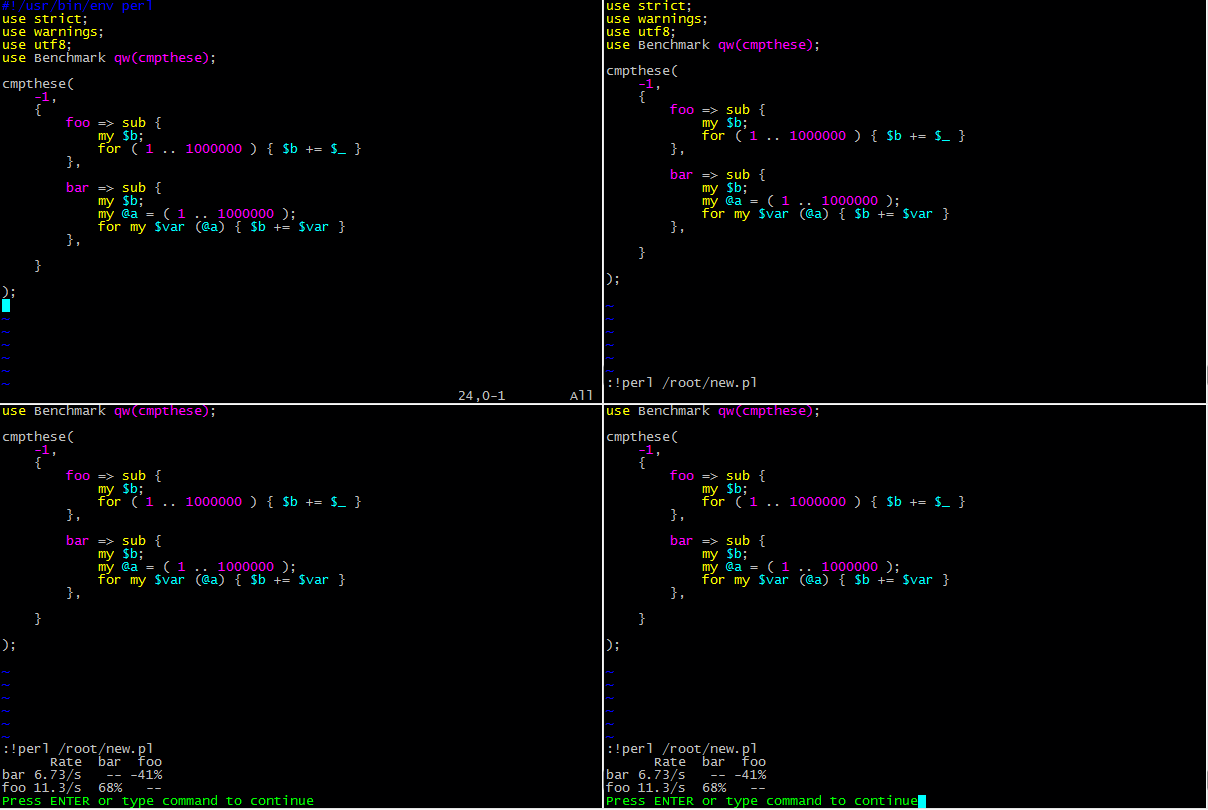
Move the cursor to an empty field and type \ rr (in any mode, except for entering text).
Our program will be executed.
Putting order with perl tidy without leaving the editor
Command \ ry
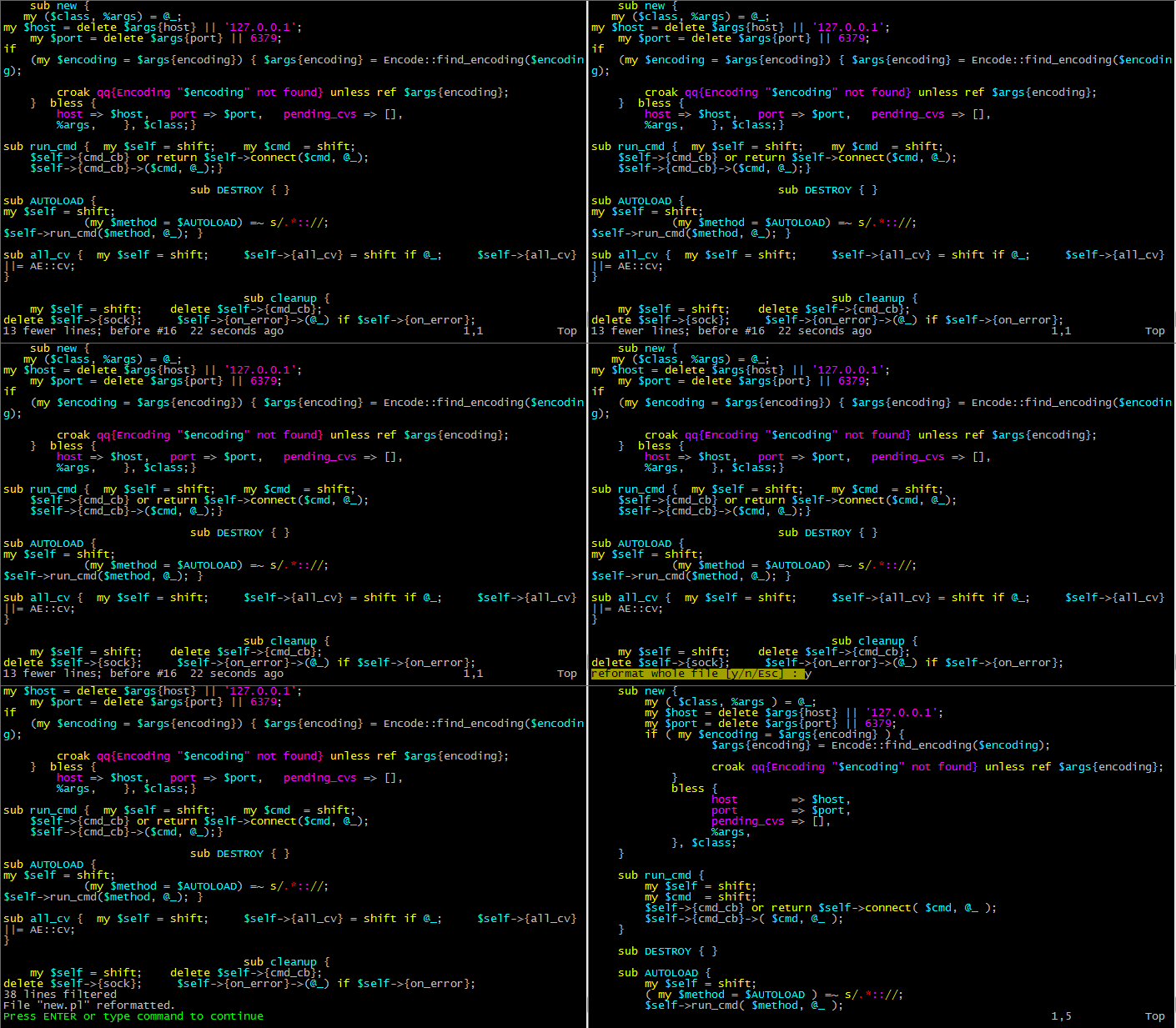
We bring the code to a beautiful and canonical look with one command.
We criticize with the help of Perl-Critic “on the spot”
Command \ rpc
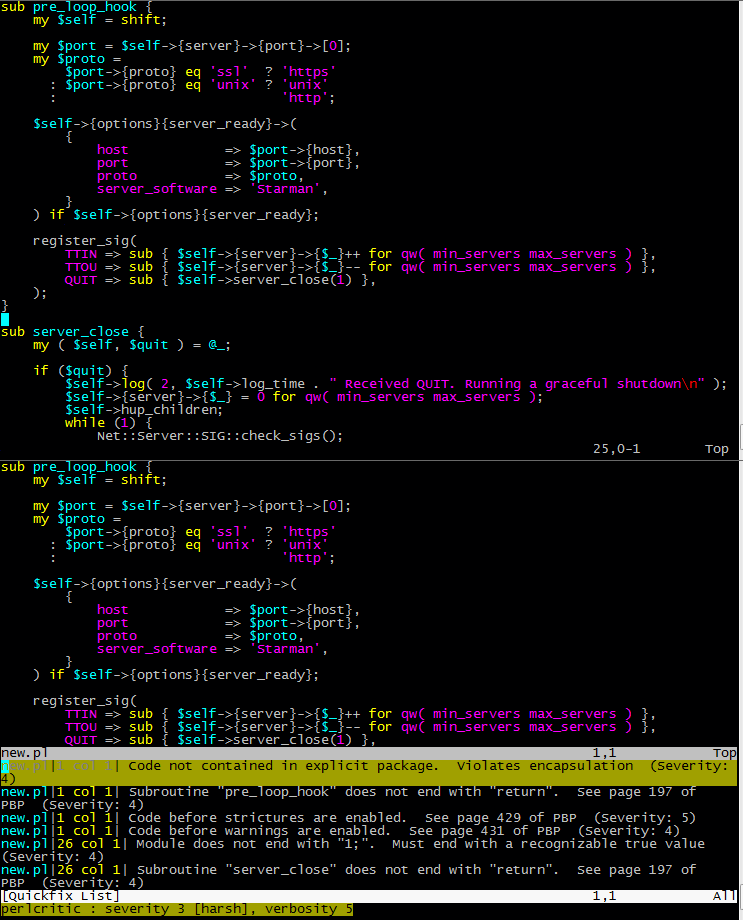
After entering \ rpc - pearl critic tells us what he got to the bottom.
And it gives out the page number of the book of the Perl Best Practices book , which must be read in order to understand how to fix it (if there is a need).
More plugin commands (hot keys)

Additionally
English article about the perl-support
plugin The plugin page on the official site vim.org
The author of this plugin is Fritz Mehner.
He wrote the same:
- AWK-Support : AWK IDE for Vim
- Bash-Support : Bash IDE for Vim
- C-Support : C / C ++ IDE for Vim
- LaTeX-Support : LaTeX IDE for Vim
- Vim-Support : Vim-Script IDE