 October 8, 2013 at 09:33
Xamarin (monodroid) and Java (DalvikVM) performance comparison on Android devices
Good afternoon. Many are interested in how much the performance of Xamarin on Android or iOS differs. I will leave the question with iOS open for now, but I propose to close all questions regarding the performance of monodroid once and for all.
Often, these questions are caused due to a misunderstanding of how a monodroid works, for example, I was asked questions like “Does Xamarin then rebuild under the JVM?”. This is certainly not the case. It is important to understand that Xamarin runs at the same level of Android as the Android Dalvik virtual machine. Therefore, when comparing performance, we actually have a comparison of the performance of two virtual machines: Mono VM and Dalvik VM.
Verification Methodology
Performance testing requires a Java-implemented and generally recognized method that will need to be implemented in C #. I decided to use the well-known LINPACK performance test, first of all, because its source code is open and it will be easy to implement the C # version, and secondly, there is a ready-made Android version of LINPACK for Android written in Java.
LINPACK performance test is a method of evaluating performance by evaluating the speed of a floating point computing system. The benchmark was created by Jack Dongarra and measures how quickly a computer searches for a solution to a dense SLAU Ax = B of dimension N x N using the LU decomposition method. The solution was obtained by the Gauss method with the selection of the main element ( description), in which 2/3 * N 3 + 2 * N 2 floating point operations are performed . The result is defined in Floating-point Operations Per Second (MFLOP / s, often just FLOPS). The performance test itself was described in the documentation for the LINPACK Fortran Linear Computing Library and since then its variations have been used, for example, to rank TOP500 supercomputers.
Implementation
Despite a fairly simple task, I decided to implement it according to my guideline for cross-platform development.
At the first step, we build a cross-platform solution:
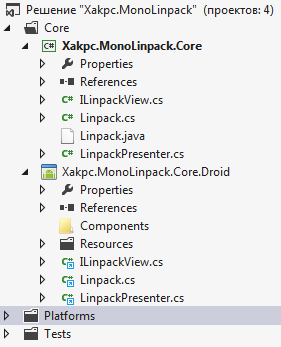
Then, according to the MVP design template, create Presenter and View.
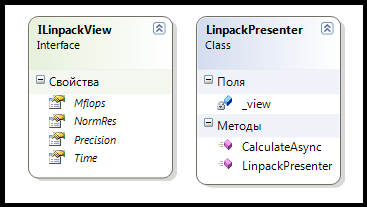
We write tests and implement Presenter through the test. For this, I use NUnit and NSubstitute. There is no special sense in describing NUnit, in my opinion there is simply no more convenient testing framework. NSubstitute is an extremely convenient framework for creating stubs based on interfaces. Frameworks are installed through NuGet.
A small example of using NSubstitute from the docks
// Let's say we have a basic calculator interface:
    public interface ICalculator
    {
        int Add(int a, int b);
        string Mode { get; set; }
        event Action PoweringUp;
    }
// We can ask NSubstitute to create a substitute instance for this type. We could ask for a stub, mock, fake, spy, test double etc., but why bother when we just want to substitute an instance we have some control over?
    _calculator = Substitute.For();
// Now we can tell our substitute to return a value for a call:
    _calculator.Add(1, 2).Returns(3);
    Assert.That(_calculator.Add(1, 2), Is.EqualTo(3));
// We can check that our substitute received a call, and did not receive others:
    _calculator.Add(1, 2);
    _calculator.Received().Add(1, 2);
    _calculator.DidNotReceive().Add(5, 7);
// If our Received() assertion fails, NSubstitute tries to give us some help as to what the problem might be:
    NSubstitute.Exceptions.ReceivedCallsException : Expected to receive a call matching:
        Add(1, 2)
    Actually received no matching calls.
    Received 2 non-matching calls (non-matching arguments indicated with '*' characters):
        Add(1, *5*)
        Add(*4*, *7*)
// We can also work with properties using the Returns syntax we use for methods, or just stick with plain old property setters (for read/write properties):
    _calculator.Mode.Returns("DEC");
    Assert.That(_calculator.Mode, Is.EqualTo("DEC"));
    _calculator.Mode = "HEX";
    Assert.That(_calculator.Mode, Is.EqualTo("HEX"));
In our case, first create the Setup method
[TestFixtureSetUp]
public void Setup()
{
      view = Substitute.For();
      presenter = new LinpackPresenter(view);
}
And we perform a simple test, naturally asynchronously
 [Test]
 public void CalculateAsyncTest()
 {
       presenter.CalculateAsync().Wait();
       Assert.That(view.Mflops, Is.EqualTo(130.0).Within(5).Percent);
 }
With third-party software, I found out that the performance of my PC is about 130 MFLOPS / s, so we will write it into the expected values, adding an error.
Inside the method, I create an asynchronous Task and populate the View. Everything is simple and clear.
public Task CalculateAsync()
{
    Linpack l = new Linpack();
    return Task.Factory.StartNew(() => l.RunBenchmark())
        .ContinueWith(t =>
        {
            _view.Mflops = l.MFlops;
            _view.NormRes = l.ResIDN;
            _view.Precision = l.Eps;
            _view.Time = l.Time.ToString();
        }
        );
}
The program is actually implemented, so far no line of platform-specific code has been written. Now we are creating an Android project: the
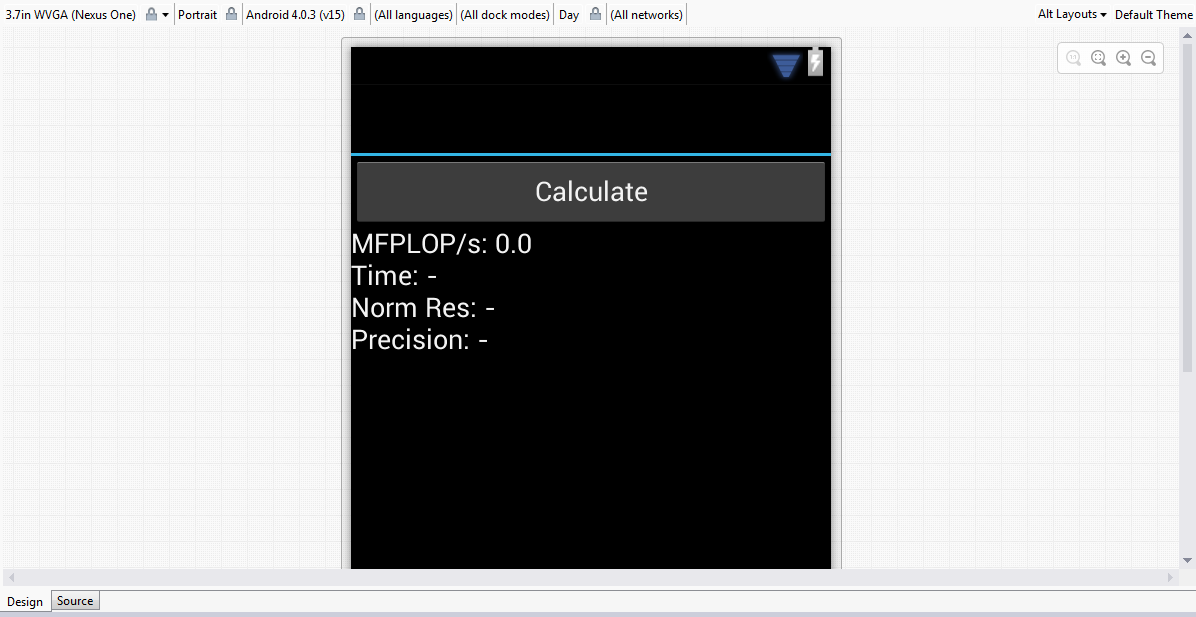
visual constructor inside Visual Studio will allow us to quickly and easily throw in the necessary application and see how it looks with different themes. True, since none of the topics was applied to Activity, on the device we will get the default view.
Now we just need to compile the release, sign it with the wizard applied to the studio and install it on the devices using the adb.exe console utility
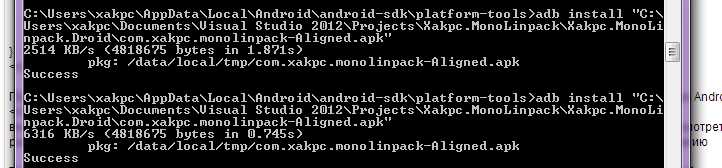
I recently noticed that the speed of code execution depends not only on Debug / Release but also on connecting the device via USB. This happens due to the fact that when the phone is connected in the development mode, Android drives huge amounts of debugging information to the computer, which may affect the speed of operations (or may not), especially if there are logging constructions like Trace. Therefore, we turn off the devices and run the tests.
Done!
Result
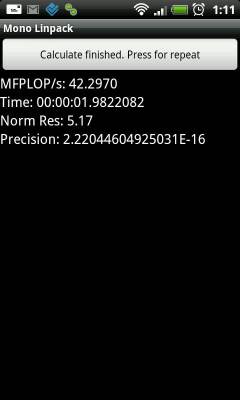
I have two test devices, HTC Desire with Android 2.3 (Qualcomm QSD8250, 1000 MHz, 512 RAM) and Fly IQ443 with Android 4.0.4 (MediaTek MT6577, 1000 MHz, 512 RAM)
Here are their results:
HTC Desire:
 |  |
Fly IQ443:
 |  |
And beautiful graphics

Conclusion
The test results show that Mono on Android is at least comparable, and sometimes even superior to Dalvik, but in general they are approximately equal. The second column is incorrect, because Mono independently paralleled the test into two cores without any action on my part, I suppose somewhere at the task level, while for Linpack for Android you need to explicitly choose a multi-threaded test.
Incidentally, this project shows size differences for release builds. The Java version of the test weighs only 280KB, while the Monodroid version weighs almost 2.3 MB per processor type (armeabi and armeabi-v7), i.e. in the amount of 4.6 MB, which however in the conditions of modern networks does not seem to me particularly critical. If this apk size seems unacceptable to you, you can separately compile and distribute packages for armeabi and armeabi-v7, since Google Play allows you to download different apk for different platforms.
The source code of the application is here.
PS I would like to collect statistics on devices. So if anyone has Android and 10 minutes of free time I will be very grateful if you measure the performance of your device using LINPACK for Android and the newly created MonoLINPACK and write the result here (if you have a multi-core processor, select Run Multiple Thread in LINPACK for Android right away)
PPS A similar test for iOS will be
UPD1. According to current tests, it is clear that Mono and Task do not use all cores on 4-core processors by default. Therefore, the results between Linpack for Android and MonoLinpack on such devices are very different. MonoLINPACK will be modified using TPL in the near future.









