January 16, 2012 at 00:50
Olivetti personal computer m15
First of all I want to greet all the necrochardophiles!
In a blog with a loud name, "Old Iron" recently shoved iron in power a little weaker than the first pentium. And I have a very old iron. According to the age, according to the Internet, it is not very old, only 1987, but it uses the Intel 80C88 processor , and this is already an indicator, because the era of IBM PC began with its direct parent Intel 8086, on the consequences of which I write this post.
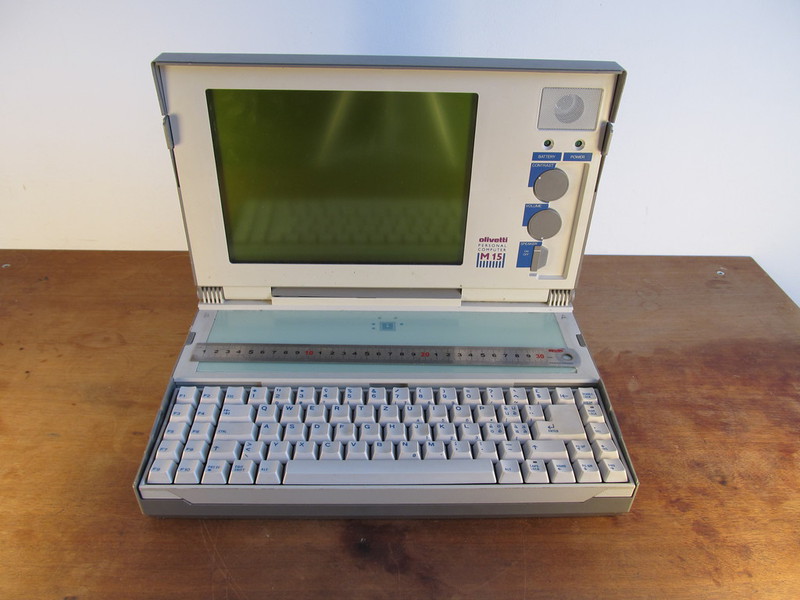
From fragmentary information from the Internet, I learned the following about the insides:
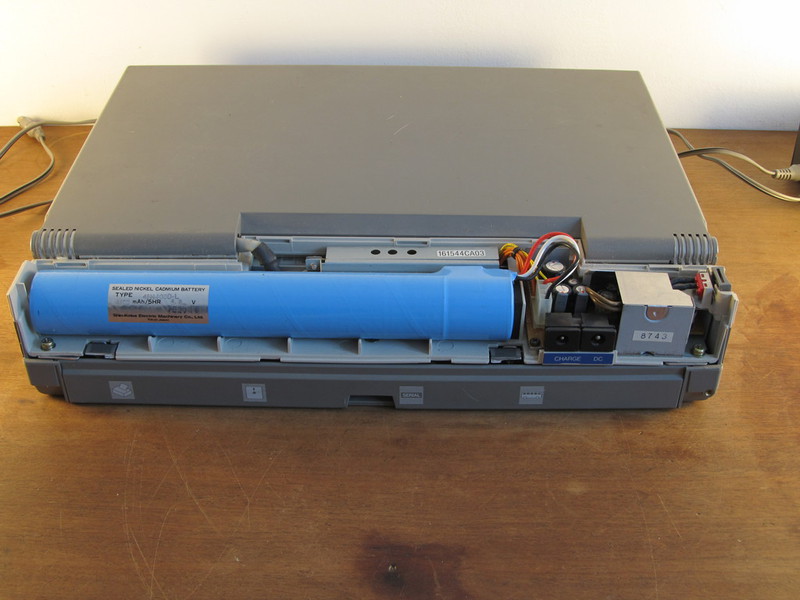
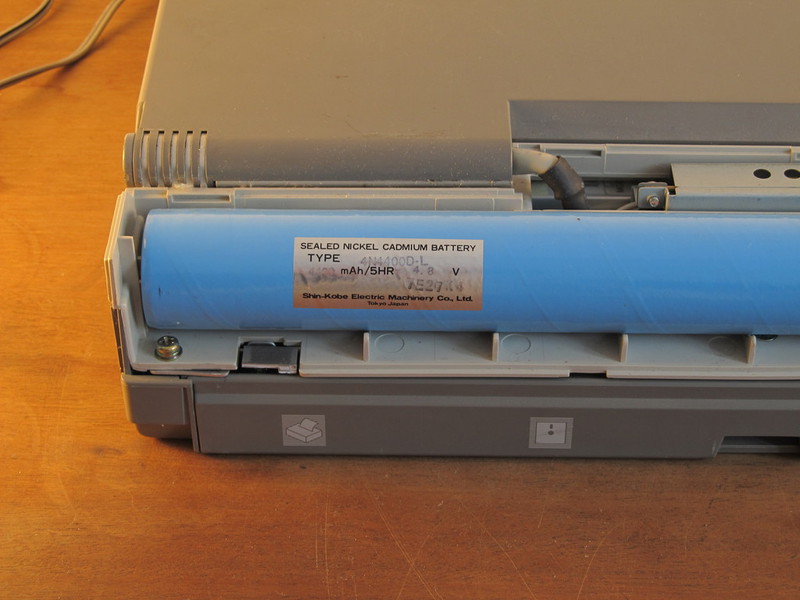
The laptop came to me by accident, but right on my birthday. It was nice. Completely working except for a dead battery, but I think that if you set a goal and it can be restored. The laptop cover (probably by me) is broken off with a battery compartment, with the exception of this laptop is fully operational.
Under the cut a lot of low-quality pictures so no offense. And sometimes it sometimes seems that there is a lot of free space between photos. Actually there is a white wall, but I don’t know how to remove it so that everything is beautiful, so I’ll have to endure this white impudence.
The screen is glossy, and the photographer is bad from me, so I apologize for reflecting myself and the tripod on the screen.
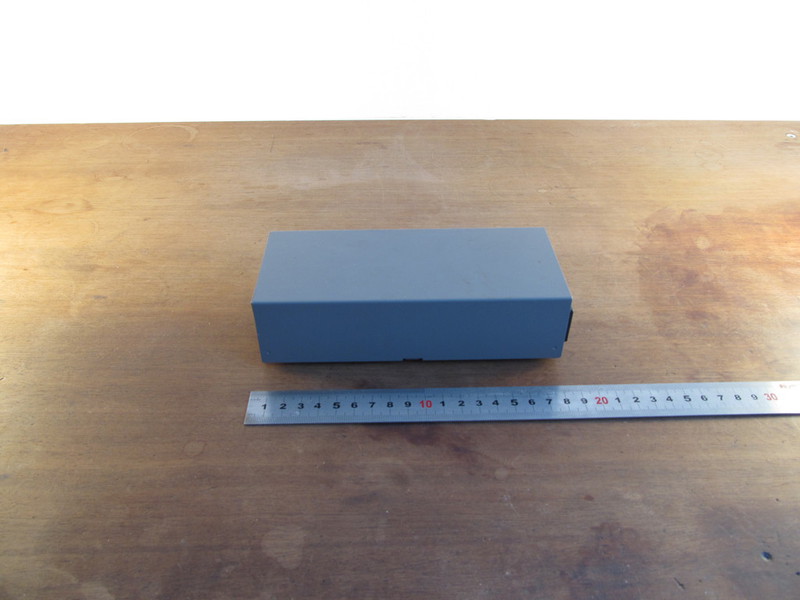
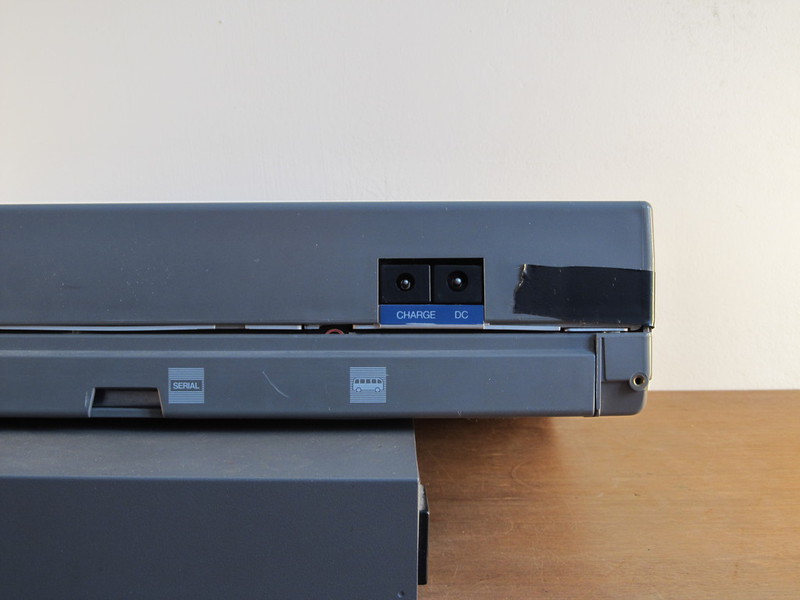
The power supply housing is made of good thick metal, but it is not remarkable for this. Firstly, the connector for the power cable is classic, like on any monitor or desktop these days, thanks to this, there were no problems connecting the laptop to electricity, thanks to the developers for this (these days, by the way, not every laptop can boast such universality ) Secondly, two wires go from the power supply to the laptop: for power and for charging. And if my memory does not lie to me, then for a long time I read somewhere that they need to be connected in some specific order, otherwise the collapse of the universe.
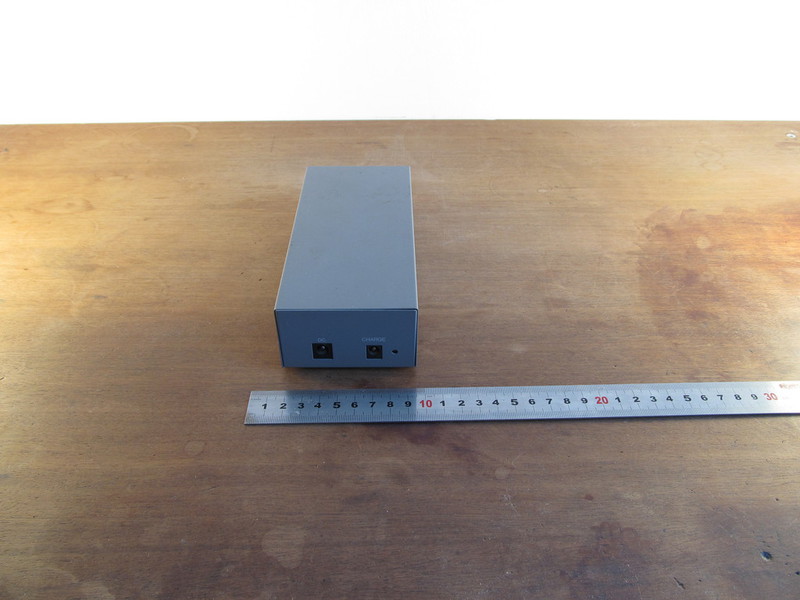
Moreover, the wires for power and charging have jacks of different thicknesses: charging will fit into the power, but on the contrary no longer. Well, jacks are painted in different colors so as not to confuse. We thought about the little things.

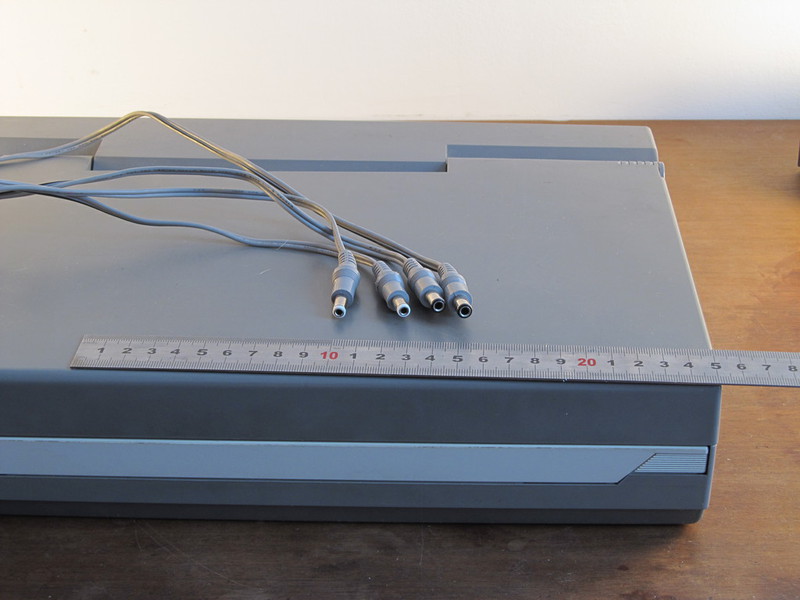
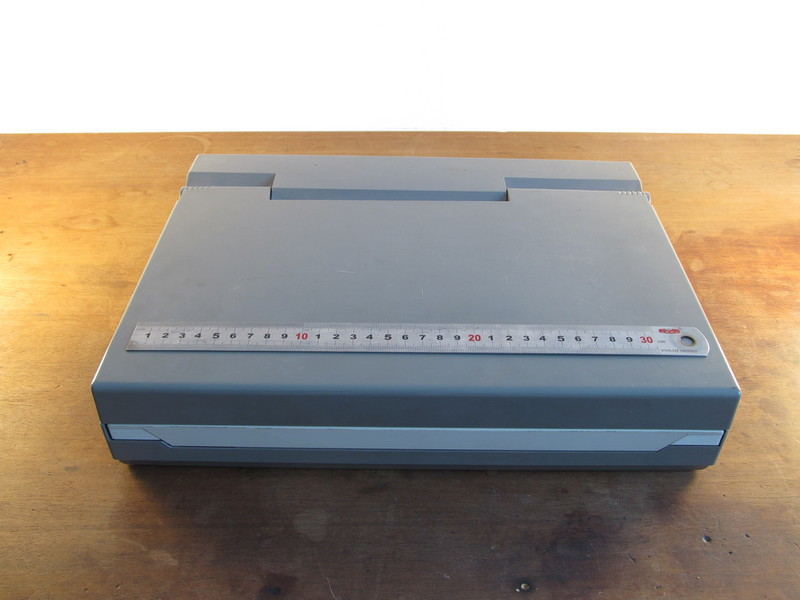
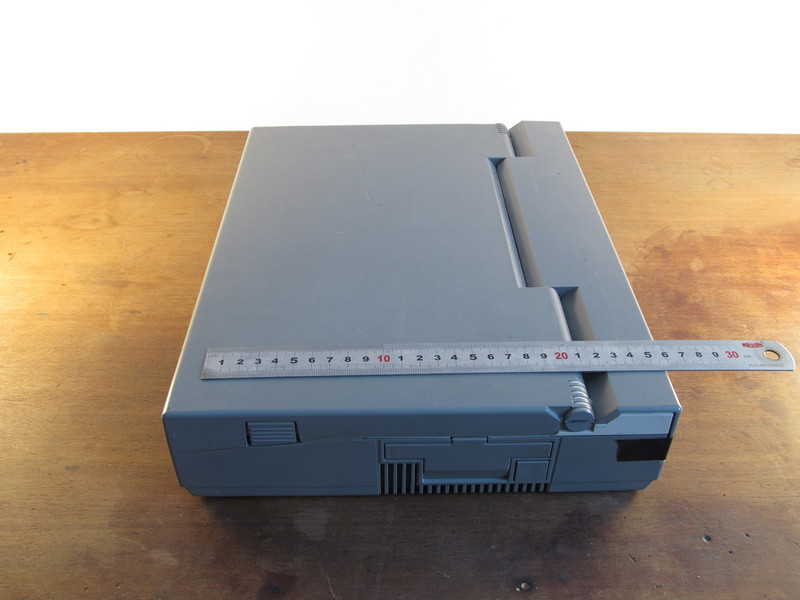
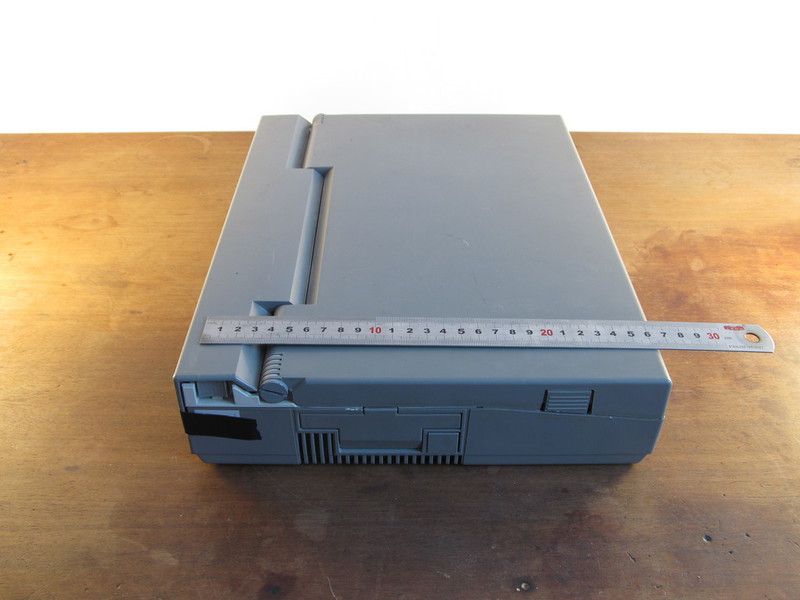
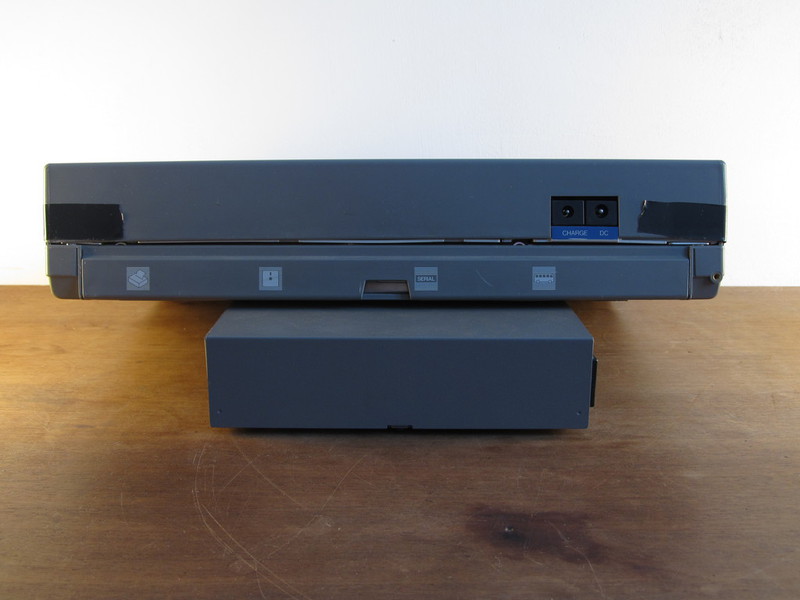
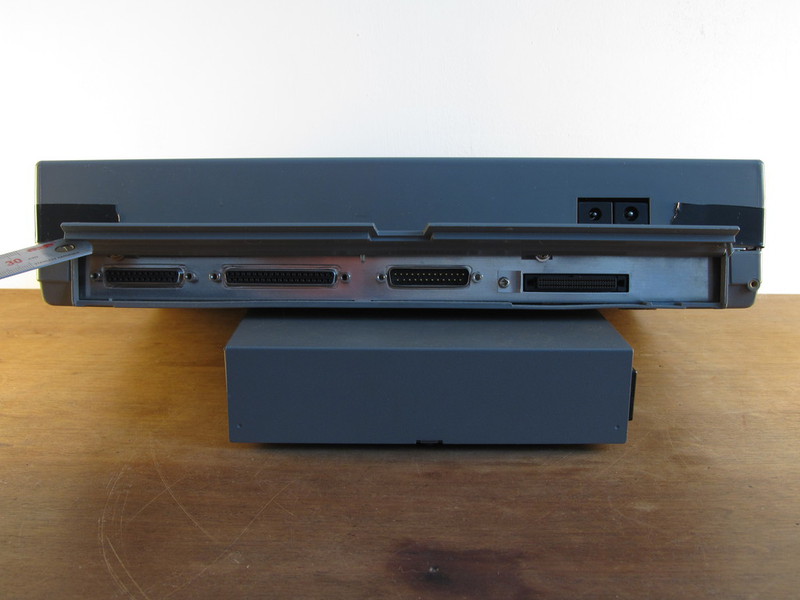
And also for LPT, I have a great dot matrix printer that works great but only with the English font. And for this pre-revolutionary COM port, I have an external analog modem. If someone tells me what dosovoi Pribluda to go to the wonderful world of http and which breaks into 720kb - I will try to show a miracle.
There is no Winchester in the laptop, and instead of them 2 floppy drives (thanks for not a tape recorder!). Floppy disks 3.5 "can only be formatted in 720 Kb, formatting with doubled recording density is useless. The floppics mechanics are made kinesthetic, I am sure of this, because you can insert a floppy disk and press the eject button endlessly. Buttons are pressed with a very nice effort. Now they don’t do that (c).

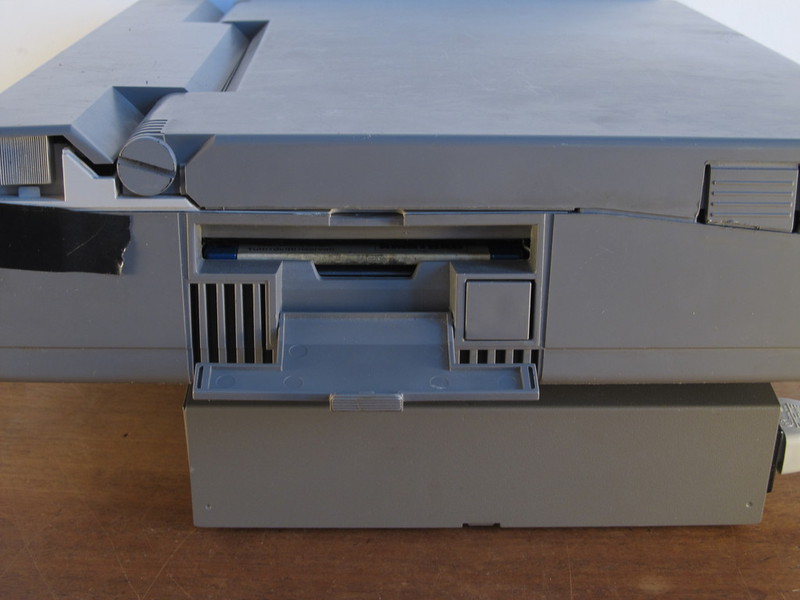
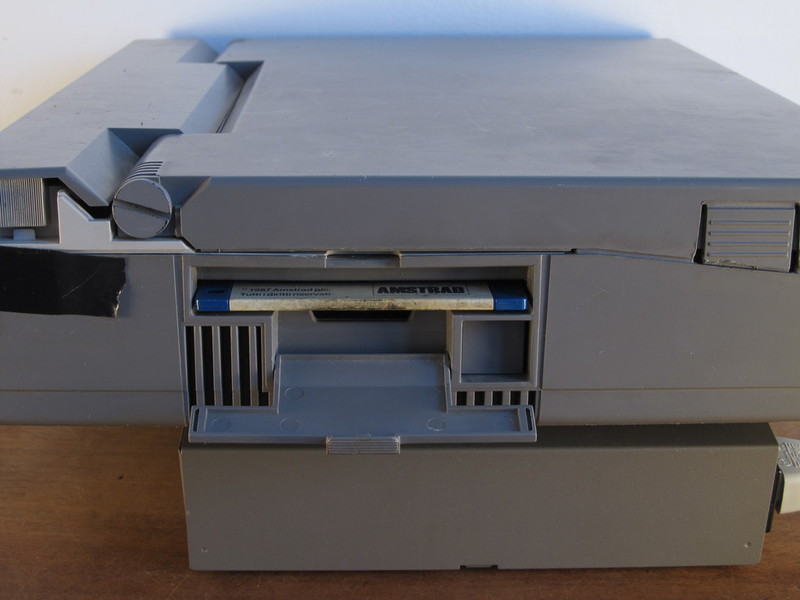
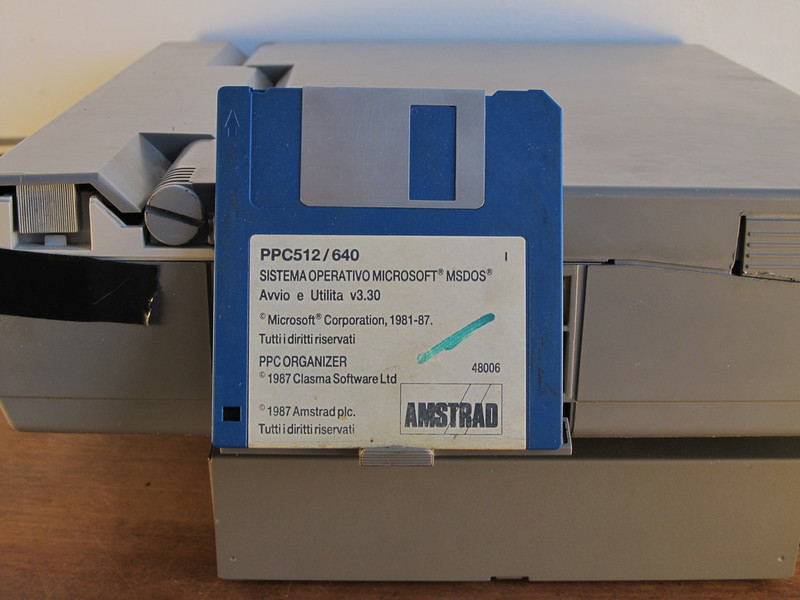
Such a floppy disk was included, though it is not available on it right now, but the sticker is wonderful.
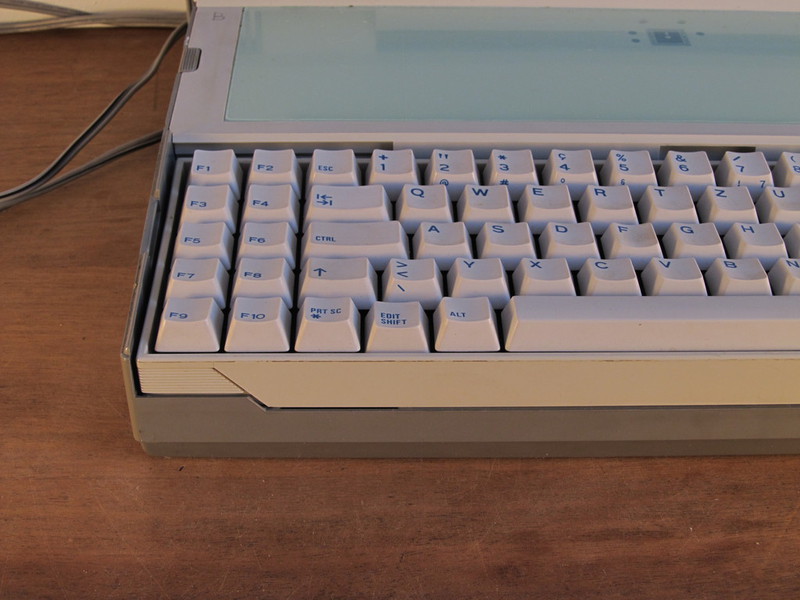
The keyboard is wonderful, mechanical, but it has a strange layout. When clicked, it clicks nicely (you can listen to it in the video), but strange with ciphers: there is one full-size cipher on the right, small on the left, some edit shift in place of the current win and capslok on the right in place of menu. In capslock and numlock recessed LEDs. At the same time, edit shift works like a capsule, but in mechanical mode: the button remains pressed until the next press. What is the point of duplication is not clear to me, maybe it works like fn, but I still do not understand.
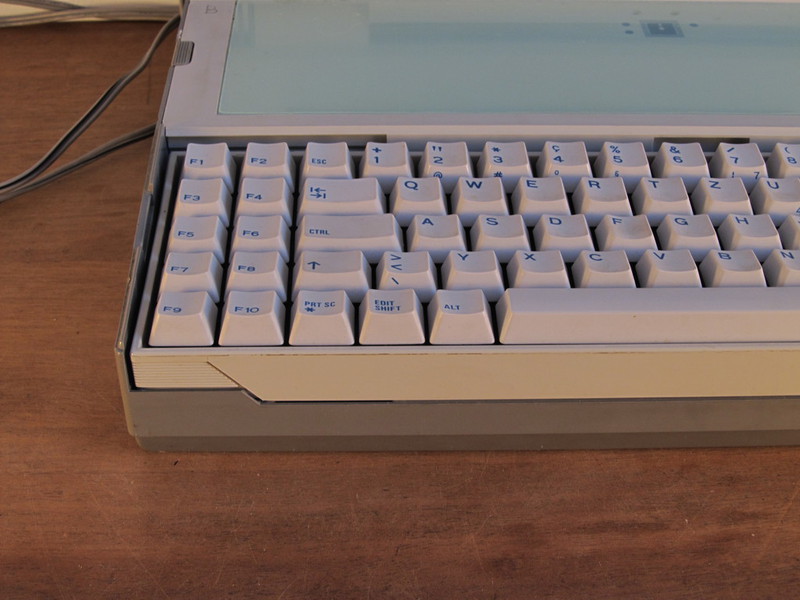
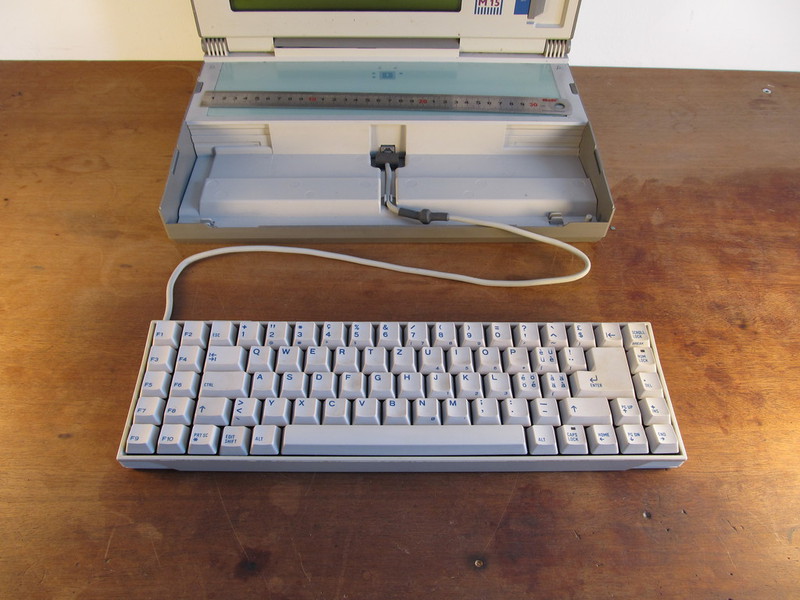
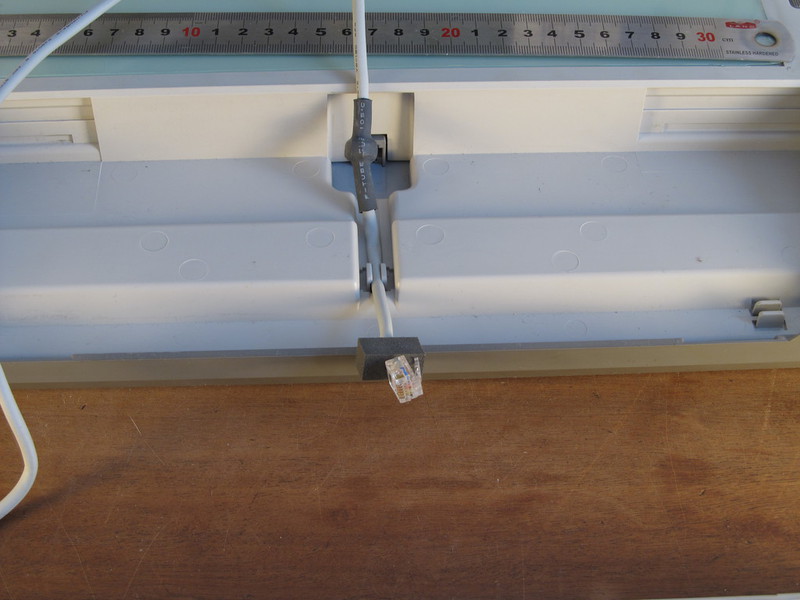
And still the keyboard gets. This compensates for the relatively large opening angle of the screen: you can put the laptop on a stand, and put the keyboard on the table. A standard telephone connector is used in the quality of the connector, and at the end under the thermal casing there is probably a magnetic ring to get rid of interference. Either the interference was older than it is now, or the paranoids were developing this laptop. Inside the laptop there are special grooves for the wire where it is inserted when the keyboard is removed. And also in this picture you can evaluate the layout. I think that it is not much worse than modern notebook computers (I take this opportunity to convey my regards to the keyboard layout of old Thinkpad's)
As I said, the screen is glossy. In the photos below you can see a tripod, in the video even lower you can see everything. Just like a mirror. It would seem that 15 years have passed, and glossy screens still do. There is no backlight, but it is possible to adjust the contast. This will be visible on the first video.
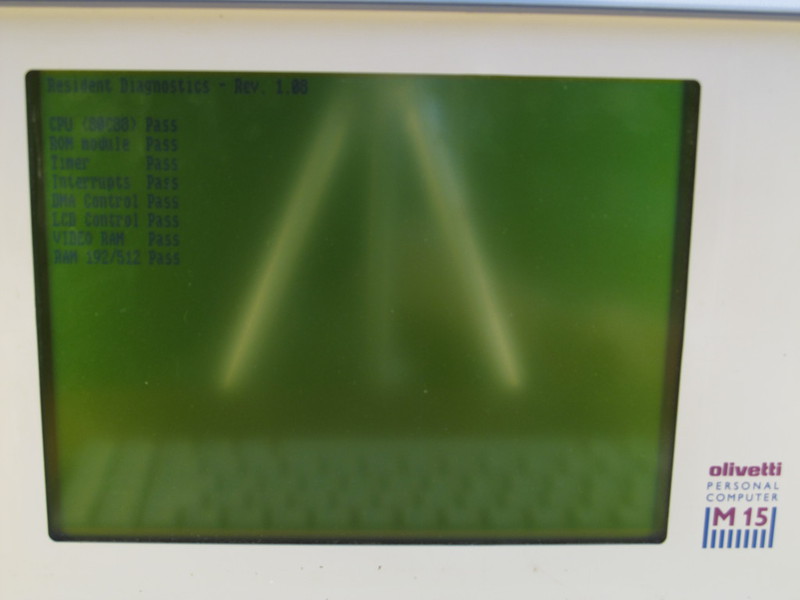
Download and check memory.
DOS welcomes us.
A bit of video with my idiotic comments. I never thought it was so complicated. I express respect to all podcasts, streamers and video casters. I also want to apologize for my professional camera, which constantly tried to focus on sharpness, so it constantly made noise and lost sharpness.
Isometric chess with a demonstration of sound capabilities and contrast adjustment:
Pacman:
Tetris of Lasting:
Update : I wrote to Olivetti a request to send a scan of the manual. Of course, it can be found on the Internet, but I will do it if Olivetti does not help me. If they help, I will be pleasantly surprised by how Italians honor their traditions :).
In a blog with a loud name, "Old Iron" recently shoved iron in power a little weaker than the first pentium. And I have a very old iron. According to the age, according to the Internet, it is not very old, only 1987, but it uses the Intel 80C88 processor , and this is already an indicator, because the era of IBM PC began with its direct parent Intel 8086, on the consequences of which I write this post.
From fragmentary information from the Internet, I learned the following about the insides:
- CPU : intel 80C88 4.77 MHZ
- ROM : 16 Kb
- RAM : 512 Kb
- Video : 16 Kb
- Display resolution : 640 x 200 without backlight
- Storage : 2 3.5 floppyrom which accept formated to 720kb floppy
- Weight : 5.7 kg.
The laptop came to me by accident, but right on my birthday. It was nice. Completely working except for a dead battery, but I think that if you set a goal and it can be restored. The laptop cover (probably by me) is broken off with a battery compartment, with the exception of this laptop is fully operational.
Under the cut a lot of low-quality pictures so no offense. And sometimes it sometimes seems that there is a lot of free space between photos. Actually there is a white wall, but I don’t know how to remove it so that everything is beautiful, so I’ll have to endure this white impudence.
The screen is glossy, and the photographer is bad from me, so I apologize for reflecting myself and the tripod on the screen.
Power Supply
The power supply housing is made of good thick metal, but it is not remarkable for this. Firstly, the connector for the power cable is classic, like on any monitor or desktop these days, thanks to this, there were no problems connecting the laptop to electricity, thanks to the developers for this (these days, by the way, not every laptop can boast such universality ) Secondly, two wires go from the power supply to the laptop: for power and for charging. And if my memory does not lie to me, then for a long time I read somewhere that they need to be connected in some specific order, otherwise the collapse of the universe.
Moreover, the wires for power and charging have jacks of different thicknesses: charging will fit into the power, but on the contrary no longer. Well, jacks are painted in different colors so as not to confuse. We thought about the little things.
General view, ports and battery
And also for LPT, I have a great dot matrix printer that works great but only with the English font. And for this pre-revolutionary COM port, I have an external analog modem. If someone tells me what dosovoi Pribluda to go to the wonderful world of http and which breaks into 720kb - I will try to show a miracle.
Drive
There is no Winchester in the laptop, and instead of them 2 floppy drives (thanks for not a tape recorder!). Floppy disks 3.5 "can only be formatted in 720 Kb, formatting with doubled recording density is useless. The floppics mechanics are made kinesthetic, I am sure of this, because you can insert a floppy disk and press the eject button endlessly. Buttons are pressed with a very nice effort. Now they don’t do that (c).
Such a floppy disk was included, though it is not available on it right now, but the sticker is wonderful.
Keyboard
The keyboard is wonderful, mechanical, but it has a strange layout. When clicked, it clicks nicely (you can listen to it in the video), but strange with ciphers: there is one full-size cipher on the right, small on the left, some edit shift in place of the current win and capslok on the right in place of menu. In capslock and numlock recessed LEDs. At the same time, edit shift works like a capsule, but in mechanical mode: the button remains pressed until the next press. What is the point of duplication is not clear to me, maybe it works like fn, but I still do not understand.
And still the keyboard gets. This compensates for the relatively large opening angle of the screen: you can put the laptop on a stand, and put the keyboard on the table. A standard telephone connector is used in the quality of the connector, and at the end under the thermal casing there is probably a magnetic ring to get rid of interference. Either the interference was older than it is now, or the paranoids were developing this laptop. Inside the laptop there are special grooves for the wire where it is inserted when the keyboard is removed. And also in this picture you can evaluate the layout. I think that it is not much worse than modern notebook computers (I take this opportunity to convey my regards to the keyboard layout of old Thinkpad's)
Screen
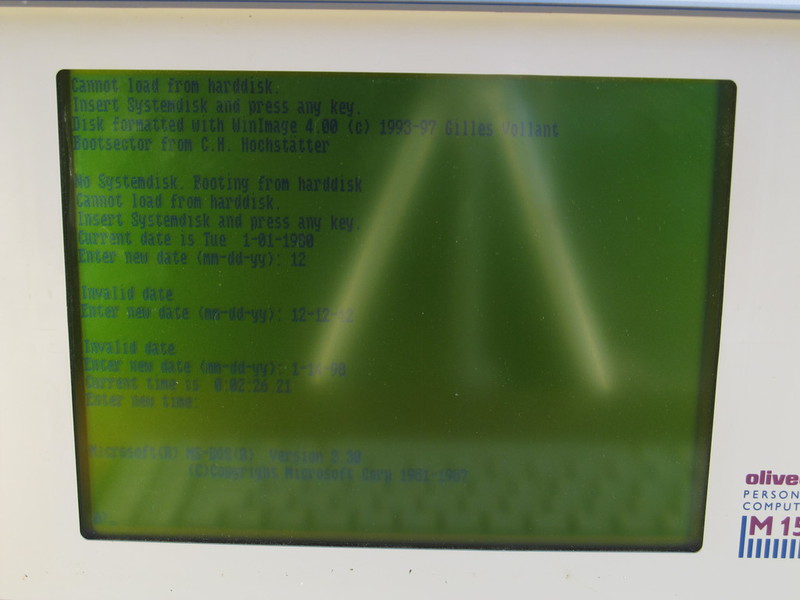
As I said, the screen is glossy. In the photos below you can see a tripod, in the video even lower you can see everything. Just like a mirror. It would seem that 15 years have passed, and glossy screens still do. There is no backlight, but it is possible to adjust the contast. This will be visible on the first video.
Download and check memory.
DOS welcomes us.
Video
A bit of video with my idiotic comments. I never thought it was so complicated. I express respect to all podcasts, streamers and video casters. I also want to apologize for my professional camera, which constantly tried to focus on sharpness, so it constantly made noise and lost sharpness.
Isometric chess with a demonstration of sound capabilities and contrast adjustment:
Pacman:
Tetris of Lasting:
Update : I wrote to Olivetti a request to send a scan of the manual. Of course, it can be found on the Internet, but I will do it if Olivetti does not help me. If they help, I will be pleasantly surprised by how Italians honor their traditions :).