August 11, 2011 at 17:46
We write a simple but useful application for Nokia N900 in 20 minutes
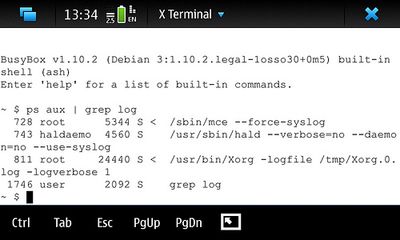 Greetings, dear habrayuzer!
 In this article, I will talk about interesting features of the Maemo operating system from the point of view of
the Unix system administrator. The purpose of the note is to show the convenience of writing applications for this OS.
We will write the application on Shell. Why not? - after all, for Maemo it is a native environment!
As an example, I want to give a shell script that solves a simple task: automatically connect to a home Wi-Fi access point when charging the phone . This script can be useful for those who like to hang various tasks on their phone for the night: for example, updating RSS feeds, synchronizing with the Google calendar, updating software, etc.
Open source
In order not to be unfounded, I will cite the whole script at once:
#!/bin/sh
############ КОНФИГ #############################
# Время "спячки" скрипта между попытками (в секундах)
sleeptime=60
# id вашей сети. Узнать можно командой gconftool -R /system/osso/connectivity/IAP
WIFI_ID="56b4d822-edd4-4692-baf2-25b0711d1e7b"
#
#################################################
temp=1
# Начинаем бесконечный цикл
while [ $temp = "1" ]; do
	# узнаем статус зарядки - connected или disconnected
	status=`hal-get-property --udi /org/freedesktop/Hal/devices/bme --key maemo.charger.connection_status`
	if [ $status = "connected" ]; then
	  echo "Charger found! Trying to connect to home wifi..."
	  # Подключаемся
	  dbus-send --system --print-reply --type=method_call --dest=com.nokia.icd /com/nokia/icd com.nokia.icd.connect string:"$WIFI_ID" uint32:0
	  #
	fi
 #спим
 sleep $sleeptime
done
#
#### КОНЕЦ ####
How it works?
I would like to dwell on two lines:
status=`hal-get-property --udi /org/freedesktop/Hal/devices/bme --key maemo.charger.connection_status`
This command uses HAL to find out if the charging is connected to the phone. I need the udi I found out, it seems, here , and the right key with the commandlshal | grep chargedbus-send --system --print-reply --type=method_call --dest=com.nokia.icd /com/nokia/icd com.nokia.icd.connect string:"$WIFI_ID" uint32:0
Here we connect to the D-Bus and send a request to connect to the saved access point. The command can be found in the very useful newbie Phone Control manual of the official Wiki Maemo.
I think that regarding the rest of the script, questions should not arise.
Installation
Next, you need to make the script work constantly in the background and add it to the "autorun":
- Give the script the name wifi-on-charge.sh and put it in / usr / bin /
- We give the right to execute: chmod + x /usr/bin/wifi-on-charge.sh
- We create a script to run (I'm not sure what the best option is, but I do this):
#!/bin/sh /usr/bin/nohup /usr/bin/wifi-on-charge.sh > /dev/null 2>&1 & - We give the right to execute chmod + x /usr/bin/run-wifi-on-charge.sh
- In the /etc/event.d directory, create a wifi-on-charge text file with the contents:
# start on started hildon-desktop exec /usr/bin/run-wifi-on-charge.sh # - We reboot the device, check: after inserting the recharge cable, a connection to Wi-Fi should occur within 60 seconds
Conclusion
The note shows one of the easiest ways to add nice features to your N900. This script has not been added: it behaves badly if there is no home access point nearby. But this problem is easily solved if you are enthusiastic and master the basics of programming. ;)
I hope this article helps newcomers to the Maemo world take the first step in writing their own useful utility.
Next time I will talk about how I wrote the Outcoming Call Vibro application .
Links:
- Phone Control
- D-Bus Scripts