April 22, 2011 at 17:00
Yota on Mac
At the moment, Yota offers three mobile devices that allow you to use WiMax on Apple laptops:
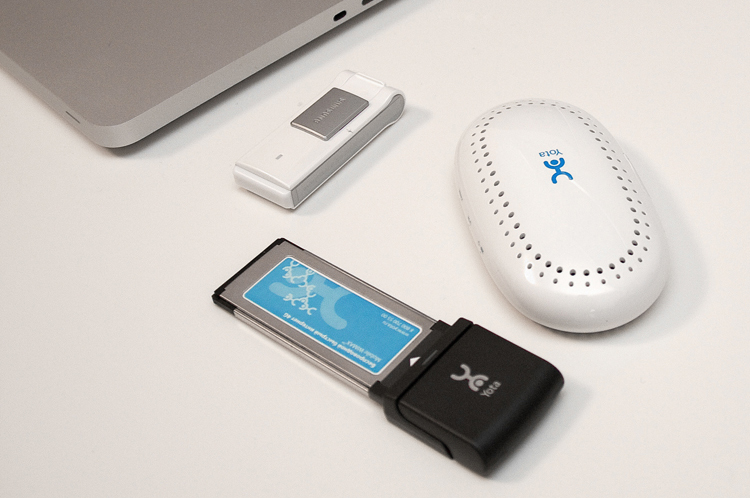
* SWC-E100 * SWC-U200 * Yota Egg *

A small overview of devices and software for MacOS under the cut.

The device in express card format is suitable only for MacBook Pro 17 ”, on models with a smaller diagonal there is no this connector.

The device looks stylish and compact enough (most of it is hidden inside the laptop).
A small two-color LED indicates status (looking ahead, I will say that when the connection is active, the color changes to blue). It is very pleasing that the light is dim and not annoying.
After installing the E100 on MacOS, the movement began:

In this way, the modem is prepared for Mac. Everything goes quite quickly and smoothly:
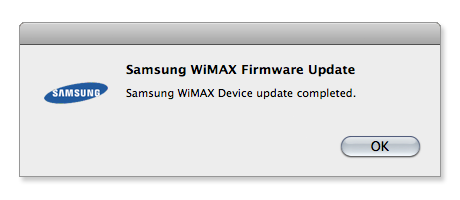
I decided not to use complete disks (especially since I don’t have a DVD drive), but I downloaded the latest software from the site and installed it: The
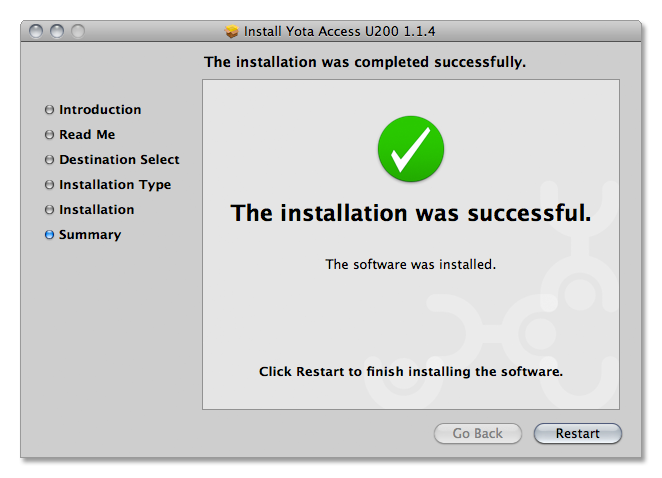
Yota Access icon took its place in the Menu Bar:

In my opinion, the color logo looks a bit immodest, surrounded by other monochrome icons.
Now you can activate the device in your account and start testing the speed. I tested it on the yota.ru website, because to use speedtest.net I would have to pay for the Internet for each device. :)
In the article Testing Wi-Fi antennas for WiMax reception, I used speedtest.net and made sure that the Yota test even underestimates the readings compared to it.

The speed is excellent.
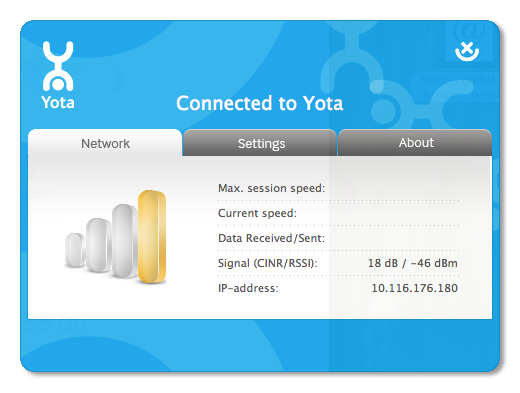
The CINR / RSSI values are also (you can find out what these values are in the note habrahabr.ru/blogs/WiMAX/116837 ).
“Remember” these results and move on to the next device.
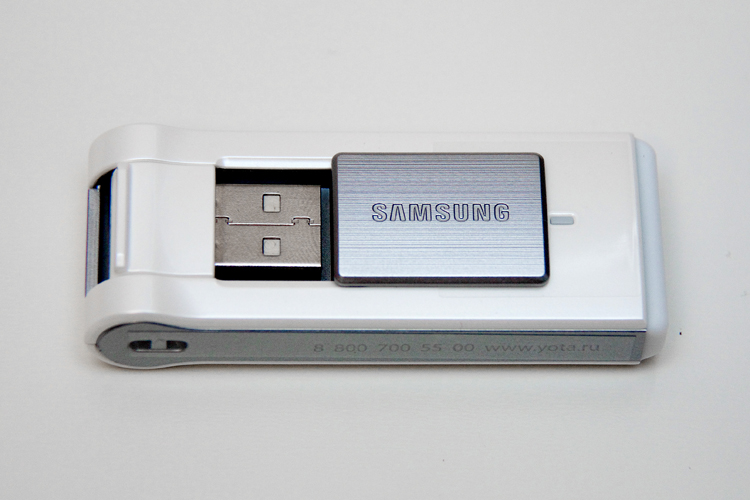
SWC-U200 modems are available in three colors - white, red and gray. The photo shows a white version. It looks like a big flash drive. An interesting mechanism for closing the USB connector. The curtain with the Samsung inscription can completely hide it and protect it from the effects of an aggressive environment (I’m sure that this is not observed in the pockets and bags of my esteemed readers, but still we will write this as a plus).
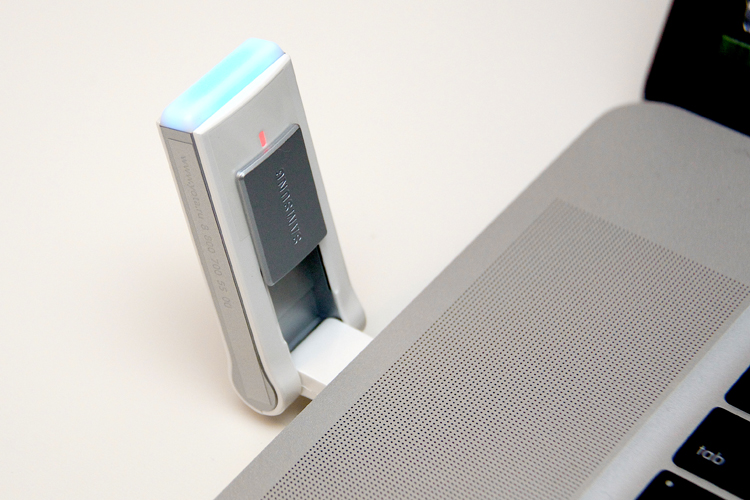
In the photo, the device looks fine, but the first time I connected it in the dark. The blue light was simply unbearably bright and very distracting. To the credit of Yota, Yota Access for U200 provides for disabling this illumination; do not write to minus. I forgot to mention that there were no spontaneous firmware updates, and I also downloaded and installed Yota Access for this device from the site.
It is worth mentioning another point: when Yota Access was installed, it did not find a connected modem. It was intuitively decided to pull out and insert the modem, after which it immediately showed up and successfully connected.
The results were obtained similarly to the previous ones:
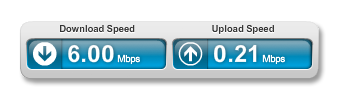
Download speed inferior to E100 is not much, but Upload speed is significantly lower.

There are differences in CINR / RSSI from the previous device, but they can be completely attributed to the measurement error.
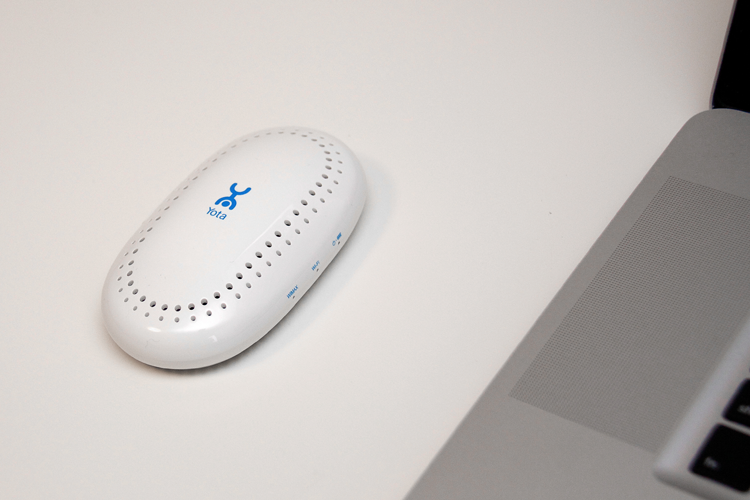
After an excellent review of Bumburum, I will not describe it. I will give only a photo (see above) and the parameters:
Results:

CINR 20 dB / RSSI -50 dBm
Yota Egg is a unique device. It is suitable for any device equipped with Wi-Fi, and it can provide the Internet with multiple devices at the same time. If you need to deploy a mobile office and connect your iPhone, iPad, any other communicators, tablets, laptops and stationary computers to any modern operating system to the network, Yota Egg is what you need. However, comparing it with USB and Express Card modems is not entirely correct. Along with all its advantages, it is larger, more expensive, has a limited battery life (it needs a socket or a USB cable). Therefore, the "classic" modems are still relevant.
The Express Card modem, the SWC E100, is the best choice for the MacBook Pro 17 owner, in my opinion. ” It is more compact than the USB-brother, provides the highest speed and leaves the USB port free, of which there are only three available on the mentioned laptop.
SWC - U200 will fit any MacBook model (not only Pro 17 "), iMac, Mac PRO and Yota Ready routers. It is much more universal.
Yota software doesn't look raw on the Mac, it works flawlessly, but it can be styled with MacOS It’s better to adapt. I didn’t encounter any difficulties while working with devices, my expectations were not deceived, therefore I cannot but recommend Yota as an excellent solution for high-speed mobile Internet for Apple device owners.
In this review, all Yota mobile devices were tested except Yota Jingle. It does not support MacOS, but if you use Windows, you can pay attention to it, since it is the most affordable model (1790 rubles).
I can’t say why these differences are explainable. Maybe someone will suggest an interesting hypothesis in the comments.
* SWC-E100 * SWC-U200 * Yota Egg *
A small overview of devices and software for MacOS under the cut.
SWC-E100
| Connection interface | Express card |
| Output signal power | 0.2 watts |
| Power consumption | 2.5 watts |
| Dimensions | 118 × 39.4 × 14 mm |
| Weight | 37.5 g |
| Price Price.ru | from 1990 rub. |
The device in express card format is suitable only for MacBook Pro 17 ”, on models with a smaller diagonal there is no this connector.
The device looks stylish and compact enough (most of it is hidden inside the laptop).
A small two-color LED indicates status (looking ahead, I will say that when the connection is active, the color changes to blue). It is very pleasing that the light is dim and not annoying.
After installing the E100 on MacOS, the movement began:
In this way, the modem is prepared for Mac. Everything goes quite quickly and smoothly:
I decided not to use complete disks (especially since I don’t have a DVD drive), but I downloaded the latest software from the site and installed it: The
Yota Access icon took its place in the Menu Bar:
In my opinion, the color logo looks a bit immodest, surrounded by other monochrome icons.
Now you can activate the device in your account and start testing the speed. I tested it on the yota.ru website, because to use speedtest.net I would have to pay for the Internet for each device. :)
In the article Testing Wi-Fi antennas for WiMax reception, I used speedtest.net and made sure that the Yota test even underestimates the readings compared to it.
The speed is excellent.
The CINR / RSSI values are also (you can find out what these values are in the note habrahabr.ru/blogs/WiMAX/116837 ).
“Remember” these results and move on to the next device.
SWC-U200
| Connection interface | USB 2.0 |
| Output signal power | 0.2 watts |
| Power consumption | 2.5 watts |
| Dimensions | 70 × 27 × 14 mm |
| Weight | 25 g |
| Price Yota.ru | 2390 rub. |
SWC-U200 modems are available in three colors - white, red and gray. The photo shows a white version. It looks like a big flash drive. An interesting mechanism for closing the USB connector. The curtain with the Samsung inscription can completely hide it and protect it from the effects of an aggressive environment (I’m sure that this is not observed in the pockets and bags of my esteemed readers, but still we will write this as a plus).
In the photo, the device looks fine, but the first time I connected it in the dark. The blue light was simply unbearably bright and very distracting. To the credit of Yota, Yota Access for U200 provides for disabling this illumination; do not write to minus. I forgot to mention that there were no spontaneous firmware updates, and I also downloaded and installed Yota Access for this device from the site.
It is worth mentioning another point: when Yota Access was installed, it did not find a connected modem. It was intuitively decided to pull out and insert the modem, after which it immediately showed up and successfully connected.
The results were obtained similarly to the previous ones:
Download speed inferior to E100 is not much, but Upload speed is significantly lower.
There are differences in CINR / RSSI from the previous device, but they can be completely attributed to the measurement error.
Yota egg
After an excellent review of Bumburum, I will not describe it. I will give only a photo (see above) and the parameters:
| Output signal power | 0.2 watts |
| Dimensions | 110 × 61.8 × 28.3 mm |
| Weight | 130 g |
| Price Yota.ru | 4990 rub. |
Results:
CINR 20 dB / RSSI -50 dBm
Conclusions:
Yota Egg is a unique device. It is suitable for any device equipped with Wi-Fi, and it can provide the Internet with multiple devices at the same time. If you need to deploy a mobile office and connect your iPhone, iPad, any other communicators, tablets, laptops and stationary computers to any modern operating system to the network, Yota Egg is what you need. However, comparing it with USB and Express Card modems is not entirely correct. Along with all its advantages, it is larger, more expensive, has a limited battery life (it needs a socket or a USB cable). Therefore, the "classic" modems are still relevant.
The Express Card modem, the SWC E100, is the best choice for the MacBook Pro 17 owner, in my opinion. ” It is more compact than the USB-brother, provides the highest speed and leaves the USB port free, of which there are only three available on the mentioned laptop.
SWC - U200 will fit any MacBook model (not only Pro 17 "), iMac, Mac PRO and Yota Ready routers. It is much more universal.
Yota software doesn't look raw on the Mac, it works flawlessly, but it can be styled with MacOS It’s better to adapt. I didn’t encounter any difficulties while working with devices, my expectations were not deceived, therefore I cannot but recommend Yota as an excellent solution for high-speed mobile Internet for Apple device owners.
In this review, all Yota mobile devices were tested except Yota Jingle. It does not support MacOS, but if you use Windows, you can pay attention to it, since it is the most affordable model (1790 rubles).
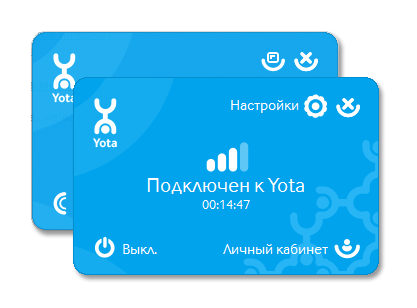
PS About the differences between Windows and Mac software versions:
I can’t say why these differences are explainable. Maybe someone will suggest an interesting hypothesis in the comments.