Microsoft has opened the source code file manager
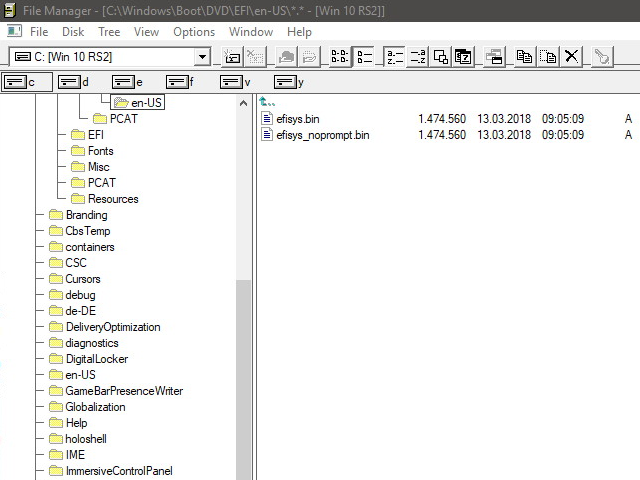
Windows File Manager from Windows 3.0
On April 6, 2018, Microsoft posted on GitHub the source code for the original version of Windows File Manager , which was shipped as part of the Windows operating system in the 90s, as well as a modified and improved version of the File Manager. At one time, this program became the first graphic file manager from Microsoft. She allowed to copy, move and delete files, selecting them with the mouse. The program has replaced MS-DOS file management and has become a replacement for numerous file shells like Norton Commander, although many users have used and still use NC, FAR and Windows Total Commander for many years.
Now anyone can compile the source code - and run the old Windows File Manager in a modern operating system. The file manager from Windows quickly came out on top of the list of the most popular GitHub repos for the day .
The very first 16-bit version of Windows File Manager supported only file names in the 8.3 format. There was no support for long file names, as well as support for spaces in names. If the dispatcher had to display long files, he showed the first six characters, then the tilde "~" character and a number, usually one. If the folder contained several files with the same first six characters in the name, then they were assigned the numbers 2, 3, and so on.
Then the program was rewritten under 32 bits for Windows NT. She was already able to display long file names and supported the NTFS file system.
In 1990-1999, File Manager remained a standard component of Windows and was shipped with the operating system. It is still available for download as an optional file manager, even in Windows 10, although it has long been replaced by Windows Explorer (Windows Explorer) in the standard package.
The latest version of the file WINFILE.EXE build 4.0.1381.318 was supplied as part of Windows NT 4.0 Service Pack 6a (SP6a). The latest 16-bit version of WINFILE.EXE build 4.90.3000 is in the Windows Me operating system.
As stated in the GitHub description, the source code is copied from a Windows NT 4 branch in November 2007. It contains some changes from the original version of WinFile.exe. These changes are necessary mainly for the program to work normally on modern versions of Windows, including 64-bit versions and based on Visual Studio 2015 and 2017.
The code is published under the MIT license. Microsoft Veteran Craig Wittenberg has been appointed as a Maintainer. He has been supporting this code for the last ten years, after copying it from a Windows NT 4 branch.
A distinctive feature of the Windows File Manager is support for the Multiple Document Interface (MDI) document interface. This is a way of organizing a graphical interface in which most windows are located inside a single common window. This is what makes it different from the now-single-document interface (SDI), where the windows are located independently of each other.
Compiling and running this artifact on a modern machine, you will appreciate the amazing backward compatibility of programs under Windows, because the software 28 years ago with almost no modifications works on the latest OS. If you did not work on the first versions of Windows, you can evaluate what programs you had to use then. Just keep in mind that in the early 90s, Windows 3.0 itself and this File Manager noticeably slowed down on many personal computers. Especially for installing Windows 3.0 I had to buy several megabytes of RAM, and sometimes upgrade the processor, for example, from 20 MHz to 40 MHz. But as a reward, the user received a Word text editor for Windows with support for many Cyrillic fonts and WYSIWYG formatting - instead of the poor monotony of "Lexicon" or Word under DOS.
In the Microsoft repository, in fact, there are two versions of the Windows File Manager: the original version and slightly extended, with additional functionality that Craig Wittenberg contributed over the years. These include support for copying, cutting and pasting with Ctrl + C, Ctrl + X and Ctrl + V, OLE drag-n-drop support, support for context menus in both panels, etc.
The revised version also has useful functions of the old File Manager, such as "Copy Floppy".









