EDC device for the sysadmin: Linux in your pocket
Each administrator, perhaps, had a case when something suddenly breaks, and you are somewhere on the road: you go by car, sit on a train or, trivially, sit somewhere on a park bench and get lost and run somewhere there is no desire. And it is necessary to repair. Or, at a minimum, estimate the scale of the white fur animal that arrived.
It is clear that you can do with a smartphone or tablet, especially if you only need to go by ssh. But to use the touchscreen in such cases, as for me, is pain and suffering.

You can purchase an external keyboard, holder, or tablet stand, but I find it easier then to carry around a full-fledged laptop. Places will take about the same.
If you are too lazy to read, you can go straight to the practical part.
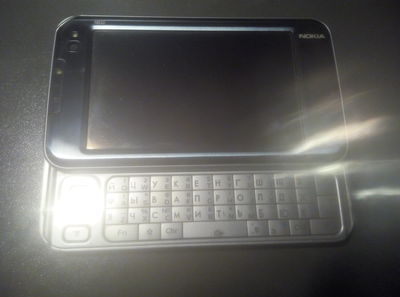
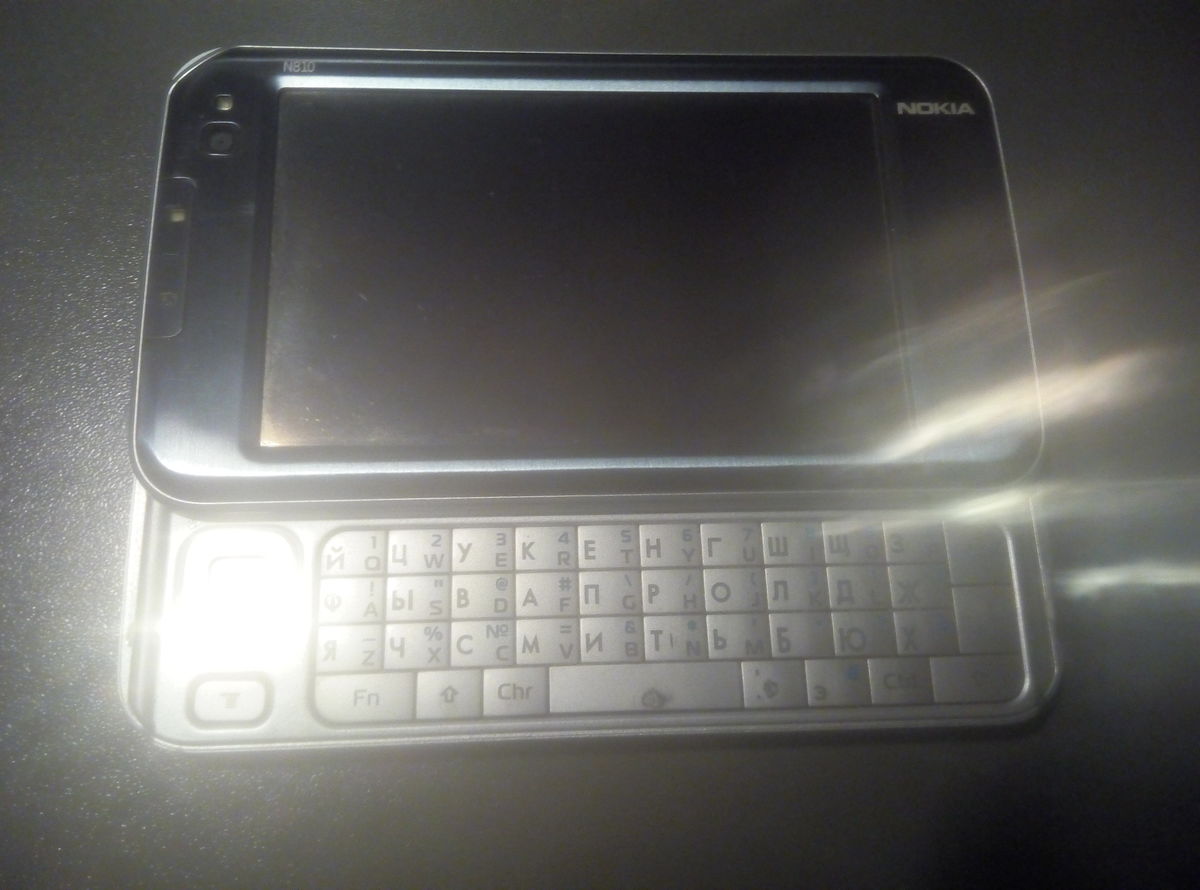
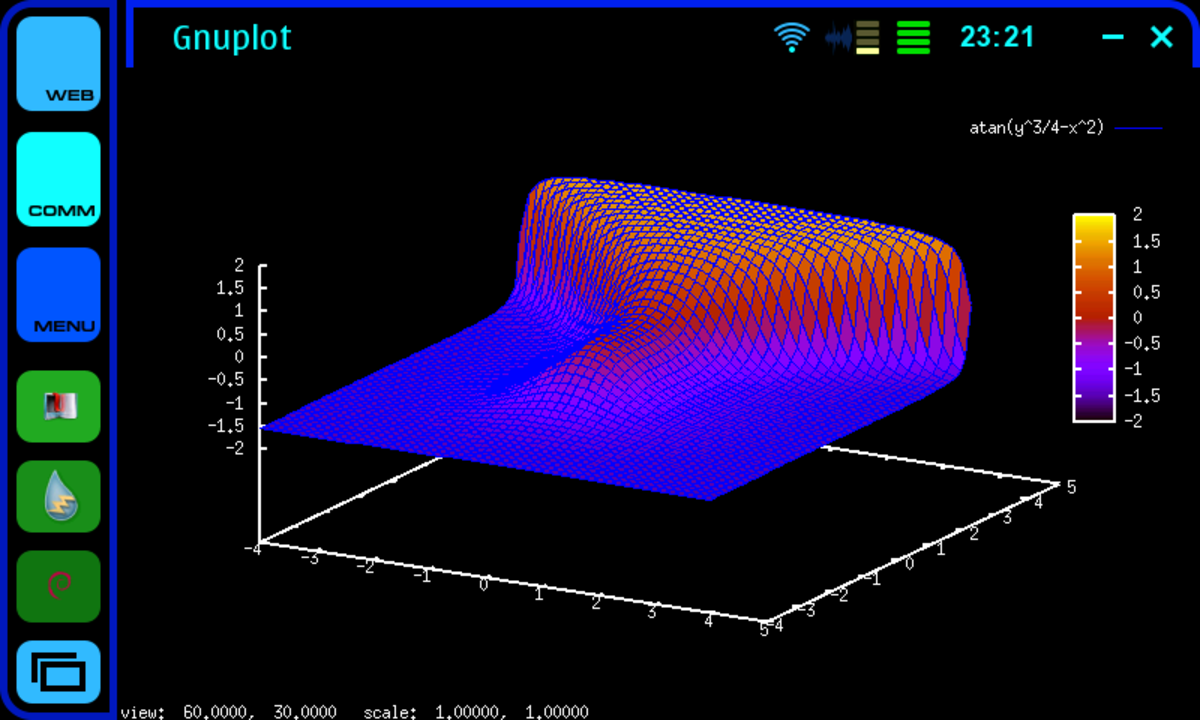
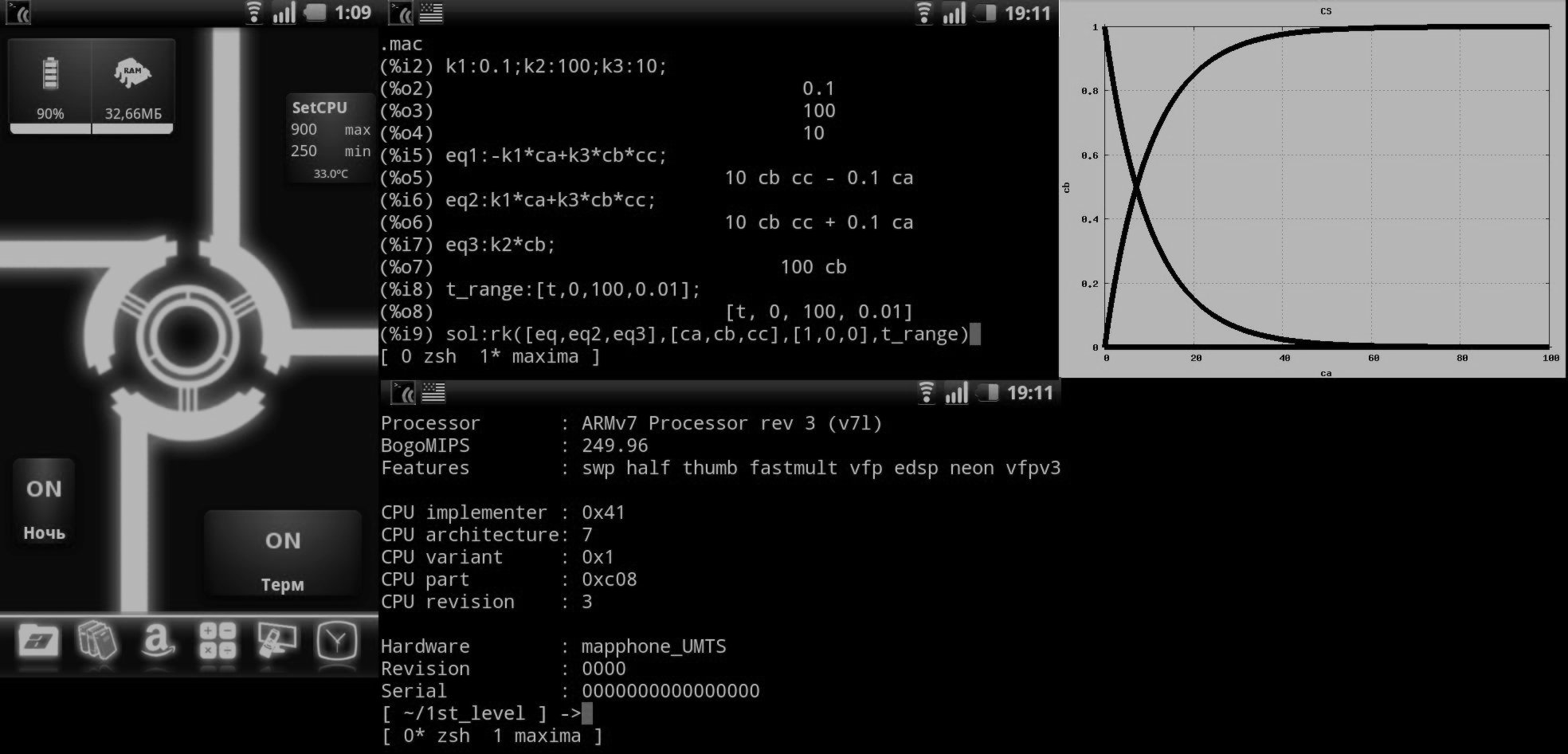
At one time, when androids and iPhones did not exist yet, for such things I used the Nokia N810 “internet tablet”. The device dimensions with a modern smartphone, while having a qwerty-keyboard and even with a full Linux on board. Ssh, vnc, rdesktop - no question! Plus, I actively used CAS Maxima when it was necessary to quickly calculate something and show the result.

But as time went on, android smartphones began to appear. Here it is, I thought: practically full-fledged Linux, while there is no need to carry another device with you to distribute the Internet. I began to look after the device with qwerty, which would replace me with the good old n810, by that time already pretty tired (screen loop, two times replaced battery, keyboard, broken case). The choice fell on Motorola Milestone.
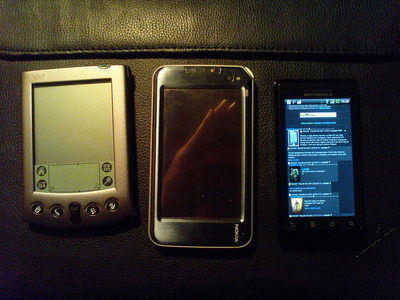
Here it is, next to my good old Palm V and N810: I must say that the product did not justify trust. The keyboard was a complete disappointment. Not even because of the layout, but because of the extremely poor quality of workmanship: after six months of use, she began to flake off and hang out.
The encrypted bootloader added its own nails to the coffin: the inability to use the custom kernel with all the consequences, debian chroot, because of the peculiarities of the power supply, consumed the battery as if not in itself, but still, somehow the product solved the tasks assigned to it.
At the very least, it continued to be used after the expiration of the planned obsolescence period, determined by the manufacturer, when several more recent models were released (differing, perhaps, by a slightly modified layout and a large amount of RAM) and at the same time it was wildly buggy and slowed down. She finished her motorbike days very brutally: having gone to another dead frieze during a call, she was smashed against the wall.

Ok, as the ssh-terminal will come down and the smartphone (it will, of course, devour a certain amount of your nerve cells). But there are cases that it is necessary to cling to some piece of hardware with a console cable, or to remove tcpdump'n an unknown IP device in order to do something with it.
It’s fabulous when, due to the COM port on the docking station, a person pulls along a hefty 17 "HP stupid fool with a dock and a 1.5-pound power supply, and then also hangs with all this stuff on a stepladder in front of the bar.
Last time, I used a 12 "ThinkPad x220 with a usb2com adapter. But more and more often he began to leave the laptop at home, until once (once again) it happened “$ username, everything broke!”, And with him only a smartphone on the android.
And I stumbled, once, on a product called GPD Pocket. A full-fledged laptop in the form factor of a resmartphone or under-tablet. 7 ", qwerty-keyboard, a decent supply of autonomy - oh, we must take. Ordered, received, unpacked.
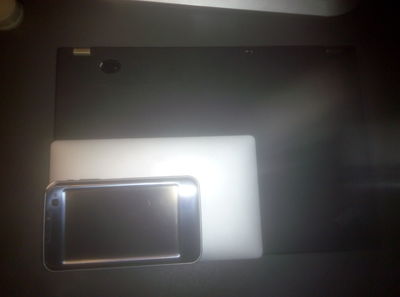
For comparison with x220 and n810: I will not describe the characteristics, who should - will find on the Internet, especially since there was a recent review from Girbest. Just bring exhaust lshw and lspci: lshw:
lspci:
Build quality is good, no backlash, no creaks, no flex. Aluminum housing and in general, the device gives the impression of such a monolithic block. This is a plus.
But there are plenty of cons too. Glossy screen. No, it is not just glossy - it is literally a mirror. That is, you will see your reflection in the conditions of any non-zero light. In the kit was a protective film, but she did not solve the problem.
The second is the keyboard. What it is is wonderful. But how it is implemented is shame and horror. Attempt to roll under MacBook, with these hefty gaps between the buttons - well, why? After all, the target audience, it seems, is not a glamor kitty - they will just take another iped or macbook. Do not be these unfortunate intervals, the size of the keys could be made larger.
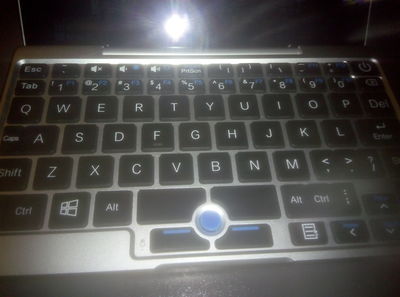
The Fn button has a very poor layer: these are 2 buttons for brightness adjustment, F1-F12 and Insert. Why do you need the top row? It could be implemented as a separate layer.
Particular pain and suffering among users of Vim is caused by a colon, placed in the bottom row, next to ctrl.
All right, everything is bad, we will treat, the benefit is there are some ways (about it below).
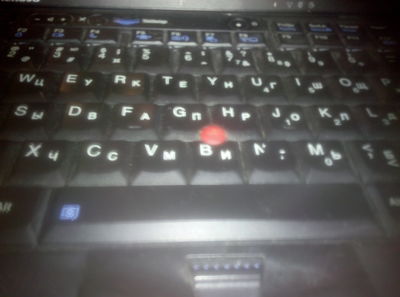
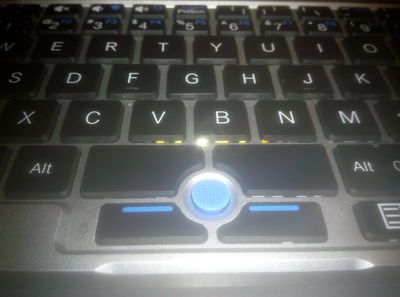
Oh yeah, there is a trackpoint. That to me, as an experienced ThinkPad user, heats the soul. Only here is one thing: the trackpoint is located completely in the wrong place and in order to use it, you will have to bend your thumb. This, unfortunately, is incurable. But for a couple of extra red caps in the kit, of course, thanks.
Trackpoint healthy person:
Trackpoint smoker:
It is clear that “windows”, and “windows 10” especially, on this device is not something that I do not need, but simply contraindicated.
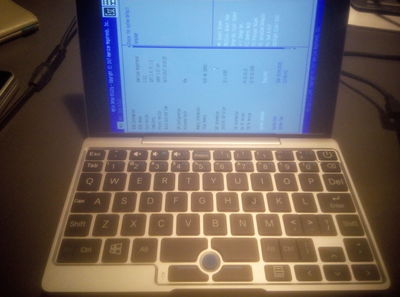
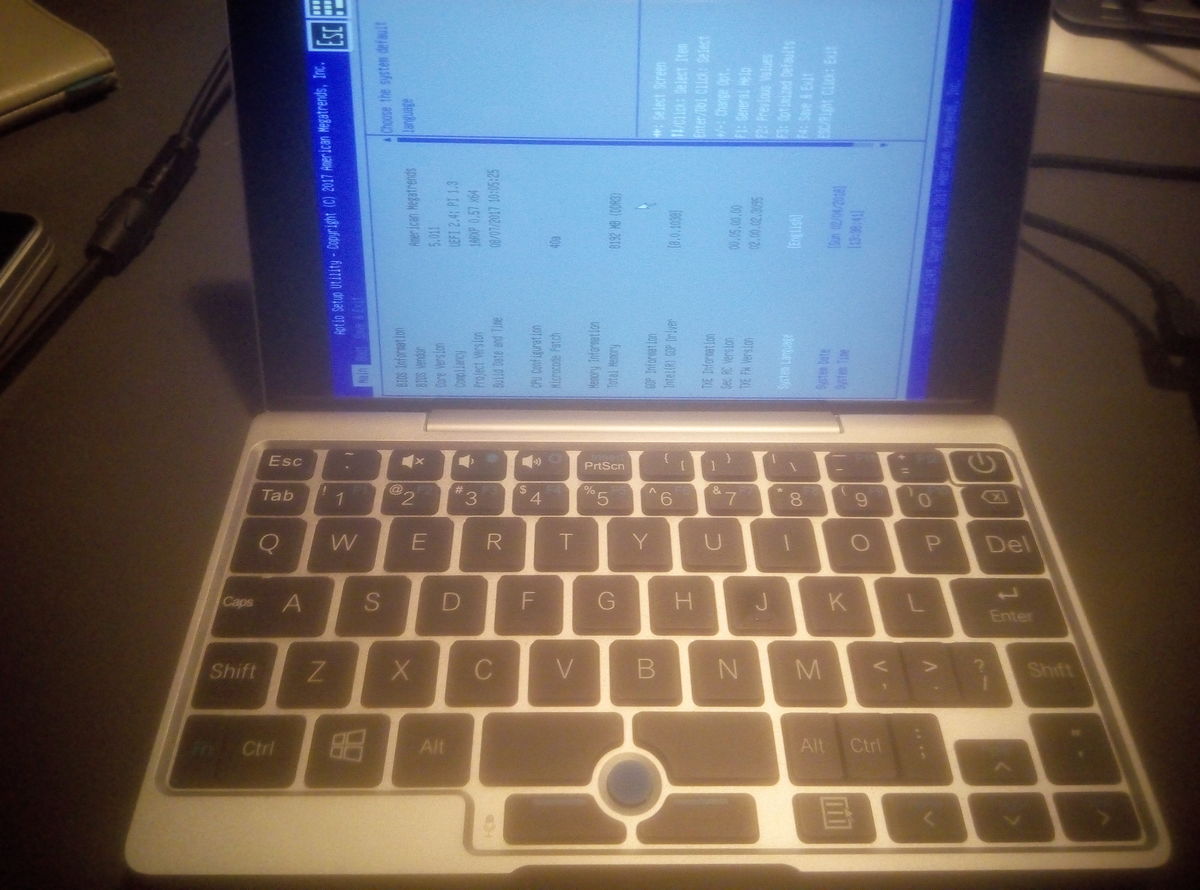
Because of the features of the device, such as the screen orientation (it is turned to the side), it’s just impossible to install and install your favorite Debian without dancing with a tambourine. In principle, the official site has the official image of Ubuntu LTS 16.04 (which seems to me a good alternative to stable Debian), but after reading the discussions on the Internet, it was decided to use the project GPD Pocket Ubuntu Respin I emphasize, in general, the obvious thing, that only an image built on Ubuntu is suitable for use and fed to a script, for example, Debian, will not work:
At the output we get the file linuxium-xubuntu-16.04-desktop-amd64.iso, which we write on the USB flash drive:
We are loading from it, setting the boot device, going to the UEFI settings with the Delete button when loading.
The installation procedure is trivial, I can’t see the meaning of details. I will only note that it is better to produce it from the Live mode, so the screen will not be turned to the side.
I use full disk encryption in case the device is suddenly lost or stolen. So, at least, all your ssh-keys (yes, I know about password protection and ssh-agent) and logins on Internet resources will remain intact. Therefore, I put LVM on top of LUKS, which is what you want.
It would be nice to be able to throw the laptop into the bag and forget about it until it is needed. Fortunately, the size and weight allow. It would be nice not to start up, every time, the necessary applications manually, but simply to continue working from the place where you stopped.
Sleep mode, like, works out-of-the-box. It is implemented by regular means, I mean through systemctl suspend. However, empirically, it was found that the power consumption in this mode is not much inferior to consumption in idle. Apparently, the device simply extinguishes the screen, network interfaces and disables the cooler. As a result, the battery will land at zero days for two.
Need hibernation. The standard hibernate systemctl turned out to be inoperable: the state is dumped into the swap, but it cannot recover when it is loaded.
I remembered that there is such a project - Userspace Software Suspend and there are its packages in the repository.
Checking:
Voila, it works! The system has been dumped and turned off. After entering the password LUKS, recovered. But the sound and wifi were covered, the brightness of the screen backlight was reset to the maximum. We will finish.
Before proceeding to configure ACPI, you will need to install several utilities.
So xbacklight is responsible for adjusting the brightness of the screen.
The laptop is not a hard disk, but a flash drive, so I don’t want to kill it with a swap. There is such a thing ZRam , so we will use it. Now everything is simple with this, it is not necessary to prescribe sheets in rc.local, and you only need to do the following:
The script itself will calculate the required amount of memory and make swapon.
As it was rightly reminded in the comments, the flash resource eats up not only the swap, but also the logging. Therefore, / tmp and / var / log will be rendered in ram to tmpfs. To do this, we add two lines in / etc / fstab:
First of all, disable systemg handlers. So how does it all by its own means, and they are inoperable. The motto - we do everything, but we do it badly. For example, it did not learn how to handle the connection of the power adapter or headphones, keystrokes, and the like.
/etc/systemd/logind.conf
The acpid daemon is responsible for handling acpi-events; its config files are stored in / etc / acpi.
We will send the laptop to hibernation by pressing the power button. To do this, edit the following files (if they are not there, you need to create it):
/ etc / acpi / events / powerbtn
/etc/acpi/hibernate.sh (with comments)
It is not easy to realize automatic hibernation at low charge, but very simple:
/etc/acpi/ifbatlowgotosleep.sh
The script checks the state of charge. If less than 10%, then the hibernation script given above performs.
Periodic execution is set via crontab:
In my case, the battery is polled every 3 minutes.
Sleep mode (systemctl suspend), as mentioned above, is rather useless. Therefore, I see no reason to activate it when the lid is closed. Moreover, there may be a desire, say, to listen to music from a gated laptop, located in a pocket (no wonder he is “pocket”).
Therefore, simply extinguish the screen when closing and turn on when opening.
Remove / etc / acpi / lidbtn.
Create and edit:
/ etc / acpi / events / lidclose:
/ etc / acpi / events / lidopen:
/etc/acpi/lidopen.sh
/etc/acpi/lidclose.sh
Set the DPI value to taste, and user is the simple name of my account (change to your own).
We do this through all the same acpi-events.
/ etc / acpi / events / voldown
/ etc / acpi / events / volup
/ etc / acpi / events / mute
Scripts:
/etc/acpi/volume-toggle.sh
/etc/acpi/volume-up.sh
/etc/acpi/volume-down.sh
Similarly for brightness:
/ etc / acpi / events / bdown
/ etc / acpi / events / bup
/etc/acpi/bup.sh
/etc/acpi/bdown.sh
Let me remind you, user is the name of my account. Enter your.
Shit ^ WCSpeaky chip Realtek ALC5645 can not turn off the speakers when connecting headphones. We'll have to teach the system to do it yourself.
There is a script in respin:
But it does not work. He is trying to make the switch through the control of the cine-audio cine-synks, but he fails. Because:
The answer is simple: when the pshsh-audio process is not yet called by the client, there is nothing to communicate with pacmd. You can, of course, add a line to launch this one in rc.local, xinitrc, or write a separate systemg unit at all, but I decided that it would be better to pull out my own crutch than repair others. And I wrote my script, much less monstrous and sophisticated, I think.
/etc/acpi/headphone-jack.sh
As already mentioned, the layout infuriates me. The delete button is where there should be backslash and bar, a colon in the bottom row, it’s not clear why the menu key is a tab, where the escape is on normal keyboards ...
I’ll not write out details, I’ll just give my own ~ / .xmodmaprc and I will describe how all this is done.
First, we need to catch keikod. This is done using the xev program (#apt install xev, yes). Run, press the desired key and get the output like:
We need the value "keycode 119".
Next, open ~ / .xmodmaprc and write it there.
And we bring the execution of "xmodmap ~ / .xmodmaprc" into your xinitrc or whatever you call when starting your favorite DE or WM.
My ~ / .xmodmaprc:
They use such questionable, for most users, things like moving ctrl to caps-lock, tab to ctrl_l, alt_gr to menu and switching layouts to the old altgr position.
I also use xcape to emulate pressing escape when I press ctrl_l once. Called as follows:
Since I prefer dark themes that are more comfortable (I have an opinion, hell to challenge) in low light conditions, but often have to work in bright daylight, there is a small trick: you can invert the colors of the image. To do this, you need the xcalib program:
Invert:
You can zabindit to any convenient hot key tools window manager. I'm hanging on Super_L + Backspace.
Impressions of the device are more positive than negative. I do not regret the money spent. The device does not take up much space in the bag, it fits in the pocket of cargo pants and a smok-like jacket. It works for a long time from the battery, for the test I ran through three and a half hours films with wifi on, discharged about half. Charged from the paver with usb-a through the adapter ac. All encountered soft curvatures successfully treated. It is a pity that there is no rj45 port, but I hope it will be decided by the ordered adapter with usb. The lack of mobile communications and cameras, now, in conditions of total surveillance, I think rather a plus.

It is clear that you can do with a smartphone or tablet, especially if you only need to go by ssh. But to use the touchscreen in such cases, as for me, is pain and suffering.
You can purchase an external keyboard, holder, or tablet stand, but I find it easier then to carry around a full-fledged laptop. Places will take about the same.
A little bit of memories and reasoning
If you are too lazy to read, you can go straight to the practical part.
At one time, when androids and iPhones did not exist yet, for such things I used the Nokia N810 “internet tablet”. The device dimensions with a modern smartphone, while having a qwerty-keyboard and even with a full Linux on board. Ssh, vnc, rdesktop - no question! Plus, I actively used CAS Maxima when it was necessary to quickly calculate something and show the result.
But as time went on, android smartphones began to appear. Here it is, I thought: practically full-fledged Linux, while there is no need to carry another device with you to distribute the Internet. I began to look after the device with qwerty, which would replace me with the good old n810, by that time already pretty tired (screen loop, two times replaced battery, keyboard, broken case). The choice fell on Motorola Milestone.
Here it is, next to my good old Palm V and N810: I must say that the product did not justify trust. The keyboard was a complete disappointment. Not even because of the layout, but because of the extremely poor quality of workmanship: after six months of use, she began to flake off and hang out.

The encrypted bootloader added its own nails to the coffin: the inability to use the custom kernel with all the consequences, debian chroot, because of the peculiarities of the power supply, consumed the battery as if not in itself, but still, somehow the product solved the tasks assigned to it.
At the very least, it continued to be used after the expiration of the planned obsolescence period, determined by the manufacturer, when several more recent models were released (differing, perhaps, by a slightly modified layout and a large amount of RAM) and at the same time it was wildly buggy and slowed down. She finished her motorbike days very brutally: having gone to another dead frieze during a call, she was smashed against the wall.
Ok, as the ssh-terminal will come down and the smartphone (it will, of course, devour a certain amount of your nerve cells). But there are cases that it is necessary to cling to some piece of hardware with a console cable, or to remove tcpdump'n an unknown IP device in order to do something with it.
It’s fabulous when, due to the COM port on the docking station, a person pulls along a hefty 17 "HP stupid fool with a dock and a 1.5-pound power supply, and then also hangs with all this stuff on a stepladder in front of the bar.
Last time, I used a 12 "ThinkPad x220 with a usb2com adapter. But more and more often he began to leave the laptop at home, until once (once again) it happened “$ username, everything broke!”, And with him only a smartphone on the android.
Here it is, the fish of my dreams (actually, no)
And I stumbled, once, on a product called GPD Pocket. A full-fledged laptop in the form factor of a resmartphone or under-tablet. 7 ", qwerty-keyboard, a decent supply of autonomy - oh, we must take. Ordered, received, unpacked.
For comparison with x220 and n810: I will not describe the characteristics, who should - will find on the Internet, especially since there was a recent review from Girbest. Just bring exhaust lshw and lspci: lshw:

Hidden text
    описание: Настольный компьютер
    продукт: Default string (Default string)
    производитель: Default string
    версия: Default string
    серийный №: Default string
    разрядность: 64 bits
    возможности: smbios-3.0 dmi-3.0 vsyscall32
    конфигурация: boot=normal chassis=desktop family=Default string sku=Default string uuid=00020003-0004-0005-0006-000700080009
  *-core
       описание: Материнская плата
       продукт: Default string
       производитель: AMI Corporation
       физический ID:0
       версия: Default string
       серийный №: Default string
       слот: Default string
     *-firmware
          описание: BIOS
          производитель: American Megatrends Inc.
          физический ID:0
          версия: 5.11date: 08/07/2017
          размер: 64KiB
          capacity:4032KiB
          возможности: pci upgrade shadowing cdboot bootselect socketedrom edd int13floppy1200 int13floppy720 int13floppy2880 int5printscreen int14serial int17printer acpi usb biosbootspecification uefi
     *-memory
          описание: Системная память
          физический ID:28
          слот: Системная плата или материнская плата
          размер: 8GiB
        *-bank:0
             описание: DIMM DDR3 1066 MHz (0,9 ns)
             продукт: 00000000
             производитель: Hynix Semiconductor
             физический ID:0
             серийный №: 00000000
             слот: A1_DIMM0
             размер: 4GiB
             разрядность: 8 bits
             частота: 1066MHz (0.9ns)
        *-bank:1
             описание: DIMM DDR3 1066 MHz (0,9 ns)
             продукт: 00000000
             производитель: Hynix Semiconductor
             физический ID:1
             серийный №: 00000000
             слот: A1_DIMM1
             размер: 4GiB
             разрядность: 8 bits
             частота: 1066MHz (0.9ns)
     *-cache:0
          описание: L1 кэш
          физический ID:32
          слот: CPU Internal L1
          размер: 224KiB
          capacity:224KiB
          возможности: internal write-back
          конфигурация: level=1
     *-cache:1
          описание: L2 кэш
          физический ID:33
          слот: CPU Internal L2
          размер: 2MiB
          capacity:2MiB
          возможности: internal write-back unified
          конфигурация: level=2
     *-cpu
          описание: ЦПУ
          продукт: Intel(R) Atom(TM) x7-Z8750  CPU @ 1.60GHz
          производитель: Intel Corp.
          физический ID:34
          сведения о шине: cpu@0
          версия: Intel(R) Atom(TM) x7-Z8750 CPU @ 1.60GHz
          слот: SOCKET 0
          размер: 889MHz
          capacity:2560MHz
          разрядность: 64 bits
          частота: 80MHz
          возможности: x86-64 fpu fpu_exception wp vme de pse tsc msr pae mce cx8 apic sep mtrr pge mca cmov pat pse36 clflush dts acpi mmx fxsr sse sse2 ss ht tm pbe syscall nx rdtscp constant_tsc arch_perfmon pebs bts rep_good nopl xtopology tsc_reliable nonstop_tsc cpuid aperfmperf tsc_known_freq pni pclmulqdq dtes64 monitor ds_cpl vmx est tm2 ssse3 cx16 xtpr pdcm sse4_1 sse4_2 movbe popcnt tsc_deadline_timer aes rdrand lahf_lm 3dnowprefetch epb pti tpr_shadow vnmi flexpriority ept vpid tsc_adjust smep erms dtherm ida arat cpufreq
          конфигурация: cores=4 enabledcores=4 threads=4
     *-pci
          описание: Host bridge
          продукт: Intel Corporation
          производитель: Intel Corporation
          физический ID:100
          сведения о шине: pci@0000:00:00.0
          версия: 34
          разрядность: 32 bits
          частота: 33MHz
          конфигурация: driver=iosf_mbi_pci
          ресурсы: IRQ:0
        *-display
             описание: VGA compatible controller
             продукт: Intel Corporation
             производитель: Intel Corporation
             физический ID:2
             сведения о шине: pci@0000:00:02.0
             версия: 34
             разрядность: 64 bits
             частота: 33MHz
             возможности: pm msi vga_controller bus_master cap_list rom
             конфигурация: driver=i915 latency=0
             ресурсы: IRQ:123 память:a0000000-a0ffffff память:80000000-9fffffff ioport:f000(размер=64) память:c0000-dffff
        *-generic:0
             описание: Signal processing controller
             продукт: Intel Corporation
             производитель: Intel Corporation
             физический ID: b
             сведения о шине: pci@0000:00:0b.0
             версия: 34
             разрядность: 64 bits
             частота: 33MHz
             возможности: msi pm cap_list
             конфигурация: driver=proc_thermal latency=0
             ресурсы: IRQ:129 память:a1a3b000-a1a3bfff
        *-usb
             описание: USB controller
             продукт: Intel Corporation
             производитель: Intel Corporation
             физический ID:14
             сведения о шине: pci@0000:00:14.0
             версия: 34
             разрядность: 64 bits
             частота: 33MHz
             возможности: pm msi xhci bus_master cap_list
             конфигурация: driver=xhci_hcd latency=0
             ресурсы: IRQ:121 память:a1a00000-a1a0ffff
           *-usbhost:0
                продукт: xHCI Host Controller
                производитель: Linux 4.15.0-rc7-stockmind-gpdpocket xhci-hcd
                физический ID:0
                сведения о шине: usb@1
                логическое имя: usb1
                версия: 4.15
                возможности: usb-2.00
                конфигурация: driver=hub slots=7 speed=480Mbit/s
              *-usb:0
                   описание: Клавиатура
                   продукт: Gaming Keyboard
                   производитель: SINO WEALTH
                   физический ID:2
                   сведения о шине: usb@1:2
                   версия: 1.00
                   возможности: usb-1.10
                   конфигурация: driver=usbhid maxpower=100mA speed=1Mbit/s
              *-usb:1
                   описание: Типовой USB-накопитель
                   продукт: BCM2045A0
                   производитель: Broadcom Corp
                   физический ID:3
                   сведения о шине: usb@1:3
                   версия: 1.12
                   серийный №: B0F1ECED56A9
                   возможности: usb-2.00
                   конфигурация: driver=btusb maxpower=100mA speed=12Mbit/s
           *-usbhost:1
                продукт: xHCI Host Controller
                производитель: Linux 4.15.0-rc7-stockmind-gpdpocket xhci-hcd
                физический ID:1
                сведения о шине: usb@2
                логическое имя: usb2
                версия: 4.15
                возможности: usb-3.00
                конфигурация: driver=hub slots=6 speed=5000Mbit/s
        *-generic:1
             описание: Encryption controller
             продукт: Intel Corporation
             производитель: Intel Corporation
             физический ID:1a
             сведения о шине: pci@0000:00:1a.0
             версия: 34
             разрядность: 32 bits
             частота: 33MHz
             возможности: pm msi bus_master cap_list
             конфигурация: driver=mei_txe latency=0
             ресурсы: IRQ:130 память:a1900000-a19fffff память:a1800000-a18fffff
        *-pci
             описание: PCI bridge
             продукт: Intel Corporation
             производитель: Intel Corporation
             физический ID:1c
             сведения о шине: pci@0000:00:1c.0
             версия: 34
             разрядность: 32 bits
             частота: 33MHz
             возможности: pci pciexpress msi pm normal_decode bus_master cap_list
             конфигурация: driver=pcieport
             ресурсы: IRQ:117 память:a1000000-a14fffff
           *-network
                описание: Беспроводной интерфейс
                продукт: BCM4356 802.11ac Wireless Network Adapter
                производитель: Broadcom Corporation
                физический ID:0
                сведения о шине: pci@0000:01:00.0
                логическое имя: wlp1s0
                версия: 02
                серийный №: b0:f1:ec:ed:56:a8
                разрядность: 64 bits
                частота: 33MHz
                возможности: pm msi pciexpress bus_master cap_list ethernet physical wireless
                конфигурация: broadcast=yes driver=brcmfmac driverversion=7.35.180.119 firmware=01-1a5c4016 ip=192.168.1.142 latency=0 multicast=yes wireless=IEEE 802.11
                ресурсы: IRQ:125 память:a1400000-a1407fff память:a1000000-a13fffff
        *-isa
             описание: ISA bridge
             продукт: Intel Corporation
             производитель: Intel Corporation
             физический ID:1f
             сведения о шине: pci@0000:00:1f.0
             версия: 34
             разрядность: 32 bits
             частота: 33MHz
             возможности: isa bus_master cap_list
             конфигурация: driver=lpc_ich latency=0
             ресурсы: IRQ:0
lspci:
Hidden text
00:00.0Hostbridge: IntelCorporationDevice 2280 (rev 34)
00:02.0VGAcompatiblecontroller: IntelCorporationDevice 22b0 (rev 34)
00:0b.0Signalprocessingcontroller: IntelCorporationDevice 22dc (rev 34)
00:14.0USBcontroller: IntelCorporationDevice 22b5 (rev 34)
00:1a.0Encryptioncontroller: IntelCorporationDevice 2298 (rev 34)
00:1c.0PCIbridge: IntelCorporationDevice 22c8 (rev 34)
00:1f.0ISAbridge: IntelCorporationDevice 229c (rev 34)
01:00.0Networkcontroller: BroadcomCorporationBCM4356 802.11acWirelessNetworkAdapter (rev 02)
Build quality is good, no backlash, no creaks, no flex. Aluminum housing and in general, the device gives the impression of such a monolithic block. This is a plus.
But there are plenty of cons too. Glossy screen. No, it is not just glossy - it is literally a mirror. That is, you will see your reflection in the conditions of any non-zero light. In the kit was a protective film, but she did not solve the problem.
The second is the keyboard. What it is is wonderful. But how it is implemented is shame and horror. Attempt to roll under MacBook, with these hefty gaps between the buttons - well, why? After all, the target audience, it seems, is not a glamor kitty - they will just take another iped or macbook. Do not be these unfortunate intervals, the size of the keys could be made larger.
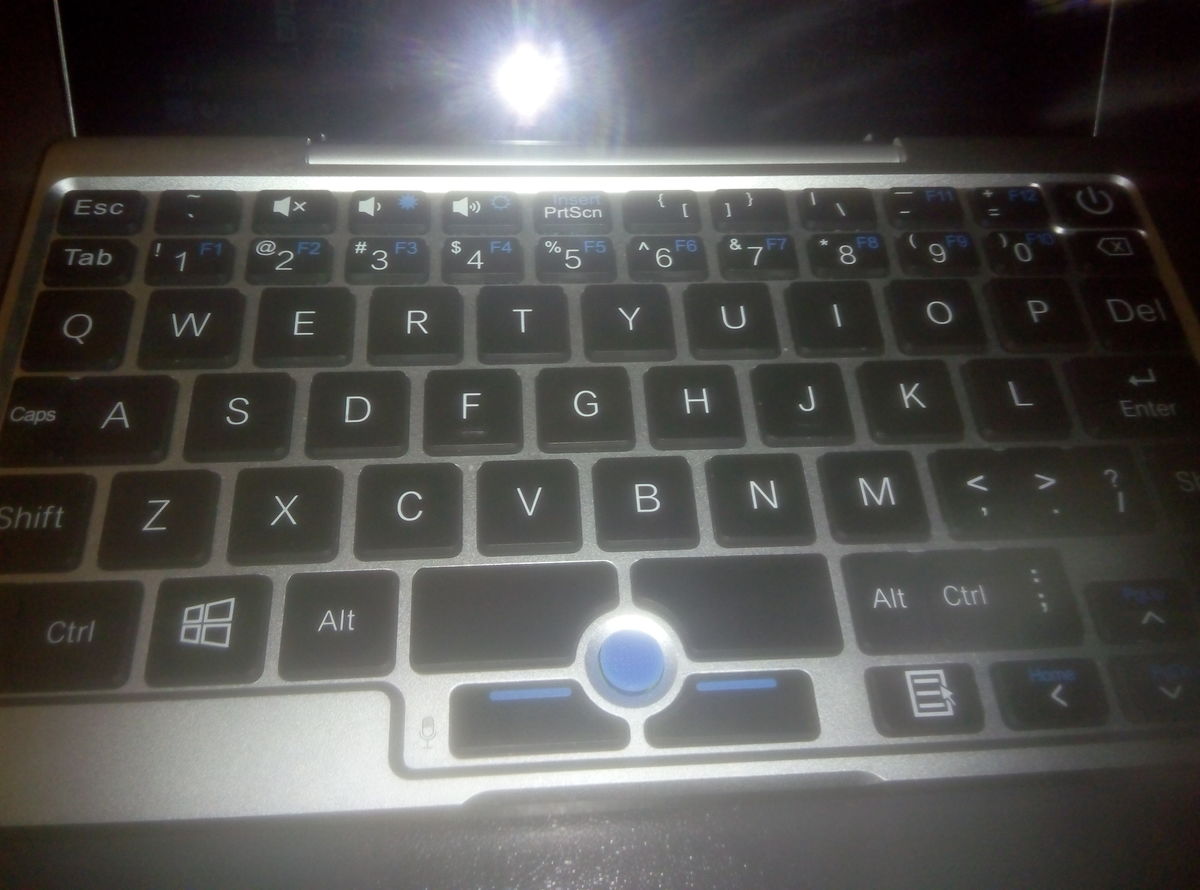
The Fn button has a very poor layer: these are 2 buttons for brightness adjustment, F1-F12 and Insert. Why do you need the top row? It could be implemented as a separate layer.
Particular pain and suffering among users of Vim is caused by a colon, placed in the bottom row, next to ctrl.
All right, everything is bad, we will treat, the benefit is there are some ways (about it below).
Oh yeah, there is a trackpoint. That to me, as an experienced ThinkPad user, heats the soul. Only here is one thing: the trackpoint is located completely in the wrong place and in order to use it, you will have to bend your thumb. This, unfortunately, is incurable. But for a couple of extra red caps in the kit, of course, thanks.
Trackpoint healthy person:
Trackpoint smoker:
Installing and configuring Linux on GPD Pocket
It is clear that “windows”, and “windows 10” especially, on this device is not something that I do not need, but simply contraindicated.
Because of the features of the device, such as the screen orientation (it is turned to the side), it’s just impossible to install and install your favorite Debian without dancing with a tambourine. In principle, the official site has the official image of Ubuntu LTS 16.04 (which seems to me a good alternative to stable Debian), but after reading the discussions on the Internet, it was decided to use the project GPD Pocket Ubuntu Respin I emphasize, in general, the obvious thing, that only an image built on Ubuntu is suitable for use and fed to a script, for example, Debian, will not work:
$./build.sh debian-9.3.0-amd64-netinst.iso
Display setting: Xorg-Standard
Looking for kernel image...
Extracting kernel files...
Archive:  gpdpocket-20180115-kernel-files.zip
  inflating: linux-headers-4.15.0-rc7-stockmind-gpdpocket_4.15.0-rc7-stockmind-gpdpocket-1_amd64.deb
  inflating: linux-image-4.15.0-rc7-stockmind-gpdpocket_4.15.0-rc7-stockmind-gpdpocket-1_amd64.deb
  inflating: linux-libc-dev_4.15.0-rc7-stockmind-gpdpocket-1_amd64.deb
./isorespin.sh: 'debian-9.3.0-amd64-netinst.iso' must be an Ubuntu (or Ubuntu flavour), Linux Mint, neon, elementary, BackBox or Peppermint desktop ISO.
At the output we get the file linuxium-xubuntu-16.04-desktop-amd64.iso, which we write on the USB flash drive:
#dd if=linuxium-xubuntu-16.04-desktop-amd64.iso of=/dev/sdXWe are loading from it, setting the boot device, going to the UEFI settings with the Delete button when loading.
The installation procedure is trivial, I can’t see the meaning of details. I will only note that it is better to produce it from the Live mode, so the screen will not be turned to the side.
I use full disk encryption in case the device is suddenly lost or stolen. So, at least, all your ssh-keys (yes, I know about password protection and ssh-agent) and logins on Internet resources will remain intact. Therefore, I put LVM on top of LUKS, which is what you want.
Fix the curvature
Sleep and Hibernation
It would be nice to be able to throw the laptop into the bag and forget about it until it is needed. Fortunately, the size and weight allow. It would be nice not to start up, every time, the necessary applications manually, but simply to continue working from the place where you stopped.
Sleep mode, like, works out-of-the-box. It is implemented by regular means, I mean through systemctl suspend. However, empirically, it was found that the power consumption in this mode is not much inferior to consumption in idle. Apparently, the device simply extinguishes the screen, network interfaces and disables the cooler. As a result, the battery will land at zero days for two.
Need hibernation. The standard hibernate systemctl turned out to be inoperable: the state is dumped into the swap, but it cannot recover when it is loaded.
I remembered that there is such a project - Userspace Software Suspend and there are its packages in the repository.
#apt install hibernateChecking:
#hibernate-diskVoila, it works! The system has been dumped and turned off. After entering the password LUKS, recovered. But the sound and wifi were covered, the brightness of the screen backlight was reset to the maximum. We will finish.
We need to install
Before proceeding to configure ACPI, you will need to install several utilities.
So xbacklight is responsible for adjusting the brightness of the screen.
#apt install xbacklightThe laptop is not a hard disk, but a flash drive, so I don’t want to kill it with a swap. There is such a thing ZRam , so we will use it. Now everything is simple with this, it is not necessary to prescribe sheets in rc.local, and you only need to do the following:
#apt install zram-config#sudo systemctl enable zram-config.serviceThe script itself will calculate the required amount of memory and make swapon.
As it was rightly reminded in the comments, the flash resource eats up not only the swap, but also the logging. Therefore, / tmp and / var / log will be rendered in ram to tmpfs. To do this, we add two lines in / etc / fstab:
tmpfs   /tmp         tmpfs   nodev,nosuid,size=256M          00
tmpfs   /var/log         tmpfs   nodev,nosuid,size=512M          00
We finish acpi
First of all, disable systemg handlers. So how does it all by its own means, and they are inoperable. The motto - we do everything, but we do it badly. For example, it did not learn how to handle the connection of the power adapter or headphones, keystrokes, and the like.
He ate acpid and still hungry! (4Mb)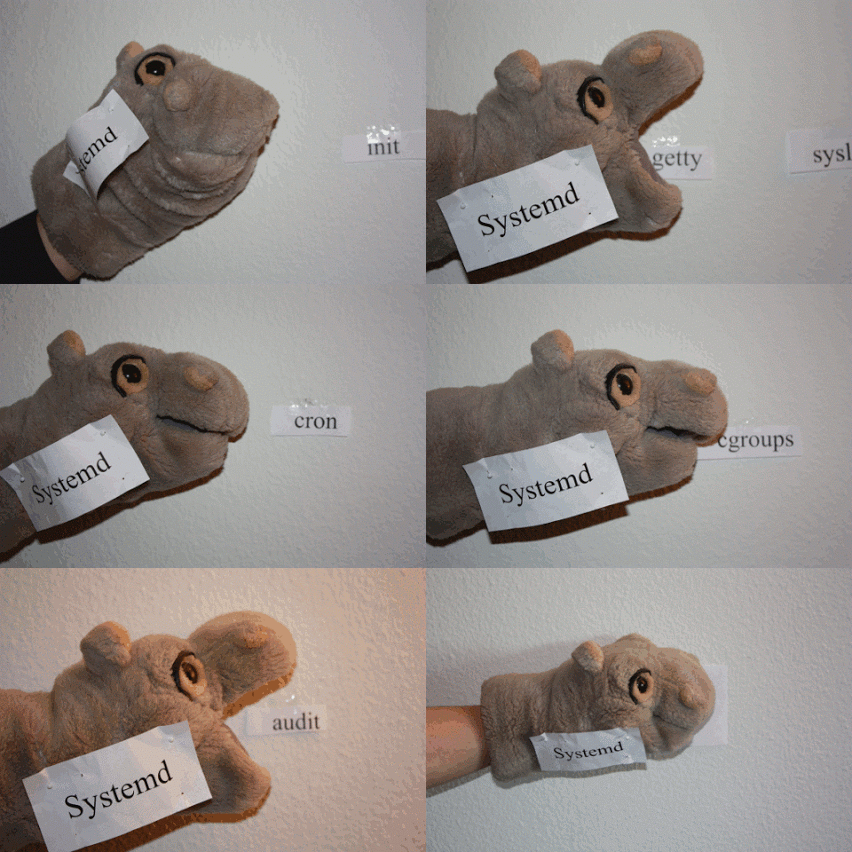
/etc/systemd/logind.conf
HandlePowerKey=ignore
HandleLidSwitch=ignore
#systemctlrestartsystemd-logind.serviceThe acpid daemon is responsible for handling acpi-events; its config files are stored in / etc / acpi.
We will send the laptop to hibernation by pressing the power button. To do this, edit the following files (if they are not there, you need to create it):
/ etc / acpi / events / powerbtn
event=button[ /]power
action=/etc/acpi/hibernate.sh
/etc/acpi/hibernate.sh (with comments)
Hidden text
#!/bin/bash#отключаю свой скрипт блокировки экрана, так как при загрузке будет запрошен пароль LUKS
mv /home/user/bin/lock  /home/user/bin/nolock
#убиваем пшшш-аудио
killall -9 pulseaudio
#отключае zram и активируем swap
systemctl stop zram-config.service
swapon /dev/xubuntu-vg/swap_1
#сохраняем состояние подсветки экрана
DISPLAY=:0.0 su user -c "xbacklight >/tmp/xbl"#отмонтируем сетевые файловые системы
umount -alt nfs4
umount -alt cifs
#усыпляем wpa_supplicant
/sbin/wpa_cli suspend
hibernate-disk
sleep2#восстанавливаем статус подсветки
DISPLAY=:0.0 su user -c "xbacklight -set `cat /tmp/xbl`"#восстанавливаем wpa_supplicant
/sbin/wpa_cli resume#перезагружаем модули alsa, иначе звука не будет. пшш-аудио при вызове восстановится самостоятельно
/sbin/alsa force-reload
#звуковая система ноута оставляет желать лучшего. было замечено, что при больших значениях канала DAC1, из динамиков и наушников идет дикий перегруз до хрипоты и дребезжания
amixer -c 1set'DAC1'90%
#убиваем блокировщик экрана на случай, если гибернация была запущена при залоченном экране
killall i3lock
#восстанавливаем возможность запуска блокировщика
mv /home/user/bin/nolock /home/user/bin/lock#восстанавливаем zram
systemctl start zram-config.service
#отключаем своп на карту
swapoff /dev/xubuntu-vg/swap_1
It is not easy to realize automatic hibernation at low charge, but very simple:
#apt install acpi/etc/acpi/ifbatlowgotosleep.sh
#!/bin/bash
level=`/usr/bin/acpi -b|sed '/unava/d'|awk -F\  '{ print $4 }'|sed -e 's/,//' -e's/%//'`
if [ "$level" -lt "10" ]
    then
        /etc/acpi/hibernate.sh
    fi
The script checks the state of charge. If less than 10%, then the hibernation script given above performs.
Periodic execution is set via crontab:
$sudo crontab -e
*/3  *  * * * /etc/acpi/ifbatlowgotosleep.sh 2>/dev/null
In my case, the battery is polled every 3 minutes.
Sleep mode (systemctl suspend), as mentioned above, is rather useless. Therefore, I see no reason to activate it when the lid is closed. Moreover, there may be a desire, say, to listen to music from a gated laptop, located in a pocket (no wonder he is “pocket”).
Therefore, simply extinguish the screen when closing and turn on when opening.
Remove / etc / acpi / lidbtn.
Create and edit:
/ etc / acpi / events / lidclose:
event=button/lid LID close
action=/etc/acpi/lidclose.sh
/ etc / acpi / events / lidopen:
event=button/lid LID open
action=/etc/acpi/lidopen.sh
/etc/acpi/lidopen.sh
DISPLAY=:0.0 su user -c"xrandr --output DSI1 --off"/etc/acpi/lidclose.sh
DISPLAY=:0.0 su user -c"xrandr --output DSI1 --auto --rotate right --dpi 200"Set the DPI value to taste, and user is the simple name of my account (change to your own).
Adjust the sound and brightness control keys
We do this through all the same acpi-events.
/ etc / acpi / events / voldown
event=button[ /]volumedown
action=/etc/acpi/volume-down.sh
/ etc / acpi / events / volup
event=button[ /]volumeup
action=/etc/acpi/volume-up.sh
/ etc / acpi / events / mute
event=button[ /]mute
action=/etc/acpi/volume-toggle.sh
Scripts:
/etc/acpi/volume-toggle.sh
amixer -c1set 'SpeakerChannel' toggle
amixer -c1set 'HeadphoneChannel' toggle
/etc/acpi/volume-up.sh
amixer -c1set 'Headphone'5%+
amixer -c1set 'Speaker'5%+
/etc/acpi/volume-down.sh
amixer -c1set 'Headphone'5%-
amixer -c1set 'Speaker'5%-
Similarly for brightness:
/ etc / acpi / events / bdown
event=button[ /]brightnessdown
action=/etc/acpi/bdown.sh
/ etc / acpi / events / bup
event=button[ /]brightnessup
action=/etc/acpi/bup.sh
/etc/acpi/bup.sh
DISPLAY=:0.0 su user -c"xbacklight -inc 5%"/etc/acpi/bdown.sh
DISPLAY=:0.0 su user -c"xbacklight -dec 5%"Let me remind you, user is the name of my account. Enter your.
Headphones
Shit ^ WCSpeaky chip Realtek ALC5645 can not turn off the speakers when connecting headphones. We'll have to teach the system to do it yourself.
There is a script in respin:
Hidden text
#!/bin/bashset -e -u
if [ "$1" = "jack/headphone" -a "$2" = "HEADPHONE" ]; thencase"$3"in
        plug)
            sink="[Out] Headphones"
            ;;
        *)
            sink="[Out] Speaker"
            ;;
    esacfor userdir in /run/user/*; do
        uid="$(basename $userdir)"
        user="$(id -un $uid)"if [ -f "$userdir/pulse/pid" ]; then
            su "$user" -c "pacmd set-sink-port alsa_output.platform-cht-bsw-rt5645.HiFi__hw_chtrt5645__sink $sink"fidonefi
But it does not work. He is trying to make the switch through the control of the cine-audio cine-synks, but he fails. Because:
$sudo su
#su user -c "pacmd set-sink-port alsa_output.platform-cht-bsw-rt5645.HiFi__hw_chtrt5645__sink '[Out] Speaker'"
Нет запущенного демона PulseAudio, либо он не запущен в качестве сеансового демона.
The answer is simple: when the pshsh-audio process is not yet called by the client, there is nothing to communicate with pacmd. You can, of course, add a line to launch this one in rc.local, xinitrc, or write a separate systemg unit at all, but I decided that it would be better to pull out my own crutch than repair others. And I wrote my script, much less monstrous and sophisticated, I think.
/etc/acpi/headphone-jack.sh
#!/bin/bashset -e -u
if [ "$3" = "plug" ]; then
	amixer -c 1 set'Speaker Channel' mute >/dev/null
	amixer -c 1 set'Headphone Channel' unmute >/dev/null
else
	amixer -c 1 set'Speaker Channel' unmute >/dev/null
	amixer -c 1 set'Headphone Channel' mute >/dev/null
fi
We treat the layout and other little things
As already mentioned, the layout infuriates me. The delete button is where there should be backslash and bar, a colon in the bottom row, it’s not clear why the menu key is a tab, where the escape is on normal keyboards ...
I’ll not write out details, I’ll just give my own ~ / .xmodmaprc and I will describe how all this is done.
First, we need to catch keikod. This is done using the xev program (#apt install xev, yes). Run, press the desired key and get the output like:
KeyPress event, serial33, synthetic NO, window0x3200001,
    root 0x2c0, subw 0x0, time187713326, (979,493), root:(982,1078),
    state 0x0, keycode 119 (keysym 0xffff, Delete), same_screen YES,
    XLookupString gives 1 bytes: (7f) ""
    XmbLookupString gives 1 bytes: (7f) ""
    XFilterEvent returns: False
We need the value "keycode 119".
Next, open ~ / .xmodmaprc and write it there.
keycode119 = backslash bar backslash barAnd we bring the execution of "xmodmap ~ / .xmodmaprc" into your xinitrc or whatever you call when starting your favorite DE or WM.
My ~ / .xmodmaprc:
Hidden text
pointer = 1 2 3 4 5
remove Lock = Caps_Lock
remove Control = Control_L
keycode 0x42 = Control_L
keycode 135 = Alt_R
keycode 0x25 = Super_R
keycode 133 = Super_R
add Control = Control_L
keycode 113 = Left
keycode 111 = Up
keycode 114 = Right
keycode 116 = Down
keycode 110 = Home
keycode 115 = End
keycode	108 = ISO_Next_Group
keycode 136 = ISO_First_Group
keycode 49 = asciitilde grave asciitilde grave
keycode 119 = backslash bar backslash bar
keycode 51 = Delete
keycode 48 = colon semicolon Cyrillic_zhe Cyrillic_ZHE
keycode 47 = apostrophe quotedbl Cyrillic_e Cyrillic_E
keycode 130 = XF86Explorer
keycode 121 = XF86AudioMute
keycode 198 = XF86AudioMicMute
keycode 122 = XF86AudioLowerVolume
keycode 123 = XF86AudioRaiseVolume
keycode 37 = Tab
clear mod5
add mod5 = XF86Explorer
keycode 166 = Prior
keycode 167 = Next
They use such questionable, for most users, things like moving ctrl to caps-lock, tab to ctrl_l, alt_gr to menu and switching layouts to the old altgr position.
I also use xcape to emulate pressing escape when I press ctrl_l once. Called as follows:
xcape -t 1000 -e "Control_L=Escape"Since I prefer dark themes that are more comfortable (I have an opinion, hell to challenge) in low light conditions, but often have to work in bright daylight, there is a small trick: you can invert the colors of the image. To do this, you need the xcalib program:
#apt install xcalibInvert:
$xcalib -i -aYou can zabindit to any convenient hot key tools window manager. I'm hanging on Super_L + Backspace.
Total
Impressions of the device are more positive than negative. I do not regret the money spent. The device does not take up much space in the bag, it fits in the pocket of cargo pants and a smok-like jacket. It works for a long time from the battery, for the test I ran through three and a half hours films with wifi on, discharged about half. Charged from the paver with usb-a through the adapter ac. All encountered soft curvatures successfully treated. It is a pity that there is no rj45 port, but I hope it will be decided by the ordered adapter with usb. The lack of mobile communications and cameras, now, in conditions of total surveillance, I think rather a plus.