Symbian 9.4 a la "tablet"
Once, I wanted my Nokia to be in a horizontal position in life (about the reasons below). And after a long search for the right programs, I finally made up some basic set, designed to help those who, for whatever reason, did not like the vertical position of the screen.

The rest is under the cut. A lot of pictures
It all started with the fact that the standard keyboard of my 5530, plus an inconvenient switching of languages, ceased to suit me. As a result, I turned on the accelerometer and turned over my mobile phone while typing, but I didn’t like it, because it was quite difficult to type sms on the go, because he turned over all the time, and he opened the menu in that position in which he wanted, in general, did not please.
Therefore, the first thing I began to look for a full keyboard for portrait mode. The search resulted in a makeshift-localized Chinese program, DayHand Input. W3bsit3-dns.com/forum/index.php?showtopic=152978
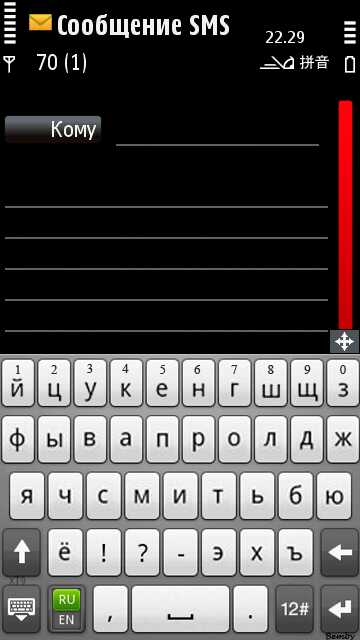
For some time I used it quite successfully, but I disabled the accelerometer I didn’t need. My fingers are thin, but even with them it was quite difficult to type a message, so I had to get the built-in wand and poke it. I soon did not like it and in the end I came to the conclusion that I need to deploy the phone in horizontal mode completely, and turn off the accelerometer.
So let's go
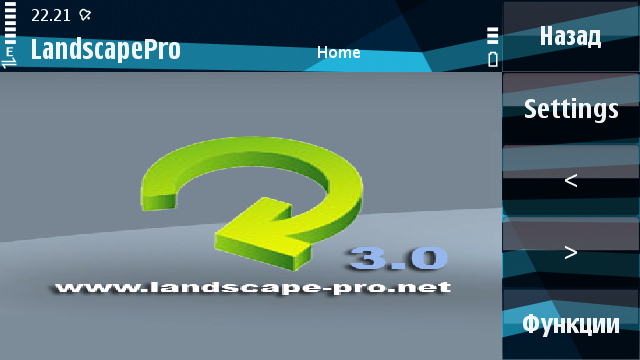
This program is good in that it can transfer programs from one position to another, regardless of whether the accelerometer is on or off. In the program settings, you can choose which programs are needed in landscape form, and which in portrait.
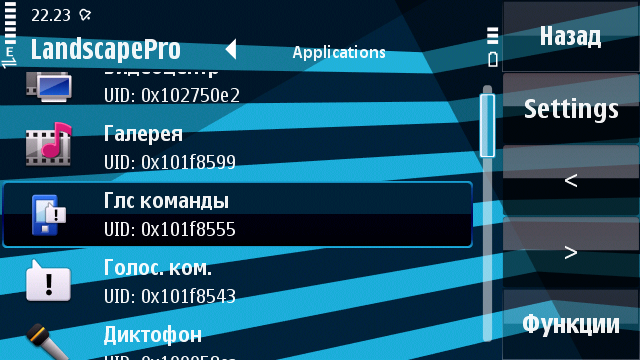
It is possible to rotate all programs at once.
Next, I faced a problem: the desktop remained vertical anyway. So, after testing some programs, I opted for Handy Shell version 1.2
Although at the moment there are versions 2.0+, I did not take them, since in version 2 only unnecessary bells and whistles were added such as smooth window changes and a wicked cube. In general, the desktop is now becoming more functional.
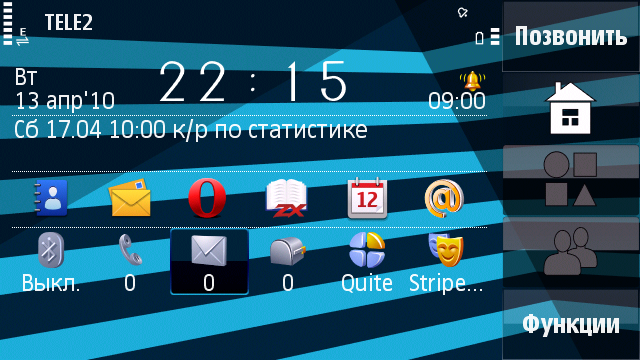
As you can see, now there are 6 icons for applications instead of 4, there is access to turn on / off the blue-tooth, indicators of missed calls / SMS, change of theme, choice of mode, and a more visible clock with an alarm clock and calendar entries. Each line on the screen is configured separately, it is possible to swap them.
When a message is missed, its contents are displayed directly on the desktop by pressing the corresponding button:
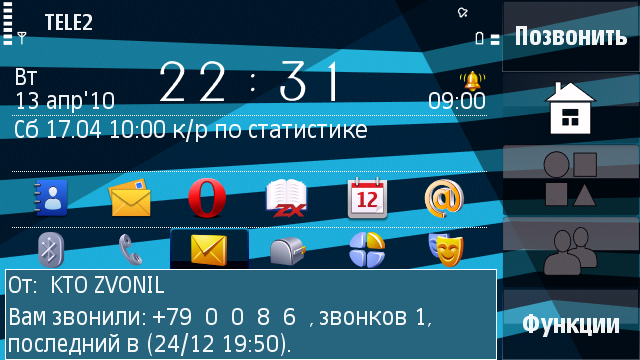
The desktop has 2 more bookmarks, this is a list of 12 applications that are assigned by the user:

And a list of 12 contacts, also assigned by the user. Pictures for users are taken from the phone’s notebook and for some reason in poor quality in versions 1. and 2.:
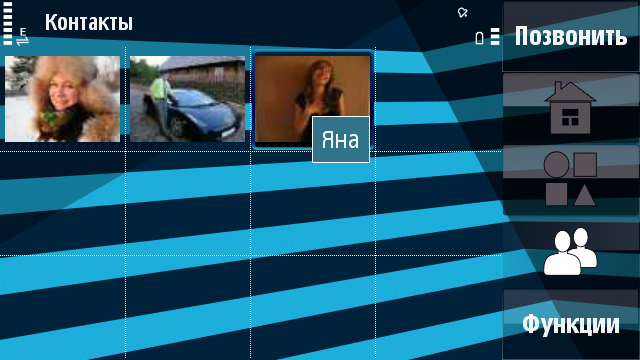
Plus, now with a long press on the central button, a more functional menu of open applications appears, showing the current memory status and allowing you to close or force the application to exit :
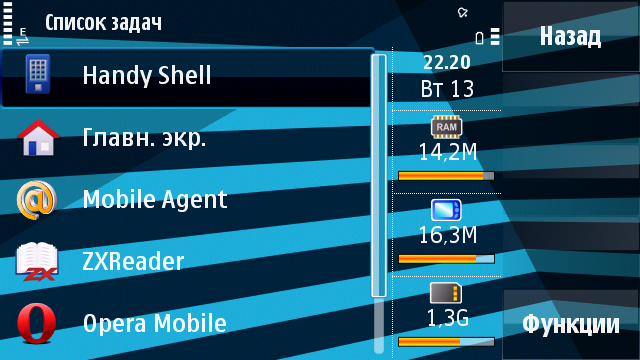
Very well done, I like it. (note - standby mode cannot be completed)
And now a little about the keyboard
I use a skin made using the Opera Mini keyboard. This keyboard is made almost on the whole screen and it is very convenient to type from it:
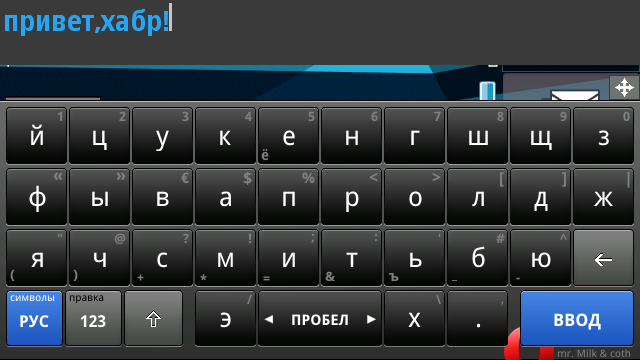
If you pull the key left / right, an alternative character is typed, i.e. no need to switch case.
If you pull the “edit” button up, the navigation menu opens:
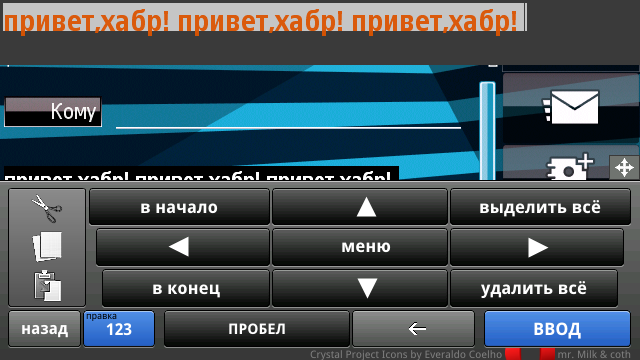
There is no need to go into the settings for changing the language, as this is done by pressing the left-bottom button.
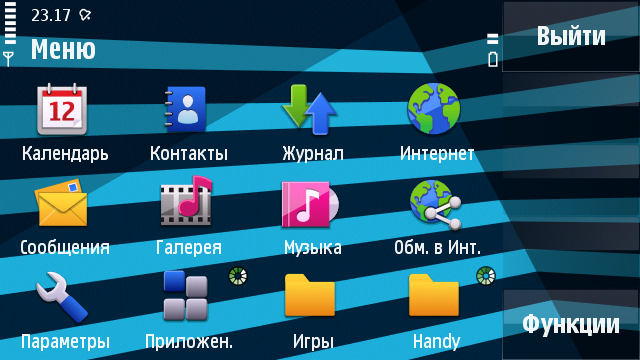
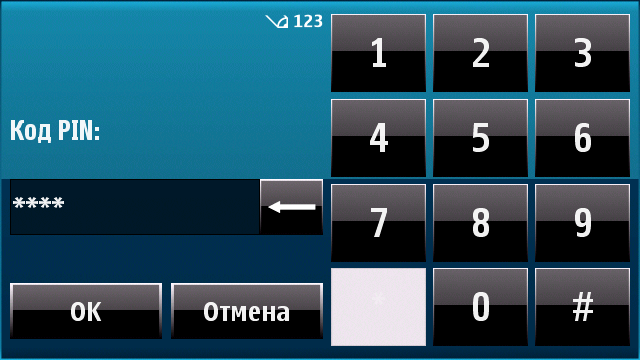
In general, thanks to the combination of these programs, working with the phone has become more convenient, all programs work in a horizontal position except one - dialing. It still works in vertical. But this is not critical.
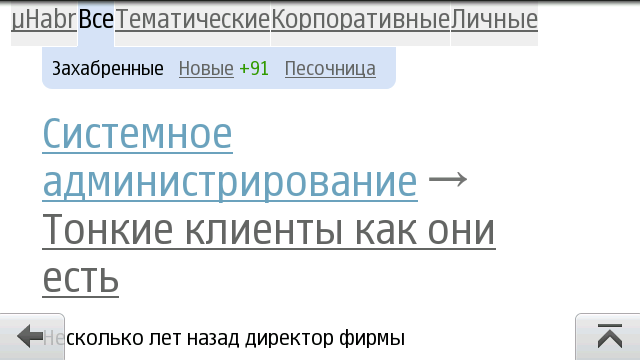
Just in case: how to increase the font in Opera Mobile I wrote in this topic habrahabr.ru/blogs/opera/90031
Thank you for your attention!
The rest is under the cut. A lot of pictures
It all started with the fact that the standard keyboard of my 5530, plus an inconvenient switching of languages, ceased to suit me. As a result, I turned on the accelerometer and turned over my mobile phone while typing, but I didn’t like it, because it was quite difficult to type sms on the go, because he turned over all the time, and he opened the menu in that position in which he wanted, in general, did not please.
QWERTY keyboard
Therefore, the first thing I began to look for a full keyboard for portrait mode. The search resulted in a makeshift-localized Chinese program, DayHand Input. W3bsit3-dns.com/forum/index.php?showtopic=152978
For some time I used it quite successfully, but I disabled the accelerometer I didn’t need. My fingers are thin, but even with them it was quite difficult to type a message, so I had to get the built-in wand and poke it. I soon did not like it and in the end I came to the conclusion that I need to deploy the phone in horizontal mode completely, and turn off the accelerometer.
So let's go
Landscape pro
This program is good in that it can transfer programs from one position to another, regardless of whether the accelerometer is on or off. In the program settings, you can choose which programs are needed in landscape form, and which in portrait.
It is possible to rotate all programs at once.
Next, I faced a problem: the desktop remained vertical anyway. So, after testing some programs, I opted for Handy Shell version 1.2
Handy shell
Although at the moment there are versions 2.0+, I did not take them, since in version 2 only unnecessary bells and whistles were added such as smooth window changes and a wicked cube. In general, the desktop is now becoming more functional.
As you can see, now there are 6 icons for applications instead of 4, there is access to turn on / off the blue-tooth, indicators of missed calls / SMS, change of theme, choice of mode, and a more visible clock with an alarm clock and calendar entries. Each line on the screen is configured separately, it is possible to swap them.
When a message is missed, its contents are displayed directly on the desktop by pressing the corresponding button:
The desktop has 2 more bookmarks, this is a list of 12 applications that are assigned by the user:
And a list of 12 contacts, also assigned by the user. Pictures for users are taken from the phone’s notebook and for some reason in poor quality in versions 1. and 2.:
Plus, now with a long press on the central button, a more functional menu of open applications appears, showing the current memory status and allowing you to close or force the application to exit :
Very well done, I like it. (note - standby mode cannot be completed)
And now a little about the keyboard
Dayhand input rus
I use a skin made using the Opera Mini keyboard. This keyboard is made almost on the whole screen and it is very convenient to type from it:
If you pull the key left / right, an alternative character is typed, i.e. no need to switch case.
If you pull the “edit” button up, the navigation menu opens:
There is no need to go into the settings for changing the language, as this is done by pressing the left-bottom button.
Total
In general, thanks to the combination of these programs, working with the phone has become more convenient, all programs work in a horizontal position except one - dialing. It still works in vertical. But this is not critical.
Just in case: how to increase the font in Opera Mobile I wrote in this topic habrahabr.ru/blogs/opera/90031
Thank you for your attention!