Sort images by resolution using Python and PIL
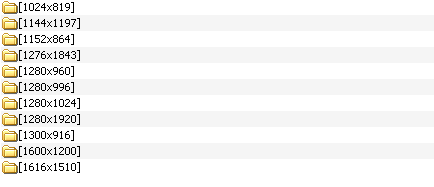
I wanted to register on Habré, but I don’t have any special knowledge, and the audience is just the opposite, I decided to try to lay out a python script that I wrote at the request of a friend for a bottle of 7ap :) The script helped me to organize a dump of pictures ~ 15GB.
The script goes through the directory and creates folders in it in the form of WidthHeight and shoves the images corresponding in resolution to it.
PS Errors are not made by one who does nothing.
Copy Source | Copy HTML- #!/usr/bin/env python
- # -*- coding: UTF-8 -*-
- """ sorts images by resolution"""
-
- import os,sys
- from PIL import Image
-
- # задаёт директорию для сортировки
- dirname = os.path.abspath(sys.argv[1])
- try:
- newdir = os.path.abspath(sys.argv[2])
- except:
- newdir = dirname
-
- def image_sort(dirname, newdir, recur= 0):
- if not recur:print 'sorting started ...' # если главная папка
- else: print 'sorting started in %s...'%dirname # если подпапка
-
- # собирает все подпапки в список и рекурсивно обходит
-
- imagelist = []
-
- if os.path.isdir(dirname):
- for x in os.listdir(dirname):
- absx = dirname+os.sep+x
- if os.path.isfile(absx):imagelist.append(absx)
- else:
- #print 'summon subsort in %s'%x
- image_sort(absx, newdir+os.sep+x,recur=1)
- # проходит по содержимому папки/подпапки
- for name in imagelist:
- try:
- resolution = Image.open(name).size #получить разрешение
- except IOError:
- print 'seems not image: '+ name, '/n'
- continue
- imdir = '%sx%s'%(resolution[ 0],resolution[1])
- imdir = os.path.join(newdir,imdir)
- #если имя папки такое же как и разрешение картинки
- if os.path.split(dirname)[-1] == os.path.split(imdir)[-1]:
- continue
- elif not os.path.exists(imdir):
- #print 'making dir %s'%imdir
- os.mkdir(imdir)
- try:
- os.system('move "%s" "%s"'%(name,imdir))
- except WindowsError:
- print 'error with '+ name, '/n'
- if not recur:print 'sorting completed!'
-
- if __name__ == '__main__':
- image_sort(dirname, newdir)