February 20, 2019 at 12:31
WebRTC on your site - no bugs and no budget
WebRTC technology has been around for a long time and is supported by almost all browsers (97% in our experience). Many people think about installing WebRTC widget for themselves, to communicate with customers and increase conversion.
How to add calls to your WebRTC website at no extra cost and bypass bugs with a rake, we will describe below.
You can install asterisk or freeswitch for yourself and try to run the free webrtc phone code on it. Sooner or later, the code will work, but to work with most browsers you have to go a long way. Further support will begin:
In the fall of 2018, after updating Firefox and Safari, the work of most Webrtc phones broke down in them. In Firefox, there was a problem during the start of the call, in Safari, the sound just disappeared. After several days of work of developers and testers, the problems were fixed (even before most clients were updated). Firefox set a temporary fix for the next updates, for Safari they slightly simplified the algorithm of the web phone. Are you sure you are ready to independently track and fix all such problems?
If you don’t have the time and desire to deal with WebRTC problems, you can install a cloud widget. The cloud widget has already been created and supported by the operator, you only need to spend a few minutes on the installation.
Usually, the main disadvantage of the cloud solution is the price - you need to pay regularly for using the widget, and what is it better then, for example, number 800? The Zadarma project offers another solution - a free widget for calls from the site via WebRTC. All that is required from the financial side is at least sometimes to replenish the account (every 3 months), you can use the funds for any telephony services, the widget itself is free.

Creating a widget is extremely simple:
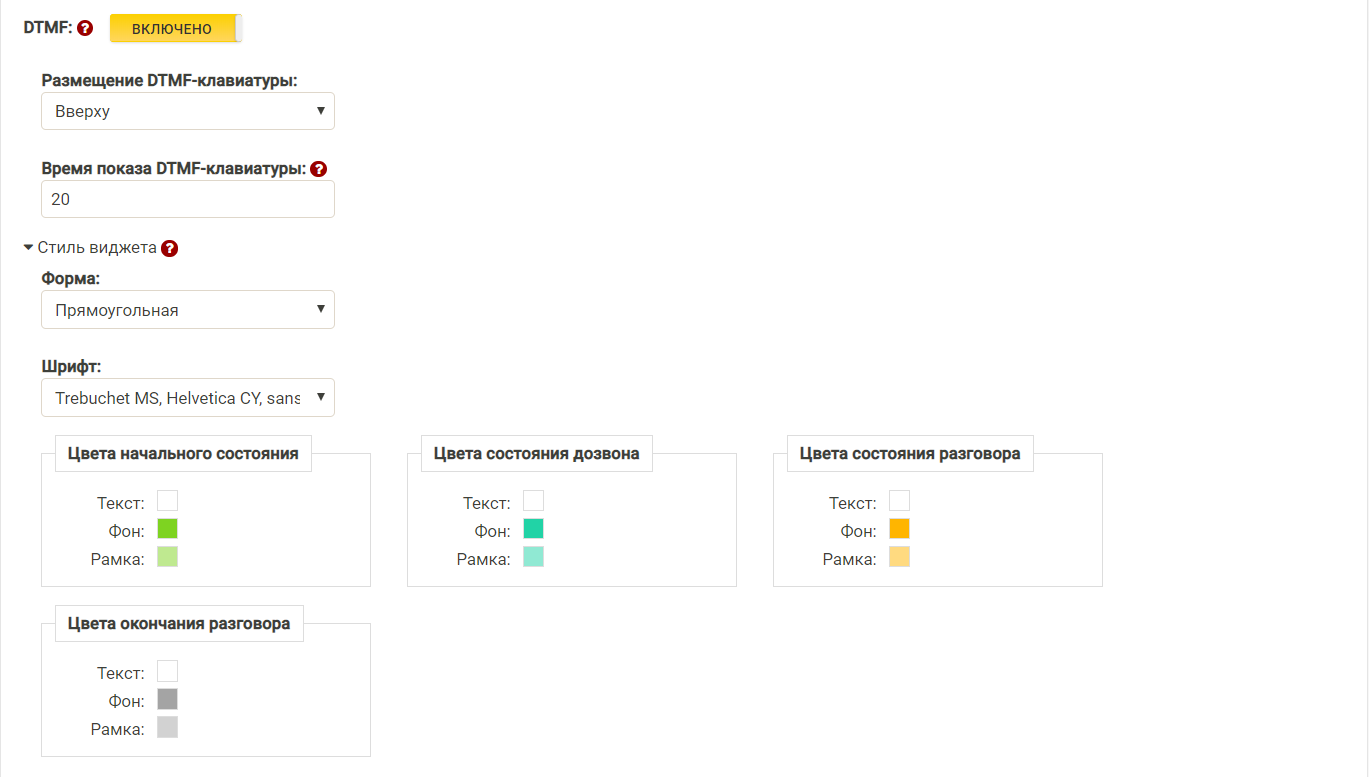
A lot of things are set up in the widget, you can even choose what to keep at home and what is in the cloud (for large sites and amateurs, AWS may want to host it).
To store the widget in the cloud (an easy way), you need to copy 2 blocks of code to your site.
As you can see, the design of the widget can be changed at any time.
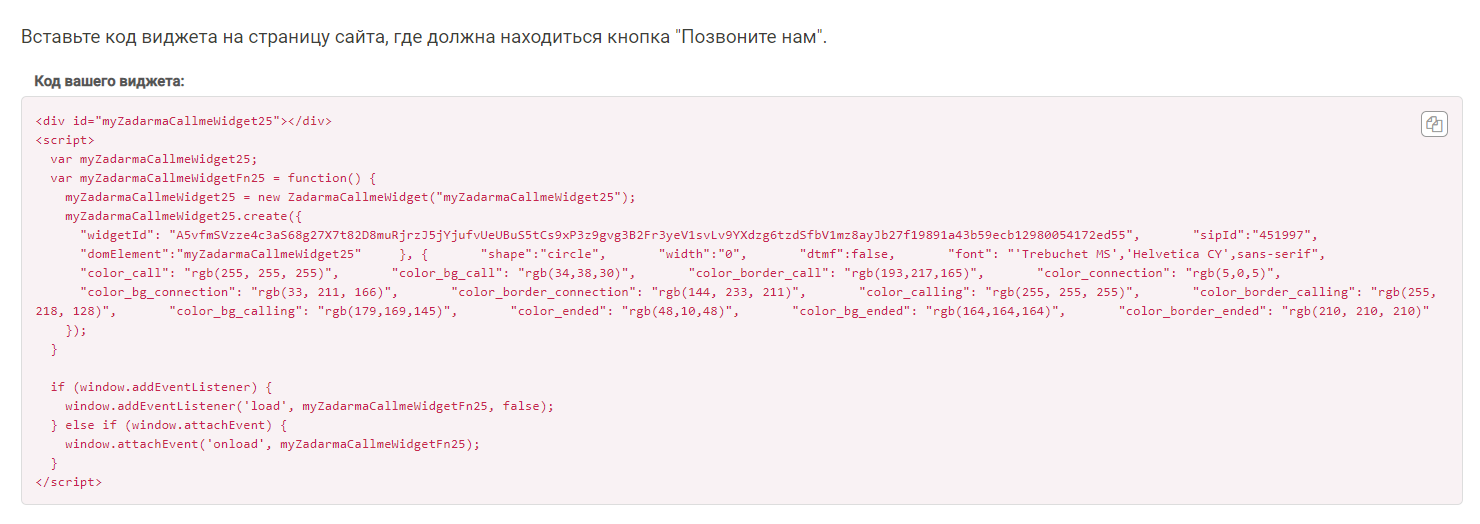
If you decide to keep the widget at home, you need to download and save it. Then we select the “Off-line installation” tab, download the latest version and also insert 2 pieces of code (only in the first you need to specify the paths taking into account the folder where you downloaded).
Installation completed! The button for calls from the site is ready and working. You can click, call, see statistics.
How to add calls to your WebRTC website at no extra cost and bypass bugs with a rake, we will describe below.
Why a button with WebRTC?
- Conveniently! No need to dial or leave your number, just press the button.
- Profitable. Neither you nor the client pays anything. Communication is free for everyone.
What are the solutions?
Own development
You can install asterisk or freeswitch for yourself and try to run the free webrtc phone code on it. Sooner or later, the code will work, but to work with most browsers you have to go a long way. Further support will begin:
- firstly, asterisk with external ip requires security knowledge (they like to break them very much),
- secondly, webrtc support in browsers is not static, the nuances are changing in new versions.
WebRTC Problem Example
In the fall of 2018, after updating Firefox and Safari, the work of most Webrtc phones broke down in them. In Firefox, there was a problem during the start of the call, in Safari, the sound just disappeared. After several days of work of developers and testers, the problems were fixed (even before most clients were updated). Firefox set a temporary fix for the next updates, for Safari they slightly simplified the algorithm of the web phone. Are you sure you are ready to independently track and fix all such problems?
External widget
If you don’t have the time and desire to deal with WebRTC problems, you can install a cloud widget. The cloud widget has already been created and supported by the operator, you only need to spend a few minutes on the installation.
Usually, the main disadvantage of the cloud solution is the price - you need to pay regularly for using the widget, and what is it better then, for example, number 800? The Zadarma project offers another solution - a free widget for calls from the site via WebRTC. All that is required from the financial side is at least sometimes to replenish the account (every 3 months), you can use the funds for any telephony services, the widget itself is free.
Free Cloud Widget Features
- Customizable design (shape, color, font, buttons)
- Extended widget statistics
- Integration with a free cloud PBX and all major CRM systems
Install a free widget
Creating a widget is extremely simple:
- We create an account and replenish the account (for any amount)
- In the service LC, go to the “Call Us” button and click on “Create Widget”
- Set up the widget design, click “Save” and get the widget code
A lot of things are set up in the widget, you can even choose what to keep at home and what is in the cloud (for large sites and amateurs, AWS may want to host it).
To store the widget in the cloud (an easy way), you need to copy 2 blocks of code to your site.
- At the bottom of the page (Body section), copy the boot code of the widget library.
- We set the widget code itself to that part of the page where the “Call us” button should be.
As you can see, the design of the widget can be changed at any time.
If you decide to keep the widget at home, you need to download and save it. Then we select the “Off-line installation” tab, download the latest version and also insert 2 pieces of code (only in the first you need to specify the paths taking into account the folder where you downloaded).
Installation completed! The button for calls from the site is ready and working. You can click, call, see statistics.