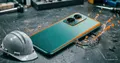
CodeBug will help to learn iron programming for both child and adult

Of course, if the student wishes. In March, news was posted at Geektimes that the BBC was about to give out about a million mini-PCs to English students. The goal of this project is to stimulate the younger generation's desire to study electronics and programming. Now this project is being successfully implemented. Then, in March, a project to raise funds for a similar device, called CodeBug , was launched on Kickstarter .
This is an inexpensive mini-board (about $ 18), which can be used by both kids (from 7 years old) and adult electronics lovers. The main emphasis is, of course, on children and adolescents, on schoolchildren (as well as in the case of the BBC, there is cooperation with educational institutions, but, however, we are not talking about millions of free PCs). The device allows you to learn not only the basics of working with hardware, but also the basics of hardware programming.
Technical Configuration:
- 8-bit configuration;
- 25 LEDs (a kind of "display");
- 2 function buttons;
- 6 "ports" of input-output;
- Extension port for connecting additional devices and elements;
- Micro USB port (can be used both for controlling the board and for power supply);
- Battery mount.
The device supports all popular OSs, including Windows, Mac, Linux, is compatible with RPi, and works with browser software. The advantage of the project is its openness (distributed under a Creative Commons license).
The size of the board is only 39 * 47 mm, and the thickness is 1.7 mm.
As mentioned above, you can provide the device with power via both Micro USB and the CR2032 battery. The maximum voltage is 5V.
The expansion port supports I2C, SPI, and UART standards.

Software
The software is web-based here, to create your project you need to go to the developer's site and immediately get to work. Before that, of course, you need to connect the device to the PC. The software shell not only allows you to create programs for the device, but also shows where the error is made (if so, of course).

The CodeBug service uses the Google Blockly visual programming language, which provides separate blocks from which you can already create your own programs (or you can work with Javascript if the user is not new to programming).
The transfer of the created program is via USB. No installations, no drivers - everything is simple and fast.
You can connect additional devices to the board, both for data input and output. This is done using conventional crocodile clips.

And here is an example of a very complex (for a child, of course) scientific experiment:

Internet of things
The board is good in that it can be used for IoT, plus full compatibility with the Raspberry Pi, user's PC, or other devices.
CodeBug can be controlled over the Internet using its own software. With the proper skill, you can create much more complex systems, with reference to social networks (Twitter, Facebook) or playgrounds (Minecraft).
The LED “display” can display the activity of friends on a social network or the arrival of new messages (e-mail, IM, etc.).
The developers also provided for the possibility of using an additional display, which further expands the capabilities of the board. The creators of CodeBug claim that using this device you can create, for example, a weather station, some kind of wearable device, personal assistants on social networks.
The project team spent 2 years on CodeBug, and in the end we got a great product, which, perhaps, will contribute to the emergence of more than one high-class programmer or electronic engineer. After mastering this board, probably the student should already switch to the Raspberry Pi and Arduino. CodeBug, however, can also be used to create very interesting projects.