Review of GSM Sockets Senseit GS2 M
The task of remote control of electrical appliances today faces many. This is a hard reset of frozen network equipment, and the inclusion of room heating and watering plants in the country, as well as much more. Today we will consider a device that allows you to control the electrical load remotely via the Internet, and also has a bonus with several additional functions. The device is called “Senseit GS2 M Smart Socket”, manufactured in China and sold in Russia by the Dadget online store.
This is the second version of the outlet. It differs from its predecessor in that it is controlled via the Senseit server and uses the Internet channel, not SMS, to transmit commands and statistics, as well as a new outlet that can be networked using Master-Slave technology. In which only one outlet should have access to the Internet, the rest (Senseit GS2 S) are connected to it via a radio channel at a frequency of 433Mhz. This is very convenient because it allows you to control up to 10 electrical appliances located within a radius of 100m, using only one SIM card at a time.
Senseit GS2 S does not have its own GSM module and therefore costs 2 times cheaper.
Options and appearance
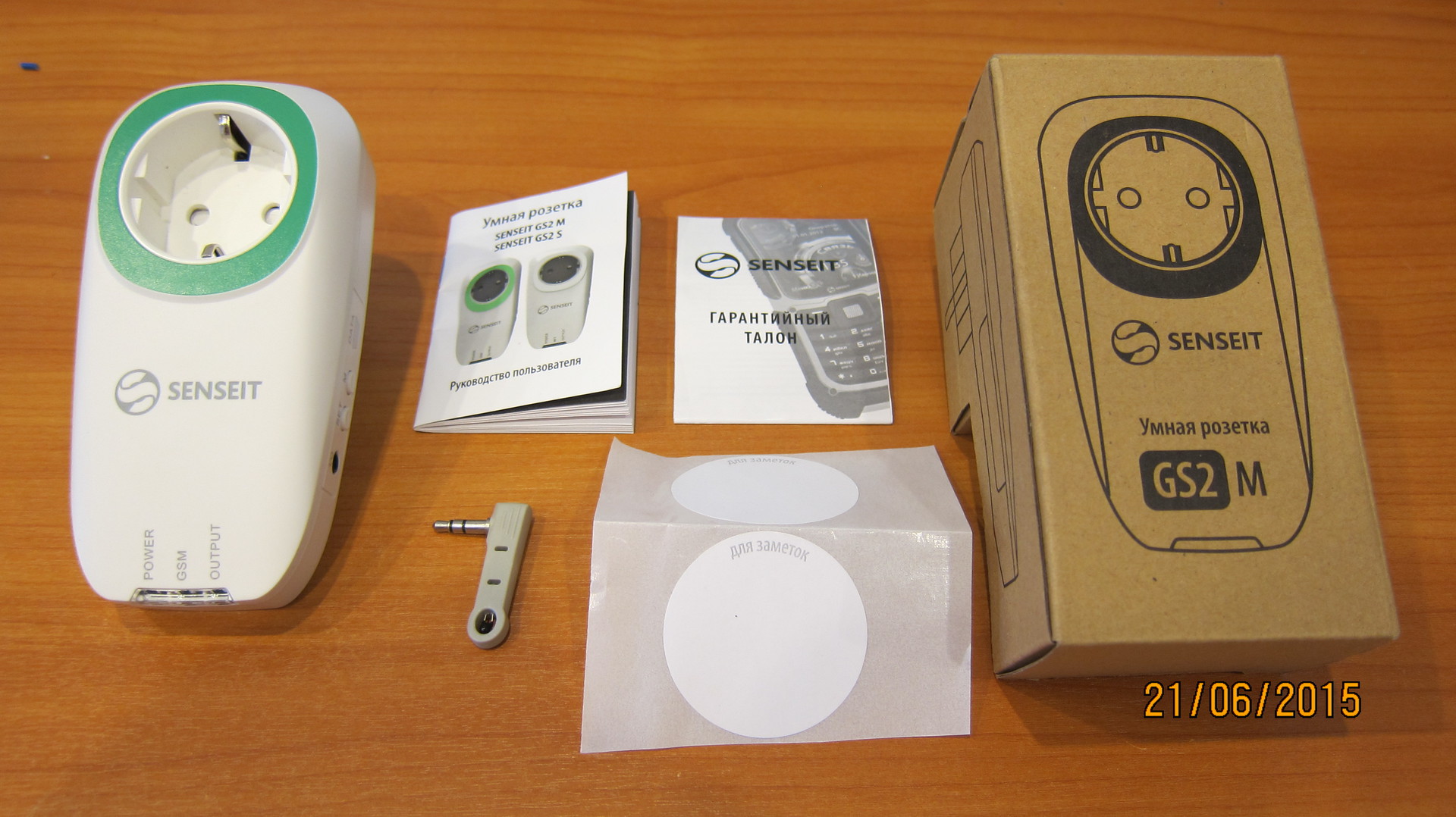
The socket comes in a nice box of recycled cardboard, along with a temperature sensor, a user manual and a couple of round stickers for notes, apparently designed to sign the sockets. The socket is small in size, in a solid case made of white plastic, does not creak, does not play and does not stink.

On the bottom surface there are LED activity indicators, on the side there is a port for a temperature sensor, a manual control button (M) and a button for deleting paired outlets (SET), as well as a mini-USB port closed by a plug, which is apparently intended for service purposes (when connected to a computer nothing special happens and Win8 says: The USB device descriptor request failed).

On the back there is a SIM card holder hidden under the lid. The device is not protected from moisture and is intended for indoor use only.
Characteristics from the manufacturer's website

Connection and setup
We take a pre-purchased SIM card of any operator with a favorable tariff (we’ll talk about this separately at the end of the review, here it’s not so simple). We insert it into the tray on the inside of the device, without forgetting to first disable the pin code check on the card. We register in the service on the website apps.senseit.ru/en/login or through the application for a smartphone (Android and iPhone are supported), there is no difference, the functionality is exactly the same, except that the reports are available only in the web interface, and on the phone Receive PUSH notifications when the status of the outlet changes.
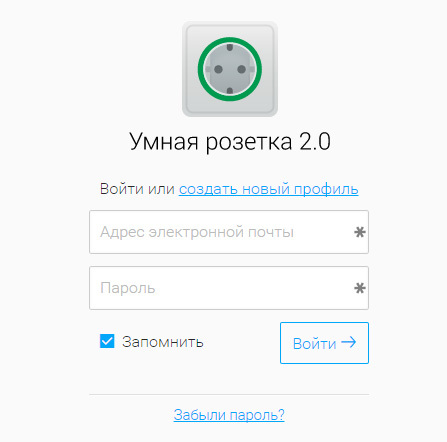
Both the site and the application look very good, the interface is minimalistic and intuitive without any hints.
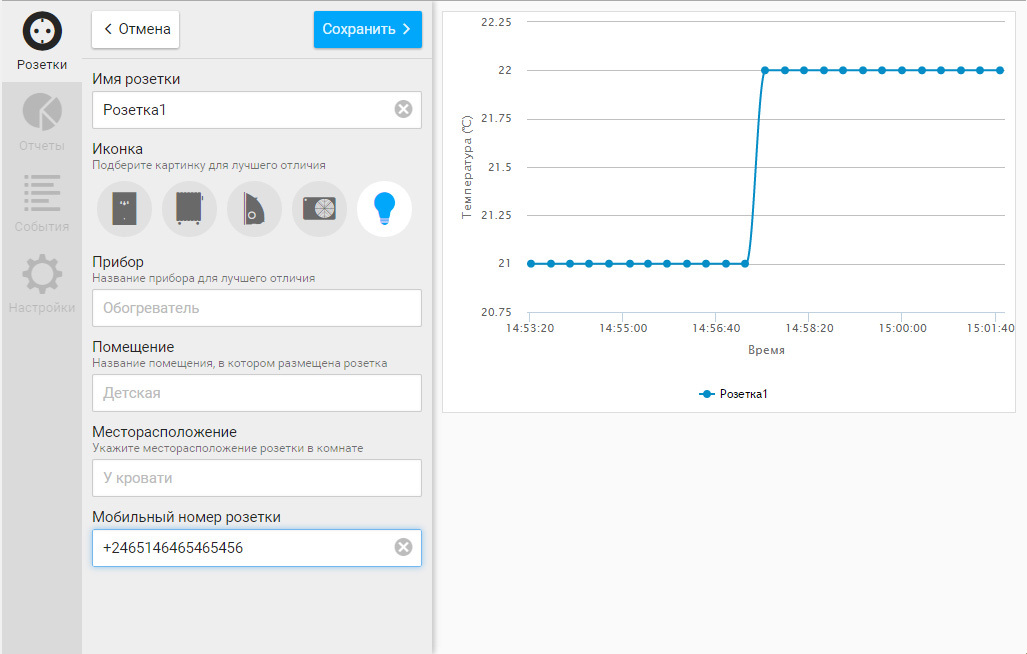
When adding a new outlet, you will need to enter the mobile number of the SIM card and the IMEI device, which can be found on the package or on the outlet itself, you can also add additional information that will not get confused with a large number of devices: device name, location, location and change the icon to choose of 5 pieces.
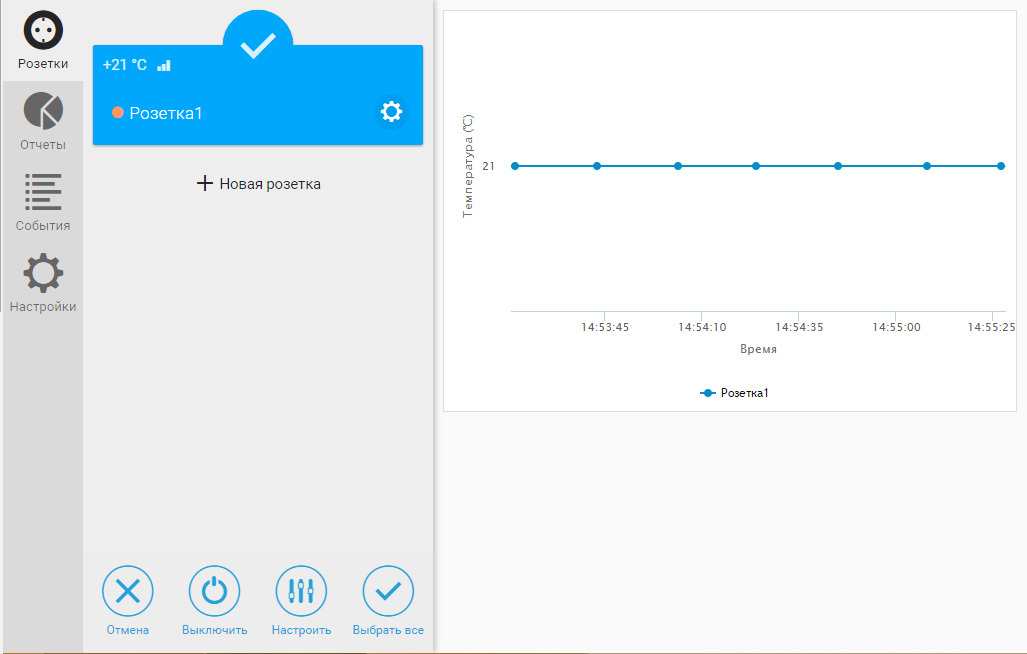
Now, if you stay on the site, and by selecting the outlet from the list on the left, you can observe the temperature change graph, but the readings are not saved anywhere and will be destroyed as soon as you leave it.
By clicking on the settings icon you can restart the device, turn on the sound signal of the outlet (it will beep like an uninterruptible power when the load is turned off) and select the reaction of the outlet to loss of connection:

In the settings for automatic actions, there is an excellent scheduler that allows you to turn off the socket by time: on any day of the week at any hour or by specifying a specific date, you can add as many tasks as I have, I had the strength to add 50 and I think this is more than enough for the most sophisticated users.

You can also use the temperature sensor and select the reaction of the device to lower or increase the temperature to a predetermined number of degrees. There is also a timer option that simply allows you to turn on or off the outlet after a specified amount of time.
Everything seems to be just fine, but if we use the timer or try to control the outlet manually from the browser or with the hardware button located on the right side of the outlet, all of our schedule, which is so difficult to set up, will simply be deleted, which, of course, is very annoying :( I hope the developers turn at this point, attention will either allow you to save the scheduler settings to an external file for future downloads or simply provide for the shutdown of the scheduler without deleting its settings. Also, various reports are available in the service interface by events:

How to choose the SS tariff correctly and not be left without pants
The device connects to the Internet about once every 5 minutes and sends 2 small portions of data - one from 3-10 kilobytes, the second small 200-500 bytes, even if no events on the outlet occur, and then it turns off.
In almost all operators, traffic is rounded up at the end of each session or within one hour.
At Megafon it is rounded up to 250kb, at Tele2 - up to 150kb. Therefore, if you want to save your money, you need to choose a tariff with a minimum rounding value. The best I have found is MTS Connect-4, where is the cost of a megabyte? 1.5 rubles and round up to 1 kb every hour or when the session breaks. The tests carried out showed that in this case about 20 rubles a month will be charged for servicing an Internet outlet, this is more than acceptable.
If you are too lazy to choose, it is enough to take the minimum package of prepaid "unlimited" Internet.
Internals
It is clear that devices of this type must be perfectly assembled and reliable. Now we will be convinced of this by disassembling the outlet and carefully considering everything.
The internal device is divided into 2 parts: a high-voltage board with a relay and a power supply and a control board. The soldering is neat, the flux is washed off. The connection of the high-voltage part to the plug is made with a 14AWG cable. To switch the load, a high-quality relay made in Japan by Omron g2rl-1-e is used.

We had to remove the protective screen from the board so that we could consider the processor and memory modules. The 1F ionistor is visible nearby, it allows the socket to send the last “goodbye” in the event of a power outage in the network, and we can always track this moment in the web interface or application. There is a connector on the board for connecting an external GSM antenna.

On the reverse side of the interesting, we see a 433Mhz transceiver with an antenna and the right UART for debugging.
The temperature sensor is an ordinary thermocouple. By the way, the sensor can be connected through a small extension cord for the headphones:

I used this one, 2 meters and it didn’t affect the readings, I think that if you take the wire more authentically there will be some error in measuring the temperature.
Teamwork
Among other things, if you have a lot of electrical appliances that you want to control remotely, then maybe you should think about buying Senseit GS2 M modules. Each of them allows you to control the power supply of the device via the Internet, but they do not need a separate SIM card, all of them are connected at a frequency of 433Mhz to a MASTER outlet, which is the only one that has access to the network. Externally, the Senseit GS2 M module differs from the older brother only in the absence of a green border around the outlet:
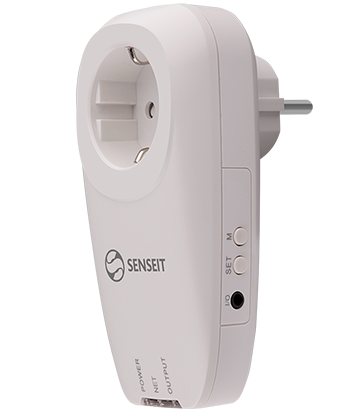
A SLAVE outlet is added via the web interface or application in a couple of seconds.
Conclusions
After a week of use during which the outlet controlled a 2kW electric heater in the apartment, there was not a single failure and everything worked as I intended.
At a price of about 6300 rubles. for the MASTER module and 3500 rubles. for SLAVE, which is generally not cheap, we get a reliable finished device with convenient Internet service, which is not afraid to entrust such a serious business as power management in your home. Minor flaws in the form of the inability to save the scheduler settings are likely to be eliminated in the future. In addition, I want to note that the developer promised on his website that SMS control will appear soon:
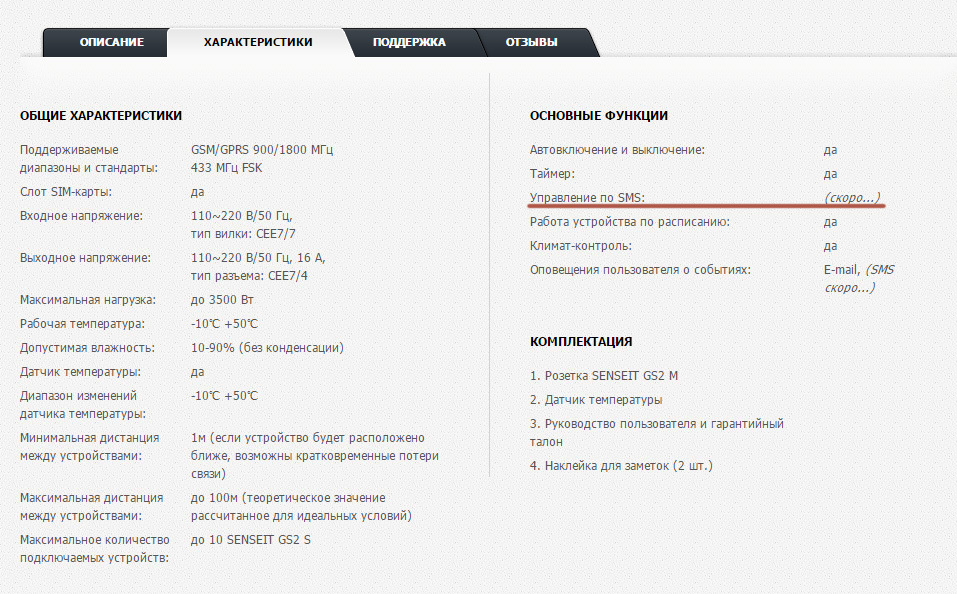
This means that the outlet can be controlled from any device, even without access to the Internet.
Outlet provided for review by Dadget
This is the second version of the outlet. It differs from its predecessor in that it is controlled via the Senseit server and uses the Internet channel, not SMS, to transmit commands and statistics, as well as a new outlet that can be networked using Master-Slave technology. In which only one outlet should have access to the Internet, the rest (Senseit GS2 S) are connected to it via a radio channel at a frequency of 433Mhz. This is very convenient because it allows you to control up to 10 electrical appliances located within a radius of 100m, using only one SIM card at a time.
Senseit GS2 S does not have its own GSM module and therefore costs 2 times cheaper.
Options and appearance
The socket comes in a nice box of recycled cardboard, along with a temperature sensor, a user manual and a couple of round stickers for notes, apparently designed to sign the sockets. The socket is small in size, in a solid case made of white plastic, does not creak, does not play and does not stink.
On the bottom surface there are LED activity indicators, on the side there is a port for a temperature sensor, a manual control button (M) and a button for deleting paired outlets (SET), as well as a mini-USB port closed by a plug, which is apparently intended for service purposes (when connected to a computer nothing special happens and Win8 says: The USB device descriptor request failed).
On the back there is a SIM card holder hidden under the lid. The device is not protected from moisture and is intended for indoor use only.
Characteristics from the manufacturer's website
Connection and setup
We take a pre-purchased SIM card of any operator with a favorable tariff (we’ll talk about this separately at the end of the review, here it’s not so simple). We insert it into the tray on the inside of the device, without forgetting to first disable the pin code check on the card. We register in the service on the website apps.senseit.ru/en/login or through the application for a smartphone (Android and iPhone are supported), there is no difference, the functionality is exactly the same, except that the reports are available only in the web interface, and on the phone Receive PUSH notifications when the status of the outlet changes.
Both the site and the application look very good, the interface is minimalistic and intuitive without any hints.
When adding a new outlet, you will need to enter the mobile number of the SIM card and the IMEI device, which can be found on the package or on the outlet itself, you can also add additional information that will not get confused with a large number of devices: device name, location, location and change the icon to choose of 5 pieces.
Now, if you stay on the site, and by selecting the outlet from the list on the left, you can observe the temperature change graph, but the readings are not saved anywhere and will be destroyed as soon as you leave it.
By clicking on the settings icon you can restart the device, turn on the sound signal of the outlet (it will beep like an uninterruptible power when the load is turned off) and select the reaction of the outlet to loss of connection:
In the settings for automatic actions, there is an excellent scheduler that allows you to turn off the socket by time: on any day of the week at any hour or by specifying a specific date, you can add as many tasks as I have, I had the strength to add 50 and I think this is more than enough for the most sophisticated users.
You can also use the temperature sensor and select the reaction of the device to lower or increase the temperature to a predetermined number of degrees. There is also a timer option that simply allows you to turn on or off the outlet after a specified amount of time.
Everything seems to be just fine, but if we use the timer or try to control the outlet manually from the browser or with the hardware button located on the right side of the outlet, all of our schedule, which is so difficult to set up, will simply be deleted, which, of course, is very annoying :( I hope the developers turn at this point, attention will either allow you to save the scheduler settings to an external file for future downloads or simply provide for the shutdown of the scheduler without deleting its settings. Also, various reports are available in the service interface by events:
How to choose the SS tariff correctly and not be left without pants
The device connects to the Internet about once every 5 minutes and sends 2 small portions of data - one from 3-10 kilobytes, the second small 200-500 bytes, even if no events on the outlet occur, and then it turns off.
In almost all operators, traffic is rounded up at the end of each session or within one hour.
At Megafon it is rounded up to 250kb, at Tele2 - up to 150kb. Therefore, if you want to save your money, you need to choose a tariff with a minimum rounding value. The best I have found is MTS Connect-4, where is the cost of a megabyte? 1.5 rubles and round up to 1 kb every hour or when the session breaks. The tests carried out showed that in this case about 20 rubles a month will be charged for servicing an Internet outlet, this is more than acceptable.
If you are too lazy to choose, it is enough to take the minimum package of prepaid "unlimited" Internet.
Internals
It is clear that devices of this type must be perfectly assembled and reliable. Now we will be convinced of this by disassembling the outlet and carefully considering everything.
The internal device is divided into 2 parts: a high-voltage board with a relay and a power supply and a control board. The soldering is neat, the flux is washed off. The connection of the high-voltage part to the plug is made with a 14AWG cable. To switch the load, a high-quality relay made in Japan by Omron g2rl-1-e is used.
We had to remove the protective screen from the board so that we could consider the processor and memory modules. The 1F ionistor is visible nearby, it allows the socket to send the last “goodbye” in the event of a power outage in the network, and we can always track this moment in the web interface or application. There is a connector on the board for connecting an external GSM antenna.
On the reverse side of the interesting, we see a 433Mhz transceiver with an antenna and the right UART for debugging.
The temperature sensor is an ordinary thermocouple. By the way, the sensor can be connected through a small extension cord for the headphones:
I used this one, 2 meters and it didn’t affect the readings, I think that if you take the wire more authentically there will be some error in measuring the temperature.
Teamwork
Among other things, if you have a lot of electrical appliances that you want to control remotely, then maybe you should think about buying Senseit GS2 M modules. Each of them allows you to control the power supply of the device via the Internet, but they do not need a separate SIM card, all of them are connected at a frequency of 433Mhz to a MASTER outlet, which is the only one that has access to the network. Externally, the Senseit GS2 M module differs from the older brother only in the absence of a green border around the outlet:
A SLAVE outlet is added via the web interface or application in a couple of seconds.
Conclusions
After a week of use during which the outlet controlled a 2kW electric heater in the apartment, there was not a single failure and everything worked as I intended.
At a price of about 6300 rubles. for the MASTER module and 3500 rubles. for SLAVE, which is generally not cheap, we get a reliable finished device with convenient Internet service, which is not afraid to entrust such a serious business as power management in your home. Minor flaws in the form of the inability to save the scheduler settings are likely to be eliminated in the future. In addition, I want to note that the developer promised on his website that SMS control will appear soon:
This means that the outlet can be controlled from any device, even without access to the Internet.
Outlet provided for review by Dadget