ThinkPad X1 Carbon: Carbon frame, rear shock, 27 speeds ...
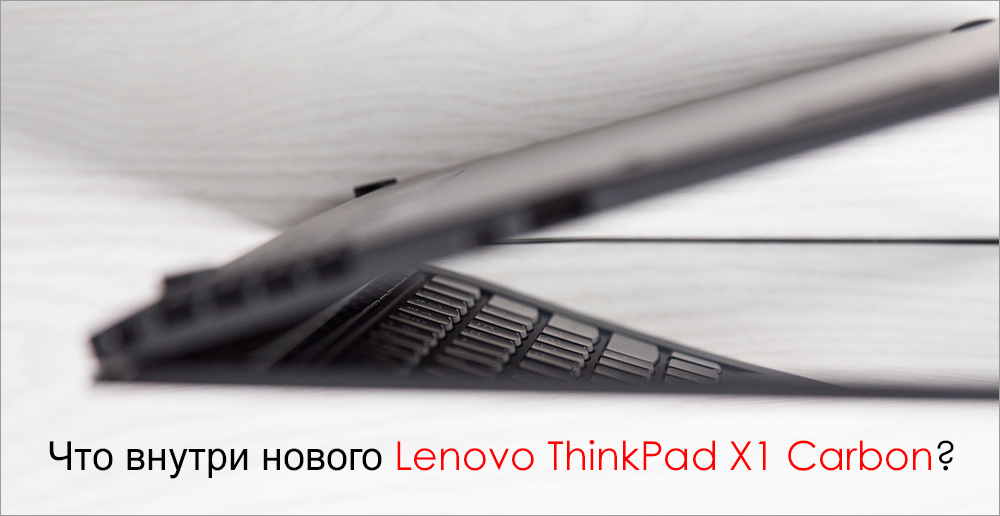
For the first time, the Lenovo ThinkPad X1 Carbon Ultrabook demo was introduced in 2012. Since then, it has been updated and improved twice, so in 2014 the manufacturer presented to the public a third-generation model, which was positioned as the lightest 14-inch laptop in the world market, designed for working use. Compared with the previous generation, the ThinkPad X1 Carbon Ultrabook not only “scored” in power, but also received a significantly redesigned design and layout - all this makes it a really interesting exhibit. Let's get acquainted.
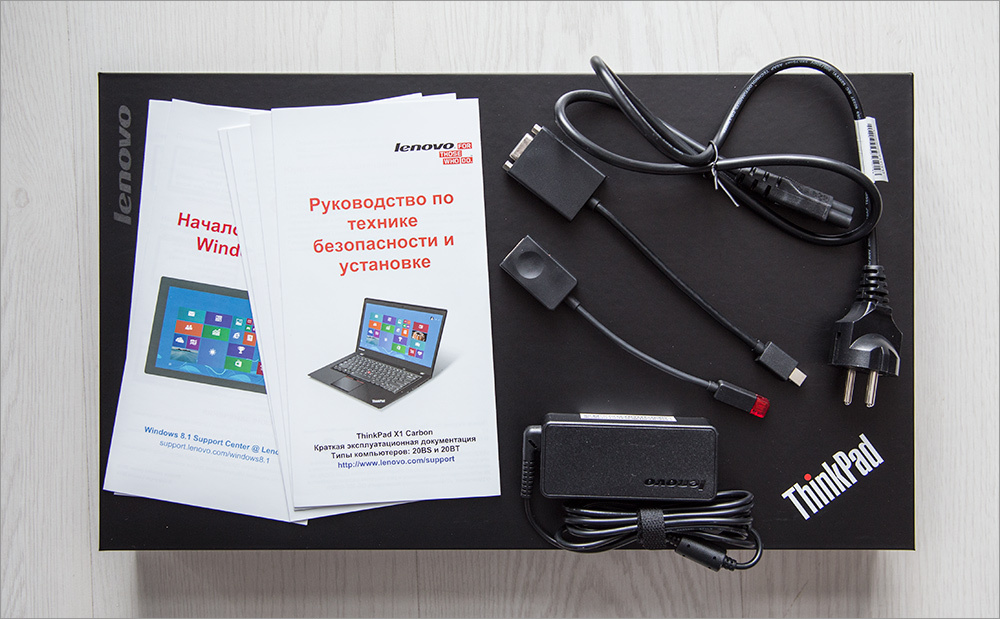
The device is sold in a matte black box with a red indented stripe - it looks very cool and even a little exciting. And all because it is known about the contents of the box - inside is a kind of “delicacy”, and not everyday food.


The laptop is packed in a transport fabric cover, and immediately below it are instructions, a power cord, a power supply and several additional accessories: an adapter from VGA to miniDisplayPort and from Lenovo's branded connector to RJ-45. Both of these connectors are the “thickest” and force manufacturers of thin devices to invent bicycles in the form of adapters, but at the same time, these connectors are one of the most popular (in addition to USB), so it’s great that the company offered everything it needs - from Apple this will have to pay extra for $ 20-50.


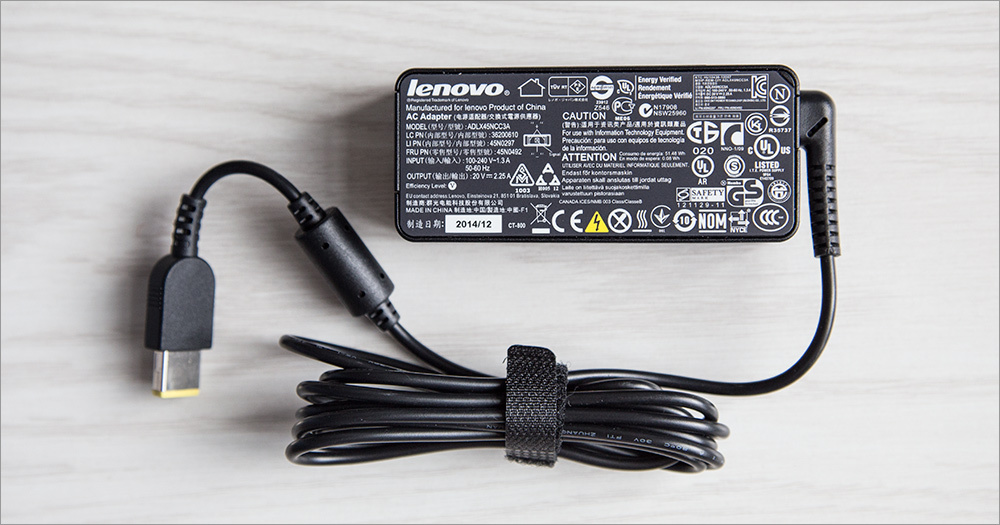
The adapter is quite small, and of the nice little things - a symmetrical power plug that can be inserted into the laptop in both positions.

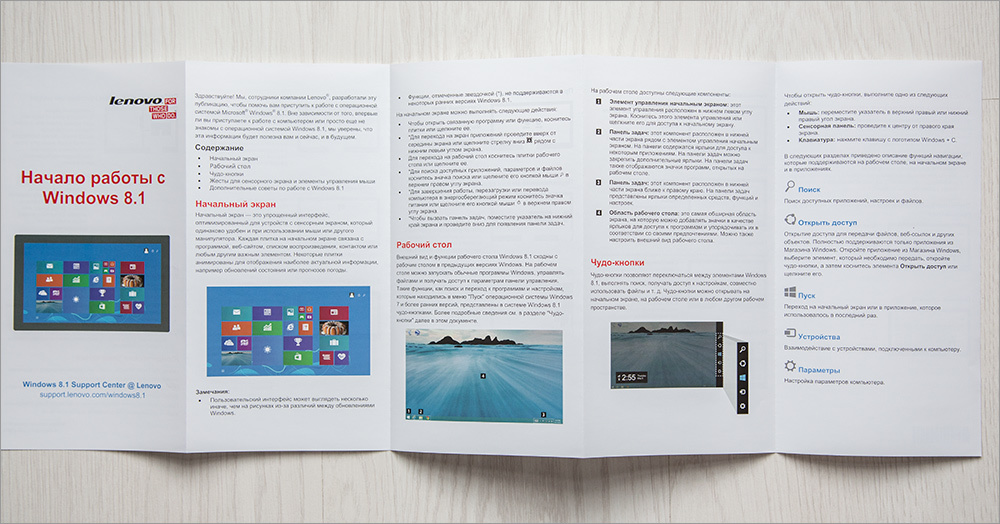
All components are neatly laid out on cardboard inserts. Looking ahead - for complete happiness there is a lack of a cover for everyday use, but such generosity is now very rare.
The first thing you pay attention to when you take a laptop out of the box is its weight and size. The declared 19 millimeters, of course, will not be available over the entire area of the laptop, but in general, the "average temperature in the hospital" is approximately the same - somewhere a little thicker, but mostly thinner.

The minimum thickness (closer to the edge of the lower part) is altogether about 16 mm, and the maximum (at the hinge part) is 22-23. That is, the ThinkPad X1 Carbon does not claim to be records, but it was made wisely and the laptop turned out to be really thin. As a result, the laptop turned out to be very light - only 1300 grams, while running ahead, in most cases you can not take the power supply with you. In any case, this is the thinnest laptop in the ThinkPad line - it feels like the manufacturer has tried.

On the left side of the device there is a connector for connecting the laptop to the mains - as mentioned above, it is symmetrical. Nearby is the branded Lenovo OneLink connector for an optional docking station - if you buy it (costs about 8500 rubles), then you can expand the device’s interface arsenal quite well, and everything will work through one single wire. But since not everyone will buy a docking station, it was closed with a very tight plug.

A little to the right is the standard “soup set”: minijack (3.5 mm for connecting headphones and a microphone), HDMI, miniDisplayPort and USB 3.0 (with the AlwaysOn function, which allows you to charge connected devices even when the laptop is turned off).
On the right side there is another USB port (also version 3.0), an ethernet port (which can be used through the adapter mentioned above), air vents and a security lock slot.

The list of interfaces isn’t finished at this point - another “bun” hid at the rear end (where the screen hinge is). Here is the same stub as in smartphones (with a hole for a paper clip) - to insert the same SIM card. We insert the SIM card (micro format) and use the Internet wherever the network catches - no need to constantly share the connection from the smartphone.


Minimalism reigns below - there are only 4 rubber legs, neat speaker nets and ventilation holes.


In general, the ThinkPad X1 Carbon looks very appetizing: the almost black (in the automotive field this color is called “wet asphalt” or granite) matte body, practical materials (the manufacturer claims that the body is made of carbon fiber and that this is the most durable ThinkPad ever produced - that he supposedly meets the specifications of the US Department of Defense) and a solid-looking design, perfect assembly - it’s hard to find something to complain about right away. Well, maybe I want to tear off the “Energy Star” sticker from the lid right away, but even they made a convenient ear for it, which is convenient to grasp.
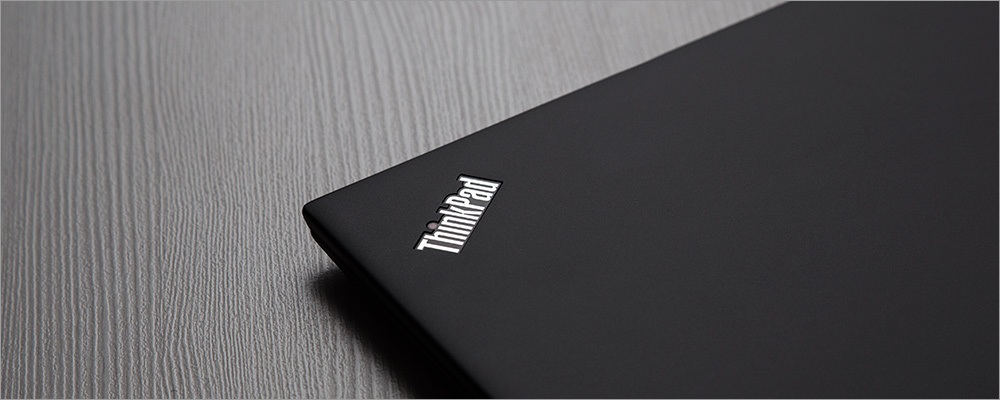
By the way, there are two inscriptions on the cover - as you might guess, we are talking about “Lenovo” and “ThinkPad”. So, the dot in the word “Think” pulsates in red - again a trifle, but how elegant!
The bottom cover rests on 7 small screws (which cannot be completely unscrewed from the washers, that is, they will not be lost) - I could not resist the temptation to unscrew them, because I really wanted to see how this miracle of technology looks from the inside.

The hinges of the screen are so durable, and the laptop itself is so light that the design was easily held on the table - as is the case with Lenovo Yoga laptops :)

Darkness reigns inside, or rather black. Most of the internal space is rightly occupied by a battery (Li-Pol, 15.2V, 3.29Ah, 50Wh). The rest of the space is occupied by the motherboard, on which all other components are located: a cooling system (consisting of a quiet cooler and two heat pipes), several PCIe expansion cards (wireless module, SSD drive).
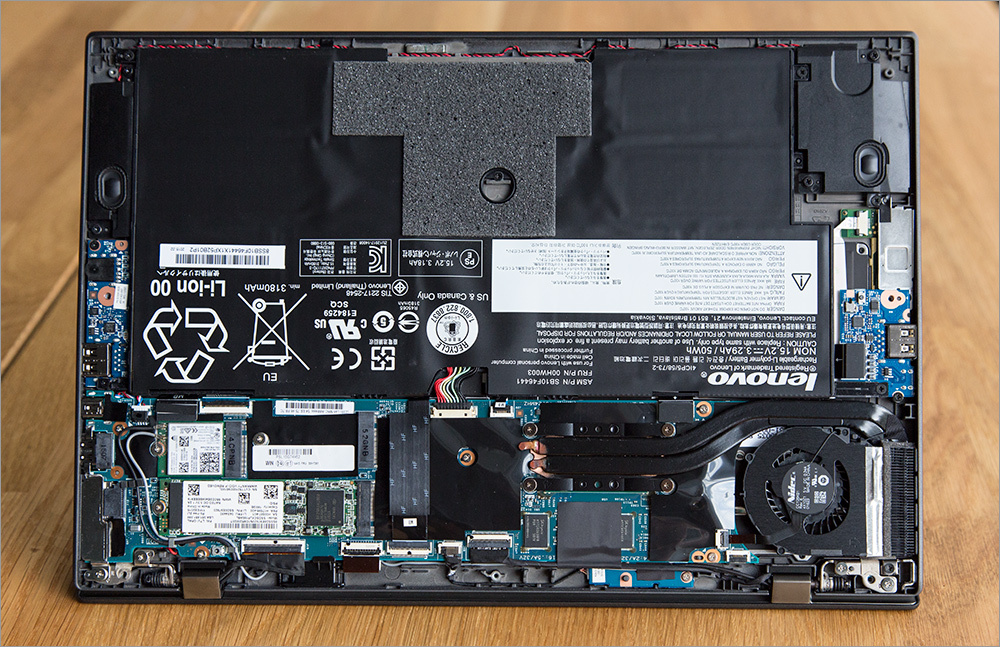


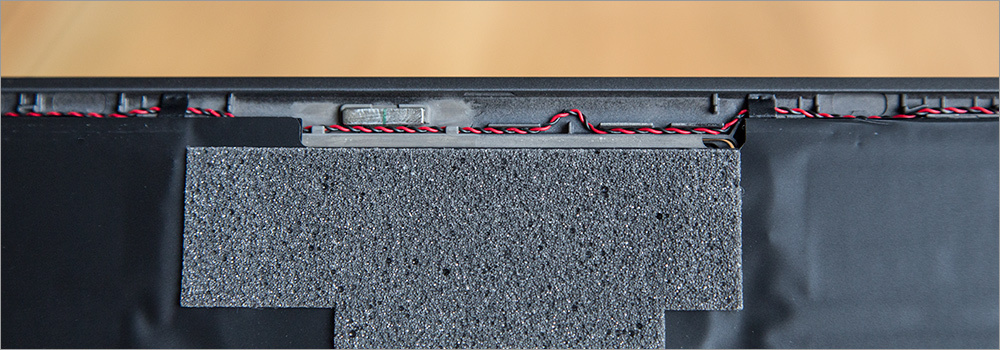
Once again, I want to focus on the monumentality of the screen hinges.

A huge number of loops and a few wires, but in the aggregate everything looks very neat - a mess and irrational use of the place is not visible.
We turn to the main trump card device.
One of the “trump cards in the sleeve” of the ThinkPad X1 Carbon is the display, which is incredibly noticeable for devices of this type. Firstly, with a diagonal of 14 inches, it can have a maximum WQHD resolution of 2560x1440 pixels (density - 220ppi) - no need to explain how great it is. Secondly, the screen here is matte, so you can forget about spurious glare and the many prints that all representatives of the glossy camp have. And thirdly, the screen can optionally be multi-touch (with processing up to 10 simultaneous touches) - this is a convenient option, especially in the age of rapid "finger optimization" of operating systems. Optionally, you can put the matrix easier: TN with a resolution of 1920x1080.

And finally, the main thing: the screen has excellent color rendering (the IPS matrix used in our model), a good margin of brightness (the manufacturer claims 300 nits for a regular screen and 270 for a touch screen; the brightness of the first is more than comfortable for working even in sunny rooms) and large viewing angles. Well, a nice black “beating” around the edges, of course.
We can confidently say that, despite the existence of more functional displays in laptops, among the 14-inch screens the ThinkPad X1 Carbon display is almost the best on the market - you give such screens to the masses!
These are not so much trump cards as just good cards like ace. We can say briefly about the keyboard - ambiguous, but unexpectedly easy to use. Although, as often happens, perhaps you just need to get used to it better.

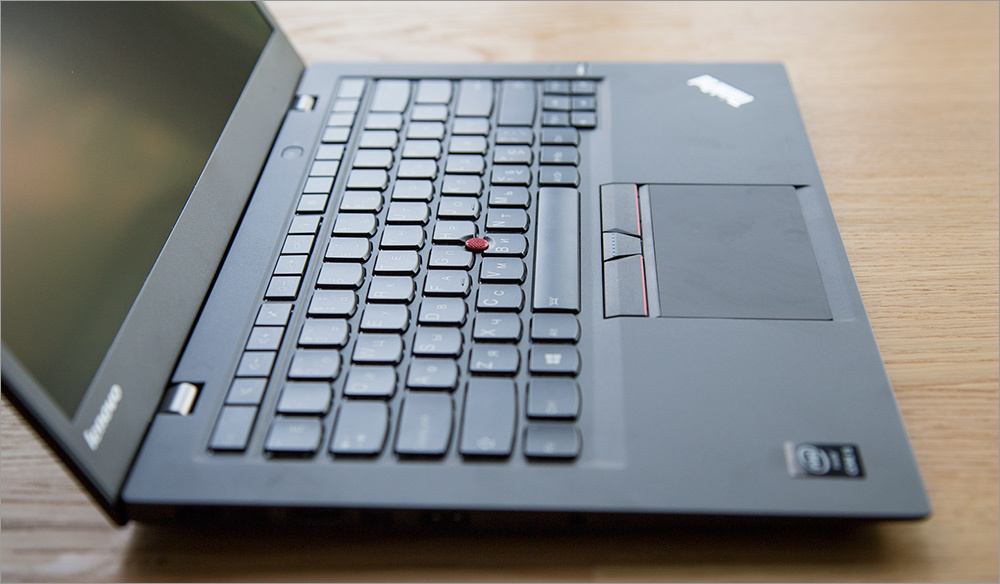
Keys ThinkPad X1 Carbon island type, but, unlike the classic notebook, they have a fairly long stroke. Of course, it does not reach the traditional “mechanics” (nevertheless, we are talking about an ultrabook), but among devices of this kind they are high, which ensures comfort of work and a clear response.
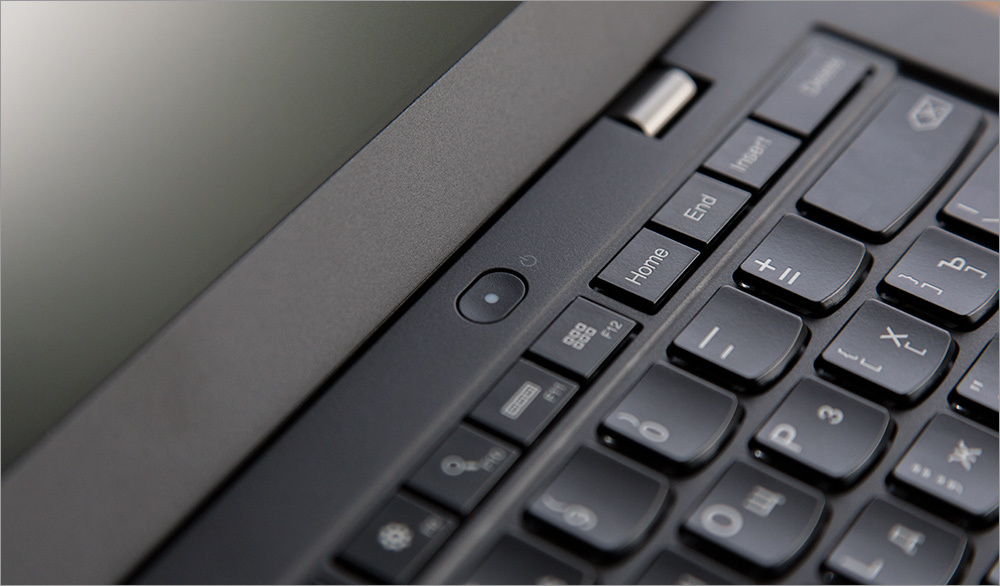
In this case, there is a somewhat non-standard configuration of the keys. For example, the ThinkPad X1 Carbon has a non-standard “PrintScreen” key layout, and system keys such as “ScrollLock” and “Pause” are completely absent. It's strange, considering that the laptop is positioned as primarily working. In previous generations of this model, Escape was also at the bottom of the keyboard - it’s good that the manufacturer moved the key to its rightful place. The keys “PgUP / PgDn” (below) and “Home / End / Ins / Del” (above) and the inconvenient location of the “Fn” key (in the corner, instead of “Ctrl”) are somewhat unusually spaced.

And here the keys of the “F” series are very narrow and tightly fitted to each other - even the “island” division into groups of 4 keys does not save from missing them. Add here the same detail as the “|” icon (in the Russian-language layout, removed from the key with a slash and backslash to the key with “E”) and the absence of a CapsLock indicator. In general ... the keyboard is not radical, but significantly redesigned compared to the classic layout, and of course, you have to get used to it. On the other hand, the keyboard is full of pluses: large flat “shifts”, “Enter” and “Backspace”, as well as excellent tactile sensations from the work as a whole.
Like other models from the ThinkPad line, the X1 Carbon has an internal keyboard backlight (with two brightness levels), as well as a touch touchpad and a tensometric joystickwith an extra scroll button.

And this and that is licked to a brilliance in terms of functioning, although TrackPoint today is more likely a tribute to traditions than an urgent need - like analog watches in some machines. But the tribute is certainly wonderful - the joystick is convenient, allows you not to take your hands off the keyboard and generally behaves well in all situations - if it's cold, if it's hot, if your hands are sweaty ... he doesn't care.

The touch panel turned out to be quite comfortable and pleasant to the touch (2015 in the yard, after all, we learned how to do it!). Even a wet finger does not “stumble” and glides perfectly along it, does not “stick” (due to high-quality surface material) and generally ensures high accuracy. Well, the size of the workspace is quite large - this is also good. But what you again have to get used to is the location of the buttons at the top of the touchpad that belong to TrackPoint, which will be very unusual for many laptop users of other brands.

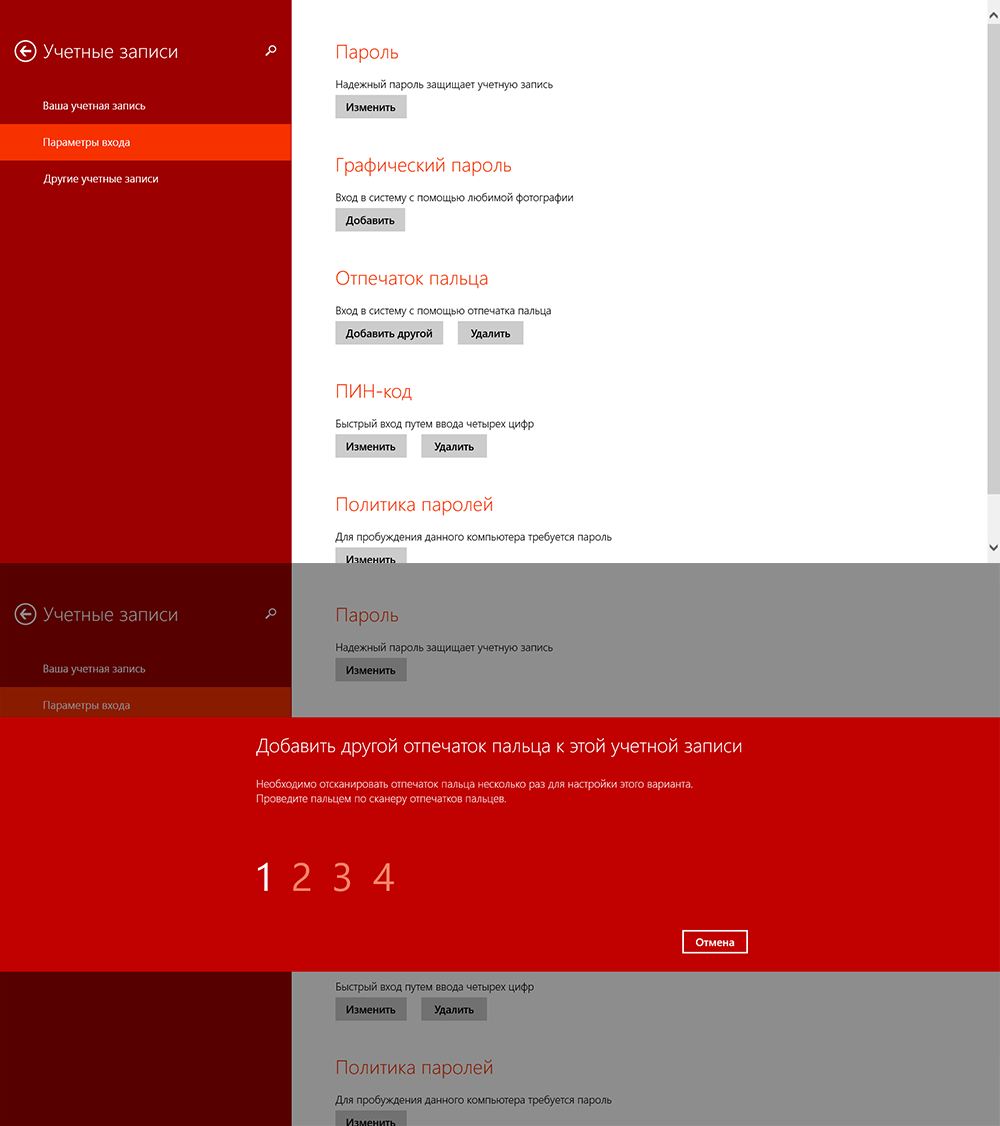
And yet, and yet! To the right of the keyboard is a fingerprint lock sensor. Well, or a fingerprint scanner, if it’s easier - like in other ThinkPad models, this thing allows you to not only log on to the system, but also immediately turn on the laptop with subsequent user identification - this is very convenient.

The most important advantage of the ThinkPad X1 Carbon is the combination of lightness and dimensions (and the ability to unfold 180 degrees) and a compromise between performance and autonomy. That is, it will be convenient to work with this laptop everywhere - even at home or in the office, even on an airplane / train, even in nature. I focus on the word “work” - do not play toys or edit video (if your job is just that, then you should choose between gaming laptops or be puzzled by building a good hospital), namely, work. For most IT professions, only one browser is often enough, and X1 has no problems with this :)
Several models can be the central processor: both Intel Core i5-5200 / 5300U (2.7 / 2.9 GHz, 4MB cache), and more powerful Intel Core i7-5500 / 5600U (3 / 3.2GHz, 4MB cache).

The performance of the ThinkPad X1 Carbon is typical of the latest generation of ultrabooks, and it's hard to say anything new about it. The fifth-generation dual-core four-core Intel Core ULV-series processors equipped with the IntelHD 5500 video core are installed inside. Let the numbering of the graphics accelerator not bother you; it is not directly related to the Iris Pro HD5200, but is a development of the last generation ULV video core Intel HD 5000.

In general, performance can be described as "sufficient." The laptop will not have problems with two dozen tabs in the browser, or with photos opened in Photoshop, or with documents, drawings, CAD-systems or anything else that you may encounter using the mobile “working hack”, the main The emphasis is on versatility and autonomy.
You can play at medium-low settings, but the resolution will have to be lowered to 1366x768 or 1440x990, since on FullHD and higher the IntelHD 5500 suffers from an acute shortage of ROPs and, perhaps, could manage to draw frames, but turn them into two-dimensional pictures and send on the screen - alas - with a sufficient frequency can not.
The laptop is available with 8 GB of RAM (DDR3L-12800, 1600 MHz), 4GB are installed in the tested model. The graphics adapter (Intel HD Graphics 5500) is completely without replacement options, even in other countries - you have to be content with what is. But this time, at least a connector appeared under the docking station - before it was not there.
Of course, the device uses an SSD-drive: in the model from the review there was an Intel model of 180 GB (146 GB is available for data - the rest is used for the operating system and a backup of the system).


Optionally, another drive can be installed, including a more capacious one (up to 500 GB).
The manufacturer claims up to 10.9 hours of battery life on a single charge - as is usually the case, the data is slightly overpriced :) Well, or real, but not with real user use cases. At my not very active pace of use, it turned out about 7 hours - I think you can squeeze a little more if you wish. Of the nice features - the presence of RapidCharge technology, which restores approximately 80% of the battery in less than an hour.

I would like to mention a separate point about the noise level during operation: there is a cooler in the system, but it works VERY quietly, one might even say that it is silent. At the same time, the system does not work at extreme temperatures - everything is well-calculated and verified, no distortion in the form of cooling supports is required, and the processor has never gone into throttling.
The Lenovo ThinkPad X1 Carbon Ultrabook has few objective flaws, but some unexpected solutions and features are at least unusual. But at the same time, the laptop is doing well with key elements: a good keyboard and a beautiful screen - this will be enough to fulfill most of the functions assigned to modern laptops - working on documents, communicating with colleagues, as well as various multimedia features (put music, look through pictures watch a movie). If your tasks are more demanding on resources, then you should pay attention to colleagues from the ThinkPad line - there are more productive, but no less successful laptop models.

The only thing that may not like the new product is the price: it starts at 70,000 rubles.
Thanks for attention!
Equipment
The device is sold in a matte black box with a red indented stripe - it looks very cool and even a little exciting. And all because it is known about the contents of the box - inside is a kind of “delicacy”, and not everyday food.
The laptop is packed in a transport fabric cover, and immediately below it are instructions, a power cord, a power supply and several additional accessories: an adapter from VGA to miniDisplayPort and from Lenovo's branded connector to RJ-45. Both of these connectors are the “thickest” and force manufacturers of thin devices to invent bicycles in the form of adapters, but at the same time, these connectors are one of the most popular (in addition to USB), so it’s great that the company offered everything it needs - from Apple this will have to pay extra for $ 20-50.
The adapter is quite small, and of the nice little things - a symmetrical power plug that can be inserted into the laptop in both positions.
All components are neatly laid out on cardboard inserts. Looking ahead - for complete happiness there is a lack of a cover for everyday use, but such generosity is now very rare.
Appearance
The first thing you pay attention to when you take a laptop out of the box is its weight and size. The declared 19 millimeters, of course, will not be available over the entire area of the laptop, but in general, the "average temperature in the hospital" is approximately the same - somewhere a little thicker, but mostly thinner.
The minimum thickness (closer to the edge of the lower part) is altogether about 16 mm, and the maximum (at the hinge part) is 22-23. That is, the ThinkPad X1 Carbon does not claim to be records, but it was made wisely and the laptop turned out to be really thin. As a result, the laptop turned out to be very light - only 1300 grams, while running ahead, in most cases you can not take the power supply with you. In any case, this is the thinnest laptop in the ThinkPad line - it feels like the manufacturer has tried.
On the left side of the device there is a connector for connecting the laptop to the mains - as mentioned above, it is symmetrical. Nearby is the branded Lenovo OneLink connector for an optional docking station - if you buy it (costs about 8500 rubles), then you can expand the device’s interface arsenal quite well, and everything will work through one single wire. But since not everyone will buy a docking station, it was closed with a very tight plug.
A little to the right is the standard “soup set”: minijack (3.5 mm for connecting headphones and a microphone), HDMI, miniDisplayPort and USB 3.0 (with the AlwaysOn function, which allows you to charge connected devices even when the laptop is turned off).
On the right side there is another USB port (also version 3.0), an ethernet port (which can be used through the adapter mentioned above), air vents and a security lock slot.
The list of interfaces isn’t finished at this point - another “bun” hid at the rear end (where the screen hinge is). Here is the same stub as in smartphones (with a hole for a paper clip) - to insert the same SIM card. We insert the SIM card (micro format) and use the Internet wherever the network catches - no need to constantly share the connection from the smartphone.
Minimalism reigns below - there are only 4 rubber legs, neat speaker nets and ventilation holes.
In general, the ThinkPad X1 Carbon looks very appetizing: the almost black (in the automotive field this color is called “wet asphalt” or granite) matte body, practical materials (the manufacturer claims that the body is made of carbon fiber and that this is the most durable ThinkPad ever produced - that he supposedly meets the specifications of the US Department of Defense) and a solid-looking design, perfect assembly - it’s hard to find something to complain about right away. Well, maybe I want to tear off the “Energy Star” sticker from the lid right away, but even they made a convenient ear for it, which is convenient to grasp.
By the way, there are two inscriptions on the cover - as you might guess, we are talking about “Lenovo” and “ThinkPad”. So, the dot in the word “Think” pulsates in red - again a trifle, but how elegant!
Inside
The bottom cover rests on 7 small screws (which cannot be completely unscrewed from the washers, that is, they will not be lost) - I could not resist the temptation to unscrew them, because I really wanted to see how this miracle of technology looks from the inside.
The hinges of the screen are so durable, and the laptop itself is so light that the design was easily held on the table - as is the case with Lenovo Yoga laptops :)
Darkness reigns inside, or rather black. Most of the internal space is rightly occupied by a battery (Li-Pol, 15.2V, 3.29Ah, 50Wh). The rest of the space is occupied by the motherboard, on which all other components are located: a cooling system (consisting of a quiet cooler and two heat pipes), several PCIe expansion cards (wireless module, SSD drive).
Once again, I want to focus on the monumentality of the screen hinges.
A huge number of loops and a few wires, but in the aggregate everything looks very neat - a mess and irrational use of the place is not visible.
We turn to the main trump card device.
Screen
One of the “trump cards in the sleeve” of the ThinkPad X1 Carbon is the display, which is incredibly noticeable for devices of this type. Firstly, with a diagonal of 14 inches, it can have a maximum WQHD resolution of 2560x1440 pixels (density - 220ppi) - no need to explain how great it is. Secondly, the screen here is matte, so you can forget about spurious glare and the many prints that all representatives of the glossy camp have. And thirdly, the screen can optionally be multi-touch (with processing up to 10 simultaneous touches) - this is a convenient option, especially in the age of rapid "finger optimization" of operating systems. Optionally, you can put the matrix easier: TN with a resolution of 1920x1080.
And finally, the main thing: the screen has excellent color rendering (the IPS matrix used in our model), a good margin of brightness (the manufacturer claims 300 nits for a regular screen and 270 for a touch screen; the brightness of the first is more than comfortable for working even in sunny rooms) and large viewing angles. Well, a nice black “beating” around the edges, of course.
We can confidently say that, despite the existence of more functional displays in laptops, among the 14-inch screens the ThinkPad X1 Carbon display is almost the best on the market - you give such screens to the masses!
Keyboard and touchpad
These are not so much trump cards as just good cards like ace. We can say briefly about the keyboard - ambiguous, but unexpectedly easy to use. Although, as often happens, perhaps you just need to get used to it better.
Keys ThinkPad X1 Carbon island type, but, unlike the classic notebook, they have a fairly long stroke. Of course, it does not reach the traditional “mechanics” (nevertheless, we are talking about an ultrabook), but among devices of this kind they are high, which ensures comfort of work and a clear response.
In this case, there is a somewhat non-standard configuration of the keys. For example, the ThinkPad X1 Carbon has a non-standard “PrintScreen” key layout, and system keys such as “ScrollLock” and “Pause” are completely absent. It's strange, considering that the laptop is positioned as primarily working. In previous generations of this model, Escape was also at the bottom of the keyboard - it’s good that the manufacturer moved the key to its rightful place. The keys “PgUP / PgDn” (below) and “Home / End / Ins / Del” (above) and the inconvenient location of the “Fn” key (in the corner, instead of “Ctrl”) are somewhat unusually spaced.
And here the keys of the “F” series are very narrow and tightly fitted to each other - even the “island” division into groups of 4 keys does not save from missing them. Add here the same detail as the “|” icon (in the Russian-language layout, removed from the key with a slash and backslash to the key with “E”) and the absence of a CapsLock indicator. In general ... the keyboard is not radical, but significantly redesigned compared to the classic layout, and of course, you have to get used to it. On the other hand, the keyboard is full of pluses: large flat “shifts”, “Enter” and “Backspace”, as well as excellent tactile sensations from the work as a whole.
Like other models from the ThinkPad line, the X1 Carbon has an internal keyboard backlight (with two brightness levels), as well as a touch touchpad and a tensometric joystickwith an extra scroll button.
And this and that is licked to a brilliance in terms of functioning, although TrackPoint today is more likely a tribute to traditions than an urgent need - like analog watches in some machines. But the tribute is certainly wonderful - the joystick is convenient, allows you not to take your hands off the keyboard and generally behaves well in all situations - if it's cold, if it's hot, if your hands are sweaty ... he doesn't care.
The touch panel turned out to be quite comfortable and pleasant to the touch (2015 in the yard, after all, we learned how to do it!). Even a wet finger does not “stumble” and glides perfectly along it, does not “stick” (due to high-quality surface material) and generally ensures high accuracy. Well, the size of the workspace is quite large - this is also good. But what you again have to get used to is the location of the buttons at the top of the touchpad that belong to TrackPoint, which will be very unusual for many laptop users of other brands.
And yet, and yet! To the right of the keyboard is a fingerprint lock sensor. Well, or a fingerprint scanner, if it’s easier - like in other ThinkPad models, this thing allows you to not only log on to the system, but also immediately turn on the laptop with subsequent user identification - this is very convenient.
Work experience
The most important advantage of the ThinkPad X1 Carbon is the combination of lightness and dimensions (and the ability to unfold 180 degrees) and a compromise between performance and autonomy. That is, it will be convenient to work with this laptop everywhere - even at home or in the office, even on an airplane / train, even in nature. I focus on the word “work” - do not play toys or edit video (if your job is just that, then you should choose between gaming laptops or be puzzled by building a good hospital), namely, work. For most IT professions, only one browser is often enough, and X1 has no problems with this :)
Several models can be the central processor: both Intel Core i5-5200 / 5300U (2.7 / 2.9 GHz, 4MB cache), and more powerful Intel Core i7-5500 / 5600U (3 / 3.2GHz, 4MB cache).
The performance of the ThinkPad X1 Carbon is typical of the latest generation of ultrabooks, and it's hard to say anything new about it. The fifth-generation dual-core four-core Intel Core ULV-series processors equipped with the IntelHD 5500 video core are installed inside. Let the numbering of the graphics accelerator not bother you; it is not directly related to the Iris Pro HD5200, but is a development of the last generation ULV video core Intel HD 5000.
In general, performance can be described as "sufficient." The laptop will not have problems with two dozen tabs in the browser, or with photos opened in Photoshop, or with documents, drawings, CAD-systems or anything else that you may encounter using the mobile “working hack”, the main The emphasis is on versatility and autonomy.
You can play at medium-low settings, but the resolution will have to be lowered to 1366x768 or 1440x990, since on FullHD and higher the IntelHD 5500 suffers from an acute shortage of ROPs and, perhaps, could manage to draw frames, but turn them into two-dimensional pictures and send on the screen - alas - with a sufficient frequency can not.
The laptop is available with 8 GB of RAM (DDR3L-12800, 1600 MHz), 4GB are installed in the tested model. The graphics adapter (Intel HD Graphics 5500) is completely without replacement options, even in other countries - you have to be content with what is. But this time, at least a connector appeared under the docking station - before it was not there.
Of course, the device uses an SSD-drive: in the model from the review there was an Intel model of 180 GB (146 GB is available for data - the rest is used for the operating system and a backup of the system).
Optionally, another drive can be installed, including a more capacious one (up to 500 GB).
The manufacturer claims up to 10.9 hours of battery life on a single charge - as is usually the case, the data is slightly overpriced :) Well, or real, but not with real user use cases. At my not very active pace of use, it turned out about 7 hours - I think you can squeeze a little more if you wish. Of the nice features - the presence of RapidCharge technology, which restores approximately 80% of the battery in less than an hour.
I would like to mention a separate point about the noise level during operation: there is a cooler in the system, but it works VERY quietly, one might even say that it is silent. At the same time, the system does not work at extreme temperatures - everything is well-calculated and verified, no distortion in the form of cooling supports is required, and the processor has never gone into throttling.
Summary
The Lenovo ThinkPad X1 Carbon Ultrabook has few objective flaws, but some unexpected solutions and features are at least unusual. But at the same time, the laptop is doing well with key elements: a good keyboard and a beautiful screen - this will be enough to fulfill most of the functions assigned to modern laptops - working on documents, communicating with colleagues, as well as various multimedia features (put music, look through pictures watch a movie). If your tasks are more demanding on resources, then you should pay attention to colleagues from the ThinkPad line - there are more productive, but no less successful laptop models.
The only thing that may not like the new product is the price: it starts at 70,000 rubles.
Thanks for attention!









