June 13, 2017 at 17:24
"Smart Home" in practice: a comparison of two Z-Wave controllers
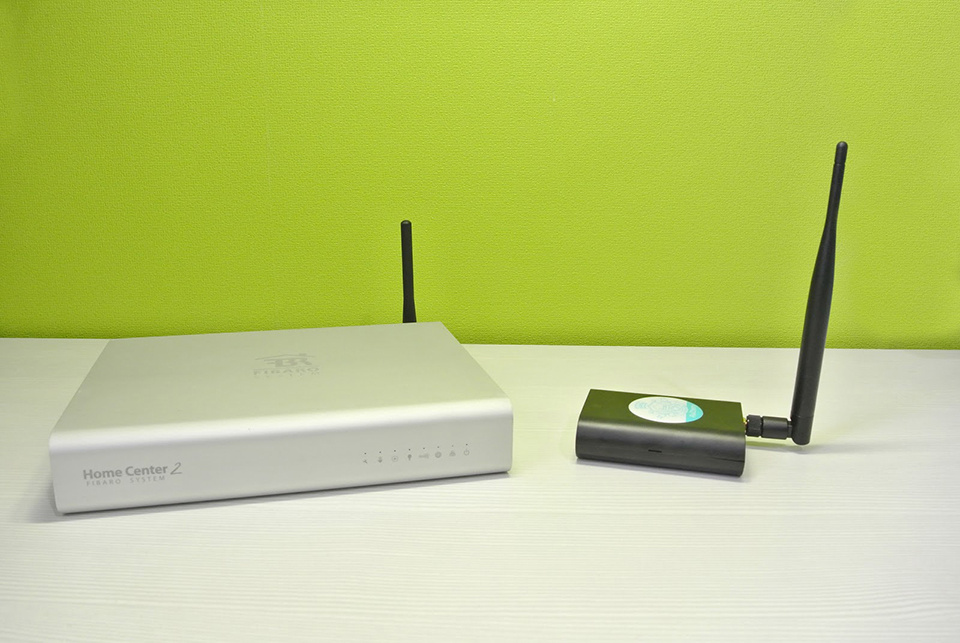
We decided to compare two Z-Wave controllers of different price ranges and implement several smart home test scenarios on them using a set of the most popular sensors and devices.
Many people use various smart things in everyday life - it can be RGB lamps or sockets, air quality or light sensors. But each manufacturer offers its own application for each device, and this is inconvenient when you need to turn everything off or see statistics for many sensors. Using Z-Wave technology, you can combine devices by controlling them and viewing statistics from a single controller.
The market presents models in different price segments. To understand the big picture, let's compare two popular Z-Wave controllers: FIBARO Home Center 2 and Z-Wave.Me RaZberry.
FIBARO Home Center 2: “the most” on all fronts
Z-Wave Home Center 2 controller manufactured by the Polish company FIBARO is the most advanced and expensive in the Russian market. It supports almost all Z-Wave devices and can act as a SIP server for video communication.
A thoughtful and simple web interface allows you to quickly create your smart home, even for a beginner. Most scenarios are implemented using graphic blocks using IF-THEN logic. When they are not enough, the built-in environment for writing automation scripts in the LUA language comes to the rescue.
The controller allows the installation of additional plug-ins, and this greatly expands its capabilities, allowing, for example, to add support for Philips Hue bulbs or control Samsung Smart TV.
Extensive interface features allow you to monitor energy consumption and view various statistics (for example, on turning on / off the light, arrival and departure). This opens up scope for optimizing costs: for example, if there is often nobody at home during the day, you can lower the heating temperature at this time.
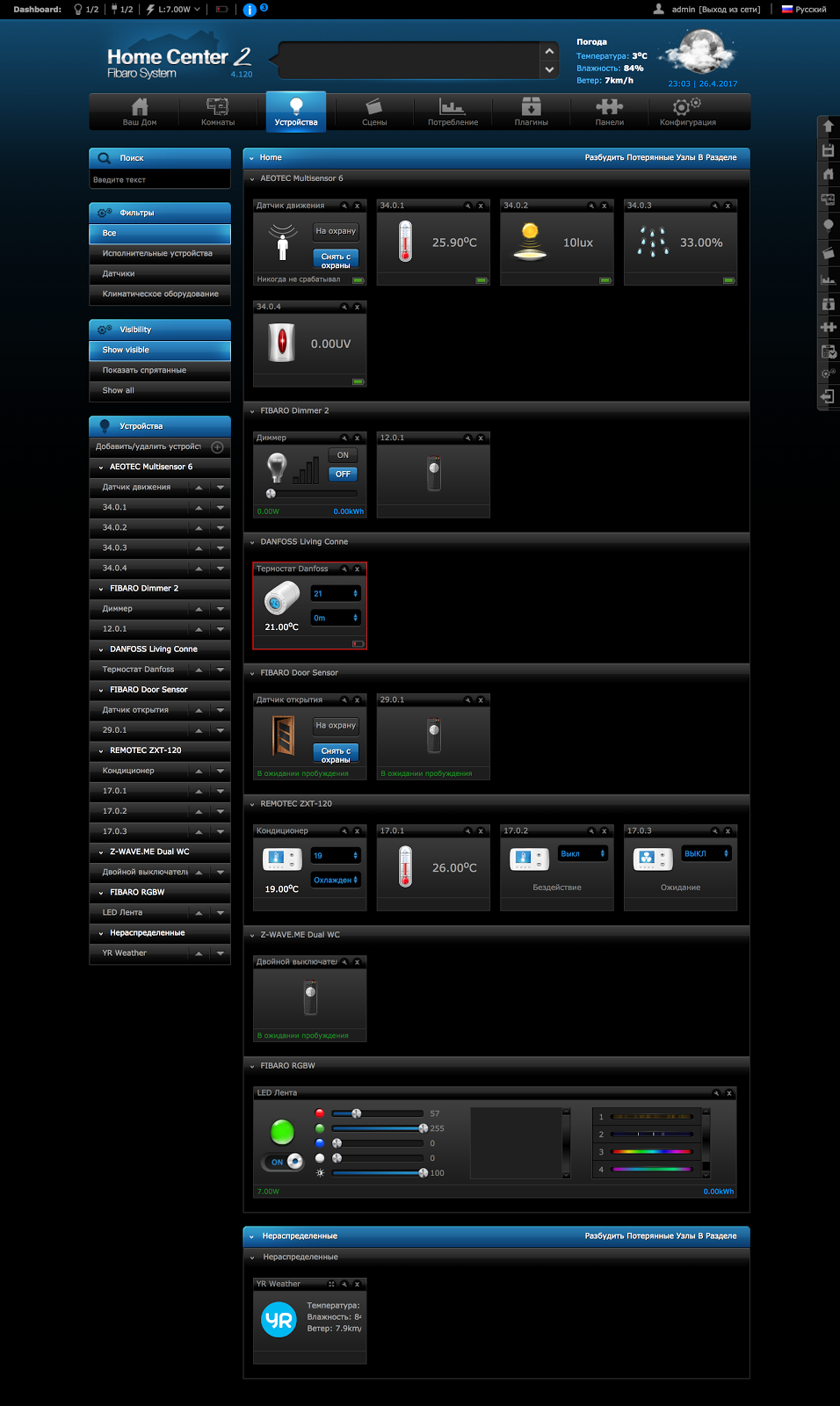
Devices in the FIBARO Home Center 2 interface
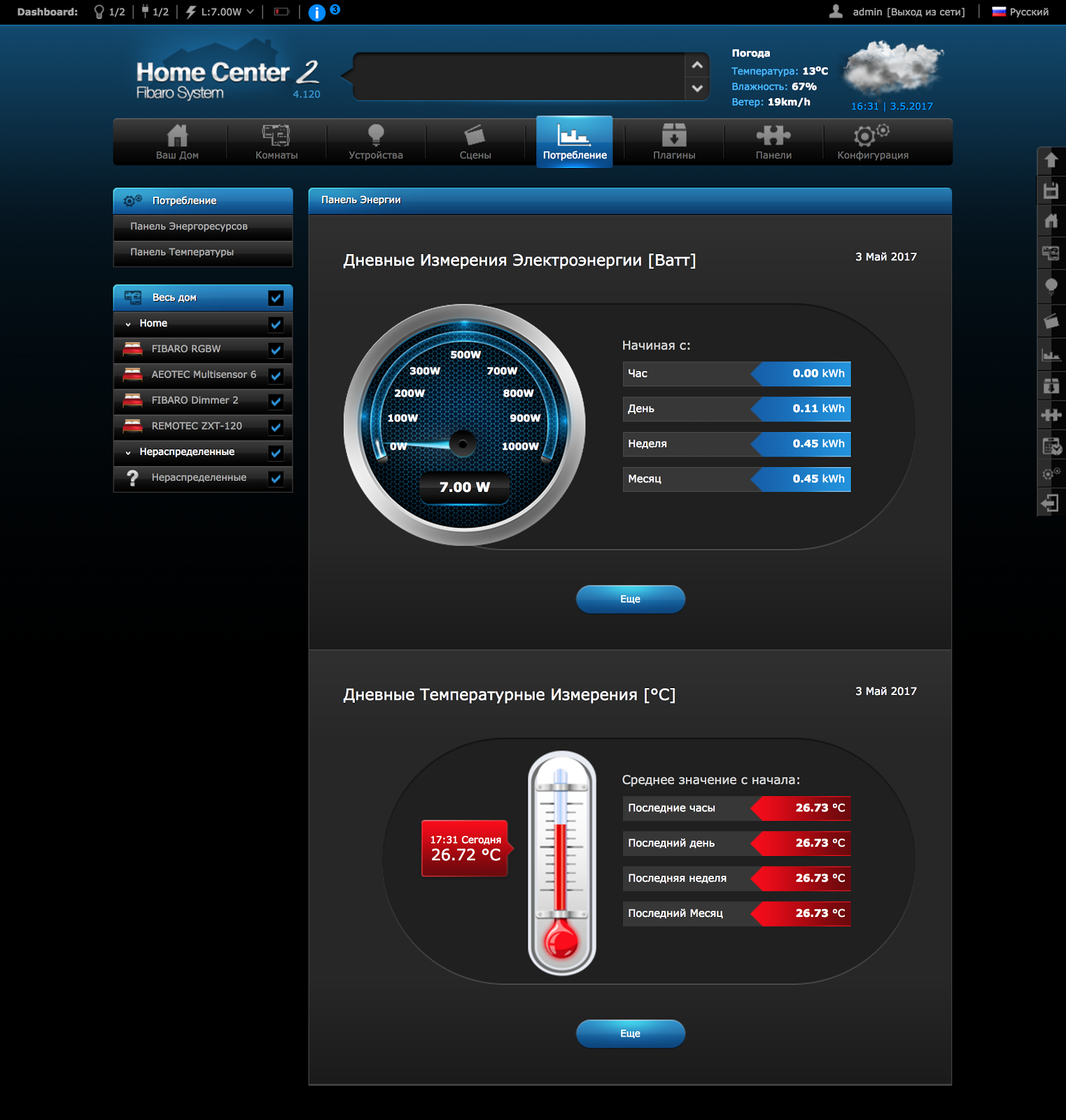
Energy and temperature panel in the FIBARO Home Center 2 interface
Z-Wave.Me RaZberry: smart and inexpensive
The Z-Wave controller RaZberry of the Russian-German company Z-Wave.Me is based on the advanced Z-Way software, which is used in many other Z-Wave controllers. The iron part of the controller is based on a single-board Raspberry Pi computer, which is appreciated by geeks for the possibility of customizing both hardware and software.
RaZberry is primarily aimed at maximum compatibility with all Z-Wave devices, therefore in its expert interface there are a lot of subtle settings for complete control over the Z-Wave network.
RaZberry is perfect for non-advanced users, as it has a simple automation system in the form of more than 150 separate applications. 50 of them are installed by default, the rest can be downloaded for free from the online store.
Native support for Apple HomeKit provides iPhone users with voice control using Siri and device control from the Home application.
RaZberry can also work as a Wi-Fi router and therefore is well suited for country houses, allowing you to do without the additional purchase of network equipment.

Devices in the Z-Wave.Me RaZberry interface
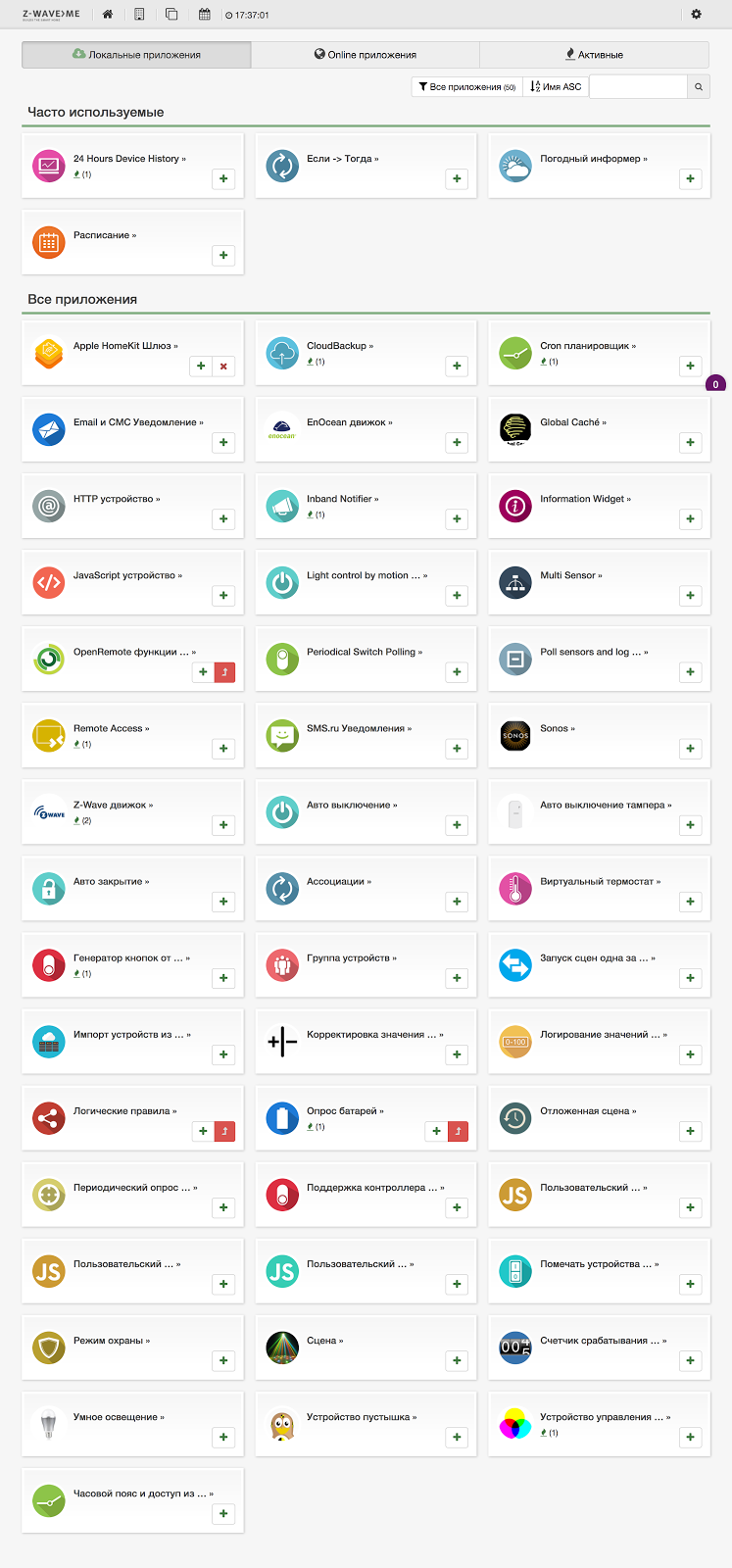
Automation applications in the Z-Wave.Me RaZberry interface Comparison
table of characteristics of Z-Wave controllers
| Characteristic | FIBARO HC2 | Razberry |
| Empowerment | Built-in plugins | App store |
| Scripting language | LUA | Javascript |
| Graphic Scene Designer | + | + |
| Wifi | - | + |
| External antenna | + | + |
| Architecture | Intel Atom | Raspberry pi 3 |
| Voice control | Lili | Apple siri |
| Russian language interface | + | + |
| SIP Intercom | 2N intercoms | - |
| Apple HomeKit | - | + |
| 2017 price | ~ 51 000 r | ~ 15 000 r |
Sensors for testing

In order to test the controllers, we selected several scenarios typical for a smart home and selected the most popular sensors and devices that are most often found in smart homes.
| Device | A photo | Description |
| FIBARO Dimmer 2 |  | Dimmer - adjusts the brightness level of lighting, supports lamps: LED dimmable, halogen and incandescent lamps with a total power of up to 250 watts. |
| Z-Wave.Me Dual Paddle WC |  | Two-key switch. Allows you to control not only lighting, but also locks, air conditioning, blinds and any other Z-Wave devices, as well as run scripts different for each key. Powered by a CR2032 battery. |
| Aeotec Multisensor 6-in-1 | 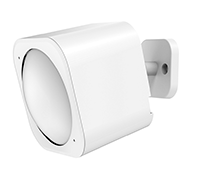 | Multifunctional motion sensor, detects:
|
| Danfoss living connect |  | Thermal head on the heating battery. The temperature can be set using the buttons from the phone and from the scripts on the controller. |
| Remotec ZXT-120 | 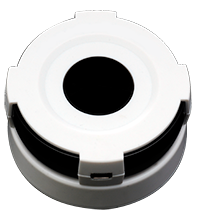 | Air conditioning control device. It contains a huge code base of air conditioners from different manufacturers. It receives commands on Z-Wave and sends it to the air conditioner via IR. It is powered by Mini-USB or 3 AAA batteries. For flush mounting, you can connect an extension cord with an IR LED at the end to the Remotec ZXT-120. |
| FIBARO Door / Window Sensor |  | Reed switch for opening a window / door. It is used in the scenario of inclusion of lighting, climate control and security functions. It consists of two parts: a magnet and a main part with a reed switch and a Z-Wave chip. Each time you connect / remove a magnet with a reed switch, a radio command is sent. |
| FIBARO RGBW |  | RGBW module for controlling a color LED strip or 4 single-color tapes. 12 and 24 V tapes are supported with a total power of up to 12 A. |
Test scenarios
For an objective comparison of functions on each of the controllers, we will create the same scenarios with the same set of devices. Immediately, I note that both controllers have excellent compatibility with all Z-Wave devices and support all their functions.
Automatic lighting control
Used devices:
- AEOTEC Multisensor 6-in-1 Motion Sensor
- FIBARO Dimmer 2
- FIBARO RGBW module

Let's start with automatic lighting control. Let's see the characteristic scenarios for our sensors. So, the AEOTEC Multisensor 6-in-1 motion sensor is most often used in walk-through rooms, that is, where people are for a short time, for example, in hallways, corridors, etc. It can also be installed in residential premises - a bedroom or a living room, to automatically turn off the lights when no one is in the room.
FIBARO Dimmer 2 in conjunction with it allows you to adjust the brightness: for example, turn on the light at 100% during the day, and only 20% at night, so as not to blind your eyes.
The motion sensor can also turn on an LED strip connected to FIBARO RGBW , under certain conditions, for the desired color and brightness level.

For testing the controllers, we chose two simple scenarios: turning off the light in a room in which there was no one for half an hour, and automatically adjusting the brightness of the lighting depending on the time of day. Let's see what happened.
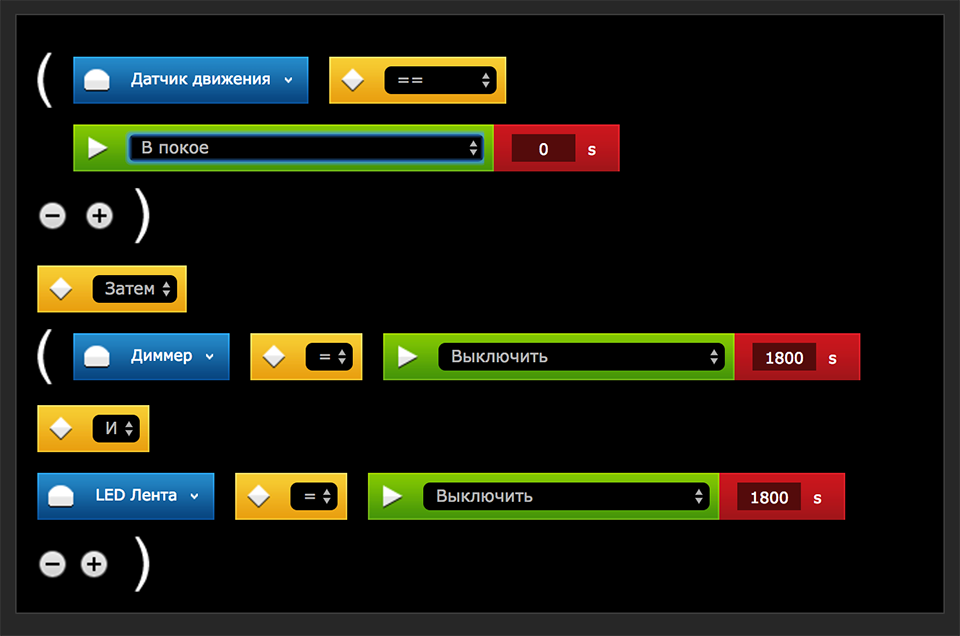
The script “Turn off the light after 30 minutes if there is no movement” using FIBARO Home Center 2.
In Home Center 2, this script can be made into graphic blocks or a LUA script. The first method is faster, but if you need to set additional parameters, for example, check whether the light was turned off manually, then you can not do without LUA.
Scenario “Turn off the light after 30 minutes if there is no movement” using RaZberry.
RaZberry uses the Auto Power Off application to solve the problem. It has three parameters: the device that needs to be turned off, the delay time and the ability to not reset the timer when it receives a second power-on command from the motion sensor: we need the timer to restart after any new movement, so we do not tick it.

The scenario “Turn on the light 100% during the day, 20% at night” with RaZberry.
To implement this scenario in RaZberry, you can use the finished application "Smart Lighting". With a few clicks of the mouse we select the dimmer, motion sensor, set the time of “day” and “night” and the night and day brightness level - and the problem is solved.

The scenario with auto power off is implemented equally easily on both Home Center 2 and RaZberry; programming skills are not required. But to set the brightness change depending on the time of day in RaZberry is easier, since this controller has a ready-made application, and you would have to write a large script on Home Center 2.
Moving the circuit breaker to a convenient location
Used devices:
- Battery-powered switch Z-Wave.Me Dual Paddle WC
- FIBARO Dimmer 2
- FIBARO RGBW module

You can control the lighting in the room - sconces, LED backlighting, etc. with the help of a two-key battery switch Z-Wave.Me Dual Paddle WC, which is mounted on a double-sided tape in a place convenient for the user. Let's see how to organize this using our test controllers.
The “ON / OFF sconce and LED strip from the switch”
script using FIBARO Home Center 2. The script seems simple, but you can only catch events that the switch sends using a script on the LUA.

Scenario “ON / OFF wall lamp and LED strip from the switch” with RaZberry.
The battery switch in RaZberry is displayed as 2 keys with ON / OFF buttons. The “Associations” application creates a connection between the switch and actuators, pressed up, the ON command was sent to everyone, pressed down, the OFF command was sent to everyone.

The result is simple. In Home Center 2, the implementation of the script looks more complicated, since there are no controls for the battery switch in the controller interface, and in order to get to the hidden functions, we had to write a script in LUA. In RaZberry, everything turned out quickly and easily, since all the management functions for any device are displayed as widgets.
Climate Control
Devices Used:
- Air conditioning control unit Remotec ZXT-120
- Thermal head for Danfoss Living Connect battery
- Door / Window Sensor FIBARO Door / Window Sensor

Typically, the heating and air conditioning of a smart home are autonomous and do not require human intervention. But it is hardly worth continuing to heat or cool the room in which the window is open.

Therefore, for testing the controllers, we chose a fairly obvious and useful scenario for temporarily disabling climate control.

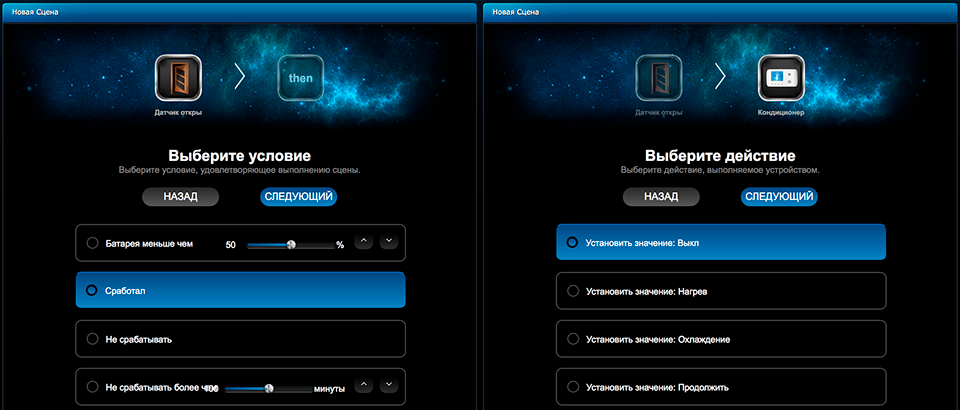
The scenario “Turn off the air conditioner when opening a window” using FIBARO Home Center 2.
In our expensive controller, such a scenario is quickly implemented using an easy-to-configure “magic scene” that works according to the IF - THEN principle.
Scenario “Turn off the air conditioner when opening a window” using RaZberry.
In a budget RaZberry there is also an IF-THEN application similar to Home Center 2 - there, in the same way, you need to select the opening sensor, the command to execute the action, and the action itself - in our case, turning off the air conditioner.

Summarize. When implementing a typical scenario for climate control, there is no difference between the controllers: both there and there the popular IF-THEN design is used and setting the settings we need will take several minutes.
Room security
Used devices:
- AEOTEC Multisensor 6-in-1 Motion Sensor
- Door / Window Sensor FIBARO Door / Window Sensor
Z-Wave is good in that it allows you to use the same devices to solve different problems. For example, the FIBARO Door / Window Sensor and AEOTEC Multisensor 6-in-1 motion sensors used in the previous scenarios in the security mode can be configured to signal a danger. The operation algorithm may look like this: “ If the“ House is on guard ”mode is set, send an alarm message when any of the sensors are triggered, if the“ Security is removed ”mode is set, turn off the air conditioner or control the lighting when any of the sensors are activated .”
We will analyze the implementation of the security setup scenario for the premises on our test devices.
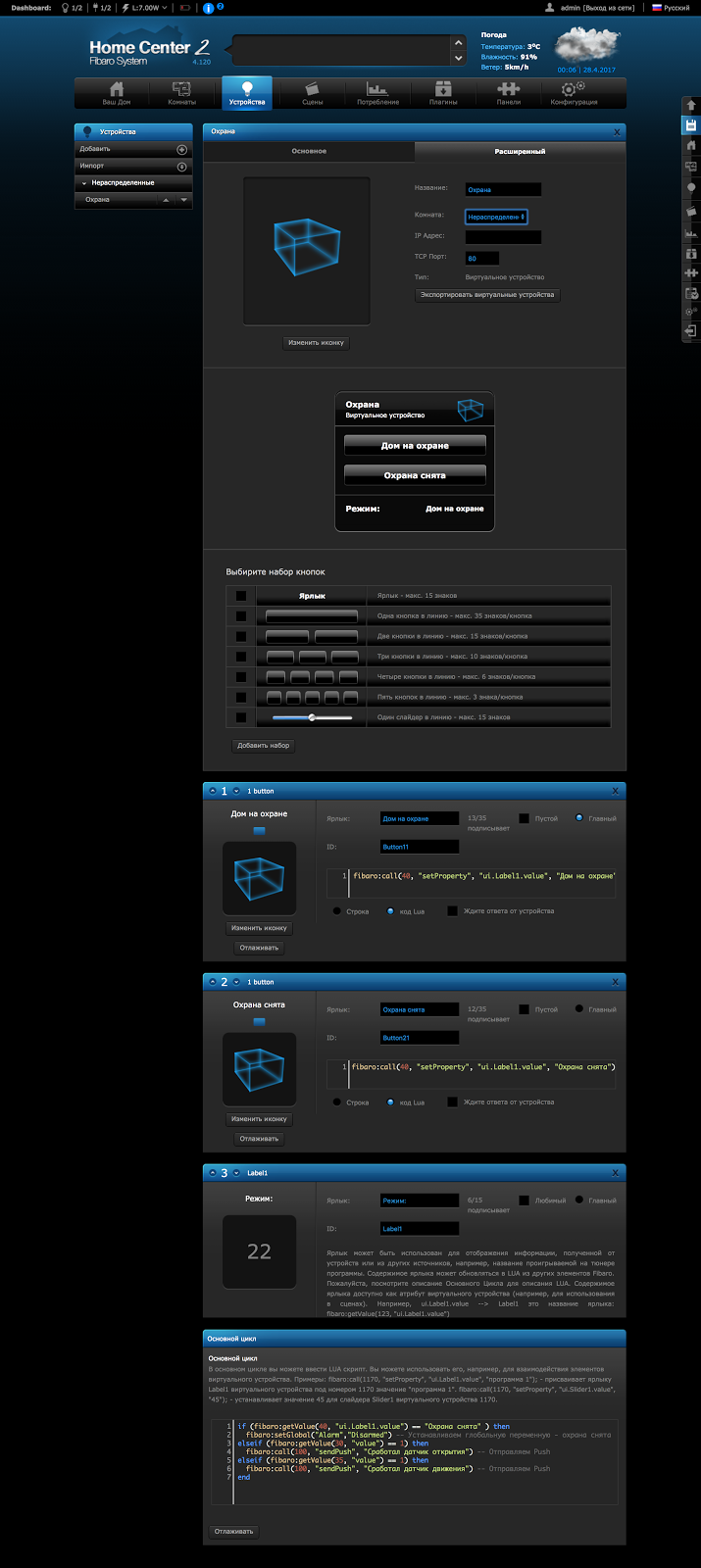
Scenario “Comfort mode - security mode” using FIBARO Home Center 2.
In FIBARO Home Center 2, using a virtual device, you can make a security panel, which in the "armed" mode will check all sensors, and if at least one of them works, it will send an alarm message.
Scenario “Comfort mode - security mode” using RaZberry.
RaZberry has a Security application that allows you to specify a list of sensors, an alarm message and actions (for example, activating a siren) that are activated when sensors are triggered in armed mode. A virtual security device with ON / OFF buttons is automatically generated, which can also be used in other scenarios, for example, to automatically arm a house under certain conditions.
The implementation of the scenario of setting the house on guard in both controllers is not a matter of two clicks. In principle, in Home Center 2 on each sensor there is a button “Armed” and “Disarm”, which allows you to arm any sensor without any settings at all. But if there are a lot of sensors, it is better to automate the process by writing a script on LUA. On RaZberry, you must manually configure the "Guard" mode. It is more convenient for a user who has several sensors to arm with Home Center 2. In a large house with many security zones, RaZberry is preferable.
Bottom line: is it worth it to overpay
FIBARO Home Center 2 and Z-Wave.Me RaZberry controllers are in different price categories, but nevertheless they are very similar in terms of functions and easily solve any automation task.
Home Center 2 has a more user-friendly interface with many useful panels and well-detailed icons. In terms of automation, a built-in LUA development tool with hints and convenient syntax highlighting is a big plus for professionals. Home Center 2 is suitable for beginners who like a convenient and beautiful interface, as well as experienced users who value the possibilities of expansion and advanced programming.
RaZberry has a simpler but no less functional web interface. Each function is displayed as a separate widget, it is very convenient for automation applications. A wide range of applications allows a couple of mouse clicks to solve almost any automation task. If the applications are not enough, you can write your own script in JavaScript. RaZberry can also work as a Wi-Fi router and unlike many other controllers supports Apple HomeKit. The device is perfect for those who want to inexpensively, but effectively automate their home.