October 16, 2017 at 14:35
ScadaPy Modbus Protocol Capabilities
In continuation of the articles here, here, here and here. , I want to give examples of the simple use of python scripts from the ScadaPy series, both in the field of home automation and in manufacturing enterprises.
1. ADAM modules from Advantech and ScadaPy.
A simple example of using python to poll Advantech 4000 Series modules.
To read data and transmit control commands, the proprietary DCON protocol is used. Once upon a time, a program from this manufacturer was distributed and was called, if I am not mistaken, Adam View or GeniDAQ. We started with her at one time, it was very interesting. To date, I got a few modules that are still workable.

The list of commands for the survey is given in the documentation for each module. You can read it here .
For polling, the rs485 interface is used. Only the 4050 I / O input model appeared, so I wrote the processing for this model. Input lines 7 bits, output lines 8 bits.
To read the data, send the command ' $ 016 \ r '
$ - control character
01 - device address
6 to the
port - serialPort.write ('$ 016 \ r')
command dataIn = serialPort.read (8)
serialPort.flushInput ()
In response, 8 bytes of the form ! 007F00 will be received . Information bytes 3 and 4 report the status of the digital inputs DI, and bytes 1 and 2 report the status of the digital outputs DO. The decryption code is given below.
if(dataIn[0]=='!'):
    byteDI = str(bin(int('0x'+dataIn[3]+dataIn[4],16))[2:] ).zfill(7)
    byteCoil = str(bin(int('0x'+dataIn[1]+dataIn[2],16))[2:] ).zfill(8)
Further, the status of the digital inputs of the ADAM-4050 are located in the slave part of the program in the DISCRETE_INPUTS registers, and the status of the digital outputs is transferred to the COILS registers.
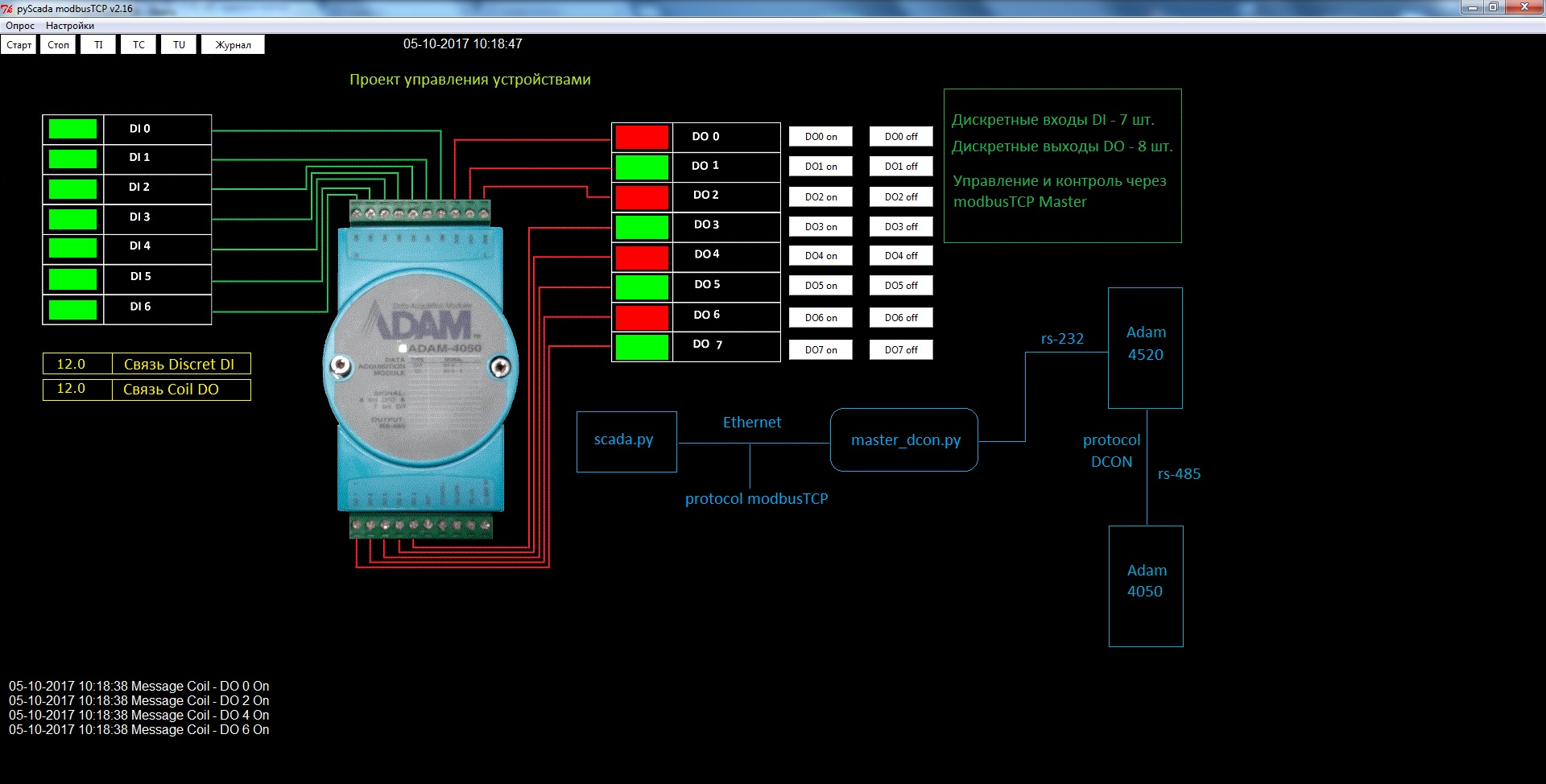
Libraries laid here on github.com
2. ScadaPy and the master_ping.py module.
Used to detect the loss of communication with slave servers at remote sites. At regular intervals, an ICMP packet is sent to a remote server; in the absence of communication, a mimic is displayed. Of course, it is advisable to add some kind of sound alarm with acknowledgment.
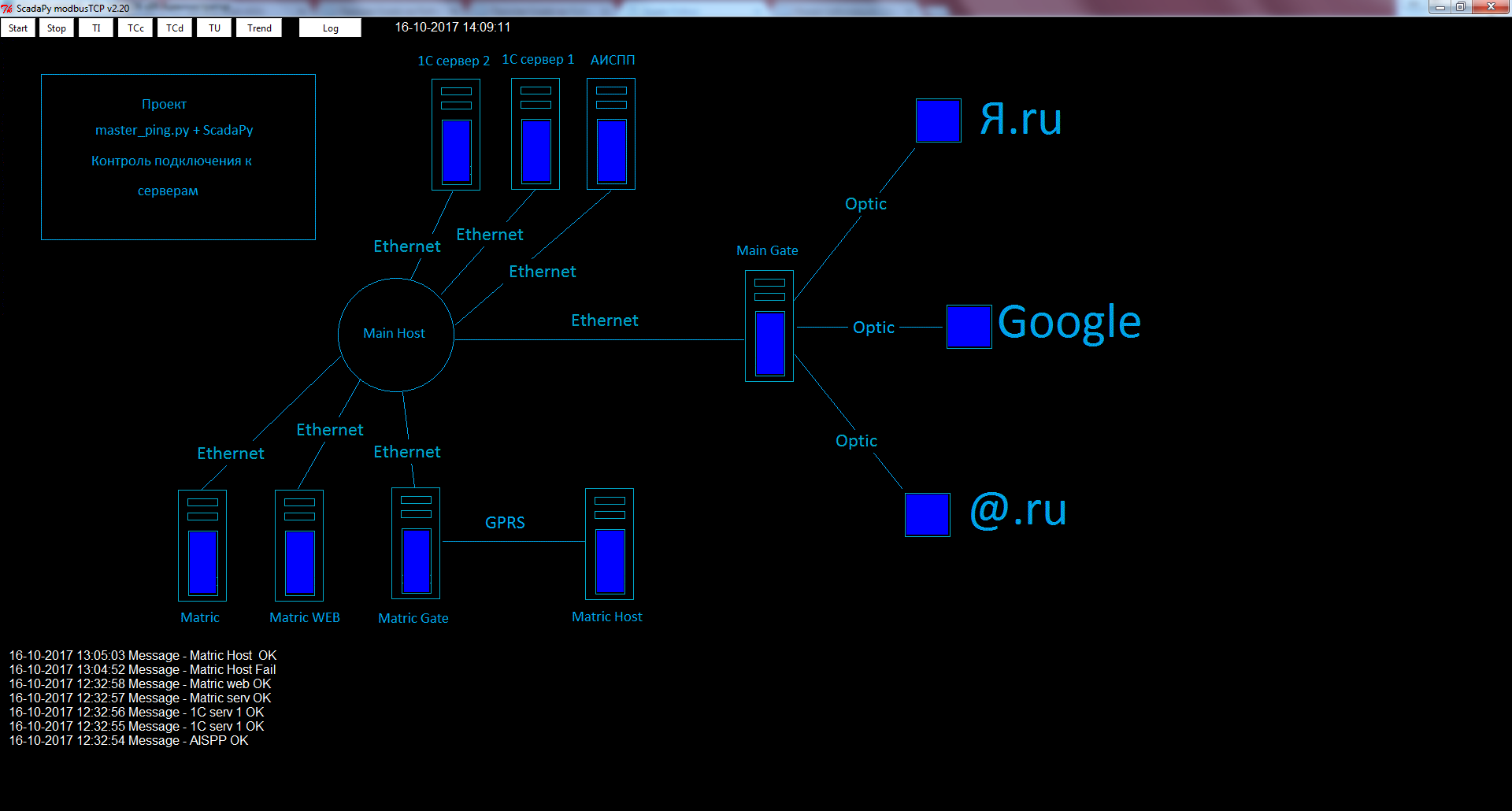
Libraries laid here on github.com
3. ScadaPy and Smartgen generator module.
I wrote about this earlier here.
As an implementation option of the error control program of the generator and its current state. Very important parameters of all are fuel level, load currents and engine temperature. As a rule, it is these parameters that are checked regularly during the operation of the generator.
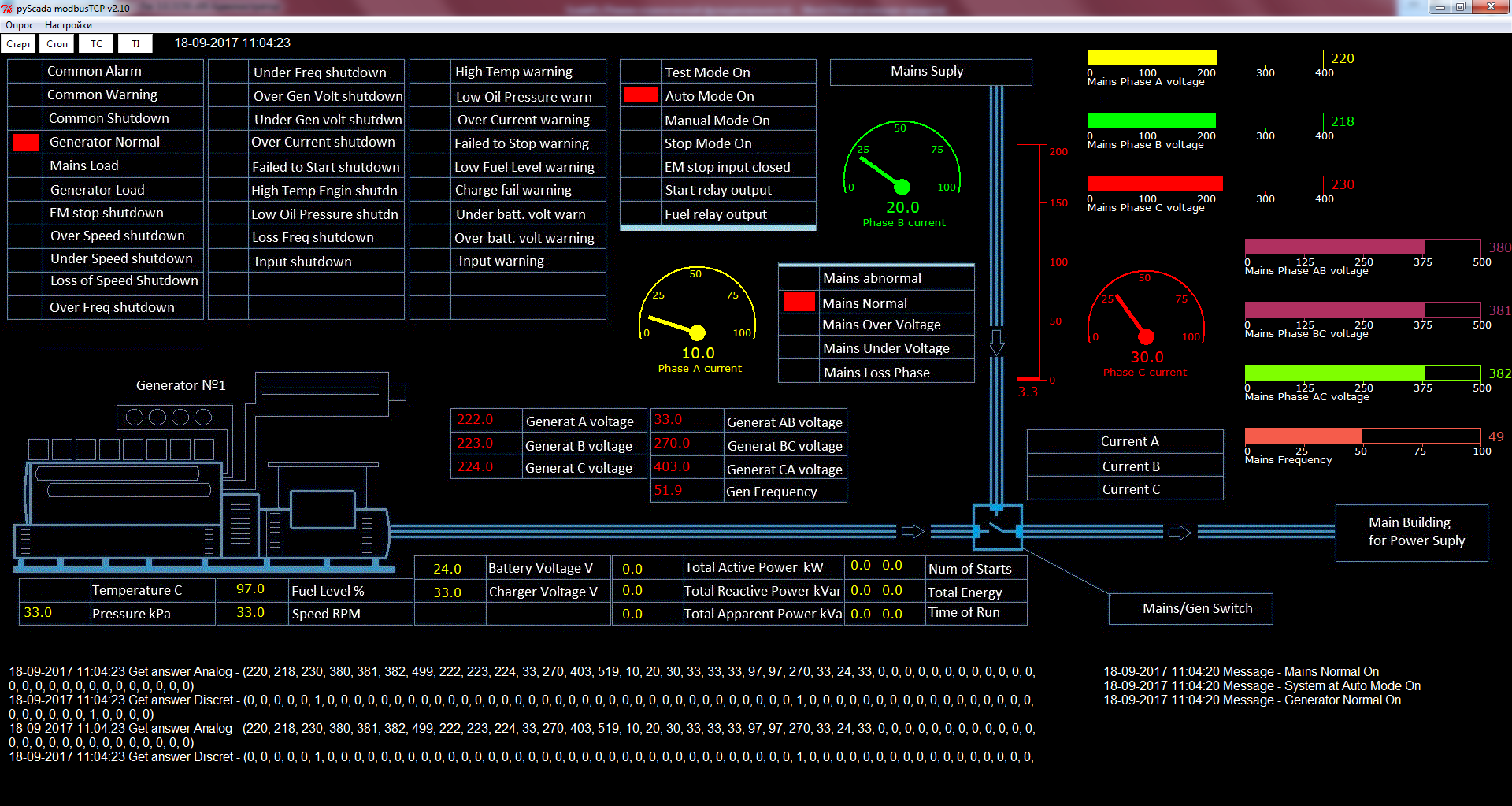
Console option is possible, I like it more

Libraries laid here on github.com
4. ScadaPy and the master_http module.
I will describe a recent implementation example.
The I-8831 device was installed at the facility, it works using the Modbus TCP protocol. It has 32 digital inputs. It is necessary to monitor the condition of the “blinkers” of the cells of the outgoing feeders of the substation. There are no strict requirements for real-time mode, since it is far away in the mountains, it is enough to receive information every 15 minutes.
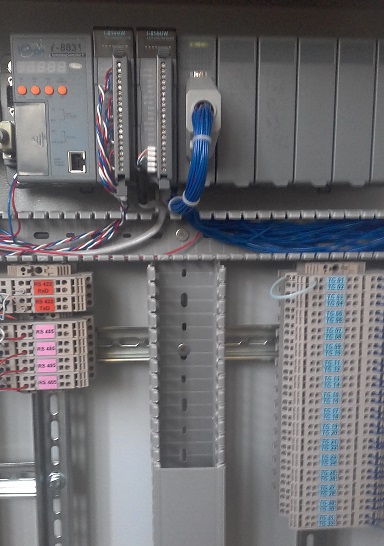
Implemented using the Modbus_tk and requests libraries. The principle is simple, we receive the data using the Modbus TCP protocol and send it to the server via http using the GET method. Everything is extremely simple.
import requests.packages.urllib3
     resp = requests.get('http://myserver.ru/alive.php?v='+val+'&d='+d+'&r='+reg+'&s='+st+'&dv='+device, timeout=5 )
Implementation is possible with the addition of SSL, as well as username and password.
from requests.auth import HTTPBasicAuth
import requests.packages.urllib3
requests.packages.urllib3.disable_warnings() # чтобы не сообщал о непроверенном сертификате
resp = requests.get('https://myserver.ru/alive.php?v='+val+'&d='+d+'&r='+reg+'&s='+st+'&dv='+device, timeout=3, verify=False ,auth=HTTPBasicAuth(login, password))
# verify=False – не проверять самоподписной  сертификат
# login, password – указать логин и пароль
On the server side, you can restrict yourself to one PHP script with the function of saving to the database. As an example, I indicated saving to a file.
$val=$_GET['v'];
$ind=$_GET['d'];
$reg=$_GET['r'];
$state=$_GET['s'];
$device=$_GET['dv'];
$dt=Date("d.m.Y");
$now = DateTime::createFromFormat('U.u', microtime(true));
$tm = $now->format("m-d-Y H:i:s.u");
$getData=$tm.' '.$state.' '.$device.' '.$reg.' '.$val;
$fp=fopen('./alive.log','a+');
        if($fp)
      {
           fputs($fp,$getData."\n");
       }
fclose($fp);
Libraries laid here on github.com