 May 31, 2017 at 14:07
Recipes for Android: Scroll-To-Dismiss Activity
- Tutorial
Hello! Today we will tell you how to add Scroll-To-Dismiss behavior to your Activity in the minimum amount of time. Scroll-To-Dismiss is a gesture popular in the modern world that allows you to close the current screen and return to the previous Activity.
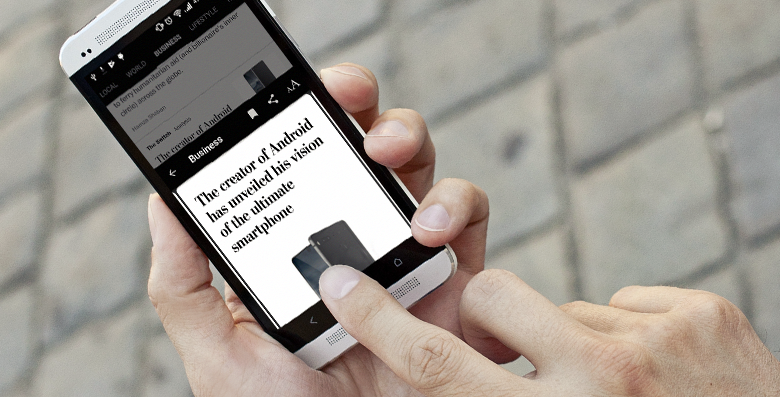
One fine day, we received a request to add such functionality to one of our news applications. If you are interested in how easy it is to add such functionality to an existing Activity and avoid possible problems - welcome to the cat.
What do we have?
The decision "in the forehead" is quite obvious: use one Activity and a pair of fragments, the position of which can be regulated within the framework of one Activity.
We had some doubts about this approach, since the application already had a well-established navigation: a separate Activity for the news list and a separate Activity for reading the article itself.
Despite the fact that the functional list of articles and reading the article were already decomposed into separate relevant fragments, this did not save. Since the fragments themselves required the Hosting Activity to have a specific interface and implementation (as is usually the case with fragments). In addition, the UI of these screens was quite different: a different set of menu buttons, different behavior of the toolbar (Behavior).
In total, this all made combining two screens into one for the sake of one designer tweak irrational.

The navigation pattern itself, as already mentioned, is quite popular. So it is not surprising that the Android API already has some features for its implementation. In addition to the already announced solution "in the forehead", one could use:
- BottomSheetFragmentDialog. This is the new FragmentDialog available in the design library from Google. Its behavior is very similar to what we need, but it still needs to be hosted as part of the Activity content, which we do not want. Moreover, the BottomSheetFragmentDialog requires a CoordinatorLayout in the layout, which you might not like. And also this dialogue can be "swiped" only down.
- Libraries Android comunity is rich in libraries for all occasions. For scroll-to-dismiss, there were also a couple: SwipeBack and android-slidingactivity.
Unfortunately, they didn’t suit us either, because they either require a custom layout wrapper, the behavior of which conflicts with the behavior of internal components, or they are too closed for API settings.
Movement is life
Changing the position of an Activity will not work out very well for us, but we can move its content. We will monitor the movement of the user's finger and change the coordinates of the topmost container in the hierarchy accordingly. Let's make a base class that can be reused for any Activity.
Sample code will be on Kotlin, because it is more compact :)
abstract class SlidingActivity : AppCompatActivity() {
    private lateinit var root: View
    override fun onPostCreate(savedInstanceState: Bundle?) {
        super.onPostCreate(savedInstanceState)
        root = getRootView() // попросим наследника дать нам корневой элемент иерархии
    }
    abstract fun getRootView(): View
}
Next, we learn to listen and respond to user gestures. We could wrap the root element in our container and track the actions in it, but we will go the other way. In Activity, you can override the method dispatchTouchEvent(...), which is the first touch screen handler. You can see the workpiece blank below:
abstract class SlidingActivity : AppCompatActivity() {
    private lateinit var root: View
    override fun onPostCreate(savedInstanceState: Bundle?) {
        super.onPostCreate(savedInstanceState)
        root = getRootView()
    }
    abstract fun getRootView(): View
    override fun dispatchTouchEvent(ev: MotionEvent): Boolean {
        when (ev.action) {
            MotionEvent.ACTION_DOWN -> {
                // запомним начальные координаты
            }
            MotionEvent.ACTION_MOVE -> {
                // определим, куда двигается палец и нужно ли сдвигать контент
            }
            MotionEvent.ACTION_UP, MotionEvent.ACTION_CANCEL -> {
                // закроем Activity, если контент "сдвинут"
                // на значительное расстояние или вернем все как было
            }
        }
        // передать event всем остальным обработчикам
        return super.dispatchTouchEvent(ev)
    }
}
It is not difficult to understand that the user moves his finger from top to bottom (in order to “swipe” the screen): the coordinate of yall events following the initial position increases, and xcan fluctuate in some insignificant interval. With this problem, as a rule, does not arise. Problems begin when other scrollable elements are present on the screen: ViewPager, RecyclerView, Toolbar with some Behavior, their presence should always be borne in mind:
abstract class SlidingActivity : AppCompatActivity() {
    private lateinit var root: View
    private var startX = 0f
    private var startY = 0f
    private var isSliding = false
    private val GESTURE_THRESHOLD = 10
    private lateinit var screenSize : Point
    override fun onPostCreate(savedInstanceState: Bundle?) {
        super.onPostCreate(savedInstanceState)
        root = getRootView()
        screenSize = Point().apply { windowManager.defaultDisplay.getSize(this) }
    }
    abstract fun getRootView(): View
    override fun dispatchTouchEvent(ev: MotionEvent): Boolean {
        var handled = false
        when (ev.action) {
            MotionEvent.ACTION_DOWN -> {
                // запоминаем точку старта
                startX = ev.x
                startY = ev.y
            }
            MotionEvent.ACTION_MOVE -> {
                // нужно определить, является ли текущий жест "смахиванием вниз"
                if ((isSlidingDown(startX, startY, ev) && canSlideDown()) || isSliding) {
                    if (!isSliding) {
                        // момент, когда мы определили, что польователь "смахивает" экран
                        // начиная с этого жеста все последующие ACTION_MOVE мы будем
                        // воспринимать как "смахивание"
                        isSliding = true
                        onSlidingStarted()
                        // сообщим всем остальным обработчикам, что жест закончился
                        // и им не нужно больше ничего обрабатывать
                        ev.action = MotionEvent.ACTION_CANCEL
                        super.dispatchTouchEvent(ev)
                    }
                    // переместим контейнер на соответсвующую Y координату
                    // но не выше, чем точка старта
                    root.y = (ev.y - startY).coerceAtLeast(0f)
                    handled = true
                }
            }
            MotionEvent.ACTION_UP, MotionEvent.ACTION_CANCEL -> {
                if (isSliding) {
                    // если пользователь пытался "смахнуть" экран...
                    isSliding = false
                    onSlidingFinished()
                    handled = true
                    if (shouldClose(ev.y - startY)) {
                        // закрыть экран
                    } else {
                        // вернуть все как было
                        root.y = 0f
                    }
                }
                startX = 0f
                startY = 0f
            }
        }
        return if (handled) true else super.dispatchTouchEvent(ev)
    }
    private fun isSlidingDown(startX: Float, startY: Float, ev: MotionEvent): Boolean {
        val deltaX = (startX - ev.x).abs()
        if (deltaX > GESTURE_THRESHOLD) return false
        val deltaY = ev.y - startY
        return deltaY > GESTURE_THRESHOLD
    }
    abstract fun onSlidingFinished()
    abstract fun onSlidingStarted()
    abstract fun canSlideDown(): Boolean
    private fun shouldClose(delta: Float): Boolean {
        return delta > screenSize.y / 3
    }
}
Please note that we have added a new abstract method canSlideDown() : Boolean. We ask the heir to them whether the current moment is suitable to start our Scroll-ToDismiss gesture. For example, if a user reads an article and is somewhere in the middle of the text, then with a swipe of his finger from top to bottom, he probably wants to scroll the article higher, instead of closing the entire screen.
The second important point is the fact that our handler stops sending events further down the chain (does not get called super.dispatchTouchEvent(ev)) starting from the moment we determine the gesture we need. This is necessary so that all nested scrollable widgets stop responding to finger movements and move content independently. Before we cut off the processing chain, we send MotionEvent.ACTION_CANCELso that the nested elements do not consider the suddenly interrupted message flow as a "Long Click".
Bring to readiness
When the user raised his finger, and we realized that the screen can be closed, we cannot call Activity.finish()at the same moment. More precisely, we can, of course, but it will look like a suddenly closed screen. What we need to do is animate the rootcontainer down the screen and after that close the Activity:
private fun closeDownAndDismiss() {
    val start = root.y
    val finish = screenSize.y.toFloat()
    val positionAnimator = ObjectAnimator.ofFloat(root, "y", start, finish)
    positionAnimator.duration = 100
    positionAnimator.addListener(object : Animator.AnimatorListener {
        override fun onAnimationRepeat(animation: Animator) {}
        override fun onAnimationEnd(animation: Animator) {
            finish()
        }
        override fun onAnimationCancel(animation: Animator) {}
        override fun onAnimationStart(animation: Animator) {}
    })
    positionAnimator.start()
}
The last thing that remains for us is to make our Activity transparent so that when you swipe the screen that it overlaps is visible. To achieve this effect, simply add the following attributes to the topic of your Activity:
To make Scroll-To-Dismiss look even cooler, you can add a dimming effect to the back screen as you scroll:
override fun onCreate(savedInstanceState: Bundle?) {
    <...>
    if (Build.VERSION.SDK_INT >= Build.VERSION_CODES.LOLLIPOP) {
        window.statusBarColor = Color.TRANSPARENT
    }
    windowScrim = ColorDrawable(Color.argb(0xE0, 0, 0, 0))
    windowScrim.alpha = 0
    window.setBackgroundDrawable(windowScrim)
}
private fun updateScrim() {
    val progress = root.y / screenSize.y
    val alpha = (progress * 255f).toInt()
    windowScrim.alpha = 255 - alpha
}
As the root container shifts (with your finger or animation), just call updateScrim()and the background will dynamically change.
Total
In such a fairly simple way, we got not only the required behavior, but also the ability to flexibly influence the behavior.
For example, if you wish, you can teach our Activity to look up or to the side. Gestures intercepted at the Activity level do not break the behavior of internal components such as ViewPager, RecyclerView, and even AppbarLayout + Custom Behavior.
Use for health!









