March 31, 2017 at 07:13
Sandbox Technologies Check Point SandBlast. Part 1
- Tutorial

I am sure that everyone who is interested in information security issues is familiar with the expressions: “ Targeted (targeted) attack ”, “ Zero-day vulnerability ”, “ 0-day ” or even Advanced Persistant Threats (ATP) . These topics can be safely called the main trend in the field of Information Security. The same ransomware is one of the subspecies of these threats. To date, Sandboxes (SandBox) are the only tools that allow you to deal with the above threats. Most leaders in the field of information security ( CheckPoint , Fortinet , PaloAlto, FireEye, TrendMicroetc.) have already acquired solutions in the "network sandboxes" class. And if a couple of years ago, many treated these solutions as something exotic, now most people recognize that Sandboxes are becoming almost mandatory for any secure network. However, in RuNet there is quite a bit of information about similar products and the principles of their work. In this regard, we decided to share our own video course, where we briefly consider the main points. As an example, we will show in practice the capabilities of the CheckPoint SandBlast solution , its features and differences from other solutions.
The course consists of three parts. The first part will be devoted to a review of the current situation in the world of information security, after which we will draw some conclusions regarding the effectiveness of traditional remedies. And in order not to be unfounded, in practice we will look at an example of the process of infecting a victim's computer (using Kali Linux ). The text will contain quite a few pictures from the presentation and if you are too lazy to read, you can watch the video at the end of the article. To all interested, welcome under the cat ...
Introduction
The first thing I would like to start with is a little statistics on Information Security.
Many people still perceive IS as something mythical. But this is an erroneous opinion. If you look at the statistics kindly provided by the companies CheckPoint, Cisco, Garnter, you can distinguish the following figures for 2016:

And most interestingly, the situation with information security is getting worse every year. This is due primarily to the motivation of hackers. There are more of them. The question is why? To answer this question, it is enough to analyze the cybercrime market in recent times:
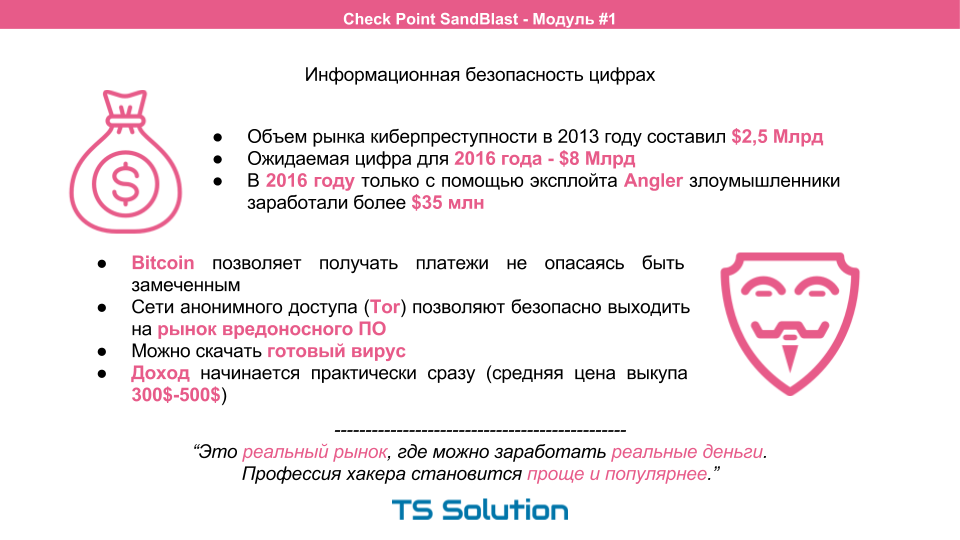
At the same time, it is becoming increasingly difficult to calculate a hacker, even if this is an ordinary student.
- Using Bitcoin, you can safely accept payments from your victims.
- Anonymous TOR networks allow you to safely enter the malware market. You can buy a ready-made virus and start your malicious activity almost immediately.
- And given the success of modern attacks (for example, ransomware), a hacker begins to earn almost immediately. The average buyback price of information is 300-500 dollars.
Those. you need to understand that cybercrime is a real market where you can earn real money . At the same time, the profession of a hacker becomes easier and therefore more popular. Thus, when it comes to Information Security, you should not approach this topic with the question " If I get hacked, then ... ". A more correct question would be “ When they break me in, then ... ” because if you don’t respond adequately to the constantly growing threats, then they will definitely crack you. Accept this fact and try to calculate the cost of the consequences.
Remedies
What remedies do we have today?

Many still use Traditional Firewalls. This is either stateful inspection, or even port based. This firewall is completely not applicable on the perimeter of the network. Most modern attacks are carried out within the framework of allowed network connections (tcp, http, smtp, etc.). Classical ME simply does not see all these threats.
For a modern network, we need comprehensive protection. For example, NGFW or UTM devices, which in essence are the answer to modern needs. In fact, here we have a huge selection. You can choose UTM solutions, specialized specialized solutions, such as Anti-Spam, Aplication Firewall, DDoS Protector, SIEM, etc.).
However, it is worth noting that almost all of the most significant IS players with their solutions fight for 2-5% in the tests conducted. Otherwise, everything goes more or less flush. This can be seen in all kinds of Gartner quadrants:
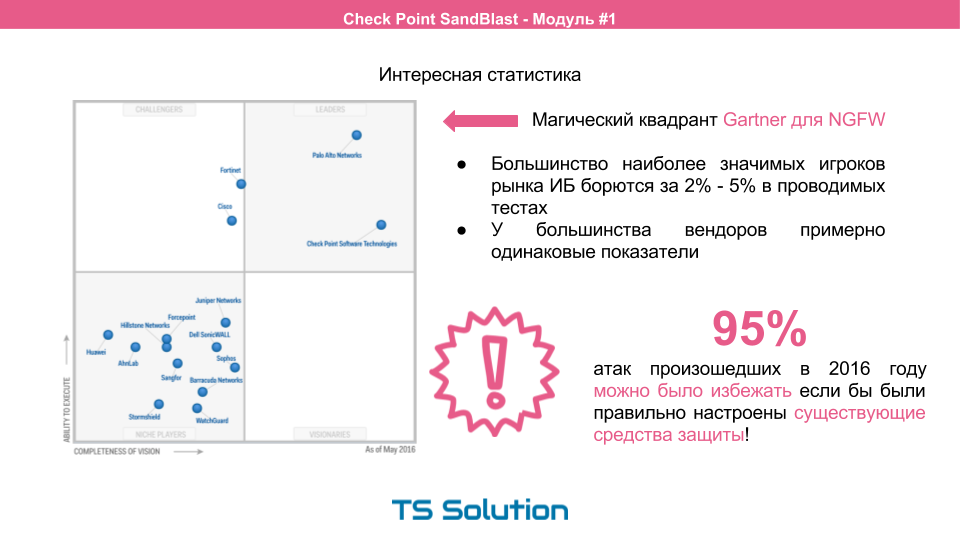
However, here's an interesting thing. According to the report of the same Gartner, 95% of all attacks in the past year could have been prevented if the existing security tools had been correctly configured (regardless of the chosen vendor).
These 95% are the so-called attack on the fool. Known viruses or trojans are taken and scattered wherever possible. At the same time, there are very interesting statistics. In the New Year and summer periods, the number of attacks increases significantly. What do you think this is connected with? And this is due to the fact that a large number of schoolchildren and students go on vacation and begin to have fun introducing themselves as hackers. And as mentioned above, due to the poor setup of existing tools, a fairly large percentage of “child” attacks is successful. The sad statistics do not end there. Most of these malware remain in the network of companies for a long time, they simply cannot be noticed.
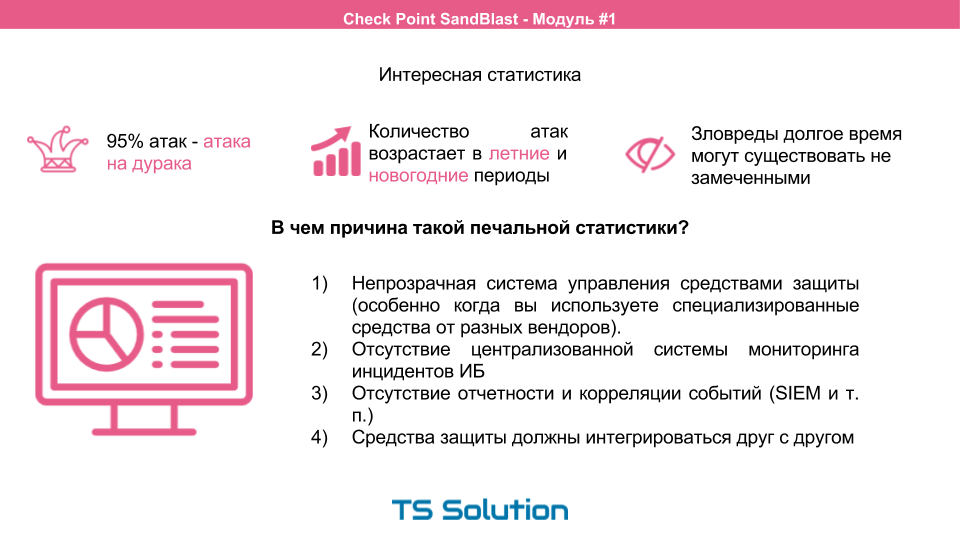
What is the reason? As a rule, everything rests on an opaque security management system. This is especially pronounced if you use specialized tools from different vendors. The absence of a centralized monitoring system and an event correlation system (i.e., SIEM) also negatively affects the time of detection of information security incidents. The ideal option is when the protective equipment integrates with each other. In this regard, UTM devices outperform specialized narrowly targeted tools. In addition, they are much easier to learn and operate, even if it is done by one person.
Why checkpoint?
And yet, why did we decide to consider CheckPoint? As I said earlier, most often the difference in the effectiveness of remedies is only a few percent. We will not discuss them, although even in this case CheckPoint shows the best results.
One of the main advantages of CheckPoint is its management system!
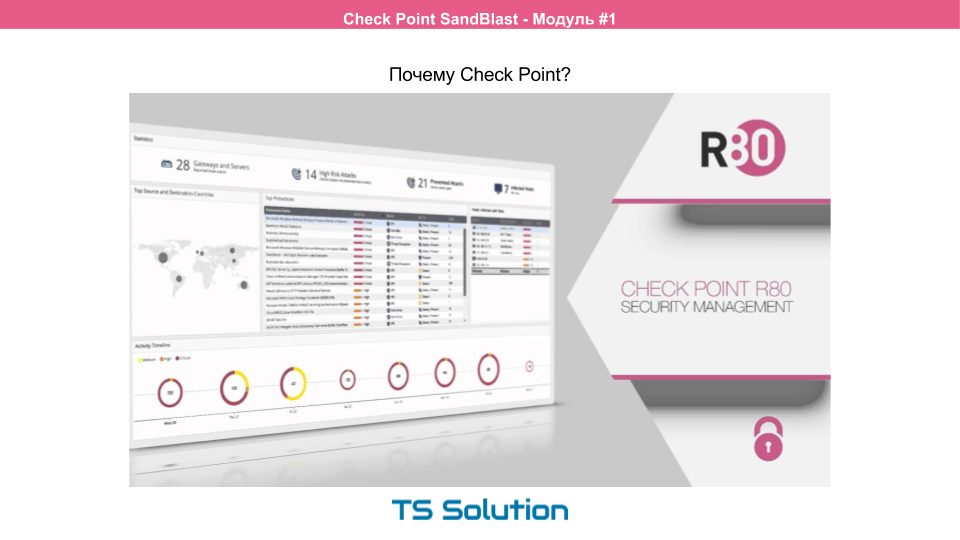
It is a quality management system that is the key to effective protection. CheckPoint management system has been a recognized leader in the information security market for a long time. This is actually the "gold standard". And more recently, a new version was announced - R80. However, our course is not about that. But we will certainly discuss this in a new course.
If we summarize all of the above, we can conclude thatToday, one of the most important aspects when choosing means of protection is a comprehensive and at the same time easily managed protection system that will allow even one person to monitor and analyze everything that happens on the network. So to speak, keep abreast.
Modern attack methods
Now let's look at modern attack methods and myths associated with them:

- Contrary to popular belief, you can get infected not only on adult sites. The erroneous opinion is that if you close all entertainment sites on the proxy server, then users will be safe. This is far from the case. Hackers can infect fairly well-known sites and then the malware can be "picked up" even on the news portal, forum or social. networks.
- Mail is also a hacker’s favorite tool. But an infected email can come not only in the form of spam. The virus can literally be received by mail from your boss, an attacker just needs to change the address or send an email from a similar domain.
- It is also believed that if the virus still gets to the computer, then nothing bad will happen and the antivirus will subsequently cope with it. This is fundamentally wrong. A few seconds are enough for modern malware to significantly spoil your mood. Antivirus will not have time to react. A vivid example is the encryptors, which, when launched, begin to encrypt your data. And even if the antivirus subsequently detects this activity, the data will already be encrypted.
Cryptographers ... This is a prime example of the possibility of zero-day attacks. In the best case, you picked up an old cryptographer, which you accidentally downloaded from a public site that was hacked by a negligent student. Then there is the opportunity to find the key on the Internet, which are periodically published on the network. But there is an option that you picked up something new, yet unexplored, the hacker servers have not yet been compromised and there are no keys available.
Cryptographers are perhaps the longest-running malware of all. In this case, you have no chance to recover your data and you have to pay.
Those. in this situation, classic protection tools like IPS, AntiVirus, AntiBot, which work with well-known signatures, will not save you. Signature analysis will die soon.

The signature concept itself implies that a successful attack has already been noticed. And this first attack could be a computer on your network. Signatures simply lose their meaning. Some viruses or infected files were noticed only once. In this case, a new malware is created in just a couple of clicks. Or one command, as shown in the figure above.
Zero Day Attacks
Here we are already moving smoothly to targeted attacks, or zero-day attacks. Targeted or targeted attacks are the most dangerous type of attack. Often calls them zero-day attacks, because previously they were unknown. Here are some statistics:

A similar zero-day attack is developed for a specific company and even for a specific person. Preparing for an attack can even include elements of social engineering.
Malicious software may be hosted on a site that the victim trusts. Quite often hacking a site is much easier than the victim’s infrastructure. The malware can also be delivered in a tricky way by mail. At the same time, hackers rarely repeat themselves. Which also greatly complicates their capture.
The attack process itself as a whole looks as follows:

How to deal with intruders if traditional remedies are no longer effective? The answer to this question is provided by CheckPoint SandBlast technology , which this mini course will be dedicated to.
But first things first, and for starters, we will do some laboratory work.
Video course on the first part
As mentioned above, the entire theoretical part of this post can be viewed in video format:
If you are interested in looking at how easy it is to “hack” a victim’s computer, you can look at the records of laboratory work.
1) In the first laboratory work, we will test the following scenario:
- We’ll infect the user's computer by clicking on the link in the letter. For this, metasploit will be used, with which we will exploit the adobe flash vulnerability.
- Get remote access using the Kali Linux distribution. Reverse TCP is used for this.
- We study the logs for suspicious activity (in fact, we will not see anything ...).
- Draw conclusions about the use of traditional firewalls.
2) In the second laboratory work, we will repeat the experiment, but only this time we activate additional software blades to see what happens at the time of infection:
- Configure additional blades on Check Point (Identity Awareness, IPS, AntiVirus, AntiBot, Threat Prevention).
- Turn on detect mode.
- Re-infect the victim’s computer.
- We study the logs for suspicious activity.
- We activate the prevent mode.
- Block remote access.
This completes the first part of the course. In the next two modules, we will examine in practice the work of sandboxes.
PS If this is your first time hearing about Check Point, we recommend that you read this article .
If you want to protect your computer from new and unknown attacks, click here.
PSS After completing this course, we will continue to review the Check Point configuration process to conduct a free Security CheckUP audit .
Only registered users can participate in the survey. Please come in.
Which sandbox do you use?
- 34.2% Check Point 12
- 2.8% Palo Alto 1
- 11.4% Fortinet 4
- 5.7% FireEye 2
- 0% Trend Micro 0
- 8.5% Other 3
- 37.1% I do not use 13