 July 20, 2016 at 13:38
Computer vision for blind people. Intel Edison Application
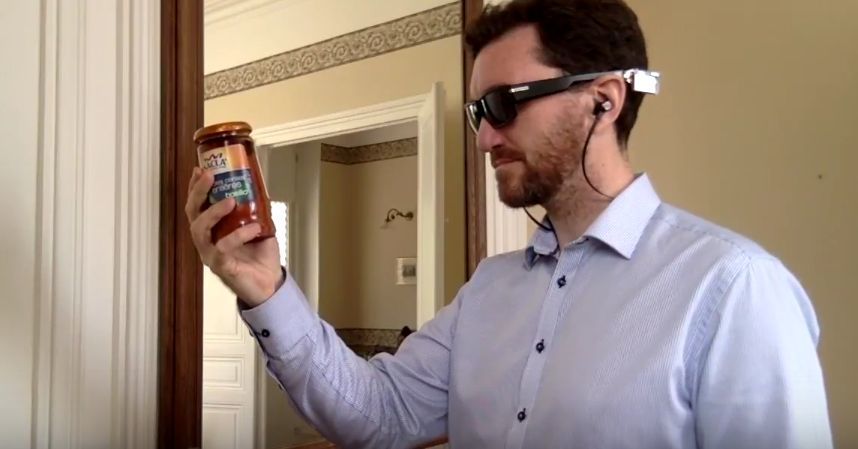
Intel’s employee Paul Guermonprez decided to combine business with pleasure: he used his developer’s experience to create a prototype system for helping people with poor vision with computer vision. As a hardware platform, he used Pivothead SMART glasses with an additional Live Mod Set module based on Intel Edison. At the moment, the system can:
- find and read barcodes, pronounce their descriptions in a voice,
- determine the colors of objects and pronounce them,
- select colors that match the “seen” color,
- determine the faces in front, their relative location and distance to them, voice this information in stereo.
Under the cut - information about the Pivothead SMART glasses, instructions for installing the system and a video showing its capabilities.
Pivothead SMART
Pivothead started as a crowdfunding startup back in 2013. The team achieved its goal: although some of what was announced did not reach production, the main thing - they implemented an affordable basis for computer vision systems and augmented reality.
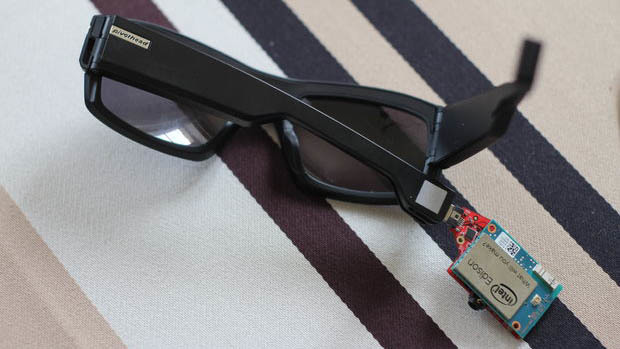
The basic module is equipped with an 8-megapixel camera that captures HD photos and videos, 8/16/32 GB memory, Bluetooth 4.0 module and a built-in battery with a capacity of about 400 mAh. The cost in the simplest configuration is $ 200. Additional modules are connected to the earbuds: either an enhanced Fuel SMARTMOD battery, which increases recording time by 40 minutes, or the already mentioned Live Mod Set, which is nothing more than an Intel Edison board, which can be clearly seen if you remove it from it, as on photo, protective cover.
Edison adds Wi-Fi to the list of interfaces, but, most importantly, it opens up a huge field for developers' creativity, because there are plenty of tools, ready-made libraries and software tools for it. This is what Paul took advantage of.
Installation Instructions
If you have Pivothead SMART glasses and want to try the functionality created by Paul, follow his installation instructions.
- update Edison firmware to version 3
- set up on edison internet
- install packages with repo.opkg.netupgrade, but not all, otherwise the kernel will not work normally
- install packages: opkg install fswebcam nano espeak ffmpeg-x264-presets gps-utils htop git lighttpd ofono opencv opencv-dev opencv-staticdev opencv-apps opencv-dev opencv-samples opencv-samples-dev python-opencv python-pip python-numpy zbar mjpg-streamer gstreamer1.0-plugins-good-interleave gstreamer1.0-plugins-good-audiofx
- install packages: npm install -g fs sleep tinycolor2 array-unique striptags color-namer color-scheme onecolor util request shelljs-nodecli linux-input-device canvas okrabyte ocra.js
- unzip the source
- configure the web server on port 81, make the root directory / home / root / www / by editing the file /etc/lighttpd.conf
- test the camera: fswebcam -d / dev / video0 /home/root/www/shot.png and type in the browser http: // EDISON_IP: 81 / shot.png
Go to pivothead-intel and run one of the demos from the command line: node demo_barcode.js .










