1C-Bitrix on the Raspberry Pi 2
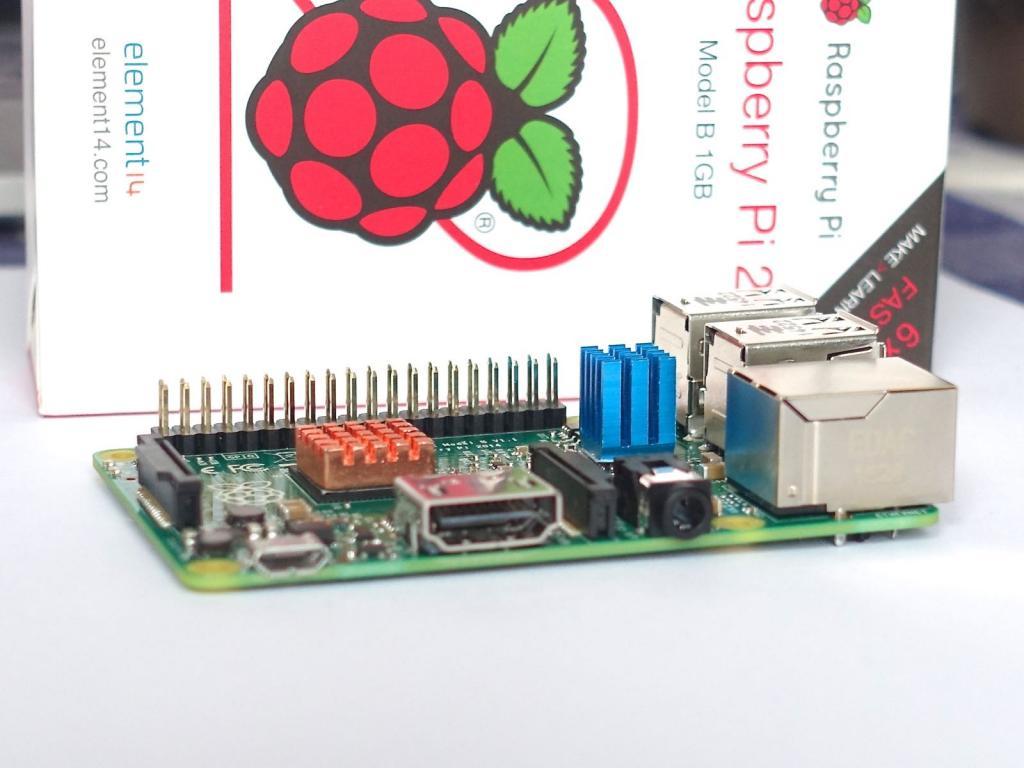
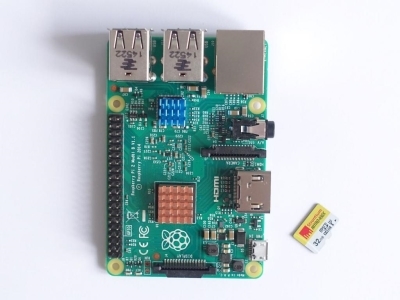 Our colleagues and partners, the Oroblanco web studio, decided to arrange an interesting experiment: launch 1C-Bitrix on the Raspberry Pi 2 microcomputer. They wrote about it in detail on their blog . With their kind permission we publish the results. :)
 * * *
Let's say right away why we need this.
Understand if this is possible at all. Make sure the Raspberry Pi 2 is a computer, not a toy.
Understand how fast and stable Bitrix will work on such a weak computer (and whether it will work at all).
Confirm your own qualifications of server setup experts, because the task is not trivial.
If everything works out, then we will dispel the old legend that “Bitrix is heavy, slow and slow” and that it needs large computing resources.
Some time ago we bought a Raspberry Pi 2 , assembled it and connected it to a TV. The machine seemed quite smart, on board 1 GB of memory and a quad-core processor plus Debian, which in the version for Raspberry is called Raspbian. And since we are certified partners of 1C-Bitrix, our hands scratched their arms between Raspberry and Bitrix and see what happens.
We chose a clean form of the experiment, using the Raspberry Pi 2 in the default configuration and did not connect additional HDDs or SSDs to the computer, leaving MicroSD as the main media, and to make the computer more fun and not bored, we took the most “heavy” configuration of Bitrix. Editorial Office "Business" and the solution "Online Store". So that right away, as they say, a sledgehammer on the head.
SD cards - specific media. The most time-consuming operation is recording. Our memory card is not the slowest, in addition, in Raspbian this point has been taken into account and all user write operations to the disk are cached in RAM (delayed recording), therefore, from the user's point of view, everything “flies”. But how will the machine work with writing to the card in the server configuration? We do not know. But try.
We also understood that apache + mysqld is a resource-consuming thing, and under load there really is an overflow of RAM, the system will start using a swap and will "sit on the disk", as a result, the server will "lie down". Therefore, we immediately relied on nginx and Bitrix’s composite mode of operation, which will minimize our risks.
Getting started
We put on a regular Raspbian and Midnight Commander for convenience. Raspbian is chosen for its lack of glitches and maximum "lickedness" and stability. Disable graphics mode (X server) to save resources. Then we do everything through SSH.
Be sure to run the commands
apt-get update
apt-get upgrade
It turned out to be important. If you do not update the packages, then memcached and nginx will be crooked, and we are faced with this.
We put Bitrix
Download the installer of the web environment.
wget http://repos.1c-bitrix.ru/yum/bitrix-env.sh
chmod +x bitrix-env.sh
./bitrix-env.sh
The script says "What kind of rubbish are you giving me?" And falls out. We look what is wrong. Yeah, the first thing the script checks is that it runs on a system that supports the x86 command set. And we slipped him an ARM. Well, okay, people who dealt with the EU-1040 and DEC VAX, do not scare. We did not edit the script. We set everything manually, open the necessary ports.
What we put:
- mysql
- apache
- php with required extensions (e.g. geoip)
- gd
- nagios
- munin
- catdoc
- xpdf
- freetype
- apc
We do not install Nginx and memcached yet, as it is interesting to see how it will work on pure apache.
Download the Bitrix distribution and start the installation process. It is still being put!
Interesting
So, we got Bitrix on Raspberry Pi 2, on pure apache, without nginx and memcached. We connect APC caching. So, APC for Raspbian works in Emulated mode. That is, it seems to be there for those who need it, but in fact it is not. Therefore, in fact, it does not increase the speed of the site.
Another interesting thing. Memcached on Raspbian does not allow sockets. No matter how you configure, do not prescribe. A socket is not created, even crack. The only way to use memcached is to use the 127.0.0.1 stub.
Overclocking needs to be turned off. It leads to unstable operation and freezing of the computer. It is necessary to set the default frequency of 900 MHz.
Performance
Bitrix performance panel when testing on pure Apache produces 6.5 - 7.0 "parrots", which is generally not so bad. On some commercial hosting sites there are such indicators. But what’s interesting is that after connecting memcached, the speedometer “drops” to 3.5 - 4.0 “parrots”, although memcached really speeds up the site. What is the reason for this behavior of the speedometer is not clear. Here too - interesting.
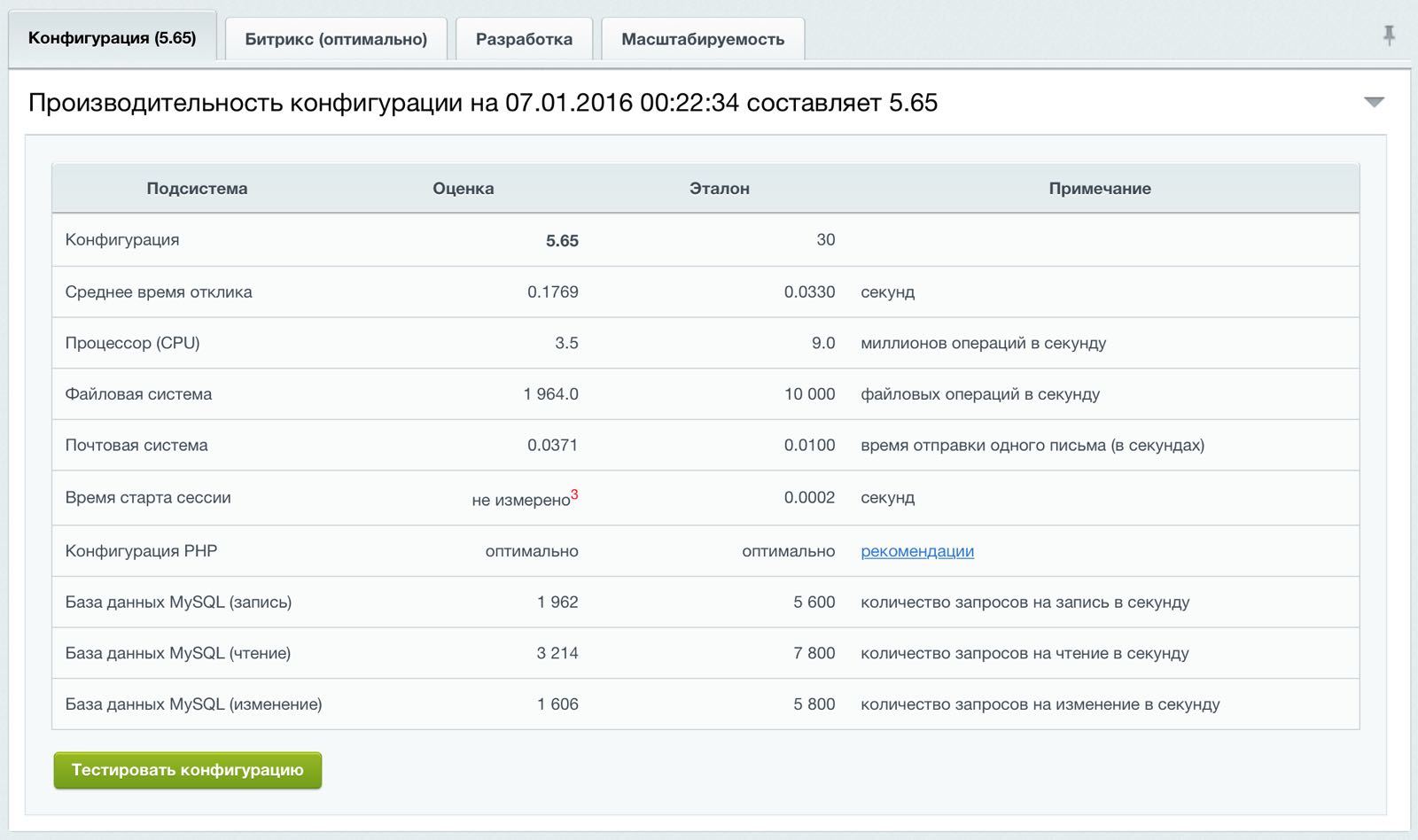
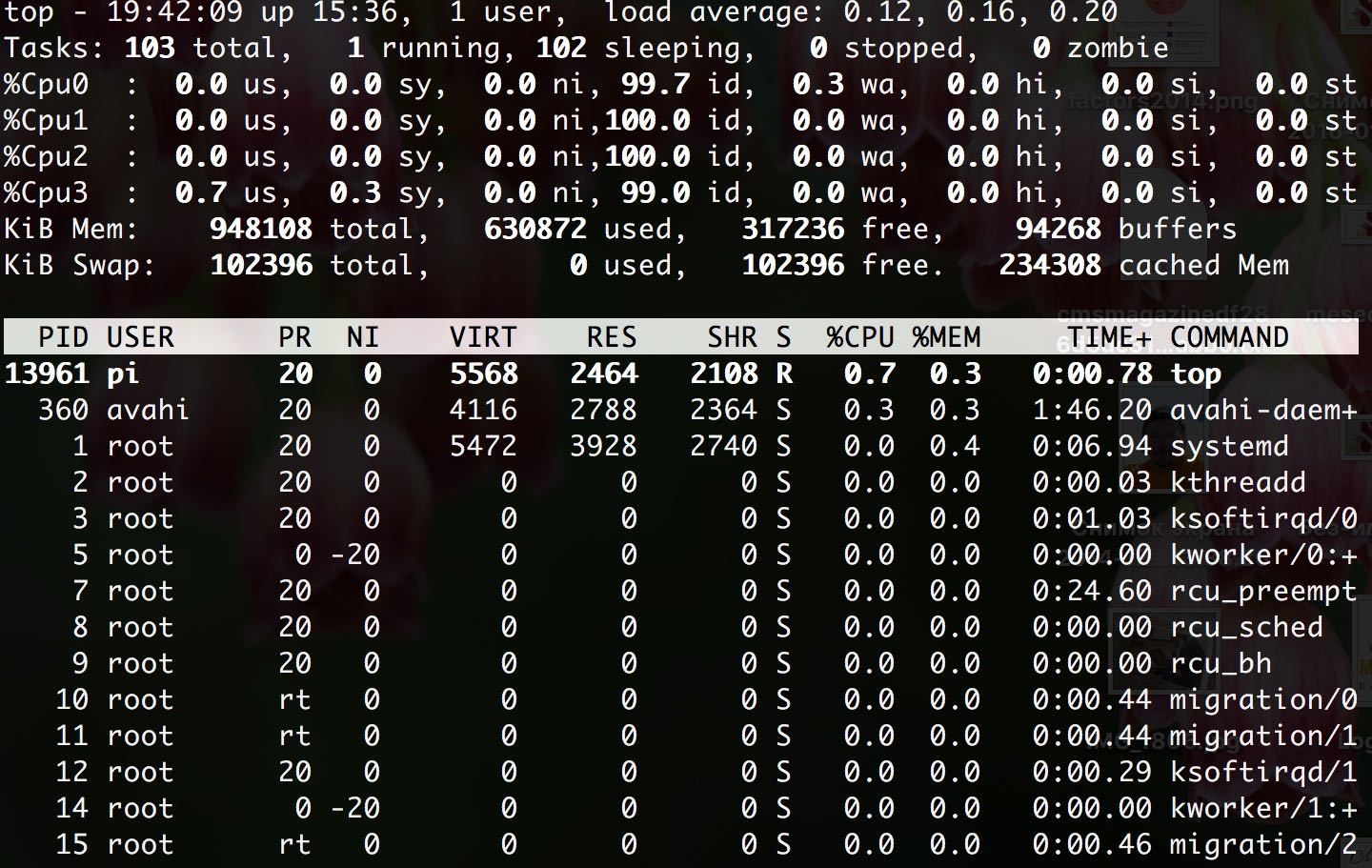
Apache for Raspbian is not optimized in any way. Which leads to a bunch of hanging processes and RAM overflow. Therefore, I had to adjust the settings, limiting the number of servers and RAM consumption.
MySQL also required tuning to optimize the server for memory and performance.
In general, the system works, but it is clearly hard. Let's see how the situation with nginx changes.
Overclocking
As I mentioned, before installing nginx, you must update the system. Otherwise, nginx is crooked and, interestingly, kicks the Apache out. Therefore, we had two iterations of the installation. Without an update of the system and with an update.
After installing nginx, of course, we configure the frontend and backend (two-level architecture), enable the composite mode in Bitrix and do the tuning of the nginx settings, giving him all the pictures and ready-made html files from the composite cache.
We turn on the CDN in the Bitrix settings in order to maximize the load on the server and take out all the possible statics out.
After connecting nginx and accumulating composite cache, the site starts to work very quickly. Like this:

Finalization
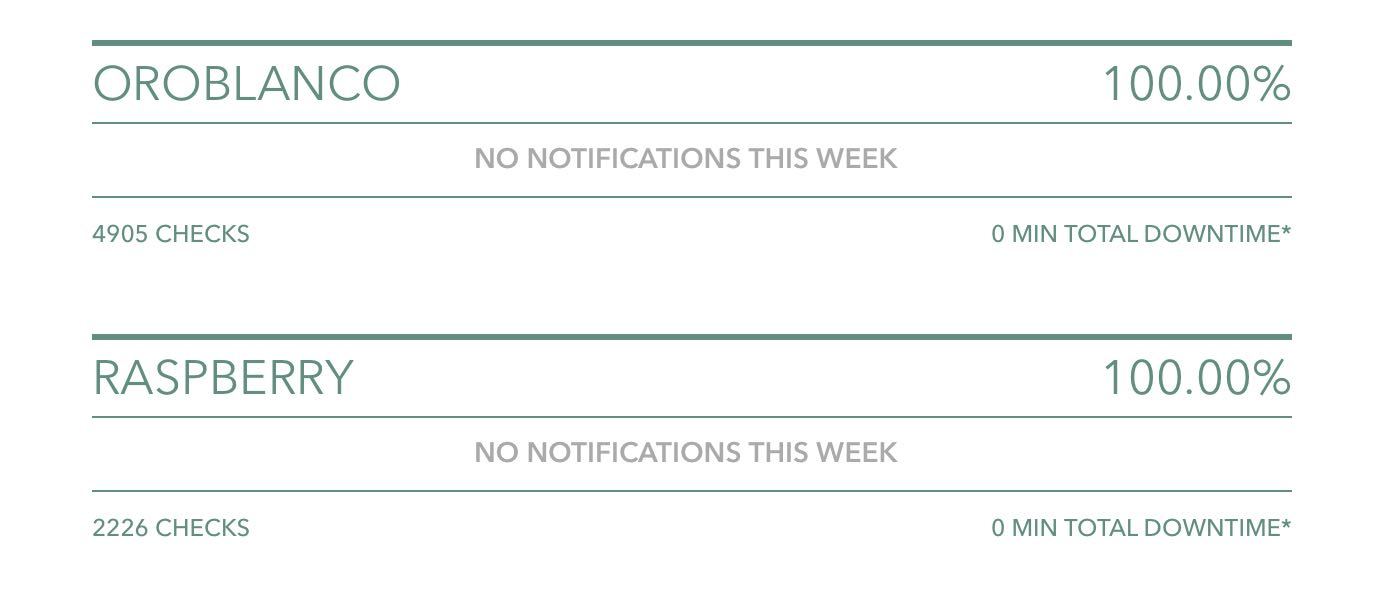
We forward the port through NAT to see the server from the outside and hang it on the domain. We check the security scanner, set up proactive protection and run quality monitor tests. We set up a backup of the entire system to an external Synology server and set our microserver to external monitoring. System average memory consumption is 400-700 MB. While the flight is normal.

Summary
We did it! And it seems nobody apart from us has ever perverted, we are the first in the world.
Bitrix can work on anything, a proven fact.
For normal performance are required: composite mode, nginx and apache + mysqld bundle tuning.
Even on the Raspberry, Bitrix can run fast.
Project configuration
1C-Bitrix, edition of "Business" + solution "Online Store".
Composite caching and CDN for static content are included.
Computer
Raspberry Pi 2
Processor Broadcom BCM2836 quad-core ARMv7
RAM 1GB
Media - Micro SD card 32 GB
Channel speed - 30 Mb / s or less.
Raspbian OS You can
poke a mouse or finger into a site on Bitrix and Raspberry Pi 2 (raspberry.oroblanco.ru) .
Author: Dmitry Ivanov
Original: www.oroblancostudio.com/en/blog/1c-bitrix-on-raspberry-pi-2.html