
 July 29, 2015 at 20:15
PostgreSQL: Production Tricks
You can read many books on databases, write a bunch of applications for outsourcing or for yourself. But it’s impossible not to step on the rake, when working with really large databases / tables, especially when downtime on a large project you want to minimize, and even better to avoid. Here are the simplest operations, such as changing the structure of a table can be a more difficult task. The most interesting cases, problems, rakes and their solutions from personal experience that we had to deal with on the Pushwoosh project are described under the cut. There are no beautiful pictures in the article, but there is a lot of dry text.
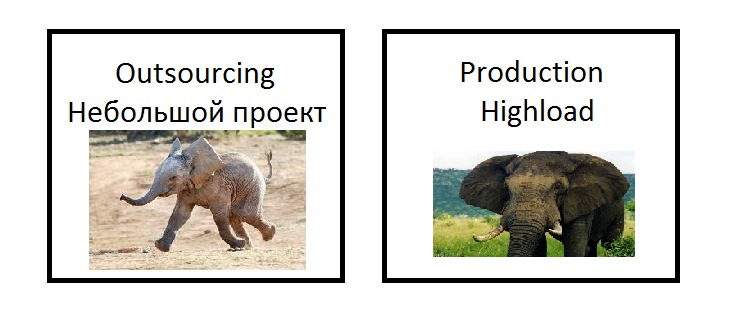
It seems to be a normal operation, you need to make a new feature and expand an existing table. But what if the table on the production has 50Gb of data, and several thousand requests from live clients happen to it every second, this should be invisible to customers.
Task : add a new column for an existing table on production.
Problem : Adding a new column locks the table.
Solution : adding a new column does not lock the table if DEFAULT is omitted or DEFAULT NULL is used.
For those who are interested, you can read the full documentation .
But what if you want to initialize the new column with the default value? In this case, you can write a script that will follow the table and change the value of the field in small portions of records.
Now the analytics department has come to us and wants to receive the data they are interested in every hour, for this we need a new sql query, but it is complicated, but we do not have an index.
Task : add an index to an existing table on production
Problem : adding an index blocks writing (insert / update / delete) to the table. You can still read from such a table.
Solution : use CREATE INDEX CONCURRENTLY, which does not lock the table, but works about twice as long and requires more system resources.
For those who are interested, you can read the full documentation .
It is important to know what requests are currently being executed, what process is executing them, and how much the request is already running. PostgreSQL has an excellent service tag pg_stat_activity. A full description of it can be found in the documentation . I will give only the most interesting fields
As a result, since we have the start time of the query_start query, we can easily calculate how much the query is working and sort the queries by execution time.
For PosgreSQL 9.1, the query can be rewritten like this
From this conclusion we see that the process with PID 6877 has been executing a request for almost a day, which is probably not optimal and needs more detailed profiling. We also see that the second request is executed for half an hour and most likely is not optimal either, but we do not see the request completely, it is truncated, and we are interested in the entire request.
Task : to see what requests are currently being executed in the database.
Problem : pg_stat_activity does not show current requests in full (crop).
Solution : gdb .
Perhaps this puzzle has a simpler solution, but we did not find it. We take the PID from the request above and connect to it
and after connecting to the process we execute
For the database, you always need to have monitoring and see which requests are executed slowly. You can solve this with a code, and in ORM or somewhere deeper measure the request time and if it is greater than the threshold value, write this request to the log. But it’s always better not to write a bike.
Task : Monitor slow queries
Problem : I want to do this at the database level
Solution : log_min_duration_statement
The log_min_duration_statement setting is set in milliseconds and logs all database queries that were executed longer than the specified value.
Let's fix the PostgreSQL vim /var/lib/pgsql/9.4/data/posgresql.conf config and set it to 3 seconds as a threshold value
For the changes to take effect it is not necessary to reload the database, it is enough to execute a command from psql, pgadmin or another interface to the database
or run from the command line
It must be remembered that some parameters in the configuration file will take effect only after the database is restarted.
And after that, you can look at the PostgreSQL log, which we have on this path /var/lib/pgsql/9.4/data/pg_log/postgresql-2015-07-07.log and here you can see that there is a query that runs for almost 6 seconds .
As an option in the future, to monitor the log file, you can make a bunch of logstash + elasticsearch + kibana and immediately send through zabbix a notification about the appearance of slow requests, if this is critical for the project.
If you have a lot of demons that often communicate with the database, and on one normal day the daemon starts to work slowly or it is not clear what it is doing, then strace will come to the rescue , which will show the database requests and their execution time, without stopping the process, adding logs to the program and waiting for the next problem to occur - no matter what you write php, python, ruby, etc. on - strace is suitable for everything.
Task : find out what the process does (as an example, what requests it sends to the database)
Problem : the process cannot be interrupted or stopped.
Solution : strace
To do this, just take the pid of the process to specify the length and add the -T option. As a result, strace output might be something like
strace -p 27345 -s 1024 -T 2> out
This example is not related to the production environment. Let's start with the simple fact that NULL is not equal to NULL.
Suppose we want to create a composite unique index in which one of the fields can be NULL, or it can be a number. At the same time, a unique index will not work for fields containing NULL, but I really want to filter such records by an index.
Let's look at an example.
Despite the fact that we created a unique index, the record (1, null) was inserted twice.
Task : to make a composite unique index, one of the fields may be null
Problem : a unique index does not compare null fields
Solution : split the index into 2 different indexes.
In order to avoid this behavior, you can split the index into 2 indexes.
This example is also not related to the production environment.
Task : To be able to handle duplicates that are not allowed to create a unique index.
Problem : It is necessary to catch executions, parse error codes
Solution : keep calm and catch exception and wait until PostgreSQL 9.5 in which there will be upsert
Adding a new column to an existing table
It seems to be a normal operation, you need to make a new feature and expand an existing table. But what if the table on the production has 50Gb of data, and several thousand requests from live clients happen to it every second, this should be invisible to customers.
Task : add a new column for an existing table on production.
Problem : Adding a new column locks the table.
Solution : adding a new column does not lock the table if DEFAULT is omitted or DEFAULT NULL is used.
For those who are interested, you can read the full documentation .
The main excerpt from the documentation
When a column is added with ADD COLUMN, all existing rows in the table are initialized with the column's default value (NULL if no DEFAULT clause is specified). If there is no DEFAULT clause, this is merely a metadata change and does not require any immediate update of the table's data; the added NULL values are supplied on readout, instead.
Adding a column with a DEFAULT clause or changing the type of an existing column will require the entire table and its indexes to be rewritten. As an exception when changing the type of an existing column, if the USING clause does not change the column contents and the old type is either binary coercible to the new type or an unconstrained domain over the new type, a table rewrite is not needed; but any indexes on the affected columns must still be rebuilt. Adding or removing a system oid column also requires rewriting the entire table. Table and / or index rebuilds may take a significant amount of time for a large table; and will temporarily require as much as double the disk space.
Adding a column with a DEFAULT clause or changing the type of an existing column will require the entire table and its indexes to be rewritten. As an exception when changing the type of an existing column, if the USING clause does not change the column contents and the old type is either binary coercible to the new type or an unconstrained domain over the new type, a table rewrite is not needed; but any indexes on the affected columns must still be rebuilt. Adding or removing a system oid column also requires rewriting the entire table. Table and / or index rebuilds may take a significant amount of time for a large table; and will temporarily require as much as double the disk space.
But what if you want to initialize the new column with the default value? In this case, you can write a script that will follow the table and change the value of the field in small portions of records.
Adding a new index to an existing table
Now the analytics department has come to us and wants to receive the data they are interested in every hour, for this we need a new sql query, but it is complicated, but we do not have an index.
Task : add an index to an existing table on production
Problem : adding an index blocks writing (insert / update / delete) to the table. You can still read from such a table.
Solution : use CREATE INDEX CONCURRENTLY, which does not lock the table, but works about twice as long and requires more system resources.
For those who are interested, you can read the full documentation .
The main excerpt from the documentation
Creating an index can interfere with regular operation of a database. Normally PostgreSQL locks the table to be indexed against writes and performs the entire index build with a single scan of the table. Other transactions can still read the table, but if they try to insert, update, or delete rows in the table they will block until the index build is finished. This could have a severe effect if the system is a live production database. Very large tables can take many hours to be indexed, and even for smaller tables, an index build can lock out writers for periods that are unacceptably long for a production system.
PostgreSQL supports building indexes without locking out writes. This method is invoked by specifying the CONCURRENTLY option of CREATE INDEX. When this option is used, PostgreSQL must perform two scans of the table, and in addition it must wait for all existing transactions that could potentially use the index to terminate. Thus this method requires more total work than a standard index build and takes significantly longer to complete. However, since it allows normal operations to continue while the index is built, this method is useful for adding new indexes in a production environment. Of course, the extra CPU and I / O load imposed by the index creation might slow other operations.
PostgreSQL supports building indexes without locking out writes. This method is invoked by specifying the CONCURRENTLY option of CREATE INDEX. When this option is used, PostgreSQL must perform two scans of the table, and in addition it must wait for all existing transactions that could potentially use the index to terminate. Thus this method requires more total work than a standard index build and takes significantly longer to complete. However, since it allows normal operations to continue while the index is built, this method is useful for adding new indexes in a production environment. Of course, the extra CPU and I / O load imposed by the index creation might slow other operations.
Monitoring current database queries
It is important to know what requests are currently being executed, what process is executing them, and how much the request is already running. PostgreSQL has an excellent service tag pg_stat_activity. A full description of it can be found in the documentation . I will give only the most interesting fields
| pid | integer | Process ID of this backend |
| query_start | timestamp with time zone | Time when the currently active query was started, or if state is not active, when the last query was started |
| query | text | Text of this backend's most recent query. If state is active this field shows the currently executing query. In all other states, it shows the last query that was executed. |
As a result, since we have the start time of the query_start query, we can easily calculate how much the query is working and sort the queries by execution time.
pushwoosh=# select now() - query_start, pid, waiting, query from pg_stat_activity where state != 'idle' order by 1 desc;
    ?column?     |  pid  | waiting |  query
-----------------------------------------------------------------------------------------------------------------------------------------------------------------------
 23:42:13.468115 | 6877  | f       | DELETE FROM application_goals WHERE applicationid = '9254'
 00:30:51.943691 | 24106 | f       | SELECT applicationid, pushtoken FROM application_devices WHERE hwid in ('1abd5e5fd79318cd','1abd5f3eda7acbca','1abd601f2bafabf8','1abd62a0a092ac17','1abd6303b83accf9','1abd64726a98fb63','1abd676c087c3617','1abd67ebecb6f3ce','1abd68a3b78fb730','1abd697af6bc8552','1abd70ebb654aeb2','1abd7114a8576a67','1abd729a385caff8','1abd731ff62c4521','1abd738bd2d457eb','1abd7760f7210155','1abd79dbc085c2c0','1abd7ab46dc24304','1abd7d48bd5e04ab','1abd7e7aee3c0e58','1abd7e8129a53ab3','1abd827c8c21630','1abd82cd204c69a9','1abd843ee3dedb1','1abd88d346c74d67','1abd88e8bd01c168','1abd8ceac00808cc','1abd8d3b2cb72de3','1abd8e139f267260','1abd8e74a288204c','1abd8f00bb4a0433','1abd8fd7e8f4f125','1abd91c193455ada','1abd92448396a9bf','1abd946ac4cf0e22','1abd9594ed1bd791','1abd96cc0df2202b','1abd975a98849a0b','1abd997c96d3c9b1','1abd9b3cfb66852c','1abd9bead472be5','1abd9f5bed3cbbd8','1abd9f73b8122bf1','1abda233b9a00633','1abda2ee3db5bccb','1abda486901c3a14','1abdac09e0e3267b','1abdae8235cf19dd','1abdaf9e3a143041','1abdb54fe96'
 00:04:49.592503 | 18899 | f       | autovacuum: ANALYZE public.device_tags_values
 00:00:00.040265 | 11748 | f       | INSERT INTO device_tags_values (hwid,valueid) VALUES ('27976b81cc72c7ac','8470317') RETURNING uid
For PosgreSQL 9.1, the query can be rewritten like this
select now() - query_start, procpid, waiting, current_query from pg_stat_activity where current_query != '' order by 1 desc;
From this conclusion we see that the process with PID 6877 has been executing a request for almost a day, which is probably not optimal and needs more detailed profiling. We also see that the second request is executed for half an hour and most likely is not optimal either, but we do not see the request completely, it is truncated, and we are interested in the entire request.
Task : to see what requests are currently being executed in the database.
Problem : pg_stat_activity does not show current requests in full (crop).
Solution : gdb .
Perhaps this puzzle has a simpler solution, but we did not find it. We take the PID from the request above and connect to it
gdb [path_to_postgres] [pid]
and after connecting to the process we execute
printf "%s\n", debug_query_string
In our case
bash $ gdb postgres 24106
GNU gdb (GDB) Red Hat Enterprise Linux 7.6.1-64.el7
Copyright 2013 Free Software Foundation, Inc.
License GPLv3 +: GNU GPL version 3 or later < gnu.org/licenses/gpl.html >
This is free software: you are free to change and redistribute it.
There is NO WARRANTY, to the extent permitted by law. Type "show copying"
and "show warranty" for details.
This GDB was configured as "x86_64-redhat-linux-gnu".
For bug reporting instructions, please see:
< www.gnu.org/software/gdb/bugs > ...
Reading symbols from / usr / bin / postgres ... Reading symbols from /usr/bin/postgres...(no debugging symbols found) ... done.
(no debugging symbols found) ... done.
Attaching to program: / bin / postgres, process 24106
Reading symbols from /lib64/libxml2.so.2 ... Reading symbols from /lib64/libxml2.so.2...(no debugging symbols found) ... done.
(no debugging symbols found) ... done.
...
(gdb) printf "% s \ n", debug_query_string
GNU gdb (GDB) Red Hat Enterprise Linux 7.6.1-64.el7
Copyright 2013 Free Software Foundation, Inc.
License GPLv3 +: GNU GPL version 3 or later < gnu.org/licenses/gpl.html >
This is free software: you are free to change and redistribute it.
There is NO WARRANTY, to the extent permitted by law. Type "show copying"
and "show warranty" for details.
This GDB was configured as "x86_64-redhat-linux-gnu".
For bug reporting instructions, please see:
< www.gnu.org/software/gdb/bugs > ...
Reading symbols from / usr / bin / postgres ... Reading symbols from /usr/bin/postgres...(no debugging symbols found) ... done.
(no debugging symbols found) ... done.
Attaching to program: / bin / postgres, process 24106
Reading symbols from /lib64/libxml2.so.2 ... Reading symbols from /lib64/libxml2.so.2...(no debugging symbols found) ... done.
(no debugging symbols found) ... done.
...
(gdb) printf "% s \ n", debug_query_string
Slow log
For the database, you always need to have monitoring and see which requests are executed slowly. You can solve this with a code, and in ORM or somewhere deeper measure the request time and if it is greater than the threshold value, write this request to the log. But it’s always better not to write a bike.
Task : Monitor slow queries
Problem : I want to do this at the database level
Solution : log_min_duration_statement
The log_min_duration_statement setting is set in milliseconds and logs all database queries that were executed longer than the specified value.
Let's fix the PostgreSQL vim /var/lib/pgsql/9.4/data/posgresql.conf config and set it to 3 seconds as a threshold value
log_min_duration_statement = 3000       # -1 is disabled, 0 logs all statements
                                        # and their durations, > 0 logs only
                                        # statements running at least this number
                                        # of milliseconds
For the changes to take effect it is not necessary to reload the database, it is enough to execute a command from psql, pgadmin or another interface to the database
SELECT pg_reload_conf();
or run from the command line
su - postgres
/usr/bin/pg_ctl reload
It must be remembered that some parameters in the configuration file will take effect only after the database is restarted.
And after that, you can look at the PostgreSQL log, which we have on this path /var/lib/pgsql/9.4/data/pg_log/postgresql-2015-07-07.log and here you can see that there is a query that runs for almost 6 seconds .
2015-07-07 09:39:30 UTC 192.168.100.82(45276) LOG: duration: 5944.540 ms statement: SELECT * FROM application_devices WHERE applicationid='1234' AND hwid='95ea842e368f6a64' LIMIT 1
As an option in the future, to monitor the log file, you can make a bunch of logstash + elasticsearch + kibana and immediately send through zabbix a notification about the appearance of slow requests, if this is critical for the project.
Find out what requests the production process is currently doing.
If you have a lot of demons that often communicate with the database, and on one normal day the daemon starts to work slowly or it is not clear what it is doing, then strace will come to the rescue , which will show the database requests and their execution time, without stopping the process, adding logs to the program and waiting for the next problem to occur - no matter what you write php, python, ruby, etc. on - strace is suitable for everything.
Task : find out what the process does (as an example, what requests it sends to the database)
Problem : the process cannot be interrupted or stopped.
Solution : strace
To do this, just take the pid of the process to specify the length and add the -T option. As a result, strace output might be something like
strace -p 27345 -s 1024 -T 2> out
gettimeofday({1437846841, 447186}, NULL) = 0 <0.000004>
sendto(8, "Q\0\0\0005SELECT * FROM accounts WHERE uid='25143' LIMIT 1\0", 54, MSG_NOSIGNAL, NULL, 0) = 54 <0.000013>
poll([{fd=8, events=POLLIN|POLLERR}], 1, -1) = 1 ([{fd=8, revents=POLLIN}]) <0.000890>
NULL and unique indexes
This example is not related to the production environment. Let's start with the simple fact that NULL is not equal to NULL.
Documentation
Do not write expression = NULL because NULL is not "equal to" NULL. (The null value represents an unknown value, and it is not known whether two unknown values are equal.) This behavior conforms to the SQL standard.
Suppose we want to create a composite unique index in which one of the fields can be NULL, or it can be a number. At the same time, a unique index will not work for fields containing NULL, but I really want to filter such records by an index.
Documentation
When an index is declared unique, multiple table rows with equal indexed values are not allowed. Null values are not considered equal. A multicolumn unique index will only reject cases where all indexed columns are equal in multiple rows.
Let's look at an example.
psql=# create table test (
psql(#     a varchar NOT NULL,
psql(#     b varchar default null
psql(# );
CREATE TABLE
psql=# create unique index on test (a, b);
CREATE INDEX
psql=# insert into test values (1, null);
INSERT 0 1
psql=# insert into test values (1, null);
INSERT 0 1
psql=# select * from test;
 a | b
---+---
 1 |
 1 |
(2 rows)
Despite the fact that we created a unique index, the record (1, null) was inserted twice.
Task : to make a composite unique index, one of the fields may be null
Problem : a unique index does not compare null fields
Solution : split the index into 2 different indexes.
In order to avoid this behavior, you can split the index into 2 indexes.
sql=# create table test (
sql(#     a varchar NOT NULL,
sql(#     b varchar default null
sql(# );
CREATE TABLE
sql=# create unique index on test (a, b) where b is not null;
CREATE INDEX
sql=# create unique index on test (a) where b is null;
CREATE INDEX
sql=# insert into test values (1, null);
INSERT 0 1
sql=# insert into test values (1, null);
ERROR:  duplicate key value violates unique constraint "test_a_idx"
DETAIL:  Key (a)=(1) already exists.
Duplicate Processing
This example is also not related to the production environment.
Task : To be able to handle duplicates that are not allowed to create a unique index.
Problem : It is necessary to catch executions, parse error codes
Solution : keep calm and catch exception and wait until PostgreSQL 9.5 in which there will be upsert
Only registered users can participate in the survey. Please come in.
Rate the usefulness of the article
- 57% I learned a lot. 367
- 35.7% I learned a little new 230
- 7.1% I did not learn anything new from this article 46