# Modeling Data Vault in the asapBI IDE: Hubs, Links, and Satellites
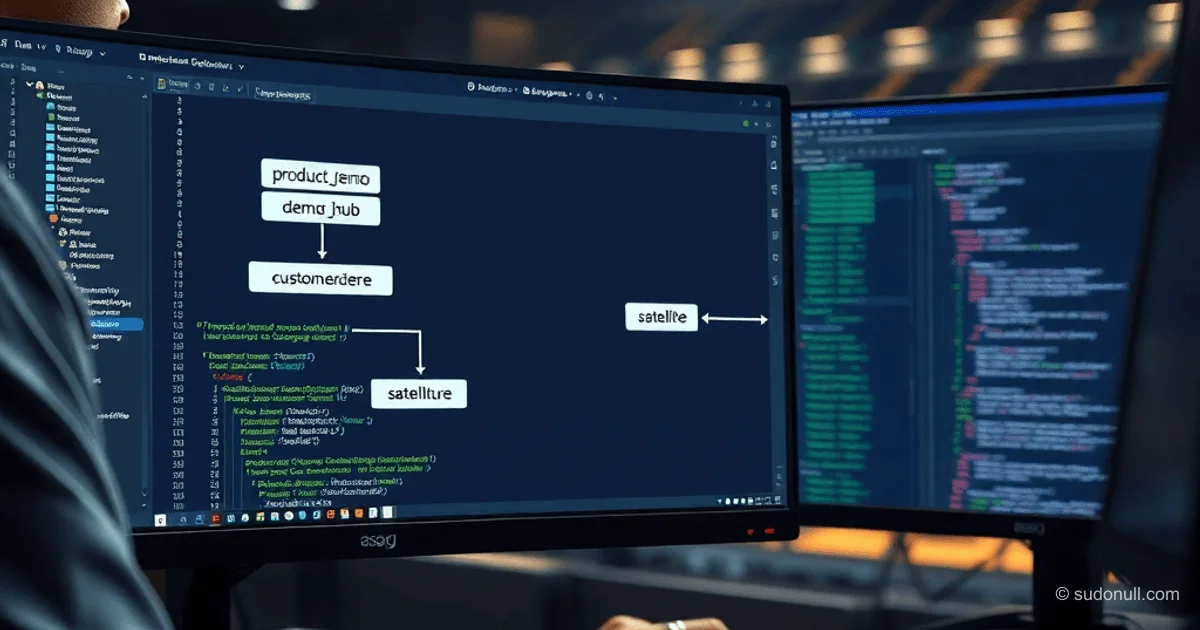
The asapBI IDE, as a plugin for VSCode or Theia, simplifies creating Data Vault structures. The tree on the left displays databases (NORD, ASGARD), schemas (repo_md, repo_fi), folders (ODS, DDS), and objects like hubs (sales_hub). Greenplum is supported via the SQL generation module. Task: In the FI schema, create a DEMO folder with two hubs, satellites, and a link between them.
Creating Folder Structures
Hover over a schema or folder — the option for a new folder appears. Specify the name and deployment package (test, prod). For temporary objects, leave at default.
The finished folder integrates into the tree. The process minimizes manual SQL.
Building a Hub
Create a hub (Hub type). The system generates DDL:
CREATE TABLE repo_fi.product_demo_hub (
	date_load date DEFAULT now() NOT NULL,
	src_sys text DEFAULT ''::character varying NOT NULL,
	hkey int8 GENERATED BY DEFAULT AS IDENTITY
		( INCREMENT BY 1 MINVALUE 1 MAXVALUE 9223372036854775807
		START 1 CACHE 20 NO CYCLE) NOT NULL,
	CONSTRAINT product_demo_hub_pkey PRIMARY KEY (hkey)
)
USING heap
DISTRIBUTED REPLICATED;
COMMENT ON TABLE repo_fi.product_demo_hub IS '{ "app": "asapBI",
"descr": "Product Demo hub",
"type": "HUB",
"folder": "161"
}';
In the editor, enable service fields (checkbox). Buttons: add business key, satellite, link.
Add the product text field with a UNIQUE constraint and satellite:
ALTER TABLE repo_fi.product_demo_hub DROP CONSTRAINT product_demo_hub_unique;
ALTER TABLE repo_fi.product_demo_hub ADD product text;
COMMENT ON COLUMN repo_fi.product_demo_hub.product IS 'Produkt';
ALTER TABLE repo_fi.product_demo_hub ADD CONSTRAINT
   product_demo_hub_unique UNIQUE ( product );

CREATE TABLE repo_fi.product_demo_hub_sat1 (
   id bigint GENERATED BY DEFAULT AS IDENTITY primary key,
   hkey bigint NOT NULL,
   valid_from date DEFAULT now() NOT NULL,
   date_load date DEFAULT now() NOT NULL,
   src_sys text DEFAULT ''::character varying NOT NULL,
   brand text,
   categ text,
   FOREIGN KEY (hkey) REFERENCES repo_fi.product_demo_hub (hkey)
)
USING heap
DISTRIBUTED REPLICATED;
COMMENT ON TABLE repo_fi.product_demo_hub_sat1 IS '{ "app": "asapBI",
"descr": "New sat",
"type": "SAT",
"owner": "repo_fi.product_demo_hub"
}';

ALTER TABLE repo_fi.product_demo_hub_sat1 ADD CONSTRAINT
    product_demo_hub_sat1_unique UNIQUE (hkey, valid_from);
Customer Hub and Link
Similarly, create the customer_demo_hub hub with the customer text field:
CREATE TABLE repo_fi.customer_demo_hub (
	date_load date DEFAULT now() NOT NULL,
	src_sys text DEFAULT ''::character varying NOT NULL,
	hkey int8 GENERATED BY DEFAULT AS IDENTITY
		( INCREMENT BY 1 MINVALUE 1 MAXVALUE 9223372036854775807
		START 1 CACHE 20 NO CYCLE) NOT NULL,
	customer text NULL,
	CONSTRAINT customer_demo_hub_pkey PRIMARY KEY (hkey),
	CONSTRAINT customer_demo_hub_unique UNIQUE (customer)
)
USING heap
DISTRIBUTED REPLICATED;
COMMENT ON TABLE repo_fi.customer_demo_hub IS '{ "app": "asapBI",
"descr": "Customer Demo hub",
"type": "HUB",
"folder": "161"
}';
Add a link between the hubs:
CREATE TABLE repo_fi.customer_demo_hub_link1 (
   id bigint GENERATED BY DEFAULT AS IDENTITY primary key,
   customer_demo_hub bigint,
   date_load date DEFAULT now() NOT NULL,
   src_sys text DEFAULT ''::character varying NOT NULL,
   product_demo_hub bigint ,
   FOREIGN KEY (customer_demo_hub) REFERENCES repo_fi.customer_demo_hub (hkey),
   FOREIGN KEY (product_demo_hub) REFERENCES repo_fi.product_demo_hub (hkey)
)
USING heap
DISTRIBUTED REPLICATED;
COMMENT ON TABLE repo_fi.customer_demo_hub_link1 IS '{ "app": "asapBI",
"descr": "New link",
"type": "LINK"
}';

ALTER TABLE repo_fi.customer_demo_hub_link1
    ADD CONSTRAINT customer_demo_hub_link1_unique
    UNIQUE (customer_demo_hub, product_demo_hub);
The link appears under both hubs. Satellites can be added to links (+Sat).
DEMO Structure:
- Product Hub + satellite (brand, categ)
- Customer Hub
- Link between hubs
Benefits of the Approach
- Auto-generation of DDL: Full SQL for hubs, links, satellites with FK, UNIQUE, and JSON COMMENT.
- Visualization: Object tree, relationship diagrams.
- Compatibility: SQL can be executed manually (DBeaver), objects are synchronized.
- Flexibility: Temporary/permanent objects, packages for CI/CD.
- Focus: Hiding service fields (hkey, date_load, src_sys).
Greenplum support; extension to other DBMS possible.
Key Points
- Automates routine JOINs and DDL in Data Vault.
- Integration with VSCode/Theia for mid/senior developers.
- Generates production-ready SQL with metadata in COMMENT.
- Link support with FK to hub hkeys.
- Visual editing without losing code control.
— Editorial Team










No comments yet.