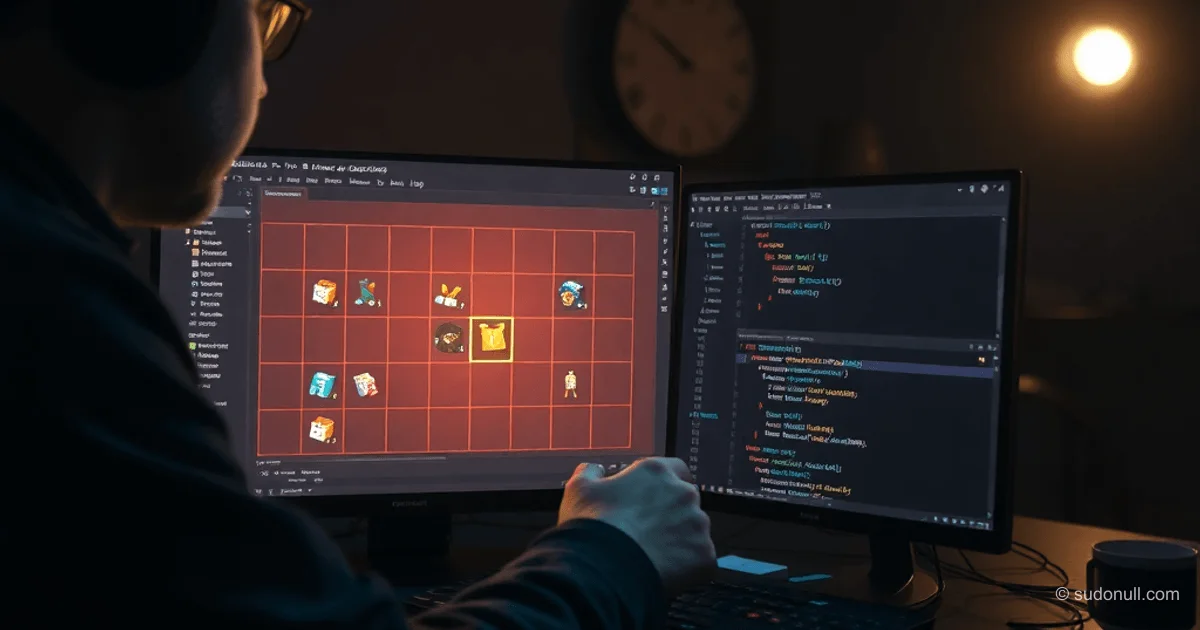
# Implementing a Grid Inventory in GameMaker: Step-by-Step Breakdown
The grid-based inventory system lets you place items of various sizes in a ds_grid, similar to the mechanics in Deus Ex or S.T.A.L.K.E.R. To get started, create a player object oPlayer with a sprite and a container object oContainer without a default sprite. Prepare item sprites: spApple (32x32), spWaterBottle (32x64), spMysteriousPackage (64x64), spItemError (32x32). In room rTest, set up Instances and UI layers, and add instances of oPlayer and oContainer.
Create a persistent object oGameManager in the starting room rInit. In the Create event:
global.inventoryDebugMode = true;
#macro InteractionDistance 100
global.ItemDB = {};
loadItemDefinitions();
room_goto(rTest);
This initializes debug mode, the interaction distance constant, and the item database.
Loading Item Database from JSON
Place the file items.json in datafiles. An item's structure includes Name, Type, Width, Height, MaxStack, Sprite, Description. The script scItemDatabase contains loadItemDefinitions():
function loadItemDefinitions()
{
	var _filename = "items.json";
	if (!file_exists(_filename) && global.inventoryDebugMode)
	{
		show_debug_message("Fayl " + _filename + " not found!");
		return;
	}

	var _buffer = buffer_load(_filename);
	var _jsonString = buffer_read(_buffer, buffer_string);
	buffer_delete(_buffer);

	var _parsedData = json_parse(_jsonString);

	var _itemIDs = struct_get_names(_parsedData);

	for (var i = 0; i < array_length(_itemIDs); ++i)
	{
		var _id = _itemIDs[i];
		var _item = _parsedData[$ _id];

		if (variable_struct_exists(_item, "Sprite"))
		{
			_item.Sprite = asset_get_index(_item.Sprite);

			if (_item.Sprite == -1)
			{
				_item.Sprite = spItemError;
				if (global.inventoryDebugMode)
					show_debug_message("Withprayt not found for predmeta " + _id);
			}
		}

		global.ItemDB[$ _id] = _item;
	}

	if (global.inventoryDebugMode)
		show_debug_message("Baza predmetov zagruzhena. Count: " + string(array_length(_itemIDs)));
}
The function getItemData(_itemID) returns the item struct or undefined.
- Advantages of ds_struct: dynamic access by string keys via [$ _id].
- Error handling: fallback to spItemError if sprite is missing.
- Accessors: for ds_grid — [# i, j], for struct — [$ key].
Basics of Storing Items in the Grid
The inventory is a ds_grid where:
- The main cell of an item stores a struct {itemID, quantity}.
- Auxiliary cells store {refX, refY} with coordinates of the main cell.
- Empty cells are noone.
Items account for Width/Height from the database and MaxStack for stacking.
The script scInventory starts with basic functions:
Creating and Destroying the Inventory
function inventoryCreate(_width, _height)
{
	var grid = ds_grid_create(_width, _height);
	ds_grid_clear(grid, noone);
	return grid;
}

function inventoryDestroy(_inventory)
{
	if (ds_exists(_inventory, ds_type_grid))
	{
		ds_grid_destroy(_inventory);
		return true;
	}
	else
	{
		return false;
	}
}
Grid Check and Manipulation Functions
Next, implement an emptiness check:
- inventoryIsEmpty(_inventory): scans the grid for noone.
Key item operations:
- Adding: find free space based on Width/Height, place the main cell and refs in the others.
- Moving: check for overlaps, update refX/refY.
- Removing: clear the main and ref cells.
For interaction: check distance < InteractionDistance from oPlayer to oContainer.
Displaying the Inventory UI
On the UI layer, draw the grid using draw_sprite_part for items. Handle mouse-over for highlighting, drag-and-drop via global.dragItem.
In oPlayer, add inventoryPlayer = inventoryCreate(10, 6); do the same for containers.
Key Points
- Use ds_grid for efficient 2D storage with [#x,y] accessors.
- Store only itemID/quantity in the main cell; get the rest via getItemData.
- Ensure atomic operations: check all cells before placing.
- DebugMode simplifies debugging loading and manipulations.
- Persistent oGameManager ensures global ItemDB state.
— Editorial Team










No comments yet.