July 7, 2014 at 17:12
15 little-known Linux commands
- Transfer
Each developer, to a certain extent, should master the skills of working in the terminal. It is not always possible to physically be at the computer, so you have to connect remotely. Indeed, GUI programs may well be able to deal with this, but often they work more slowly than gaining access through the same terminal (in the end, this is just a text exchange).
Regardless of whether you are a beginner or a guru, I am sure you will find yourself useful among the tips and recommendations below.
Let's start with the simple command man, which means manual. If you want to read about a command, just type:
This is how you can read the manual for man:
man is not a little-known command, you will find it in any Unix tutorial, however I would like to draw your attention to some of its features.
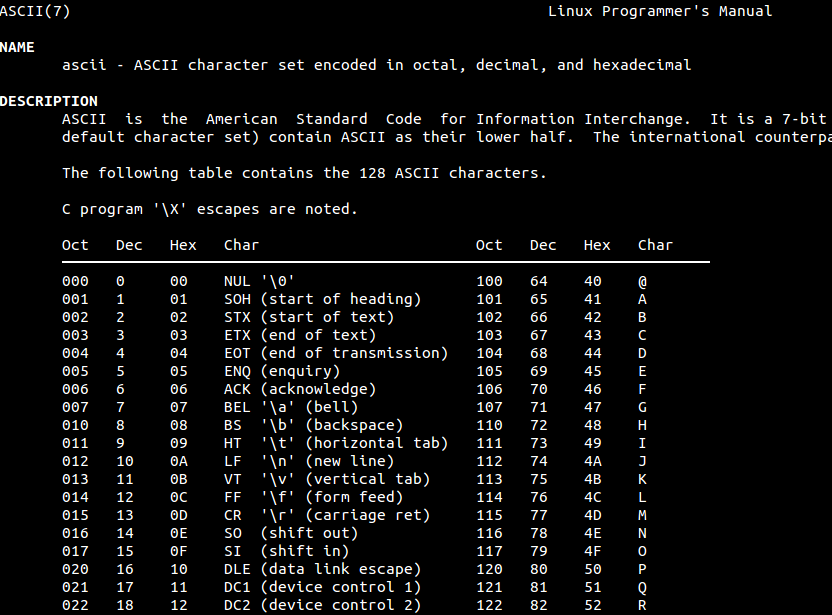
So, for example, to read about the ASCII table, type the following:
Have you ever been confused, what is less pico or femto? Try the following:

There are many similar fun teams . There is something to have fun with. (try xkill). In the meantime, move on.
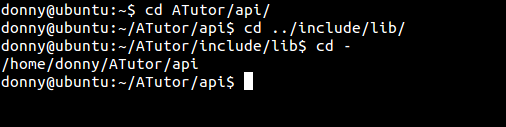
If you accidentally changed the directory, you can simply return to the last by typing:
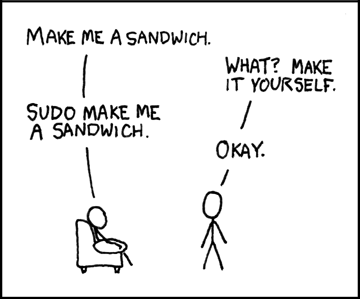
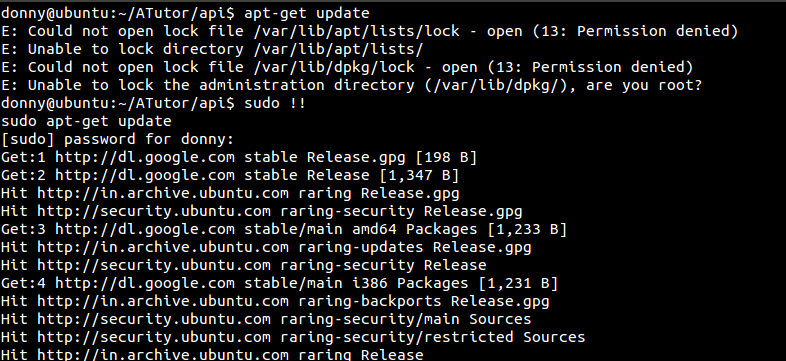
This comic strip emphasizes the importance of the sudo command on Unix. sudo runs the command with administrator privileges. If you typed a command without sudo, and then it turned out that it is necessary, simply type:
and it will start already with administrator privileges.
mtr is a powerful network diagnostic tool. It combines the functionality of traceroute and ping.
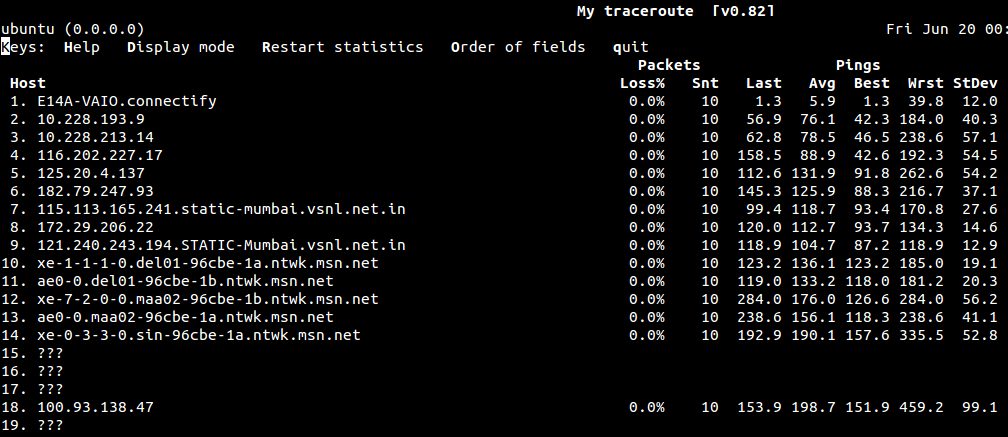
Experienced users may know that the history of running commands is saved in the ~ / .bash_history file.
So that the team does not record in the history, just type a space in front of the team.
jot generates text. Numbers, text, all together. To generate numbers, try the following:
If you write one argument, numbers from 1 to the value of the argument are generated.
To get random:

Read more here or type man jot
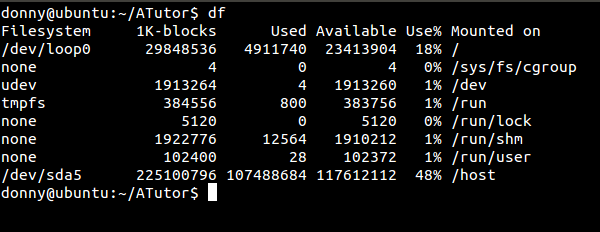
Pretty simple team. Shows the free space on the disk ( disk free )
pkill (or process kill) terminates the running process. This command is especially useful when the application is not responding:
A fun / brutal team can be if you run it on a remote machine. Be careful, you can lose important data.
Discordian calendar

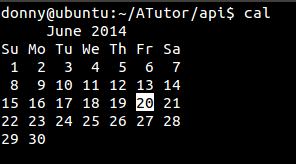
Good old Gregorian calendar.
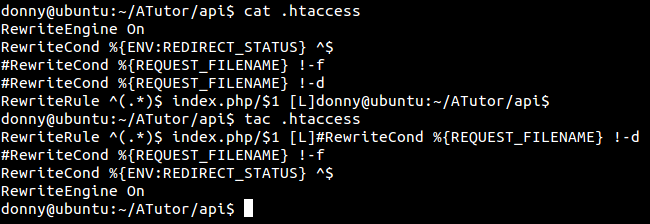
You may have heard of the cat command . It has a number of utilities for creating, copying, merging and displaying text files. tac does the same, but in reverse order.
The w command shows who is currently logged in, along with other useful information, such as operating time or processor load.
factor factorizes the number:

Returning to the fun commands, yes displays the text several times:
Use it to confuse friends crept up behind. Warning, the only way to stop it is CTRL + C (well, or close the terminal)
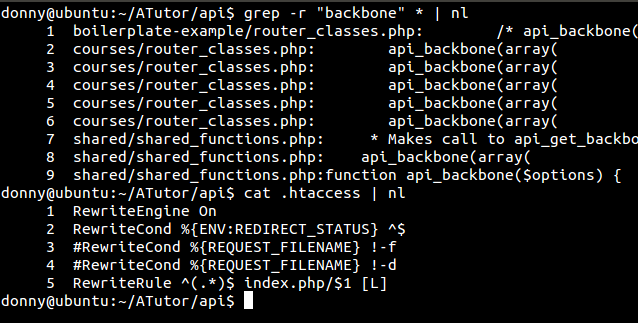
nl numbers lines. Most useful when using it as an argument. Let's take a look at a couple of examples:
Well, here we are at the end of the teams on our list. How many already knew? How many of them do you use regularly? Write, from whom - how much? Who has 15/15 - he won.
I propose to share interesting teams, who knows what. Thank you, all the best.
Regardless of whether you are a beginner or a guru, I am sure you will find yourself useful among the tips and recommendations below.
1. man
Let's start with the simple command man, which means manual. If you want to read about a command, just type:
man [command]
This is how you can read the manual for man:
man man
man is not a little-known command, you will find it in any Unix tutorial, however I would like to draw your attention to some of its features.
So, for example, to read about the ASCII table, type the following:
man ascii
Have you ever been confused, what is less pico or femto? Try the following:
man units
There are many similar fun teams . There is something to have fun with. (try xkill). In the meantime, move on.
2. cd -
If you accidentally changed the directory, you can simply return to the last by typing:
cd -3. sudo !!
This comic strip emphasizes the importance of the sudo command on Unix. sudo runs the command with administrator privileges. If you typed a command without sudo, and then it turned out that it is necessary, simply type:
sudo !!and it will start already with administrator privileges.
4. mtr
mtr is a powerful network diagnostic tool. It combines the functionality of traceroute and ping.
mtr [hostname]5. [space] command
Experienced users may know that the history of running commands is saved in the ~ / .bash_history file.
So that the team does not record in the history, just type a space in front of the team.
[space] [command]
6. jot
jot generates text. Numbers, text, all together. To generate numbers, try the following:
jot [количество чисел] [начиная с]If you write one argument, numbers from 1 to the value of the argument are generated.
To get random:
jot -r [количество чисел] [нижний предел] [верхний предел]Read more here or type man jot
7. df
Pretty simple team. Shows the free space on the disk ( disk free )
8. pkill
pkill (or process kill) terminates the running process. This command is especially useful when the application is not responding:
pkill [application_name]A fun / brutal team can be if you run it on a remote machine. Be careful, you can lose important data.
9. ddate
Discordian calendar
10. cal
Good old Gregorian calendar.
11. tac
You may have heard of the cat command . It has a number of utilities for creating, copying, merging and displaying text files. tac does the same, but in reverse order.
12. w
The w command shows who is currently logged in, along with other useful information, such as operating time or processor load.
13. factor
factor factorizes the number:
factor [number]14. yes
Returning to the fun commands, yes displays the text several times:
yes [string]Use it to confuse friends crept up behind. Warning, the only way to stop it is CTRL + C (well, or close the terminal)
15. nl
nl numbers lines. Most useful when using it as an argument. Let's take a look at a couple of examples:
Well, here we are at the end of the teams on our list. How many already knew? How many of them do you use regularly? Write, from whom - how much? Who has 15/15 - he won.
I propose to share interesting teams, who knows what. Thank you, all the best.