February 11, 2014 at 14:05
GSM alarm system for the apartment
Good day, Habr!
The protection of an apartment, a summer residence, a garage, a car - these issues have always been especially acute and this is not only in our state, but in general. As the saying goes, “there is demand, there are also offers”, i.e. there will always be thefts, as there are those who buy stolen goods. Thus, I want to introduce you to a small project that will help you protect the house a little, and if you do not catch the criminals (which is not required in this case), then at least scare them and inform you that there was an attempt to penetrate your holy of holies .
Another lyrical digression. Many times I met on the Internet how radio amateurs make GSM alarms based on a cell phone (Siemens models were especially popular). I liked the approach of the authors of those articles - this is the simplicity of alarm assembly, the presence of a housing, a screen and a battery (in case of a power outage), but since I still want to do something new, I decided to develop my own version of the alarm without using a cell phone.
As input was (what I wanted to get):
1. The presence of the screen.
2. The presence of buttons.
3. Light / sound indication.
4. Two dependent blocks.
5. Preferably battery.
6. Preferably a camera / video peephole.
Now briefly explain everything. The screen and keyboard are needed to enter the password and indicate the status of the alarm.
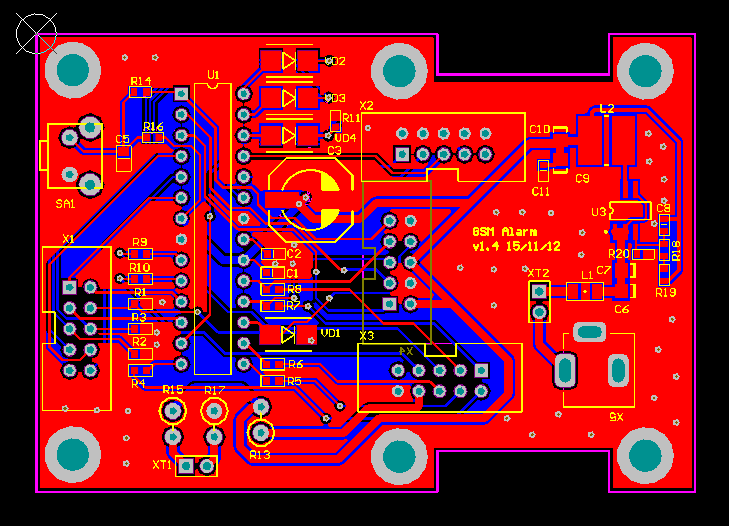
I refused to use RFID (contactless access cards) and iButton (“tablet” keys) immediately and later I will explain why. A speaker and several LEDs are needed purely for indication. Now the most basic thing is why two blocks are needed. Both blocks are attached to the second door (if you look from the landing, yes, I was lucky and I have two doors). Thus, in order to get into the apartment, you must first open the first door (I have a wooden one), a magnetic wire sensor is installed on the box (reed switch, what’s already there), on the second door we see a block with a keyboard, screen, speaker and LEDs . The second block is located on the other side of the iron door, it consists of two boards, the first is the controller on atmega88 (when I started making the alarm, this chip seemed to me the most popular (in DIP), now, of course,
The second board is the modem itself, assembled on the basis of Telit GL-865. The connection of the boards is primitive in UART, I did not do anything superfluous, either sleep mode or signal strength indication (for which I paid, but more on that later).

Everything is powered by a 12V power supply. Next to the power supply there is a small unit with a battery and a charger on the LTC4054 (do not even ask what I still got there))).

The main task of using several blocks is “anti-vandalism”. After the reed switch is triggered on the first door, the alarm is triggered and allows the owner about 40 seconds to enter a password. Every 10 s the display changes to a more alarming one, and after the time has expired, an SMS is sent to the specified number (a). So, if in the process of entering the password to break (break) the block with the keyboard and screen, sending SMS will still occur, since the circuit has a simple isolation, which will not allow even the second block to be disabled if the wires are closed. All this, of course, was done primitively, but it works. By the way, to set the alarm on the case of the second unit there is a switch. Turn it on and have 45s in order to close both doors.


The soft part is also quite simple. The 4-digit pin is stored in flash atmega and is read into a temporary constant after the reed switch is triggered. The button handler starts. If you entered the pin correctly, a greeting will appear on the screen, if not, an angry message (:. Everything is done in one thread (I'm not a programmer), but works without glitches. From the keyboard unit, you can set a pin and send a test message. The number is unfortunately flashed, they didn’t get around to entering it from the panel (and there’s nothing to do). So, I refused the card and iButton for security reasons, the password is stored in my head and it can only be tried out. with a password.
During the entire development, I probably encountered only two problems. 1. I bought a Tele2 SIM card, checked it - everything worked, but as soon as I put the alarm in the corridor, messages stop sending. Since the signal level on the screen is not displayed, I was tormented for a long time with the selection of the antenna, but this turned out to be in vain. I acted simply, bought a Megafon SIM card (do not count it for advertising, but not a single failure within a year) and the problems stopped.
2. Periodically, a problem popped up with the fact that the entered password does not fit and I had to change it to a new one. The password was written to the constant from flash after the alarm was set. I decided to redo this mechanism somewhat and began to record after the door was opened - the problem disappeared.
The screen is visible in the photo - this is a video-eye monitor. It is not tied to the alarm itself (only power). Press the button - we see the image behind the door. Everything is millet and convenient.
Do it! All in your hands!