LiveReload in a very third party browser
I got confused by auto-refreshing the page in the browser on the iPad I was carrying with me when developing NodeJS / ExpressJS applications to see all the changes on the fly.
Under the cut - how it is very simple to make a live view of developed web applications from a mobile gadget.
For various reasons, the LiveReload article on Node.js did not help me. By what? It's simple - there guys discuss grunts with gem-s. And I just came to NodeJS / Express. Do not scare me shorter :)
For convenience, why else. Reseeding on the MacBook Air realized that this is the tool that I wanted. The downside was the lack of space on the monitor and the lack of AppleTV to solve the subject (I ordered Tronsmart T1000 MirrorT2 to replace it with a significant discount, let's see how it handles the tasks, but that's another story), although the idea of sitting in front of the TV for a live contemplation of the result of the activity is not really like ...
Looking at the zoo of multi-platform gadgets, I thought - why not use the iPad, which is dragged everywhere with the MacBook, as a display of what is being created? Yes, and so that your finger does not fall into the icon ...
At first I thought - now, buy AirDisplay in the app (or its analogue for less money, for example iDisplay ), install a server, and voila. But this solution is a few other tasks, probably useful and necessary. But not mine.
Moreover, Tronsmart has already been sent by our brothers from China.
I really did not want to contemplate the result on the desktop browser, but I wanted it in the native gadget (the same Safari).
And it’s very fortunate that there are craftsmen’s solutions for jerking the node server when changing project files ( nodemon , supervisor and others like them). Looking ahead: my choice fell on supervisor because of his more responsive work.
Well, the server will restart when Command-S / Ctrl-S (by the way, the method works on Windows too). How to make the browser refresh content now? And again, a brief googlezh brought me to reload .
What is written in the description of the reload module:
Great, what you need. Armed with two whole tools, I sat down to sculpt a miracle:
We will test on a clean express application:
We pull the dependencies:
We put supervisor:
and reload:
Everything, the preparation of the environment is over.
Now you need to file the procurement application according to the documentation:
/app.js:
/views/layout.jade:
Run our super superserver to track changes in .jade files:
and make sure that our “computer” browser shows exactly what we are waiting for at localhost: 3000 :

To check the browser’s live communication with the server, change the source file /views/index.jade
on the:
and get a live update called LiveReload:

It works, damn it!
To celebrate, we run to our gadget, in my case to the iPad, we type in the address bar 0.0.0.0haps000 (the IP address of the machine with the NodeJS server running), we get the expected result:
further we return the code /views/index.jade to the source, without h2 Hello, Habr! , save it and ... get the file:
Moreover, if you refresh the page with your hands, everything will be displayed as it should be. Ambush ... DeadReload ...
Having thrashed my brains, digging in different ways, and not repairing anything and not understanding what was happening, I stupidly saved the text and noticed that on the iPad, in time with my saves, a native animated loader is shown from above for an instant (or, as it is called, the loading icon is shorter).
Yeah! Here you are. Apparently, the browser wants to make itself LiveForever too soon. He needed to file something ... He
climbed into the source code for reload in / node_modules / reload / lib / (as I didn’t immediately think, shame is a shame on me), and dig 4 files there:
reload.js, reload-client.js, reload-server.js, sockjs-0.3-min.js.
Immediately interested in reload-client.js , we look, and at the very beginning of the file, right in the second line, we find a solution to all the problems of mankind:
Empirically, the minimum value RLD_TIMEOUT = 700 helped me make a fileless LiveReload ;
That's all. I am satisfied with the solution, everything works the way I, a person who is far from web development and web magic, needed - easily and naturally, most importantly - without troubles and persuasion of toads.
Under the cut - how it is very simple to make a live view of developed web applications from a mobile gadget.
For various reasons, the LiveReload article on Node.js did not help me. By what? It's simple - there guys discuss grunts with gem-s. And I just came to NodeJS / Express. Do not scare me shorter :)
Why is this necessary?
For convenience, why else. Reseeding on the MacBook Air realized that this is the tool that I wanted. The downside was the lack of space on the monitor and the lack of AppleTV to solve the subject (I ordered Tronsmart T1000 MirrorT2 to replace it with a significant discount, let's see how it handles the tasks, but that's another story), although the idea of sitting in front of the TV for a live contemplation of the result of the activity is not really like ...
Looking at the zoo of multi-platform gadgets, I thought - why not use the iPad, which is dragged everywhere with the MacBook, as a display of what is being created? Yes, and so that your finger does not fall into the icon ...
The second monitor from the tablet? Her.
At first I thought - now, buy AirDisplay in the app (or its analogue for less money, for example iDisplay ), install a server, and voila. But this solution is a few other tasks, probably useful and necessary. But not mine.
We act correctly.
I really did not want to contemplate the result on the desktop browser, but I wanted it in the native gadget (the same Safari).
And it’s very fortunate that there are craftsmen’s solutions for jerking the node server when changing project files ( nodemon , supervisor and others like them). Looking ahead: my choice fell on supervisor because of his more responsive work.
Well, the server will restart when Command-S / Ctrl-S (by the way, the method works on Windows too). How to make the browser refresh content now? And again, a brief googlezh brought me to reload .
What is written in the description of the reload module:
Node.js module to refresh and reload your code in your browser when your code changes. No browser plugins required.
Great, what you need. Armed with two whole tools, I sat down to sculpt a miracle:
We will test on a clean express application:
$ expressWe pull the dependencies:
$ npm iWe put supervisor:
$ npm i supervisor -gand reload:
$ npm i reload --save-devEverything, the preparation of the environment is over.
Now you need to file the procurement application according to the documentation:
/app.js:
...
var reload = require('reload');
...
var server = http.createServer(app);
reload(server, app);
server.listen(app.get('port'), function(){
  console.log('Express server listening on port ' + app.get('port'));
});
/views/layout.jade:
head
  script(src='/reload/reload.js');
Run our super superserver to track changes in .jade files:
$ supervisor -e jade app.jsand make sure that our “computer” browser shows exactly what we are waiting for at localhost: 3000 :
To check the browser’s live communication with the server, change the source file /views/index.jade
extends layout
block content
  h1= title
  p Welcome to #{title}
on the:
extends layout
block content
  h1= title
  h2 Привет, хабр!
  p Welcome to #{title}
and get a live update called LiveReload:
It works, damn it!
Rake? I have them!
To celebrate, we run to our gadget, in my case to the iPad, we type in the address bar 0.0.0.0haps000 (the IP address of the machine with the NodeJS server running), we get the expected result:
Hidden text
further we return the code /views/index.jade to the source, without h2 Hello, Habr! , save it and ... get the file:
Hidden text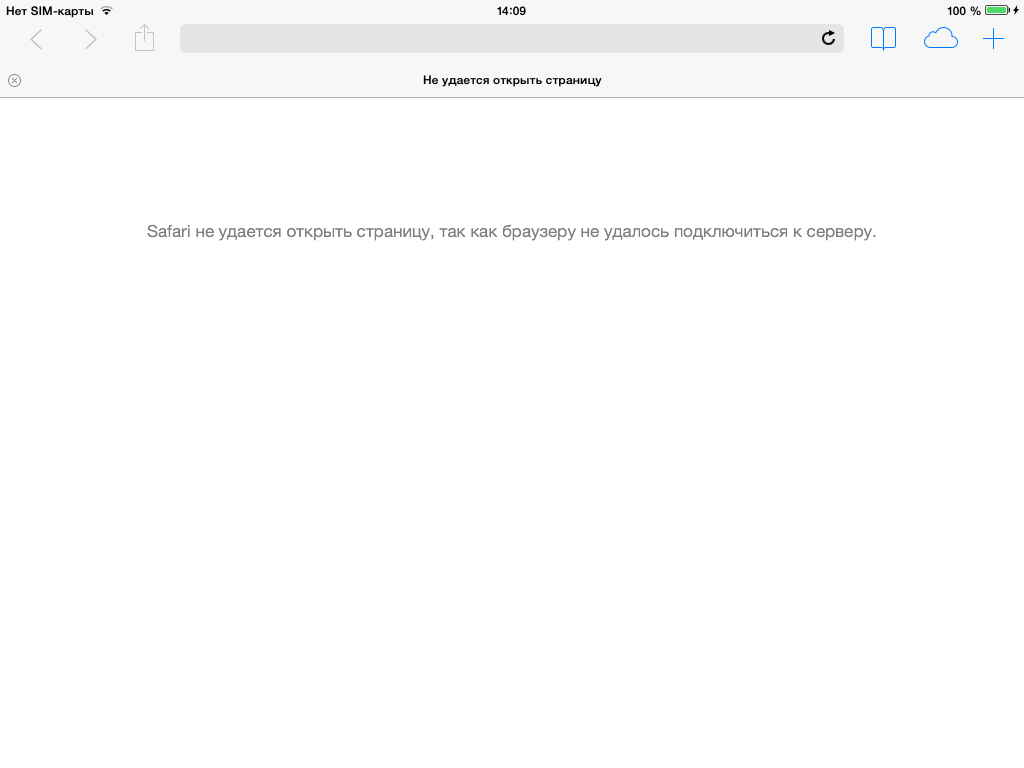
Moreover, if you refresh the page with your hands, everything will be displayed as it should be. Ambush ... DeadReload ...
From sadness to joy ...
Having thrashed my brains, digging in different ways, and not repairing anything and not understanding what was happening, I stupidly saved the text and noticed that on the iPad, in time with my saves, a native animated loader is shown from above for an instant (or, as it is called, the loading icon is shorter).
Yeah! Here you are. Apparently, the browser wants to make itself LiveForever too soon. He needed to file something ... He
climbed into the source code for reload in / node_modules / reload / lib / (as I didn’t immediately think, shame is a shame on me), and dig 4 files there:
reload.js, reload-client.js, reload-server.js, sockjs-0.3-min.js.
Immediately interested in reload-client.js , we look, and at the very beginning of the file, right in the second line, we find a solution to all the problems of mankind:
;(function refresh () {
  var RLD_TIMEOUT = 300;
  var sock = new SockJS(window.location.origin + '/sockreload');
  sock.onclose = function() {
    setTimeout(function() {
      window.location.reload();
    },RLD_TIMEOUT);
  };
})();
To summarize, gentlemen!
Empirically, the minimum value RLD_TIMEOUT = 700 helped me make a fileless LiveReload ;
That's all. I am satisfied with the solution, everything works the way I, a person who is far from web development and web magic, needed - easily and naturally, most importantly - without troubles and persuasion of toads.









