 January 31, 2014 at 01:55
KolibriOS digest # 1: getting up to speed
 If you are interested in KolibriOS and its development, but you do not have the opportunity to follow the innovations on the forum (which is sometimes difficult, especially if you just recently started to be interested), then this article is for you. This is the first article in a series of monthly digests aimed at reporting on events in the OS community. Digests will be released on the last business day of the month. Since this is the first article, it will consider changes over a period of more than a month in order to establish an information line. I want to emphasize that especially major changes will continue to be covered in separate articles. Well, let's get started.
For starters, changes at the system level (kernel, drivers, and libraries):
- Implementation of a system-wide clipboard (support for copying text from one program to another at the kernel level). Perhaps this functionality is taken for granted in any OS, but until recently it was absent in KolibriOS.
- Improved work with IDE / SATA IDE disks and support for DMA.
- Improving graphics performance with Intel graphics cards.
- CardBUS driver (so far only certain cards are detected).
- httplib: library for working with the http protocol on Fasm.
Not without innovations in the application software:
- fasm : upgrade to stable version 1.71.16.
- Fplay : overall performance boost; special assembly with vertical synchronization for devices with Intel graphics.
- Tinypad : system-wide clipboard support; multiple fixes and optimizations.
- TextEdit : system-wide clipboard support; Added encoding conversion cp 1251-> 866 and cp 866-> 1251; bug fixes and minor improvements.
- shell : start implementing system-wide clipboard support.
- icon : a new desktop with support for dragging and dropping icons, more convenient adding icons, the ability to add your own items to the PCM menuby editing ini.
- Docky : the new program is the dock bar ( see screenshot below ).

- End : autosave the image before shutting down.
- PCIDEV : Added subclasses of devices according to changes in the PCI bus specification in recent years.
- board : reduce the load on the CPU when writing to a file.
- rdsave : minimize the interface and simplify the work with the program.
- HTMLv : extended tag support; transition to httplib; optimization and bug fixes.
- Eolite : recursive delete folders; context menu; "open with" dialog; copy / cut files / folders between Eolite windows; Russian translation; minor corrections and improvements.

- Liza : improved parsing of letters.
- Landing : A new arcade game.DetailsIt is worth noting that this is the first native game under KolibriOS with sound effects.The essence of the game: to clear the place for landing the aircraft with bombs and dodge anti-aircraft fire, making a " barrel ". The plane is gradually reduced. You can’t control the direction of the flight, you can only drop bombs and make a “barrel”. The level is lost if the plane crashed into a building or if it has run out of "health" (in the upper left corner). To reset the bombs, press ctrl, for the "barrel" - a space. During the "barrel" you can not throw bombs. Bombs can only be thrown at a specific time interval.

Projects with a distant (sometimes foggy) perspective:
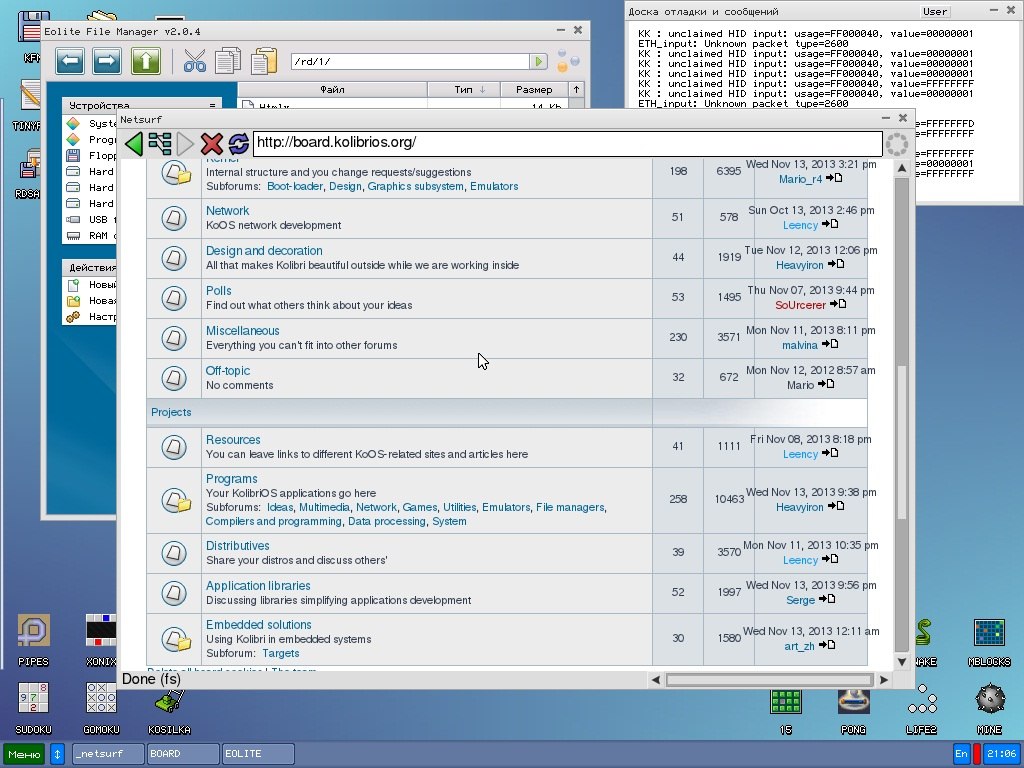
- NetSurf : porting a full web browser.
- polarSSL : SSL library.
- TextGame : a platform for simple text games.
- kolibri-process : the new KolibriOS branch, within the framework of which a new model of processes and flows is being developed, more similar to the model of large OSs.
Other news:
- Estonian localization has been added (in addition to the already existing 4 languages - Russian, English, Spanish and Italian). Those who wish to translate Hummingbirds into their language, we will always be happy.
- KolibriN : preparing for the release of KolibriN9 . A distribution created by one of our developers (@Leency) to reveal all the features of the OS. KolibriN is, in fact, the maximum build of KolibriOS.
- Wiki section : updating and expanding the section for developers; Reorganization of pages for easier navigation.
A little video for clarity:
Using a system-wide clipboard
Demonstration of the new Icon









