HP Designjet T120 Printer and Linux
I got a HP T120 printer plotter a couple of days ago. This is a printer with a thermo-ink head, and the ability to print on 610mm rolls, for its quality and speed it is very budgetary.
After unpacking it and connecting to wifi, I started connecting.
First I checked what is in the Debian testing Cups, it turned out there was nothing similar there. It’s useful to look for a “driver”, on the HP website there is a link in the drivers with the name Linux, but the page is blank.
Having a bit of a chagrin, I decided to look at what he is capable of at all, connected ePrint, a fun feature, but the processing of tasks is very slow and you cannot change the parameters, it prints only in normal quality.
I started to think further, in a lot of useless information I fished out some pieces of information, thanks to which I realized that I could try to print via hpijs. After several attempts, I got to the working ppd from the hp deskjet 990C, it prints 4 sheets, the 1200dpi mode also works.
But this was not enough for me, I need the ability to print large formats. I fixed ppd by adding A2 and A1 formats to it, voila, he began to print on a roll in the desired formats.
UPD: ppd file, the same driver can be downloaded here HP T120 driver for Linux
UPD2: When resolving issues with printing in landscape mode, a bug was discovered that has not yet been resolved on bugs.scribus.net.
This is due to the fact that in postscript 3 you do not need to add 90 rotate on each page, when converting pstops ghostscript it does it itself, accordingly removing 4 lines from /scribus/pslib.cpp, we get stable landscape printing from scribus.
After unpacking it and connecting to wifi, I started connecting.
Printer photo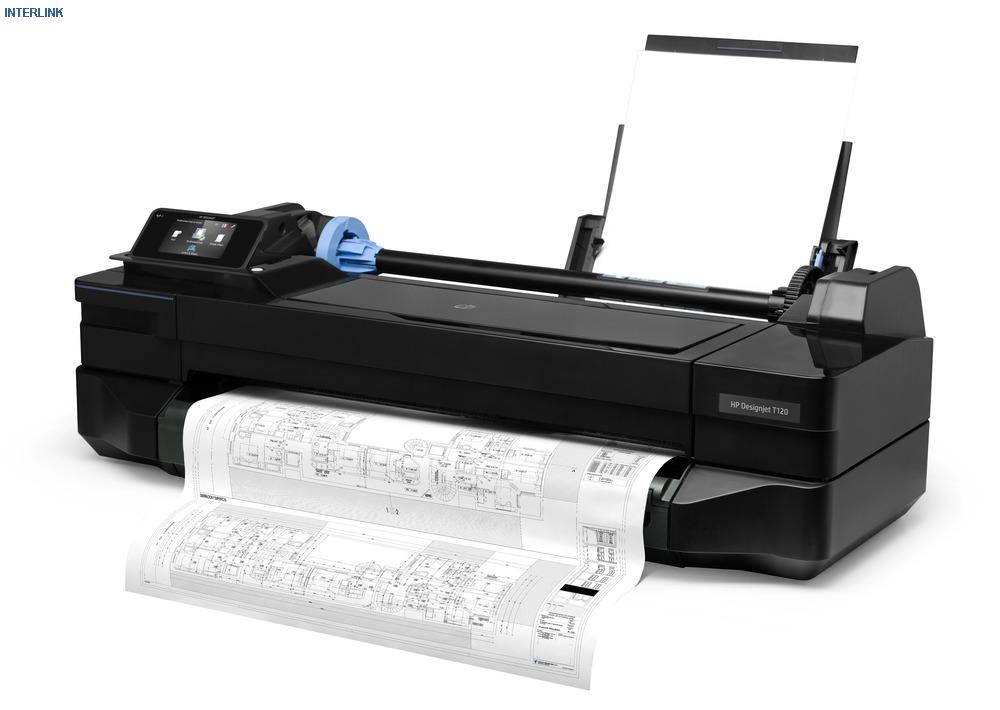
First I checked what is in the Debian testing Cups, it turned out there was nothing similar there. It’s useful to look for a “driver”, on the HP website there is a link in the drivers with the name Linux, but the page is blank.
Having a bit of a chagrin, I decided to look at what he is capable of at all, connected ePrint, a fun feature, but the processing of tasks is very slow and you cannot change the parameters, it prints only in normal quality.
I started to think further, in a lot of useless information I fished out some pieces of information, thanks to which I realized that I could try to print via hpijs. After several attempts, I got to the working ppd from the hp deskjet 990C, it prints 4 sheets, the 1200dpi mode also works.
But this was not enough for me, I need the ability to print large formats. I fixed ppd by adding A2 and A1 formats to it, voila, he began to print on a roll in the desired formats.
Rip lines
FoomaticIDs *: «HP-DeskJet_990C hpijs»
* FoomaticRIPCommandLine: «gs -q -dBATCH -dPARANOIDSAFER -dQUIET -dNOPA &&
USE -dNOINTERPOLATE -sDEVICE = ijs -sIjsServer = hpijs% A% B% C% -dIjsUseOutputFD -sOutputFi Z &&
le = - - »
* End
* FoomaticRIPCommandLine: «gs -q -dBATCH -dPARANOIDSAFER -dQUIET -dNOPA &&
USE -dNOINTERPOLATE -sDEVICE = ijs -sIjsServer = hpijs% A% B% C% -dIjsUseOutputFD -sOutputFi Z &&
le = - - »
* End
Rows adding dimensions A1 and A2
*FoomaticRIPOptionSetting PageSize=A2: " -dDEVICEWIDTHPOINTS=1190 -dDEV&&
ICEHEIGHTPOINTS=1684"
*End
*FoomaticRIPOptionSetting PageSize=A1: " -dDEVICEWIDTHPOINTS=1684 -dDEV&&
ICEHEIGHTPOINTS=2380"
*End
ICEHEIGHTPOINTS=1684"
*End
*FoomaticRIPOptionSetting PageSize=A1: " -dDEVICEWIDTHPOINTS=1684 -dDEV&&
ICEHEIGHTPOINTS=2380"
*End
Lines for CustomSize Run Mode
*VariablePaperSize: True
*NonUIOrderDependency: 100 AnySetup *CustomPageSize
*FoomaticRIPOptionSetting PageSize=Custom: " -dDEVICEWIDTHPOINTS=1729 -dD&&
EVICEHEIGHTPOINTS=136000"
*End
*MaxMediaWidth: «1729»
*MaxMediaHeight: «136000»
*HWMargins: 18 36 18 9
*CustomPageSize True: «pop pop pop <</PageSize[5 -2 roll]/ImagingBBox null>>setpagedevice»
*ParamCustomPageSize Width: 1 points 72 1729
*ParamCustomPageSize Height: 2 points 288 136000
*ParamCustomPageSize WidthOffset: 3 points 0 0
*ParamCustomPageSize HeightOffset: 4 points 0 0
*ParamCustomPageSize Orientation: 5 int 0 0
*NonUIOrderDependency: 100 AnySetup *CustomPageSize
*FoomaticRIPOptionSetting PageSize=Custom: " -dDEVICEWIDTHPOINTS=1729 -dD&&
EVICEHEIGHTPOINTS=136000"
*End
*MaxMediaWidth: «1729»
*MaxMediaHeight: «136000»
*HWMargins: 18 36 18 9
*CustomPageSize True: «pop pop pop <</PageSize[5 -2 roll]/ImagingBBox null>>setpagedevice»
*ParamCustomPageSize Width: 1 points 72 1729
*ParamCustomPageSize Height: 2 points 288 136000
*ParamCustomPageSize WidthOffset: 3 points 0 0
*ParamCustomPageSize HeightOffset: 4 points 0 0
*ParamCustomPageSize Orientation: 5 int 0 0
UPD: ppd file, the same driver can be downloaded here HP T120 driver for Linux
UPD2: When resolving issues with printing in landscape mode, a bug was discovered that has not yet been resolved on bugs.scribus.net.
This is due to the fact that in postscript 3 you do not need to add 90 rotate on each page, when converting pstops ghostscript it does it itself, accordingly removing 4 lines from /scribus/pslib.cpp, we get stable landscape printing from scribus.
Lines to be removed from /scribus/pslib.cpp
if(pg->PageOri == 1 && psExport)
PutStream(«90 rotate 0 „+IToStr(qRound(maxBoxY))+“ neg translate\n»);
и
if(ActPage->PageOri == 1 && psExport)
PutStream(«90 rotate 0 „+IToStr(qRound(maxBoxY))+“ neg translate\n»);
PutStream(«90 rotate 0 „+IToStr(qRound(maxBoxY))+“ neg translate\n»);
и
if(ActPage->PageOri == 1 && psExport)
PutStream(«90 rotate 0 „+IToStr(qRound(maxBoxY))+“ neg translate\n»);









