July 9, 2014 at 10:49
Install Atom from GitHub on Ubuntu, OpenSUSE, and Windows. Short review
- Tutorial

GitHub Atom editor assembly for Windows was released yesterday , before that it was available only for Mac OS.
And the installation for * nix systems is described in the official project repository .
Here I will tell how we installed it for the following OS, in decreasing order of complexity:
- Windows 7
- Ubuntu 14.04
- OpenSUSE 13.1
And also the first impressions of its use.
Immediately make a reservation, for Windows and Ubuntu installation is a couple of steps. For OpenSUSE, a little more.
Attention traffic - pictures.
Windows 7
Support for Windows 8 is also declared, but unfortunately (or fortunately?) It is not used in our team, but I think it will work.
- Download the archive from the site or from the repository
- Unpack
- We start atom.exe
- Work
Ubuntu
We installed on Ubuntu 14.04, it is recommended not lower than 12.04.
In a search for a simple way, we google a resource on which there is already a PPA ( personal package archive ) compiled for Ubuntu .
To install, run the terminal and execute the following code:
sudo add-apt-repository ppa:webupd8team/atom
sudo apt-get update
sudo apt-get install atom
Note from the site - PPA is available for Ubuntu 14.10, 14.04, 13.10 and 12.04. Ubuntu 12.10 and 13.04 are no longer supported by Canonical.
Our note - we put on only installed Ubuntu and OpenSUSE
OpenSUSE
Here we decided to follow the instructions and took advantage of another article
On the steps of the command and action in the console with a description:
- Preparing for installation. Install packages: make, gcc, gcc-c ++, glibc-devel, and libgnome-keyring-devel, git through the console, enter:
sudo zypper install make gcc gcc-c++ glibc-devel libgnome-keyring-devel git - Installing Node.JS in the console:
sudo zypper addrepo http://download.opensuse.org/repositories/devel:languages:nodejs/openSUSE_Tumbleweed/devel:languages:nodejs.repo sudo zypper refresh sudo zypper install nodejs - Next, use Python 2 for the npm package installer:
sudo npm config set python /usr/bin/python2 -g git: sudo zypper install git - Create a folder for installation and go to it.
We clone the Atom to itself.
Go to the folder with Atom.mkdir ~/src && cd ~/src git clone https://github.com/atom/atom cd ~/src/atom - Build, install and create an Atom shortcut using VIM
sudo npm config set python /usr/bin/python2 -g script/build sudo script/grunt install vim /usr/share/applications/atom.desktop - In Vim we write
[Desktop Entry]
Type=Application
Encoding=UTF-8
Name=Atom
Comment=Atom editor by GitHub
Exec=/usr/local/bin/atom
Icon=/home/cg/.atom/atom.png
Terminal=false
press ESC, enter: wq and copy the image iconcp ~/src/atom/resources/atom.png ~/.atom
First start
Atom Welcome Screen

"Setting the theme"

What is called - two news:
1. From the pleasant - at the start of the dialogue does not appear about the license agreement, and the hand does not reach for the tablet from greed - to test the fully functional version.
2. By default, Atom sends the following anonymous statistics:
- Unique identifier generated from the MAC address of the developer's machine;
- Width and height of the screen;
- Used version of Atom`a;
- Which tabs are open;
- Different speed characteristics (start-up, boot time, etc.).
This is disabled in the menu Pakages -> Settings View -> Uninstall Packages in the filter, select Metrics
Disabling Metrics

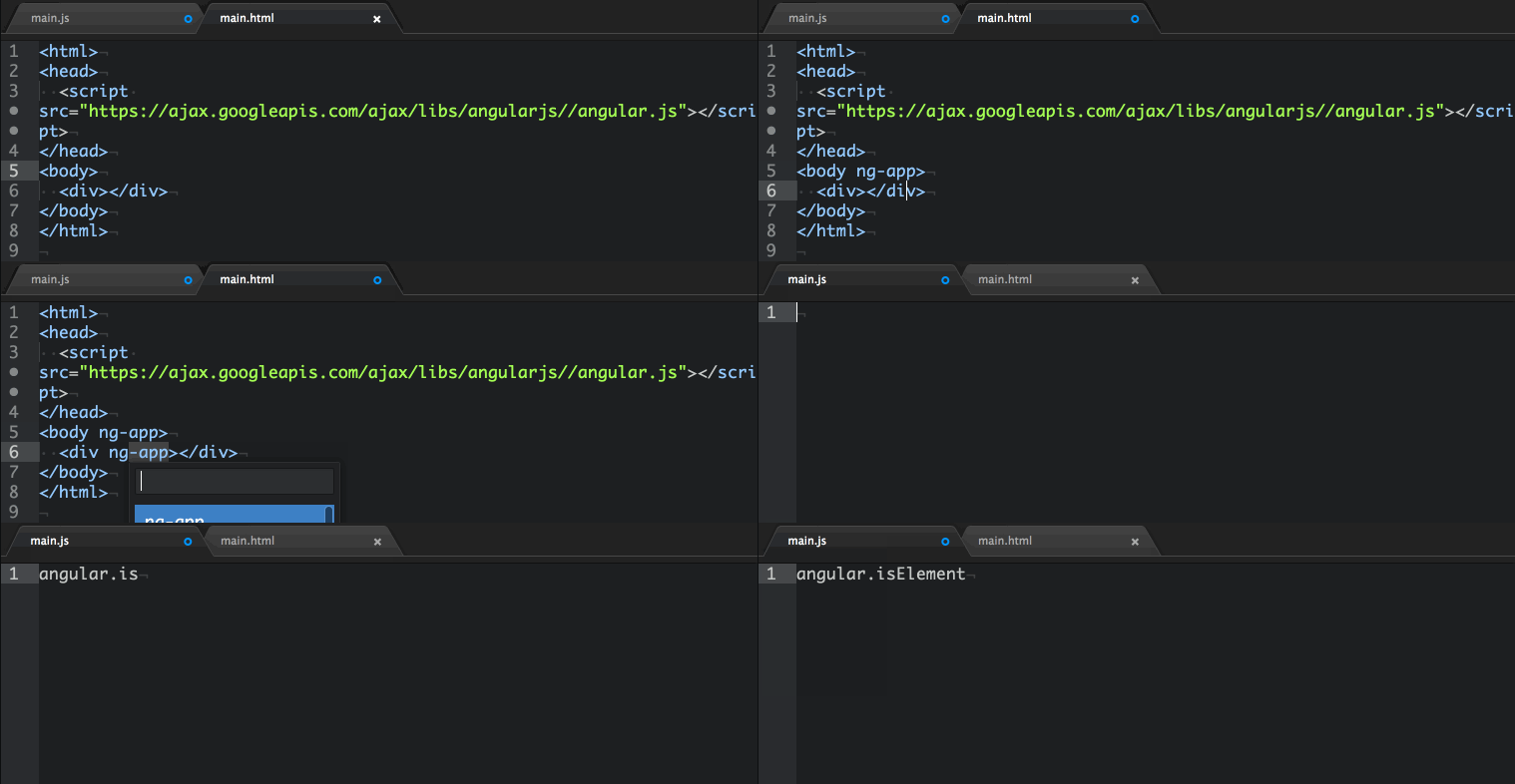
“Installing the AngularJS plugin.”

“After installation (original image and description of the atom.io/packages/angularjs plugin )”
"Workspace"

Atom uses the chromium engine, so debugging of the environment itself is available. View-> Developer-> Togle Developer Tols or Alt + Ctrl + I
"Starting the debugger"

It is also stated that performance is the top priority of the Atom development team, so there is the opportunity to use the React engine from FaceBook as the fastest in their opinion. Which one is used now - I don’t know. In the near future they promise to make React the default engine.
“Use React Editor Button”

Image taken from the Atom blog.
Differences and comparisons with other IDEs (in which we worked):
- Free - a conditional advantage, for example, if you study or teach at a technical university, college or work in an opensource project, many large manufacturers have academic programs and discounts. For example JetBrains IDEA , Microsoft DreamSpark, InterSystems Caché campus and many others. True, the Sublime mentioned in the comments has no discounts (Educational discounts are not presently offered);
- Community power - about a day has passed from the release of the Windows version to the release of this post, and the project already had more than fifty commits, given that the work has been going on for more than two years, the dynamics are pleasing;
- Community speed - for example, the AngularJS plugin from Angular-UI developers came out a few days after the first announcement of Atom;
- At the forefront of progress is auto-update, from the point of view that you will always work in an IDE that supports the latest technologies. For example, Atom itself uses Flex ;
- The power of corporations - the project uses engines from Google and Facebook, and this inspires hope that the time spent on studying and subsequent use will not be wasted;
- Portable right away - convenient for Windows, unpacked, launched and deleted without traces and troubles, if you didn’t like it;
- You can edit the modules inside the editor itself, as in Sublime, below is a screen with an example.
I can’t say anything intelligible about performance. Subjectively:
- On all the machines of our team it starts quickly, by the way “cooler” there are no i3 processors;
- It takes up more than 100 megabytes in memory at startup, for comparison, Sublime ~ 30 and WebStorm several hundred.
They made their own package by copying and renaming the pre-installed ZEN

References: