December 2, 2013 at 11:59
Extract 3D models in O2C format from dat file
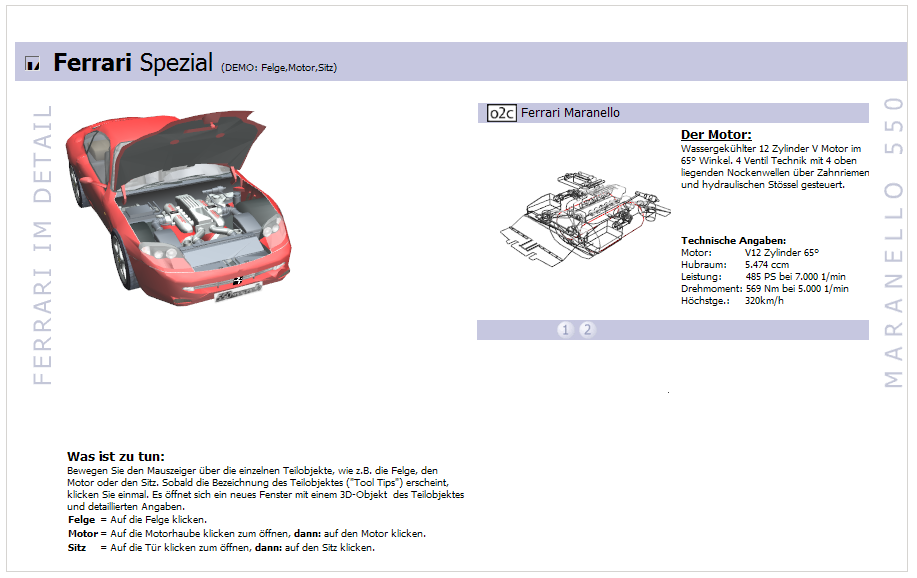
A couple of years ago I faced one interesting problem. It consisted of extracting all 3D models (about 2000 pieces) from the catalog program in the form of a list of files with a name-number in accordance with the model numbers in the catalog. The program used a third-party component for visualization of models - O2CPlayer. All models were sewn into one large file with the extension dat. Description and examples of using O2Cplayer can be found on the official website: Ferrari website and example .
An attempt to parse the archive
I already had experience with 3ds and other graphic formats of models; I started looking for documentation of the O2C format. It was assumed that the file would consist of parts with specific headers (chunks), by which you can try to extract the model from the dat file. I could not find the documentation, I managed to find several ready-made models in the right format and the official website of the developer of visualization components. The binaries did contain similar headers. I analyzed the dat file for their repetition, it turned out to be about 600. This was clearly not enough, besides the headers were repeated randomly. An attempt to remove models directly from the file failed.
Framework research
I decided to postpone this task, especially since there were no concrete ideas for implementation. But after some time, the thought came whether to look at this visualization framework. Created a WinForms project in MSVS, connected the necessary COM O2CPlayer assemblies. After installing the official app, they are available from Com Reference. O2CPleer is available on the official website of the developer.
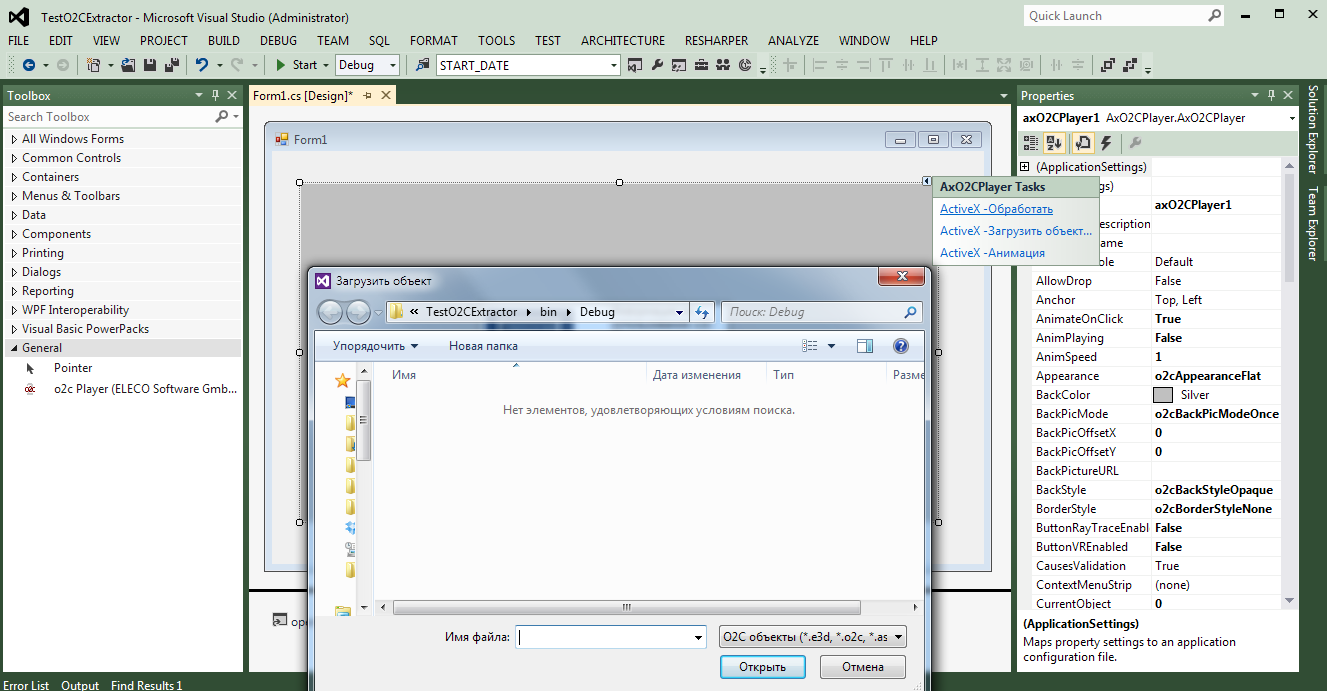
This engine out of the box has all the basic visualization features, and does not require special knowledge in the field of 3D graphics. O2СPlayer has an intuitive settings interface. The functions of rotation, movement, detail, animations of objects and others are presented. For tasks such as viewing the catalog of models, this is a very good solution.
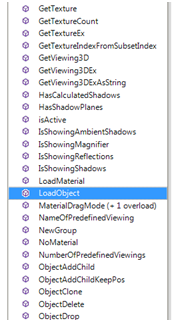
The component interface has over a hundred methods, properties, and events. But I was interested in the fact that the engine opens only files for visualization, it is impossible to transfer an array of data in memory for display. It is likely that to show the models, the directory program does the following:
Solution
Having sketched a simple utility using the FileSystemWatcher object from the System.IO namespace, I scanned all changes to the files on drive C. Indeed, before showing the next model in the program, in the folder @ “C: \ Users \ D395 ~ 1 \ AppData \ Local \ Temp \ .. ”creates a new file with an arbitrary name. The task was to copy this file with the right name to the right folder. Within an hour, all models were selected.
An attempt to parse the archive
I already had experience with 3ds and other graphic formats of models; I started looking for documentation of the O2C format. It was assumed that the file would consist of parts with specific headers (chunks), by which you can try to extract the model from the dat file. I could not find the documentation, I managed to find several ready-made models in the right format and the official website of the developer of visualization components. The binaries did contain similar headers. I analyzed the dat file for their repetition, it turned out to be about 600. This was clearly not enough, besides the headers were repeated randomly. An attempt to remove models directly from the file failed.
Framework research
I decided to postpone this task, especially since there were no concrete ideas for implementation. But after some time, the thought came whether to look at this visualization framework. Created a WinForms project in MSVS, connected the necessary COM O2CPlayer assemblies. After installing the official app, they are available from Com Reference. O2CPleer is available on the official website of the developer.
This engine out of the box has all the basic visualization features, and does not require special knowledge in the field of 3D graphics. O2СPlayer has an intuitive settings interface. The functions of rotation, movement, detail, animations of objects and others are presented. For tasks such as viewing the catalog of models, this is a very good solution.
The component interface has over a hundred methods, properties, and events. But I was interested in the fact that the engine opens only files for visualization, it is impossible to transfer an array of data in memory for display. It is likely that to show the models, the directory program does the following:
- Selects the desired model from the archive
- Creates a file on disk
- Passes the file name to render
Solution
Having sketched a simple utility using the FileSystemWatcher object from the System.IO namespace, I scanned all changes to the files on drive C. Indeed, before showing the next model in the program, in the folder @ “C: \ Users \ D395 ~ 1 \ AppData \ Local \ Temp \ .. ”creates a new file with an arbitrary name. The task was to copy this file with the right name to the right folder. Within an hour, all models were selected.