WebGL Terrain Render - 2
- Transfer
Part two
Welcome to the Trigger Rally game series in WebGL terrain rendering !
If you haven’t done it yet, then read the first part , in which I talk about the importance of minimizing data transfer between the processor and the video card, and also suggest storing static data about the height of each point of the landscape in the texture.
In this article I will talk about the structure of these vertices, as well as about morphing.
From a translator: the article has a lot of tongue-tied languages and technical inaccuracies. Help fix them!
Rings
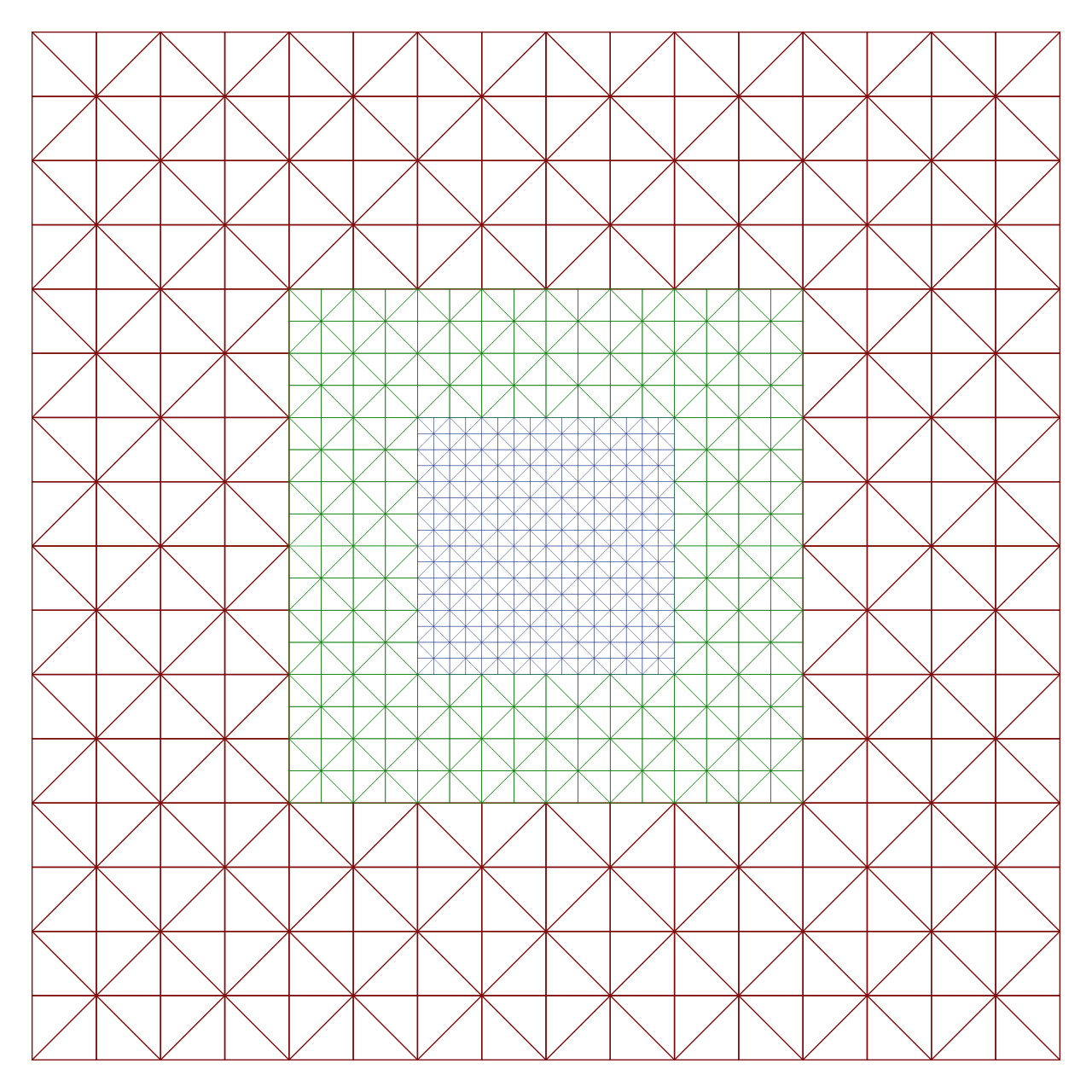
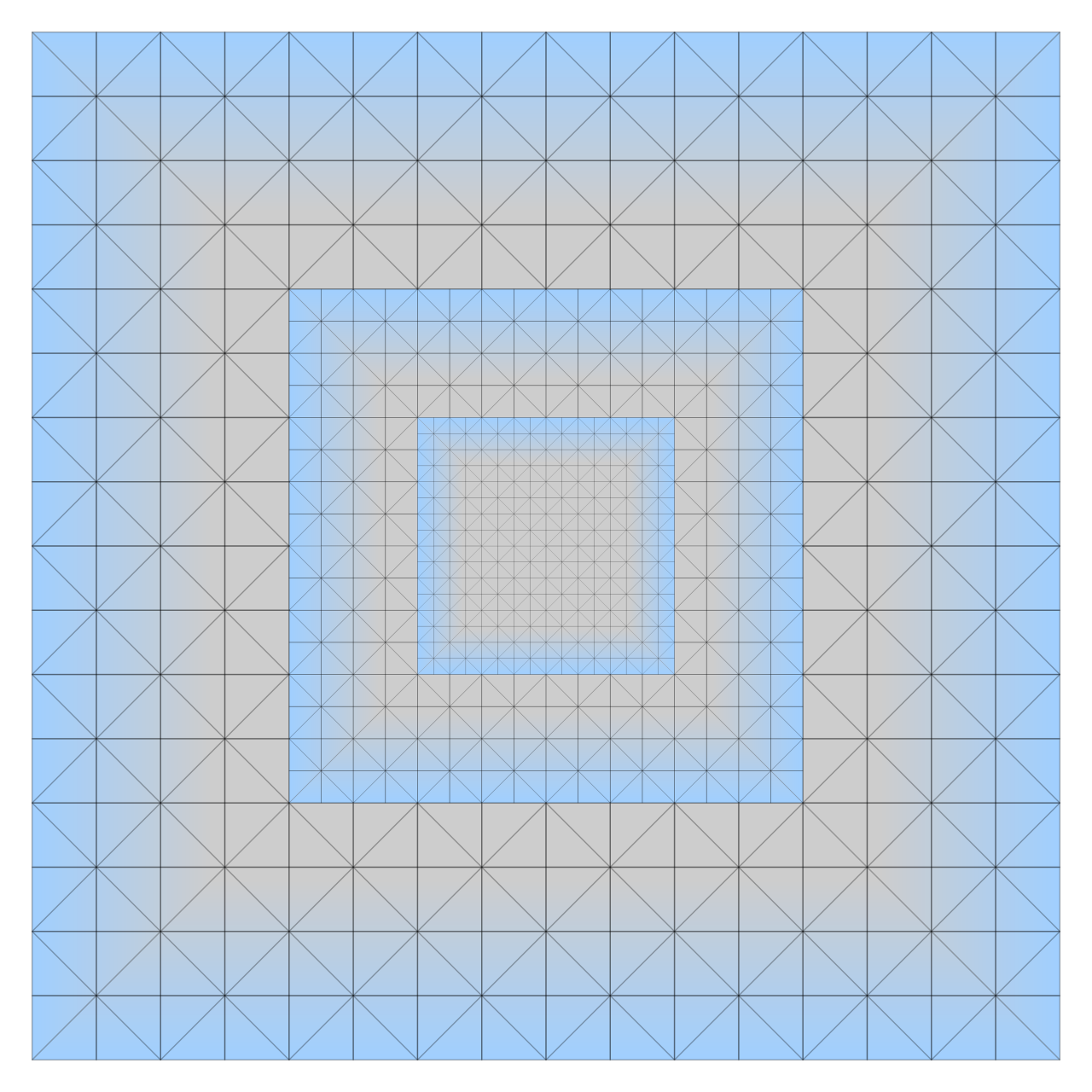
Geoclipmap rendering operates with square “rings” around the point of view, with each ring being two times larger than the previous one, but having half the resolution. Thanks to this, we see a smooth decrease in the number of vertices per unit plane, according to the principle: further - less. The inner ring is completely filled and has the highest resolution, becoming a simple square grid of triangles:
Repeating geometry can be translated without particularly noticeable changes, but it will seem that the edges have moved a bit:
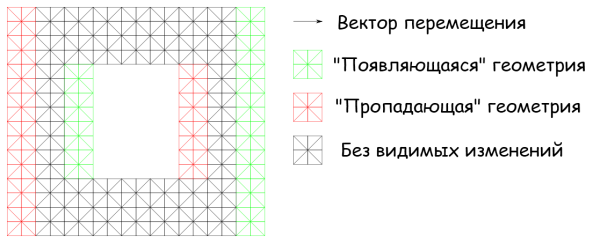
We can use this property to move the geometry relative to the camera.
Since each ring of triangles has its own size, and the distance for the transfer depends on the size, we must move the rings independently of each other. Therefore, the vertex shader must know which layer of vertices it moves to change it correctly.
In general, we need to know the following vertex parameters:
- X axis position
- Y axis position
- Layer number
In Trigger Rally, we use the [X, Y, Z] vector, and also get the number of the layer where the vertex is located, according to its position along the Z axis.
Stitching holes
Each ring has its own scale, in addition, each ring is shifted by an amount depending on the scale. Thus, a problem may arise - one ring is broadcast, but there is no adjacent one and a gap is formed between them:
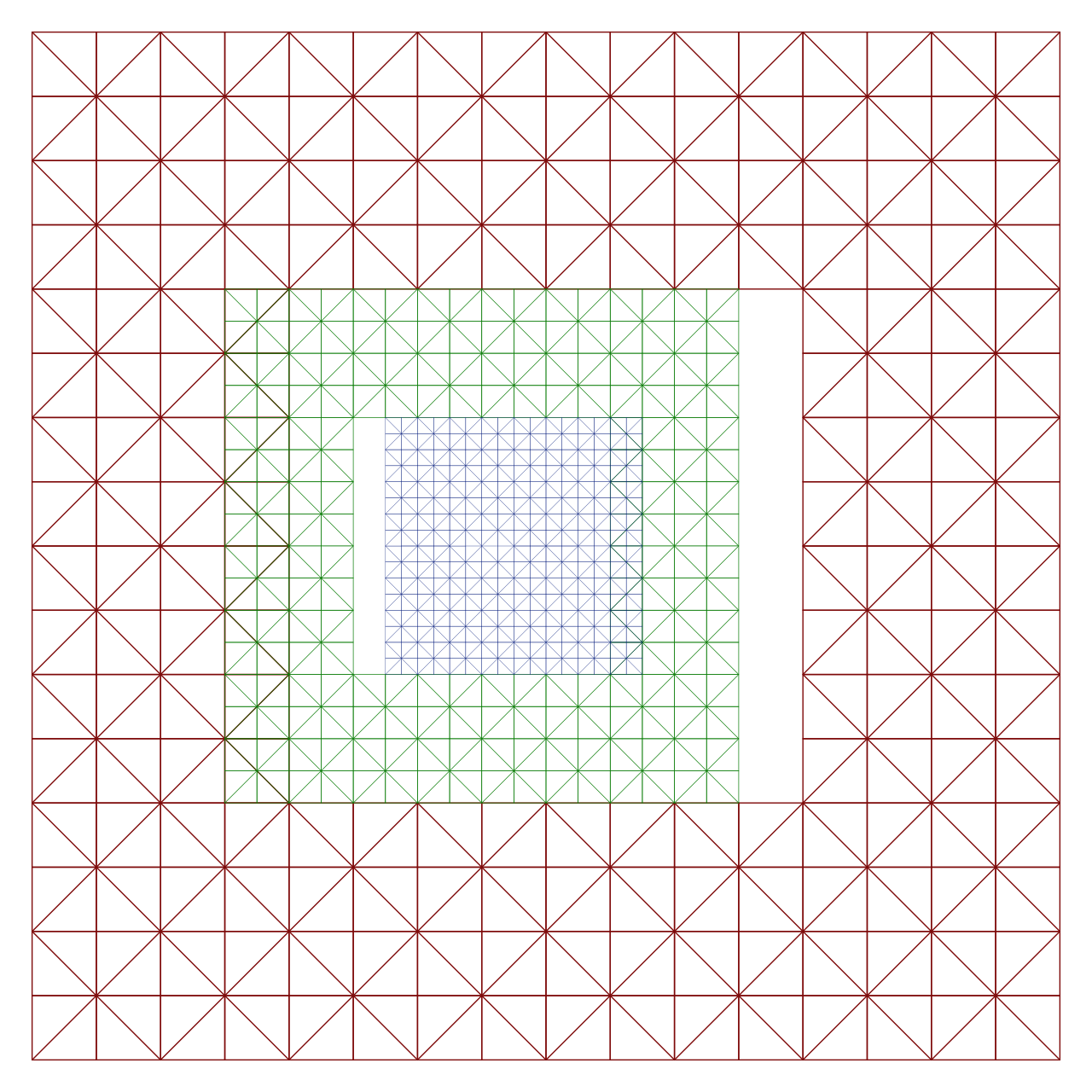
One of the ways to solve this problem is to add an additional “skirt” to the edge of the ring. According to this article , a skirt is assembled from many small pieces, for this, several vertex buffers and complex processor logic are used. But we don’t feel like it at all!
When implementing the landscape in Trigger Rally, I spent hours trying to find a productive and high-quality way to assemble a skirt, but alas, to no avail.
But at the last WebGL Camp Europe, I met Florian Bösch, and he suggested making the rings a little larger, thereby allowing them to intersect.
Now any more or less experienced graphics programmer will start yelling: “No! Geometry must not be allowed to intersect! It’s wasteful and terrible artifacts may appear ! ” But in reality, everything is not so bad - we really have to draw a little more, but if the geometry is well fitted, then this is really a great solution!
Morphing
At the boundary of the rings, we have a geometry of one resolution, which is in contact with a geometry that is half the size. We need to make transition areas on the edge of each ring, in which the geometry will smoothly "flow" from high resolution to low, so that the edge of one ring strictly coincides with the edge of the other.
This is how each vertex must be moved to match the next ring:
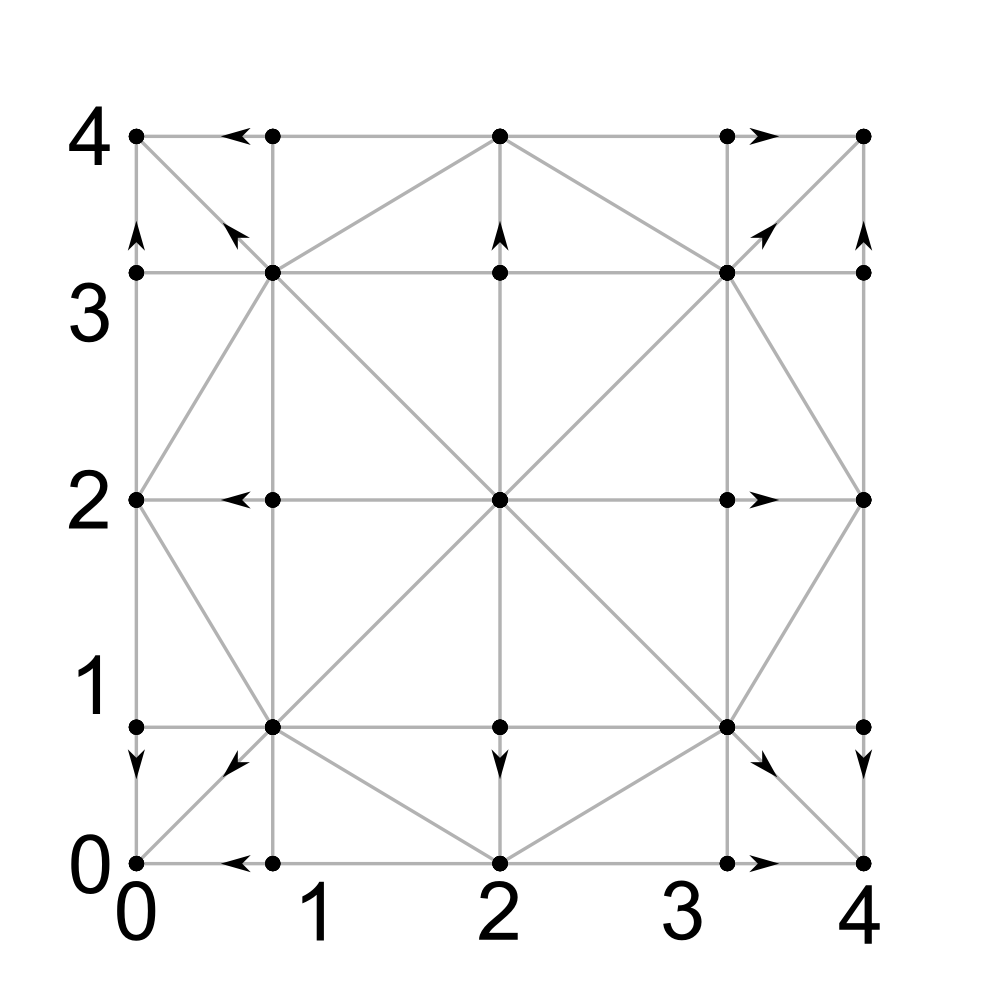
We must do this in the vertex shader. The easiest way is to include the morphing vector in the vertex data structure, but again, Florian suggested something better - use modular arithmetic !
To show how this works, let's present the data in a table:
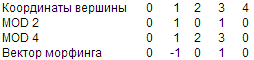
Thus, we can calculate the morphing vector, having only the coordinates of the vertices, using the following GLSL code:
vec2 morphVector = mod(position.xy, 2.0) * (mod(position.xy, 4.0) - 2.0);And all this without additional properties in the vertex structure! ( approx. Per .: hats off to this Florian )
Next will be ...
In the next post, I will talk about how the height map is stored in Trigger Rally and how it is processed in the vertex shader. Then we look at surface shading in the fragment shader, and finally, how to render the environment more efficiently.
Thank you for reading!