Elastic redundant S3-compatible storage in 15 minutes
- Tutorial
S3 today probably will not surprise anyone. It is used both as a backend storage for web services, and as a file storage in the media industry, and as an archive for backups.
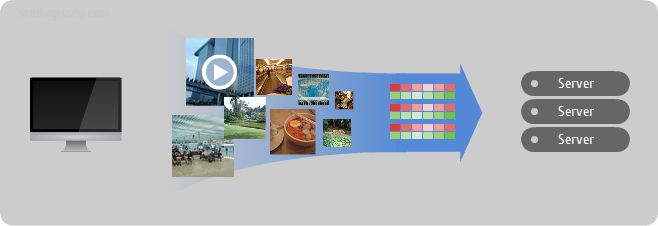
Consider a small deployment example of an S3-compatible storage based on Ceph object storage
Ceph is an open source development of flexible, easily scalable petabyte storage. The basis is the union of the disk spaces of several dozen servers in the object storage, which allows for flexible multiple pseudorandom data redundancy. Ceph developers complement this object store with three more projects:
In my example, I continue to use 3 to 3 SATA server disk each:
Also in this example, I use only one RADOS Gateway on node01 node. S3 interface will be available at
It is worth noting that at the moment Ceph supports such S3 operations http://ceph.com/docs/master/radosgw/s3/ .
Since I continue to use the already deployed Ceph cluster , I only need to correct the configuration a bit
and update it on other nodes
We include the necessary modules
Create VirtualHost for RADOS Gateway
Turn on the created VirtualHost and turn off the default
Create a FastCGI script
and make it executable
Create the necessary directory
Generate a key for the new RADOS Gateway service
and add it to the cluster
Restart Apache2 and RADOS Gateway
To use the S3 client, we need to get the keys
see the output of the command and copy the keys to your client
In order for buckets to work, we need a DNS server when requesting any subdomain to
For example, when creating a bucket with the name
In my case, I just add a CNAME record
In 15 minutes we managed to deploy S3-compatible storage. Now try connecting your favorite S3 client.
I asked sn00p about his experience using RADOS Gateway in production at 2GIS . Below is his review:
We have a varnish, 4 apaches of the radio gates are picked up by the backends. The application first climbs into the varnish, if there is a bummer, then the roundrobin breaks directly into Apaches. This thing presses 20,000 rps without problems on synthetic tests jmeter with access log for a month. Inside half a million photos, the workload on the frontend is about 300 rps.

Ceph so far on 5 machines, there is a separate disk for osd and a separate ssd for the magazine. Default replication, ^ 2. The system survives the fall of two nodes at the same time and thereafter with variations. For six months, not a single error has yet been shown to the client.
There are no problems with flexibility - the size of the storage, inodes, layout by catalogs - all this is in the past.
All this has been working with us for six months now and generally does not require administrator intervention))
Now I am trying to use Ceph for storing and uploading already 15 million files of ~ 4-200kb. With S3, this is not very convenient - there are no bulk-copy operations, you cannot delete a bucket with data in order to fill the storage initially - this is slowly PPC. Explore how to tighten it.
But the main task is the geocluster, we ourselves are in Siberia and want to send data from a geographically close point to the client. To Moscow, our content flies with a delay already - up to 100ms plus, this is not good. Well, Ceph developers seem to have everything in their plans .
Consider a small deployment example of an S3-compatible storage based on Ceph object storage
Quick reference
Ceph is an open source development of flexible, easily scalable petabyte storage. The basis is the union of the disk spaces of several dozen servers in the object storage, which allows for flexible multiple pseudorandom data redundancy. Ceph developers complement this object store with three more projects:
- RADOS Gateway - S3- and Swift-compatible RESTful interface
- RBD - a block device with support for thin growth and snapshots
- Ceph FS - Distributed POSIX-compliant file system
Example description
In my example, I continue to use 3 to 3 SATA server disk each:
/dev/sdaas a system and /dev/sdband /dev/sdca data object storage. Various programs, modules, and frameworks for working with S3 compatible storage can act as a client. I have successfully tested DragonDisk , CrossFTP and S3Browser . Also in this example, I use only one RADOS Gateway on node01 node. S3 interface will be available at
s3.ceph.labspace.studiogrizzly.com. It is worth noting that at the moment Ceph supports such S3 operations http://ceph.com/docs/master/radosgw/s3/ .
Let's get started
Step 0. Preparing Ceph
Since I continue to use the already deployed Ceph cluster , I only need to correct the configuration a bit
/etc/ceph/ceph.conf- add a definition for RADOS Gateway[client.radosgw.gateway]
host = node01
keyring = /etc/ceph/keyring.radosgw.gateway
rgw socket path = /tmp/radosgw.sock
log file = /var/log/ceph/radosgw.log
rgw dns name = s3.ceph.labspace.studiogrizzly.com
rgw print continue = false
and update it on other nodes
scp /etc/ceph/ceph.conf node02:/etc/ceph/ceph.conf
scp /etc/ceph/ceph.conf node03:/etc/ceph/ceph.conf
Step 1. Install Apache2, FastCGI and RADOS Gateway
aptitude install apache2 libapache2-mod-fastcgi radosgw
Step 2. Configuring Apache
We include the necessary modules
a2enmod rewrite
a2enmod fastcgi
Create VirtualHost for RADOS Gateway
/etc/apache2/sites-available/rgw.confFastCgiExternalServer /var/www/s3gw.fcgi -socket /tmp/radosgw.sock
ServerName s3.ceph.labspace.studiogrizzly.com
ServerAdmin [email protected]
DocumentRoot /var/www
RewriteEngine On
RewriteRule ^/([a-zA-Z0-9-_.]*)([/]?.*) /s3gw.fcgi?page=$1¶ms=$2&%{QUERY_STRING} [E=HTTP_AUTHORIZATION:%{HTTP:Authorization},L]
Options +ExecCGI
AllowOverride All
SetHandler fastcgi-script
Order allow,deny
Allow from all
AuthBasicAuthoritative Off
Turn on the created VirtualHost and turn off the default
a2ensite rgw.conf
a2dissite default
Create a FastCGI script
/var/www/s3gw.fcgi:#!/bin/sh
exec /usr/bin/radosgw -c /etc/ceph/ceph.conf -n client.radosgw.gateway
and make it executable
chmod +x /var/www/s3gw.fcgi
Step 3. Preparing the RADOS Gateway
Create the necessary directory
mkdir -p /var/lib/ceph/radosgw/ceph-radosgw.gateway
Generate a key for the new RADOS Gateway service
ceph-authtool --create-keyring /etc/ceph/keyring.radosgw.gateway
chmod +r /etc/ceph/keyring.radosgw.gateway
ceph-authtool /etc/ceph/keyring.radosgw.gateway -n client.radosgw.gateway --gen-key
ceph-authtool -n client.radosgw.gateway --cap osd 'allow rwx' --cap mon 'allow r' /etc/ceph/keyring.radosgw.gateway
and add it to the cluster
ceph -k /etc/ceph/ceph.keyring auth add client.radosgw.gateway -i /etc/ceph/keyring.radosgw.gateway
Step 4. Launch
Restart Apache2 and RADOS Gateway
service apache2 restart
/etc/init.d/radosgw restart
Step 5. Create the first user
To use the S3 client, we need to get the keys
access_keyand secret_keyfor the new userradosgw-admin user create --uid=i --display-name="Igor" [email protected]
see the output of the command and copy the keys to your client
Step 6. DNS
In order for buckets to work, we need a DNS server when requesting any subdomain to
s3.ceph.labspace.studiogrizzly.compoint to the IP address of the host where RADOS Gateway is running. For example, when creating a bucket with the name
mybackups- the domain mybackups.s3.ceph.labspace.studiogrizzly.com.must point to the IP address of node01, which is 192.168.2.31. In my case, I just add a CNAME record
* IN CNAME node01.ceph.labspace.studiogrizzly.com.
Afterword
In 15 minutes we managed to deploy S3-compatible storage. Now try connecting your favorite S3 client.
Bonus part
I asked sn00p about his experience using RADOS Gateway in production at 2GIS . Below is his review:
general description
We have a varnish, 4 apaches of the radio gates are picked up by the backends. The application first climbs into the varnish, if there is a bummer, then the roundrobin breaks directly into Apaches. This thing presses 20,000 rps without problems on synthetic tests jmeter with access log for a month. Inside half a million photos, the workload on the frontend is about 300 rps.
Ceph so far on 5 machines, there is a separate disk for osd and a separate ssd for the magazine. Default replication, ^ 2. The system survives the fall of two nodes at the same time and thereafter with variations. For six months, not a single error has yet been shown to the client.
There are no problems with flexibility - the size of the storage, inodes, layout by catalogs - all this is in the past.
Solution Features
- Five HP Proliant Gen8 DL360e servers. For Ceph tasks on each server, one 300 GB SAS 15krpm is allocated. To significantly improve performance, osd daemon logs are rendered on Hitachi Ultrastar 400M ssd drives.
- Two kvm virtual machines with apache2 and radosgw inside. How nginx works with FastCGI I personally did not like. Nginx uses buffering during the upload before delivering the content to the backend. Theoretically, problems can occur with large files or streams. But, a matter of taste and situation, nginx also works.
- Apache2 use a modified one that allows processing
100-continue HTTP response. Ready-made packages can be taken here . - An application with varnish looks at both nodes with radosgw. There can be any cache or balancer. If it crashes, the application can poll radosgw directly:to uncover
backend radosgw1 { .host = "radosgw1"; .port = "8080"; .probe = { .url = "/"; .interval = 2s; .timeout = 1s; .window = 5; .threshold = 3; } } backend radosgw2 { .host = "radosgw2"; .port = "8080"; .probe = { .url = "/"; .interval = 2s; .timeout = 1s; .window = 5; .threshold = 3; } } director cephgw round-robin { { .backend = radosgw1; } { .backend = radosgw2; } } - Each application has its own bucket. Various acl are supported, you can flexibly adjust the access rights for the bucket and for each object in it.
- For work with all kitchen we use
python-boto. Here is an example python script (caution, indentation) that can fill everything in the bucket from the file system. This method is convenient for batch processing of a bunch of files in automatic mode. If you don’t like python - no problem, you can use other popular languages.to uncover#!/usr/bin/env python import fnmatch import os, sys import boto import boto.s3.connection access_key = 'insert_access_key' secret_key = 'insert_secret_key' pidfile = "/tmp/copytoceph.pid" def check_pid(pid): try: os.kill(pid, 0) except OSError: return False else: return True if os.path.isfile(pidfile): pid = long(open(pidfile, 'r').read()) if check_pid(pid): print "%s already exists, doing natting" % pidfile sys.exit() pid = str(os.getpid()) file(pidfile, 'w').write(pid) conn = boto.connect_s3( aws_access_key_id = access_key, aws_secret_access_key = secret_key, host = 'cephgw1', port = 8080, is_secure=False, calling_format = boto.s3.connection.OrdinaryCallingFormat(), ) mybucket = conn.get_bucket('test') mylist = mybucket.list() i = 0 for root, dirnames, filenames in os.walk('/var/storage/photoes', followlinks=True): for filename in fnmatch.filter(filenames, '*'): myfile = os.path.join(root,filename) key = mybucket.get_key(filename) i += 1 if not key: key = mybucket.new_key(filename) key.set_contents_from_filename(myfile) key.set_canned_acl('public-read') print key print i os.unlink(pidfile) - Out of the box, radosgw is very talkative and, under normal load, generates large log files. Under our loads, we necessarily reduced the level of logging:to uncover[client.radosgw.gateway]
...
debug rgw = 2
rgw enable ops log = false
log to stderr = false
rgw enable usage log = false
... - For monitoring, we use the template for Zabbix, the source can be taken here .
All this has been working with us for six months now and generally does not require administrator intervention))
Future plans
Now I am trying to use Ceph for storing and uploading already 15 million files of ~ 4-200kb. With S3, this is not very convenient - there are no bulk-copy operations, you cannot delete a bucket with data in order to fill the storage initially - this is slowly PPC. Explore how to tighten it.
But the main task is the geocluster, we ourselves are in Siberia and want to send data from a geographically close point to the client. To Moscow, our content flies with a delay already - up to 100ms plus, this is not good. Well, Ceph developers seem to have everything in their plans .