May 23, 2012 at 19:53
Review ultrabook Acer Aspire S3
One of the first Acer Aspire S3 ultrabooks is of interest primarily due to its low price. All Intel design requirements are met, the model is on sale, what are the advantages of hiding this compact computer?

To my regret, the first of the ultrabooks came to me with the ASUS Zenbook UX31E, and after that I involuntarily compare each next one with it. I will try to move away from this practice and impartially tell the hawkers about the Acer Aspire S3.
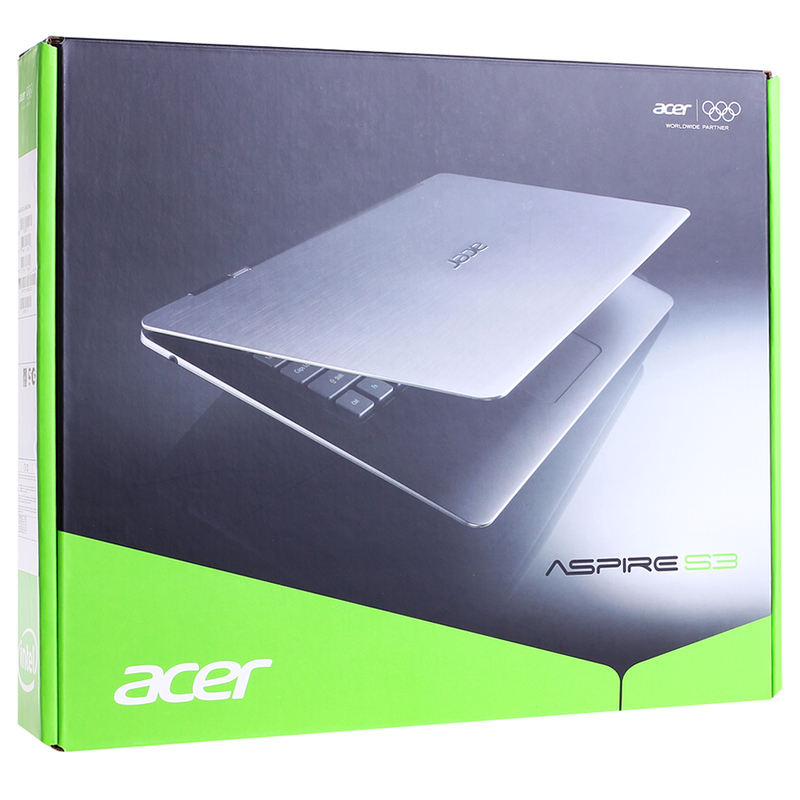
I will not be original and I will say that the theater begins with a hanger. Packaging Acer Aspire S3 is quite common for this manufacturer. The combination of green and gray colors prevails in the design of the box. In addition to a beautiful photo of an ultrabook on the box, you can find a sticker with a detailed specification of the device. Inside, everything is arranged somewhat randomly. The ultrabook itself lies on top and is covered with a thin sheet of cardboard. But underneath it is a whole cardboard cave, which is full of free space and a minimum of useful additions. Everything is packed securely, the probability of damage during transportation is very low.
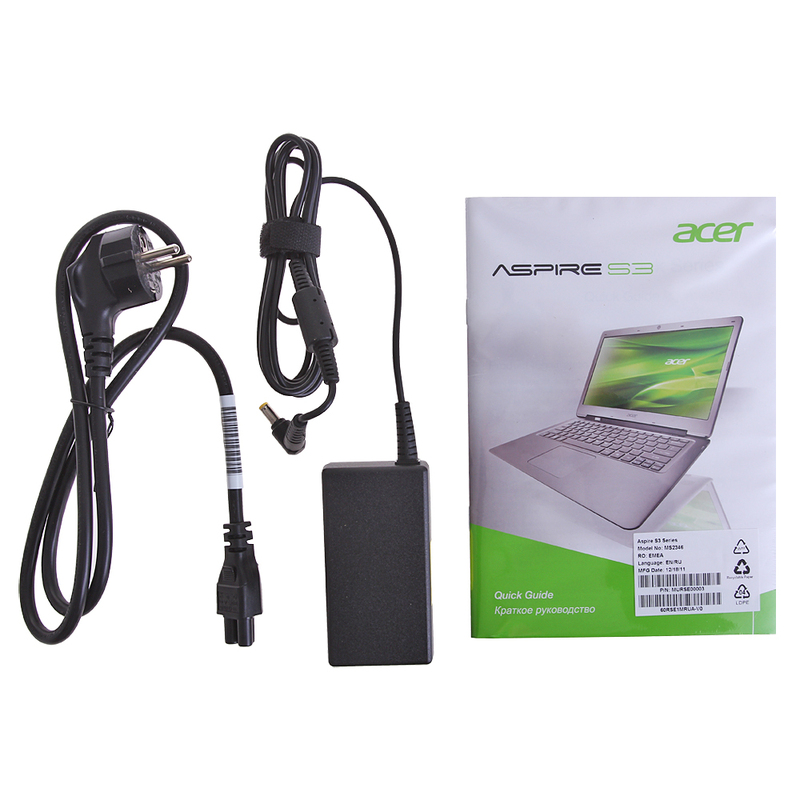
The kit (if you can say that about the charger) is small. In addition to the memory, there are only a couple of brochures with information about the ultrabook and the international guarantee. There are no software disks; a hidden partition is provided on the hard drive for system recovery. Bonuses like a USB-Ethernet adapter or an ultrabook case are not provided. I would like to express my wishes to all manufacturers of ultrabooks right away - since the prices are extremely far from the recommended Intel, pleasant additions in the kit will not be superfluous for devices worth about 1000 euros.
The Acer Aspire S3 laptop family includes several models with different processors and storage systems. In my hands is the Acer Aspire S3-951-2464G34iss, which translated into the language of people means:
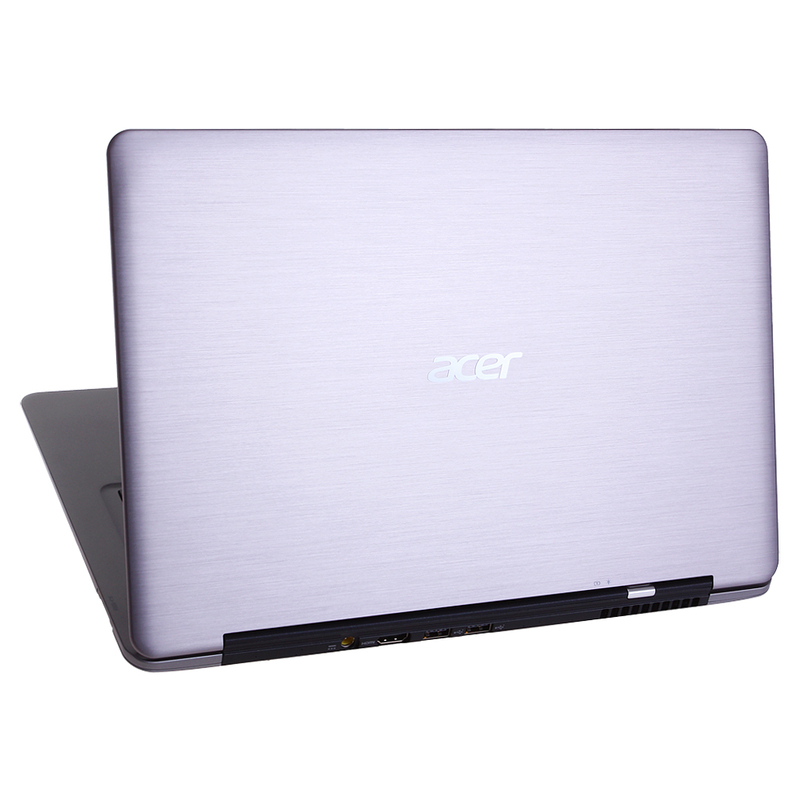
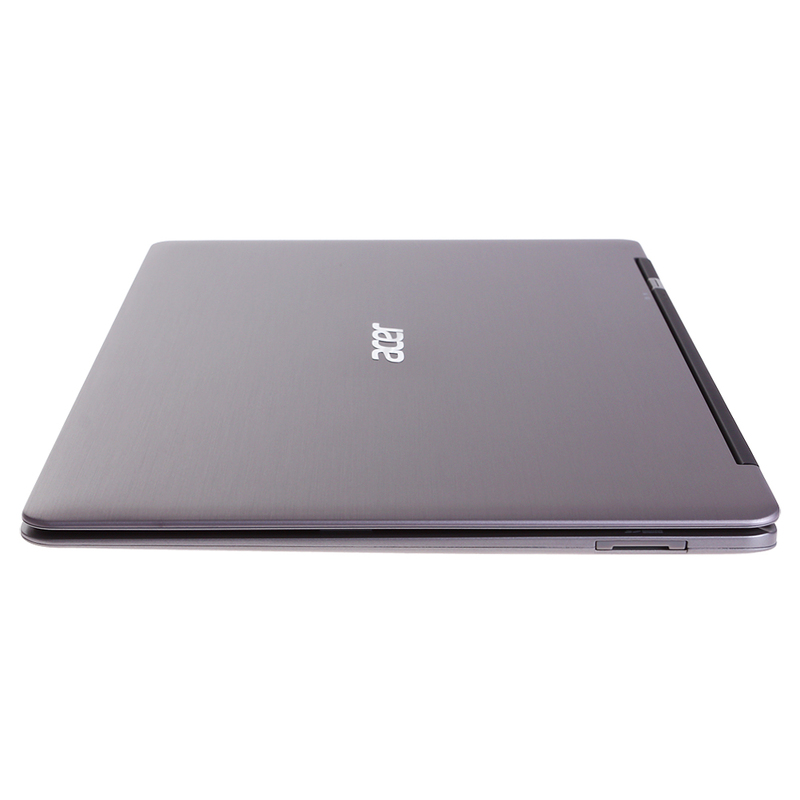
What is written in the passport of the Acer Aspire S3 is clear. Now to the portrait. The color scheme of ultrabooks is almost the same, brushed aluminum solves. The case, made of magnesium-aluminum alloy, looks solid and very similar ... Yes, however, what am I, because these are completely different development paths. Intel independently invented and developed the direction of ultrabooks. The manufacturer’s company logo is on the top lid, by the way so far not a single vendor has made the logo glowing, which would be very funny.
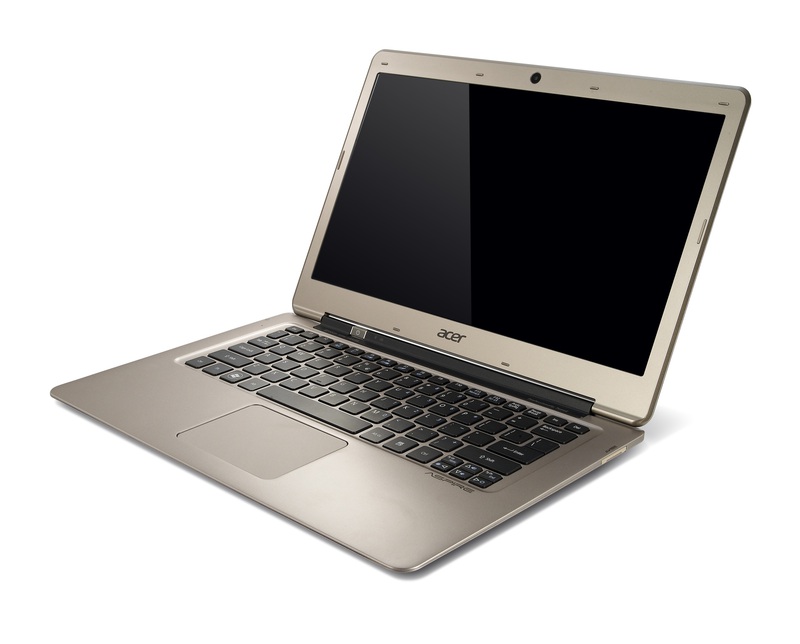
By the way, in addition to the sample that fell into my hands, there is another color scheme - “champagne”.
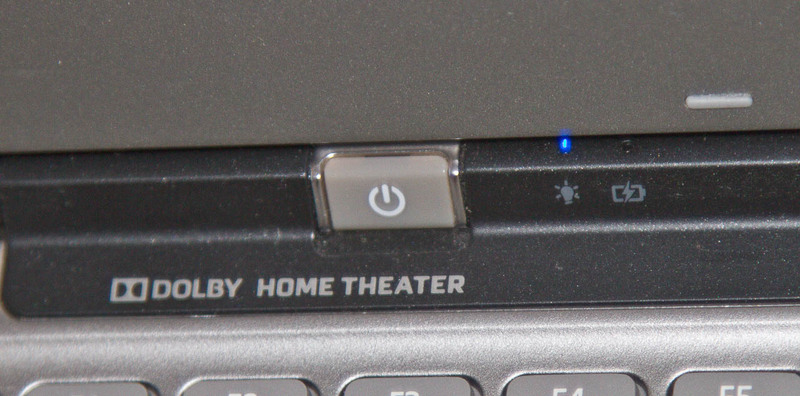
The power button for the ultrabook is located extraordinary - on the fold between the display and the keyboard. An interesting, but for me, an inconvenient decision by the designer. Next to the power button are two LED indicators: wireless network activity and power.
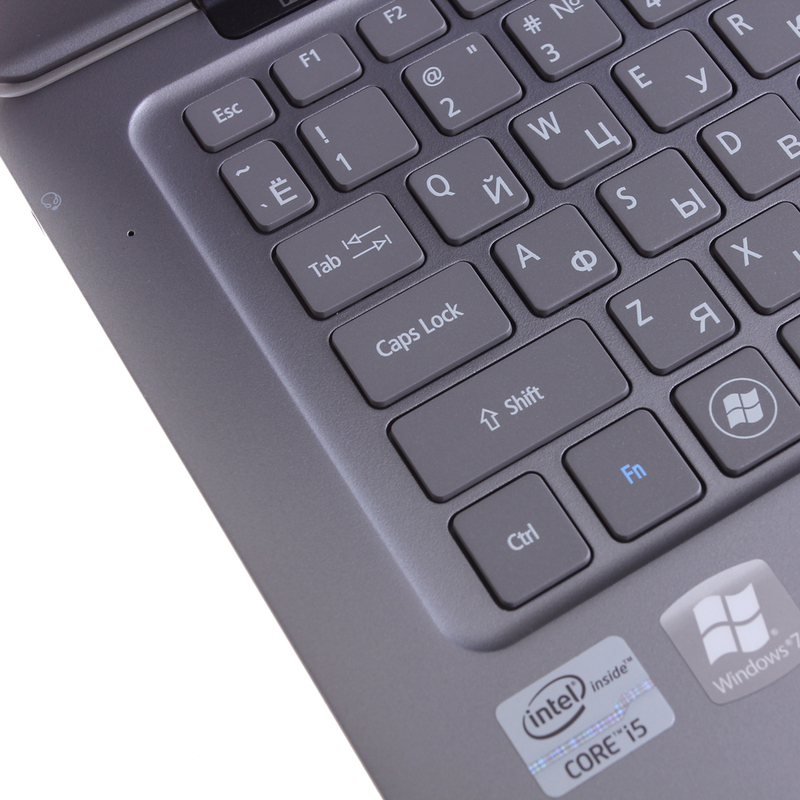
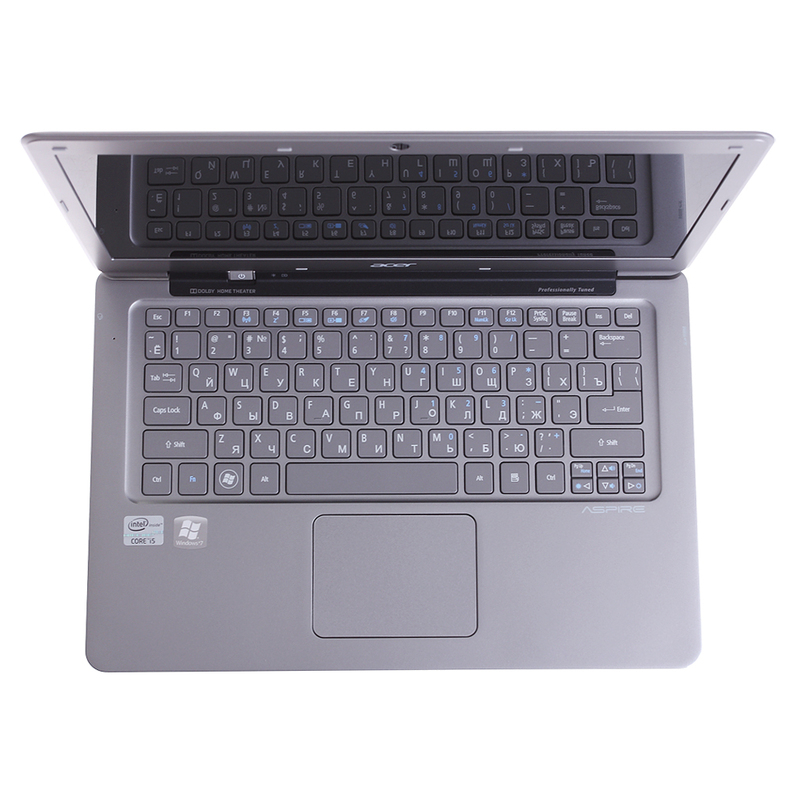
The Acer Aspire S3 keyboard has several specific features. Firstly, the keys are separate, it’s fun and convenient, because the entire board doesn’t walk at hand. Secondly, the Enter key is for some reason stylistically combined with the slash key; however, this does not affect work. Thirdly, the cursor block is small and not very convenient, this problem can easily be solved by the presence of a mouse, although if someone often uses the PageUp and PageDown keys, the addiction process will not be quick. The keys are gray, the color of the case, the inscriptions on them are applied in white paint and are well read. No backlight.
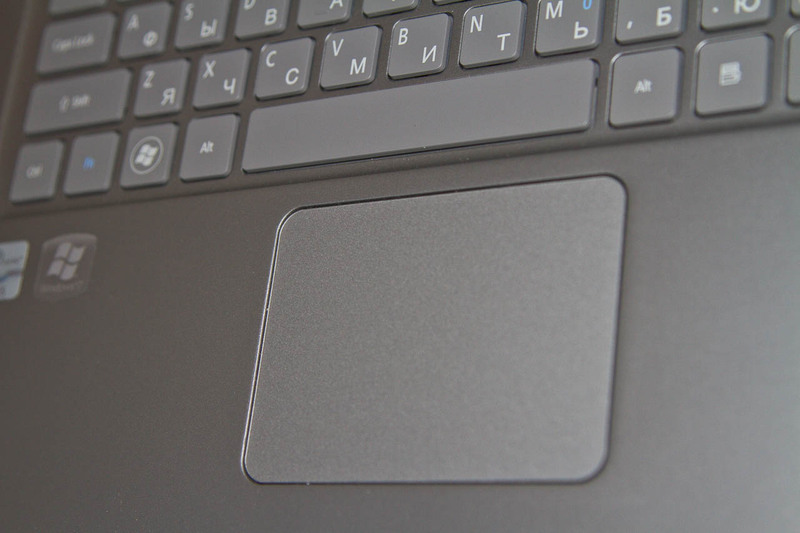
The touchpad is solid. The keys are hidden under the panel and do not stand out structurally. A similar solution is used in the MacBook. The panel is endowed with sensitivity to multi-touch, it’s convenient to control the cursor, I didn’t notice any features and drawbacks when working.
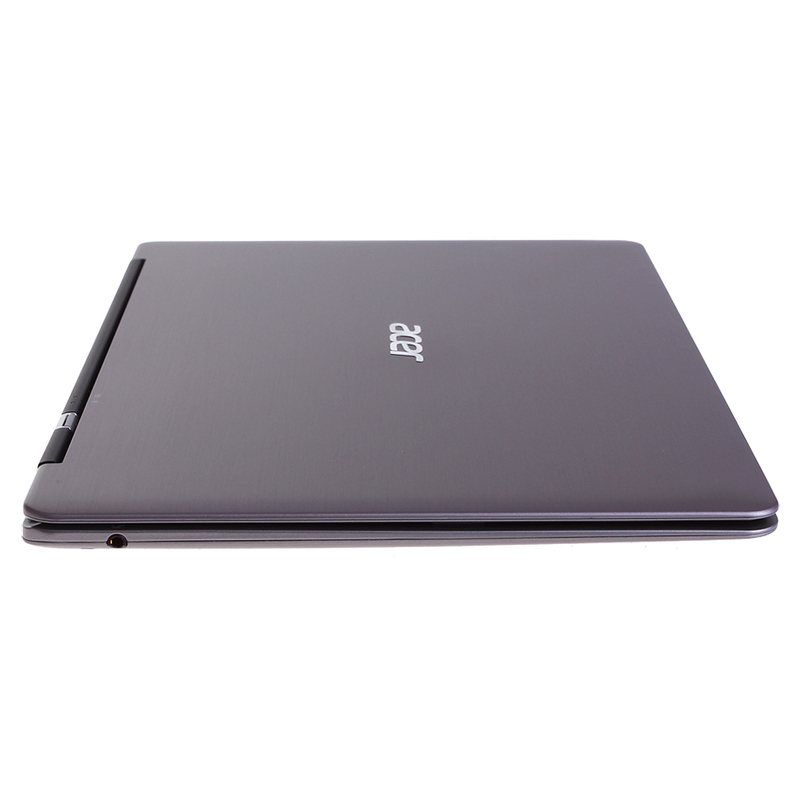
The side panels are practically clean. On the right is only an SDHC memory card slot. On the left is a combined audio jack for connecting headphones or a headset.
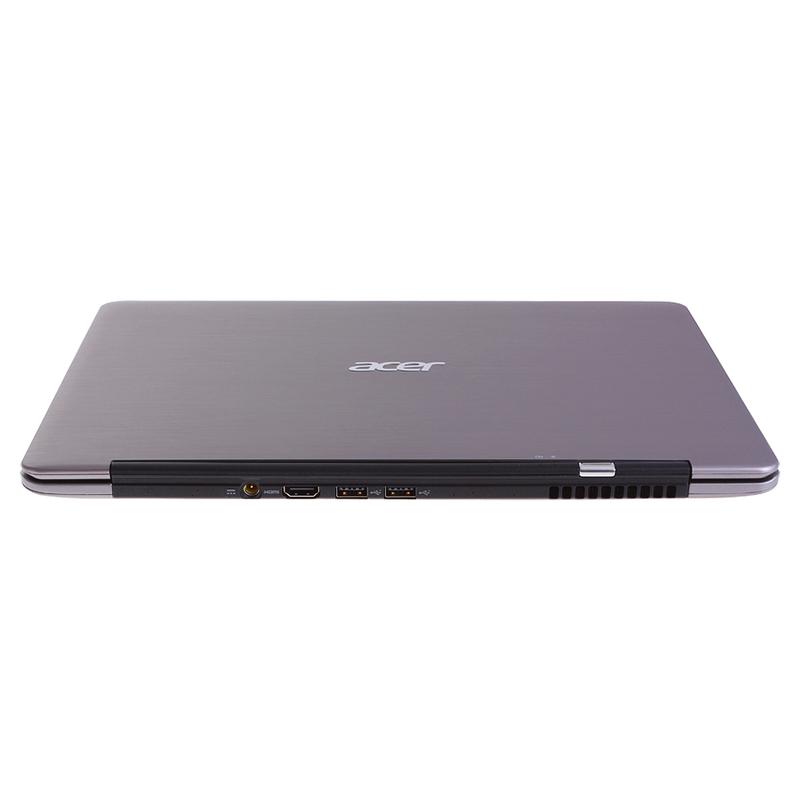
The power connector, HDMI port and two USB 2.0 ports are hidden on the back of the ultrabook along with a ventilation grill. A controversial decision, it would be inconvenient for me to work on the road when the external hard drive is connected with a short wire. In addition, the lack of a port (at least one) of USB 3.0 deserves criticism, as this interface is becoming increasingly popular. And the quantity is also frustrating - again, just two USB. You could try to solve the problem by using a mini-HDMI connector and then put the third USB on the rear panel. The device connection itself is also not very convenient, every time you have to look for a connector by touch or close the ultrabook cover.
The screen is glossy. When will all laptops become dull? Resolution 1366 * 768 is widespread and unlikely in the near future, especially in entry-level ultrabooks, we will see other matrices. A TN matrix is used, therefore both viewing angles and color rendition leave much to be desired.
The audio system in the Acer Aspire S3 supports the Dolby Home Theater standard. The speakers are located on the sides on the bottom surface of the case. The quality of music playback did not seem ideal to me. In the films, the speakers squealed a little, as if they could not reproduce the high frequencies.
In general, the portrait of the ultrabook is complete and stylish, but not without flaws. If you choose solely on external grounds, the Acer Aspire S3 is a good candidate. However, it was decided to see off wisely.
General information about the system is given at the beginning of the review, now detailed information about the most important components.
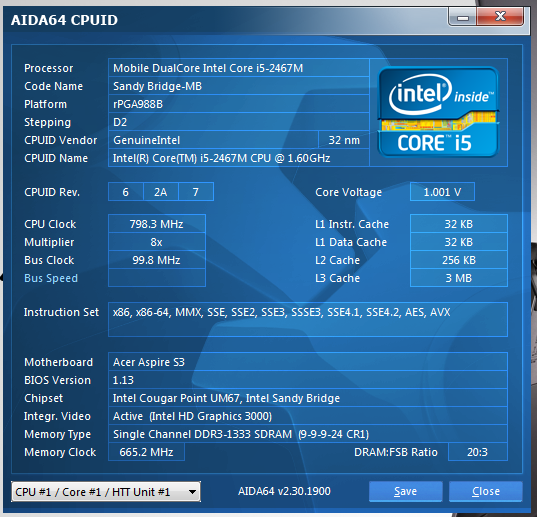
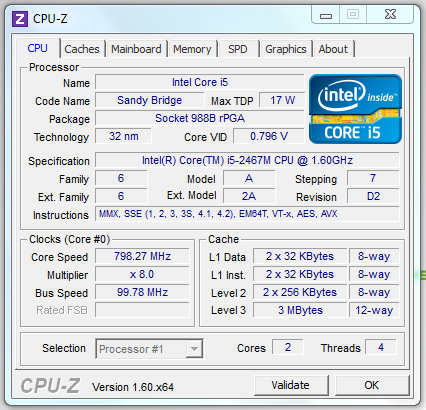
The ultrabook Acer Aspire S3 uses an Intel Core i5-2467M processor. It belongs to the second generation of Intel Core i processors - Sandy Bridge. Two physical cores supporting Hyper Threading technology are capable of processing four data streams simultaneously. The nominal processor clock speed is 1.6 GHz. In idle or at low load, this figure is reduced to 800 MHz, in TurboBoost mode, the maximum frequency rises to 2.3 GHz. The heat dissipation of the processor is only 17 watts.
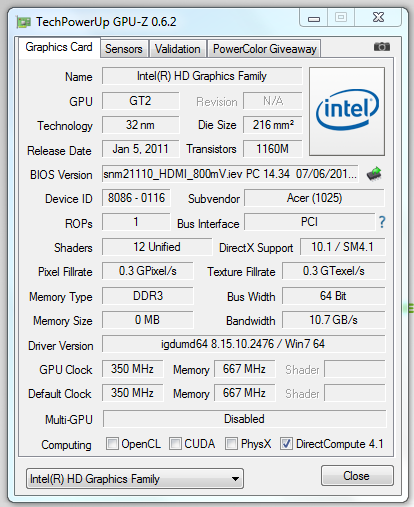
The Intel HD Graphics 3000 graphics card is part of the processor. The frequency of the graphic part varies from 350 MHz to 1.15 GHz, depending on the load and the application that uses the graphics resources. Video memory uses up to 1024 MB of RAM.
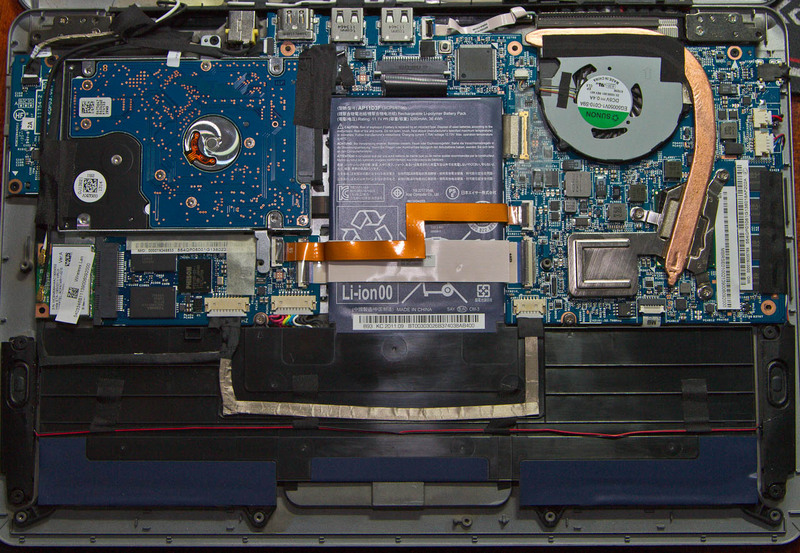
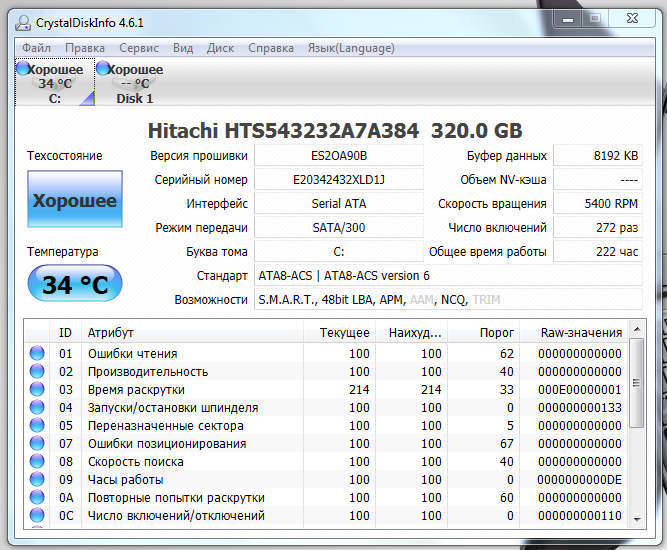
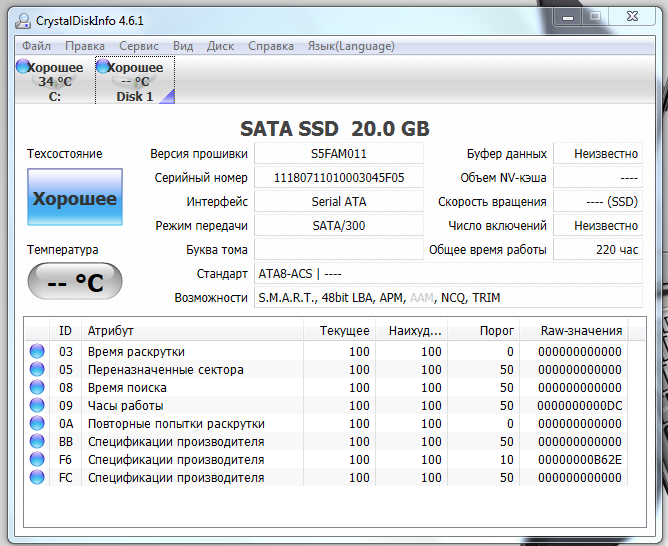
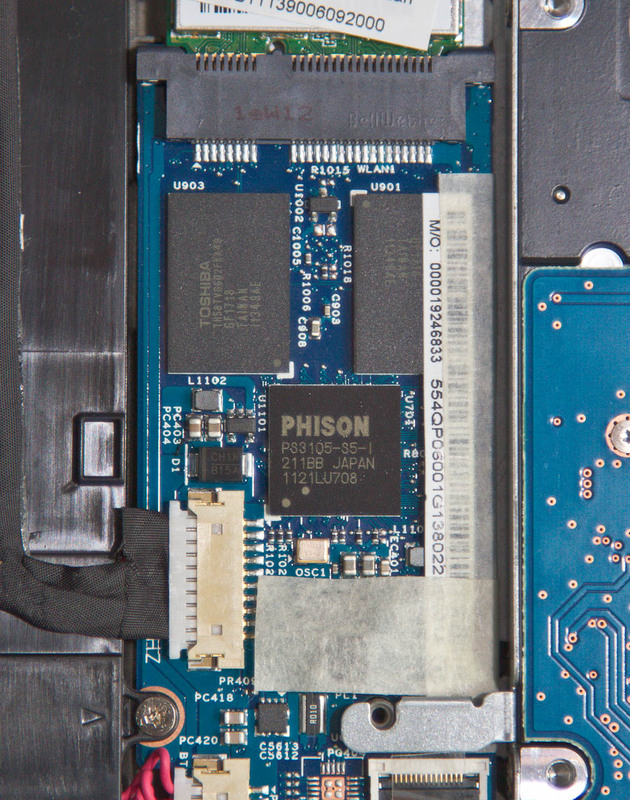
The storage system in the Acer Aspire S3 consists of two parts - the classic Hitachi SATA II HDD with a capacity of 320 GB and a caching SSD with a capacity of 20 GB. SSD is not available for data recording and is used to cache information and store data when the ultrabook is in hibernation mode. This solution allows you to observe the conditions of Intel - almost instantly awakening and ready to work when you open the lid of the laptop.
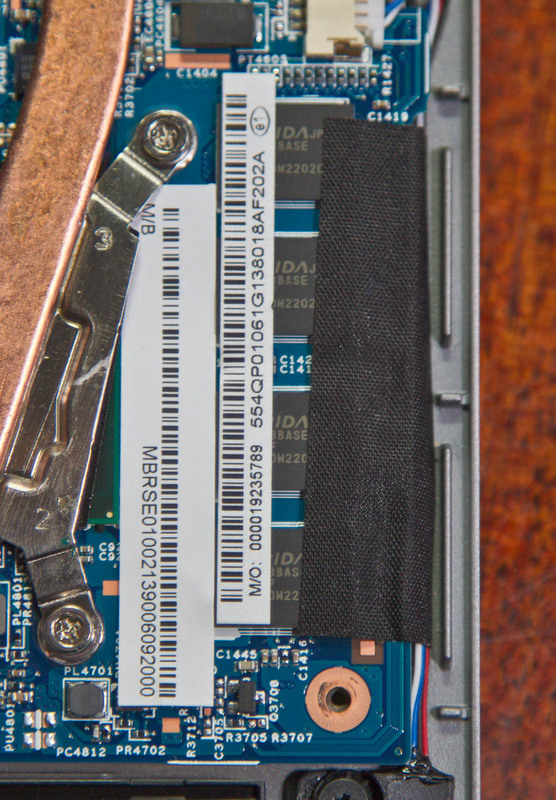
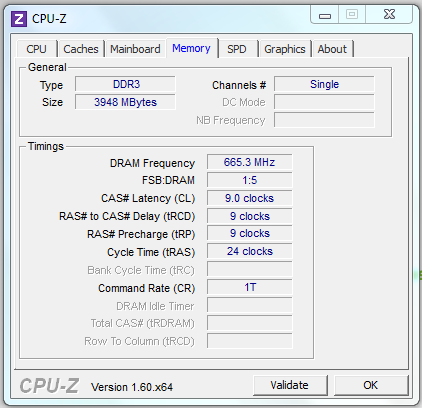
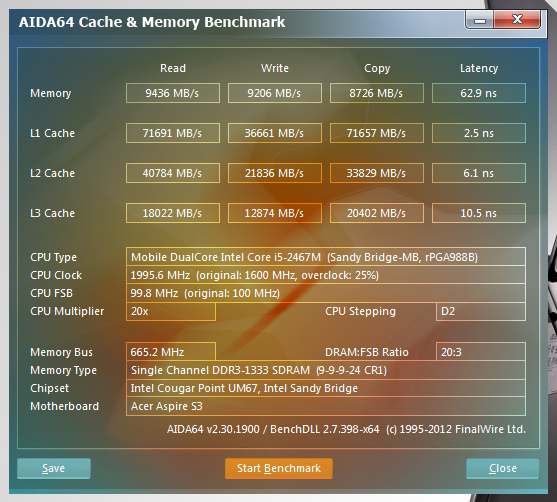
RAM standard DDR3 soldered on the motherboard ultrabook, upgrade and can not be replaced, but it works in single-channel mode. What are the disadvantages that are immediately visible: one memory chip flew out - replacing the entire motherboard, and the lack of the ability to speed up the work. In dual-channel mode, the chipset would give about 50% higher read / write results from memory.
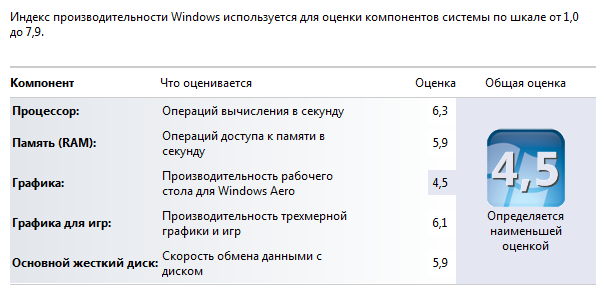
The easiest, but not the most accurate way to measure the performance of a device with Windows 7 installed is to use the built-in performance rating feature. With a maximum possible score of 7.9, the Acer Aspire S3 Ultrabook scores 4.5 points. Not the most brilliant performance. The weak point of the Windows 7 system is the video card.
Tests for evaluating the integrated performance of the PC Mark 7 and PC Mark Vantage showed 1871 and 5054 points. In order to understand the scale of performance, I can say that a modern desktop system with an Intel Core i7 processor and SSD drive is gaining 5600 and 22000, respectively, that is, four times as much.
The speed of the hard drive corresponds to the performance of a regular laptop drive, the SSD, as I wrote above, is not directly involved in the storage of information and read-write operations.
The performance of the integrated graphics system is at the level of discrete graphics solutions two years ago, and, nevertheless, you can play modern games with average settings.
RAM is represented in sufficient quantities, but due to the single-channel system a decent part of the performance is lost.
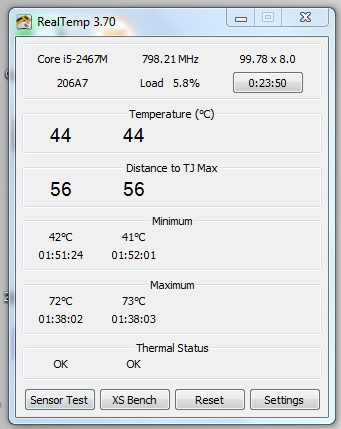
During office work, the Acer Aspire S3 ultrabook does not heat up very much and the noise level is within reasonable limits, but if the tasks that are set for the ultrabook are a little more complicated, the temperature starts to rise. To emulate working with multimedia, I used the Creativity test from the PC Mark 7 test. As a result, the processor warmed up to 72 degrees, and the fan noise became annoying and loud.
The battery life I tried to measure with a new test from Futuremark - PowerMark. The test operation scheme is very simple - you charge the battery by 100%, set the usage scenario, turn off the external power, wait until the battery runs out. When 15% of the battery charge remains, the test will show the runtime when performing tasks typical of the selected scenario. The program is protected scripts Balanced, Productivity and Entertainment. When choosing Balanced, the battery lasted 2 hours 29 minutes. Not much, but since the new test cannot be trusted 100%, I will continue to use it for reviews and an understanding of the adequacy of the results will definitely come.
The final thoughts about the Acer Aspire S3 ultrabook are as follows: this is one of the first ultrabooks on the market, so it has some flaws. The list of positive aspects includes: a convenient keyboard, adequate price, an interesting combination of SSD and HDD, a fairly fast processor. Negative emotions aroused: matrix (its glossiness), inconvenient location of USB ports.
Such a device has significantly more pluses than minuses, and in the near future, as Intel and partners promise us, ultrabooks will become even easier, cheaper and even more productive. Although I would turn my attention to a lightweight inexpensive machine with a mobile Core i3 and a small fast SSD, exclusively for work tasks. Acer Aspire S3 is getting close enough to this view.
To my regret, the first of the ultrabooks came to me with the ASUS Zenbook UX31E, and after that I involuntarily compare each next one with it. I will try to move away from this practice and impartially tell the hawkers about the Acer Aspire S3.
I will not be original and I will say that the theater begins with a hanger. Packaging Acer Aspire S3 is quite common for this manufacturer. The combination of green and gray colors prevails in the design of the box. In addition to a beautiful photo of an ultrabook on the box, you can find a sticker with a detailed specification of the device. Inside, everything is arranged somewhat randomly. The ultrabook itself lies on top and is covered with a thin sheet of cardboard. But underneath it is a whole cardboard cave, which is full of free space and a minimum of useful additions. Everything is packed securely, the probability of damage during transportation is very low.
The kit (if you can say that about the charger) is small. In addition to the memory, there are only a couple of brochures with information about the ultrabook and the international guarantee. There are no software disks; a hidden partition is provided on the hard drive for system recovery. Bonuses like a USB-Ethernet adapter or an ultrabook case are not provided. I would like to express my wishes to all manufacturers of ultrabooks right away - since the prices are extremely far from the recommended Intel, pleasant additions in the kit will not be superfluous for devices worth about 1000 euros.
The Acer Aspire S3 laptop family includes several models with different processors and storage systems. In my hands is the Acer Aspire S3-951-2464G34iss, which translated into the language of people means:
| CPU | Intel Core i5 2467M (1.6 GHz, TurboBoost mode up to 2.3 GHz), 2 cores, L3 cache 3 MB, NT, TDP 17 W |
| Chipset | Intel UM67 Express, TDP 3.4 W |
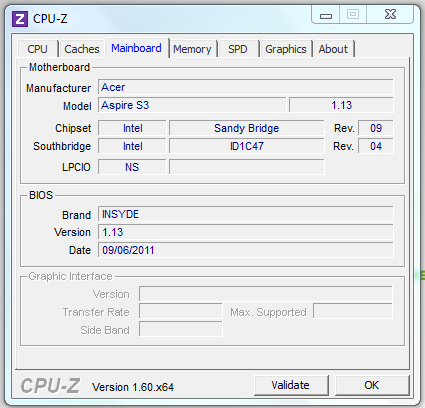
| RAM | 4 GB DDR3 1333 MHz in single-channel mode, non-removable soldered on the board (Elpida BASE chips) |
| Video card | Intel HD Graphics 3000, the core frequency is dynamically changed from 350 MHz to 1150 MHz |
| Network devices | Wi-Fi 802.11 b / g / n (Atheros AR5B225), Bluetooth |
| Storage System | HDD: Hitachi 320 Gb SATA II |
| SSD: caching 20 Gb (Phison PS3105-S5-I controller, Toshiba 32 nm memory, non-removable, soldered to the board) | |
| Integrated devices | Webcam 1.3 MP, microphone, SD / MMC card reader |
| Ports for connecting devices | Two USB 2.0 ports, one HDMI port, one combo audio jack |
| Display | 13.3 ", resolution 1366 * 768 |
| Battery | 3-cell, Li-Pol, 3260 mAh |
| Weight | 1.33 kg |
What is written in the passport of the Acer Aspire S3 is clear. Now to the portrait. The color scheme of ultrabooks is almost the same, brushed aluminum solves. The case, made of magnesium-aluminum alloy, looks solid and very similar ... Yes, however, what am I, because these are completely different development paths. Intel independently invented and developed the direction of ultrabooks. The manufacturer’s company logo is on the top lid, by the way so far not a single vendor has made the logo glowing, which would be very funny.
By the way, in addition to the sample that fell into my hands, there is another color scheme - “champagne”.
The power button for the ultrabook is located extraordinary - on the fold between the display and the keyboard. An interesting, but for me, an inconvenient decision by the designer. Next to the power button are two LED indicators: wireless network activity and power.
The Acer Aspire S3 keyboard has several specific features. Firstly, the keys are separate, it’s fun and convenient, because the entire board doesn’t walk at hand. Secondly, the Enter key is for some reason stylistically combined with the slash key; however, this does not affect work. Thirdly, the cursor block is small and not very convenient, this problem can easily be solved by the presence of a mouse, although if someone often uses the PageUp and PageDown keys, the addiction process will not be quick. The keys are gray, the color of the case, the inscriptions on them are applied in white paint and are well read. No backlight.
The touchpad is solid. The keys are hidden under the panel and do not stand out structurally. A similar solution is used in the MacBook. The panel is endowed with sensitivity to multi-touch, it’s convenient to control the cursor, I didn’t notice any features and drawbacks when working.
The side panels are practically clean. On the right is only an SDHC memory card slot. On the left is a combined audio jack for connecting headphones or a headset.
The power connector, HDMI port and two USB 2.0 ports are hidden on the back of the ultrabook along with a ventilation grill. A controversial decision, it would be inconvenient for me to work on the road when the external hard drive is connected with a short wire. In addition, the lack of a port (at least one) of USB 3.0 deserves criticism, as this interface is becoming increasingly popular. And the quantity is also frustrating - again, just two USB. You could try to solve the problem by using a mini-HDMI connector and then put the third USB on the rear panel. The device connection itself is also not very convenient, every time you have to look for a connector by touch or close the ultrabook cover.
The screen is glossy. When will all laptops become dull? Resolution 1366 * 768 is widespread and unlikely in the near future, especially in entry-level ultrabooks, we will see other matrices. A TN matrix is used, therefore both viewing angles and color rendition leave much to be desired.
The audio system in the Acer Aspire S3 supports the Dolby Home Theater standard. The speakers are located on the sides on the bottom surface of the case. The quality of music playback did not seem ideal to me. In the films, the speakers squealed a little, as if they could not reproduce the high frequencies.
In general, the portrait of the ultrabook is complete and stylish, but not without flaws. If you choose solely on external grounds, the Acer Aspire S3 is a good candidate. However, it was decided to see off wisely.
General information about the system is given at the beginning of the review, now detailed information about the most important components.
The ultrabook Acer Aspire S3 uses an Intel Core i5-2467M processor. It belongs to the second generation of Intel Core i processors - Sandy Bridge. Two physical cores supporting Hyper Threading technology are capable of processing four data streams simultaneously. The nominal processor clock speed is 1.6 GHz. In idle or at low load, this figure is reduced to 800 MHz, in TurboBoost mode, the maximum frequency rises to 2.3 GHz. The heat dissipation of the processor is only 17 watts.
The Intel HD Graphics 3000 graphics card is part of the processor. The frequency of the graphic part varies from 350 MHz to 1.15 GHz, depending on the load and the application that uses the graphics resources. Video memory uses up to 1024 MB of RAM.
The storage system in the Acer Aspire S3 consists of two parts - the classic Hitachi SATA II HDD with a capacity of 320 GB and a caching SSD with a capacity of 20 GB. SSD is not available for data recording and is used to cache information and store data when the ultrabook is in hibernation mode. This solution allows you to observe the conditions of Intel - almost instantly awakening and ready to work when you open the lid of the laptop.
RAM standard DDR3 soldered on the motherboard ultrabook, upgrade and can not be replaced, but it works in single-channel mode. What are the disadvantages that are immediately visible: one memory chip flew out - replacing the entire motherboard, and the lack of the ability to speed up the work. In dual-channel mode, the chipset would give about 50% higher read / write results from memory.
The easiest, but not the most accurate way to measure the performance of a device with Windows 7 installed is to use the built-in performance rating feature. With a maximum possible score of 7.9, the Acer Aspire S3 Ultrabook scores 4.5 points. Not the most brilliant performance. The weak point of the Windows 7 system is the video card.
Tests for evaluating the integrated performance of the PC Mark 7 and PC Mark Vantage showed 1871 and 5054 points. In order to understand the scale of performance, I can say that a modern desktop system with an Intel Core i7 processor and SSD drive is gaining 5600 and 22000, respectively, that is, four times as much.
The speed of the hard drive corresponds to the performance of a regular laptop drive, the SSD, as I wrote above, is not directly involved in the storage of information and read-write operations.
The performance of the integrated graphics system is at the level of discrete graphics solutions two years ago, and, nevertheless, you can play modern games with average settings.
RAM is represented in sufficient quantities, but due to the single-channel system a decent part of the performance is lost.
During office work, the Acer Aspire S3 ultrabook does not heat up very much and the noise level is within reasonable limits, but if the tasks that are set for the ultrabook are a little more complicated, the temperature starts to rise. To emulate working with multimedia, I used the Creativity test from the PC Mark 7 test. As a result, the processor warmed up to 72 degrees, and the fan noise became annoying and loud.
The battery life I tried to measure with a new test from Futuremark - PowerMark. The test operation scheme is very simple - you charge the battery by 100%, set the usage scenario, turn off the external power, wait until the battery runs out. When 15% of the battery charge remains, the test will show the runtime when performing tasks typical of the selected scenario. The program is protected scripts Balanced, Productivity and Entertainment. When choosing Balanced, the battery lasted 2 hours 29 minutes. Not much, but since the new test cannot be trusted 100%, I will continue to use it for reviews and an understanding of the adequacy of the results will definitely come.
The final thoughts about the Acer Aspire S3 ultrabook are as follows: this is one of the first ultrabooks on the market, so it has some flaws. The list of positive aspects includes: a convenient keyboard, adequate price, an interesting combination of SSD and HDD, a fairly fast processor. Negative emotions aroused: matrix (its glossiness), inconvenient location of USB ports.
Such a device has significantly more pluses than minuses, and in the near future, as Intel and partners promise us, ultrabooks will become even easier, cheaper and even more productive. Although I would turn my attention to a lightweight inexpensive machine with a mobile Core i3 and a small fast SSD, exclusively for work tasks. Acer Aspire S3 is getting close enough to this view.