 January 3, 2012 at 09:59
IBM PS / 2 L40 SX
For a long time I wanted myself a separate piece of iron for an external terminal for Linux computers, and so I was looking for an old laptop to use it for this purpose. Joy came suddenly, - a girl friend said that he has an old laptop, which is also a working one, it was impossible to get past this. 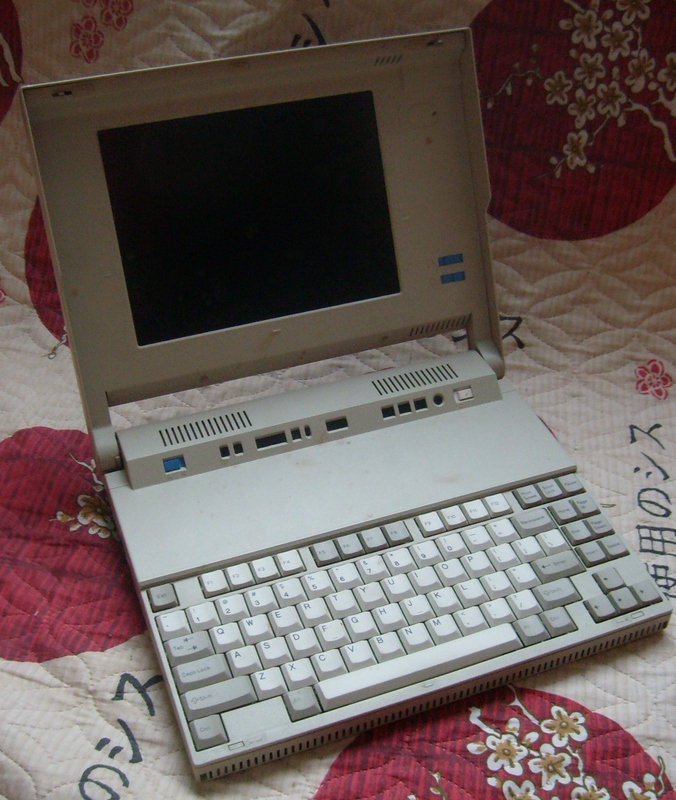
Small TTX
Processor :
80386SX, 20.0 MHz
Memory :
2 MB soldered + 2x FPM RAM 8 MB
Hard disk :
80MB
Floppy drive :
1.44 MB
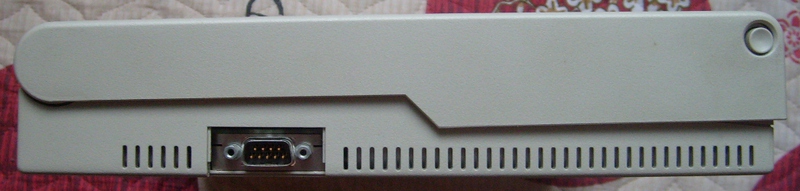
View from the left edge (here we have a com port):
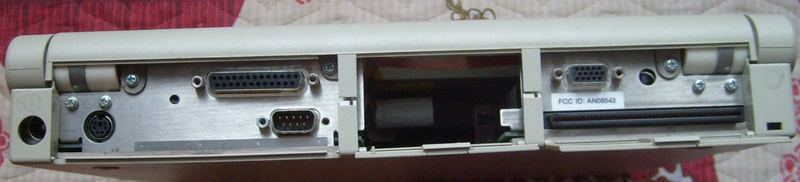
Rear view (PS / 2, COM, LPT, VGA, and an incomprehensible output for expansion cards):
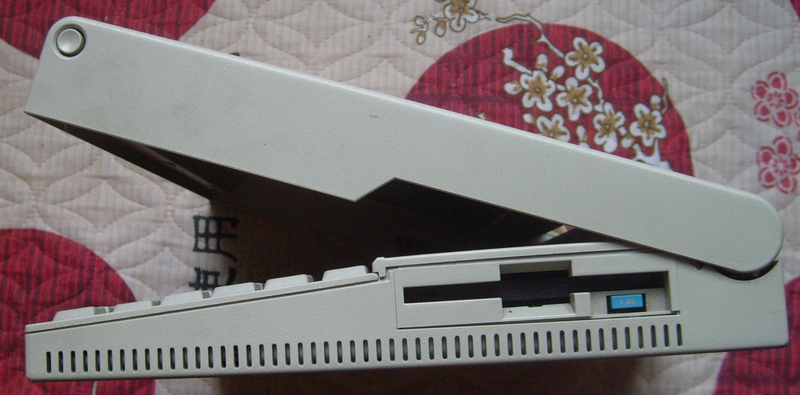
View from the right edge (here the drive is hidden under the cover):
I got the computer in a very poor condition, but it was working, except for the lack of a battery as such. Therefore, it was decided to disassemble and clean it. And also set 2 memory slots, under which there were slots, but the memory itself was not observed there.
To disassemble it is necessary to unscrew 3 screws under the plugs

and removing the keyboard we get access to the memory and some part of the filling.

Here we see indication loops, bios, 2 memory slots, and a processor.
Having removed the top panel, we see the hard drive and floppy drive.
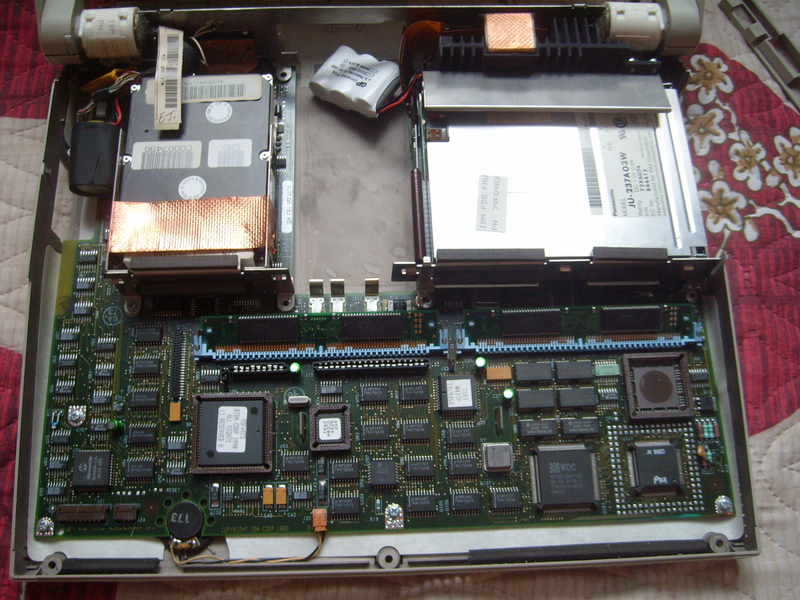
Separately, a hard disk (80 megabytes):

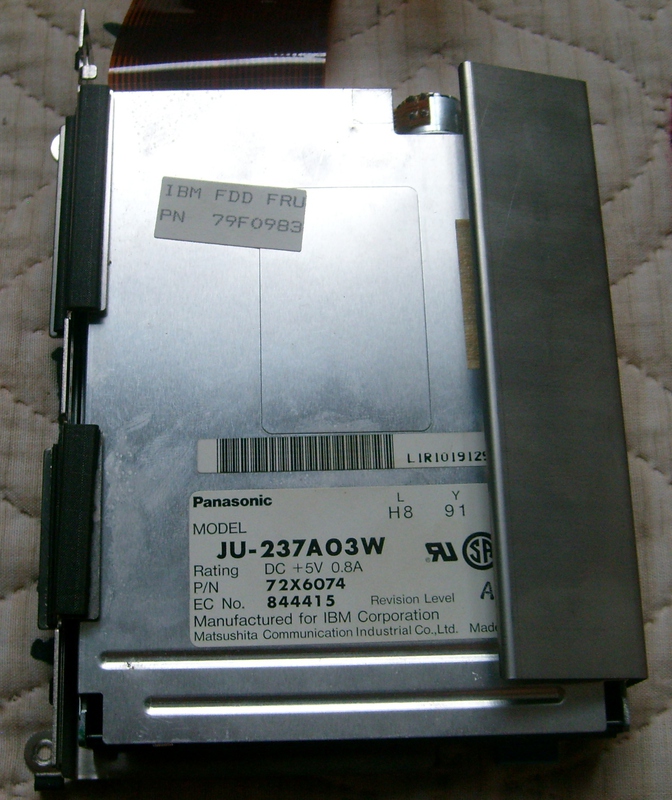
And a drive:
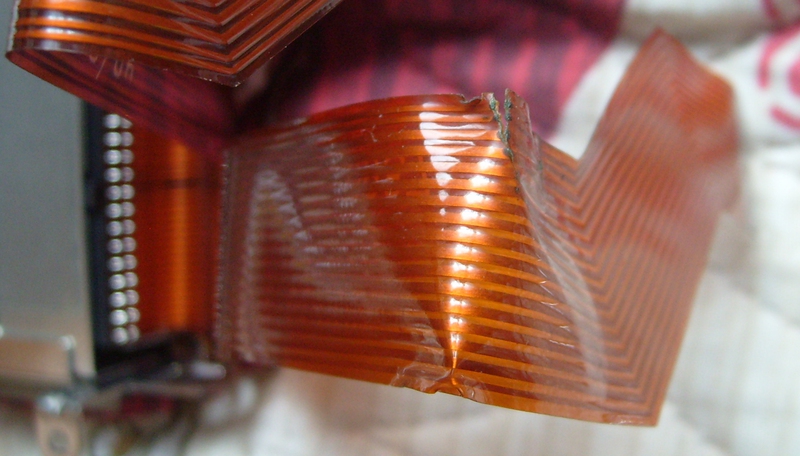
And then, in the process of disassembly, a very sad part was revealed, namely, a broken cable at the drive, which, unfortunately, I don’t have enough skill to fix.
After disassembling, the entire device was washed with plastic, and it became clean without various stains, stains and traces of time. Unfortunately, the case lacks a single latch on the monitor cover and plugs for ports.
After all these terrible operations, the time has come for the most interesting thing, turning on this shaitan machine. Having hummed the speaker a bit, we see “IBM Personal Computer Basic”

. Unfortunately, because of the inoperative drive, loading something else failed.
However, the device, despite its considerable age, pleases us with its performance, I think if you have a good soldering iron and skill, it is quite possible to turn this sample into a good typewriter or something more interesting. Initially, a barbaric thought came up, removing all the old stuff except for the screen, transplanting a mini-computer like the Raspberry Pi inside , but after that it was decided that this laptop would bring much more joy to someone. Therefore, I offer it in exchange for something interesting (for example, a laptop of a slightly younger age to still turn it into a terminal).
The location of iron on the motherboard
www.walshcomptech.com/ohlandl/8543/8543.html
Unfortunately, there is not enough karma for posting on the Old Iron blog
Small TTX
Processor :
80386SX, 20.0 MHz
Memory :
2 MB soldered + 2x FPM RAM 8 MB
Hard disk :
80MB
Floppy drive :
1.44 MB
View from the left edge (here we have a com port):
Rear view (PS / 2, COM, LPT, VGA, and an incomprehensible output for expansion cards):
View from the right edge (here the drive is hidden under the cover):
I got the computer in a very poor condition, but it was working, except for the lack of a battery as such. Therefore, it was decided to disassemble and clean it. And also set 2 memory slots, under which there were slots, but the memory itself was not observed there.
To disassemble it is necessary to unscrew 3 screws under the plugs
and removing the keyboard we get access to the memory and some part of the filling.
Here we see indication loops, bios, 2 memory slots, and a processor.
Having removed the top panel, we see the hard drive and floppy drive.
Separately, a hard disk (80 megabytes):
And a drive:
And then, in the process of disassembly, a very sad part was revealed, namely, a broken cable at the drive, which, unfortunately, I don’t have enough skill to fix.
After disassembling, the entire device was washed with plastic, and it became clean without various stains, stains and traces of time. Unfortunately, the case lacks a single latch on the monitor cover and plugs for ports.
After all these terrible operations, the time has come for the most interesting thing, turning on this shaitan machine. Having hummed the speaker a bit, we see “IBM Personal Computer Basic”
. Unfortunately, because of the inoperative drive, loading something else failed.
However, the device, despite its considerable age, pleases us with its performance, I think if you have a good soldering iron and skill, it is quite possible to turn this sample into a good typewriter or something more interesting. Initially, a barbaric thought came up, removing all the old stuff except for the screen, transplanting a mini-computer like the Raspberry Pi inside , but after that it was decided that this laptop would bring much more joy to someone. Therefore, I offer it in exchange for something interesting (for example, a laptop of a slightly younger age to still turn it into a terminal).
The location of iron on the motherboard
www.walshcomptech.com/ohlandl/8543/8543.html









