October 29, 2011 at 00:58
Sowill OiOi S7 - Another Chinese Tablet
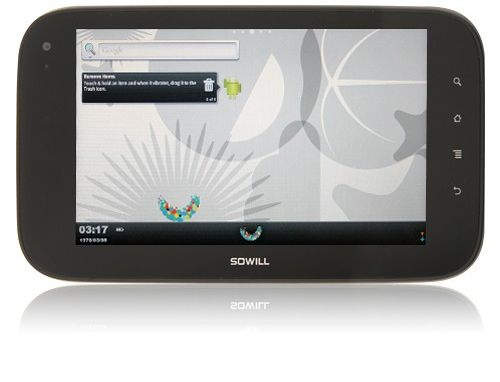
If you believe a certain (and tangible) percentage of the population of planet Earth, then everything in this world began with the Word. The same thing with this story. It’s just that this word was exclusively swearing, had little in common with the light, and its result was only that the girl who issued the parcels in the EMS office sighed heavily and asked if she should start drawing up an act of non-compliance.
Many pictures under the cut Human factor in action

Having opened the parcel, I immediately suspected something was amiss. The box was definitely different from that described by those who had already received their tablet. As well as the contents. In general, from the Dropad A8X I ordered in the package, there was only a shortcut with a barcode. However, I did not immediately return the tablet - I waited too long for the parcel (almost a month despite the fact that I ordered delivery via EMS - thanks to the Russian Post for that). In addition, for a month of waiting, I read on the forums about Dropad A8X so much that I already started to regret buying it - a killer firmware, USB ports and GPS, problems with WiFi, a description of bugs in the new firmware, which takes up more descriptions of new functions, non-working devices and the like can scare anyone away. Therefore, having received a working device, I decided that in the near future I don’t have any chance to play Chinese roulette seasoned with a roulette of postal desire. So the tablet remained with me - first for testing, and then the desire to send it back somehow disappeared.
Packaging and equipment
The tablet was packed quite stylishly - a black thin cardboard case, matte, with glossy black inscription SOWILL (name of the manufacturer); a box-insert made of thick heavy cardboard, covered with something like leatherette, embossed (logo and a few characters), already familiar magnets-clasps. Inside - a foam gasket in which the tablet itself fits, a cardboard insert that separates the tablet from accessories and charging.
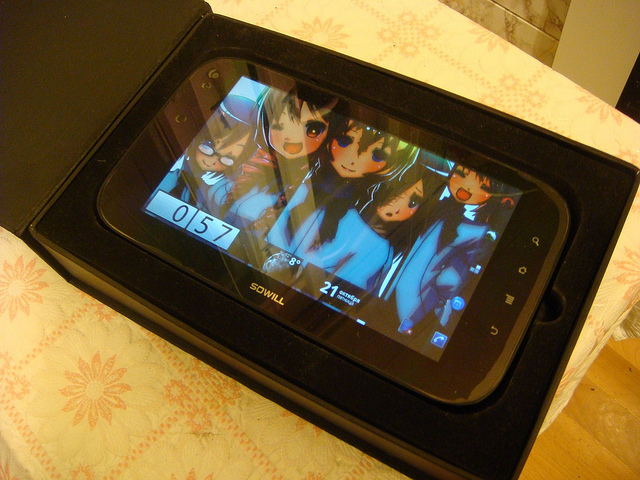
Standard delivery set - charger; mini-USB cable -> USB (very high-quality, with two ferrite rings, but very short - about 7-8 centimeters); cable mini-USB-> USB OTG (USB-host) - unlike the aforementioned brother is not very high quality, it broke in a couple of weeks; miniHDMI-> HDMI adapter (manufacturer stinted on the HDMI cable itself); Headphones of the brand “Audiophile’s Nightmare”; instruction in chinese.
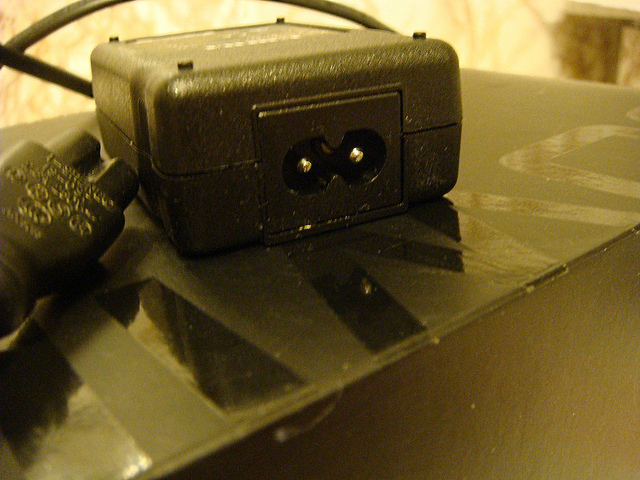
The only thing that deserves special mention from this list is the charger. As you can see in the photo, the device uses a separate cable with a standard connector - you can take a cable to this from anywhere, in extreme cases - buy it, the price is not more than 40 rubles. The attached cable was for Chinese-style sockets. It is worth noting that the employees of the online store carefully put the adapter into our sockets in the box, but it turned out to be not very convenient to use - it does not fit into Euro outlets.
Now let's move on to the review of the tablet itself.
Brief characteristics
CPU: Freescale iMX 515 Cortex-A8, 800 MHz
GPU: AMD z430 (Adreno 200)
RAM: 512 MB
Internal memory: 2 GB (1 GB for the system, 1 GB available to the user as sdcard)
Memory card : microSD, up to 16 GB
OS : Android 2.2
Screen: 7 inches, capacitive sensor (2 points)
Screen resolution: 1024 x 600
Camera: front, 2 megapixels
WiFi: 802.11 b / g / n
Bluetooth: available
Sensors: accelerometer, light sensor
Battery: 3800MAh, Li-Ion
Dimensions: 205 x 116 x 14 mm
Weight: 410 g
Connectors: 1x mini-USB, 1x miniHDMI, 1x 3.5mm stereo headphone jack
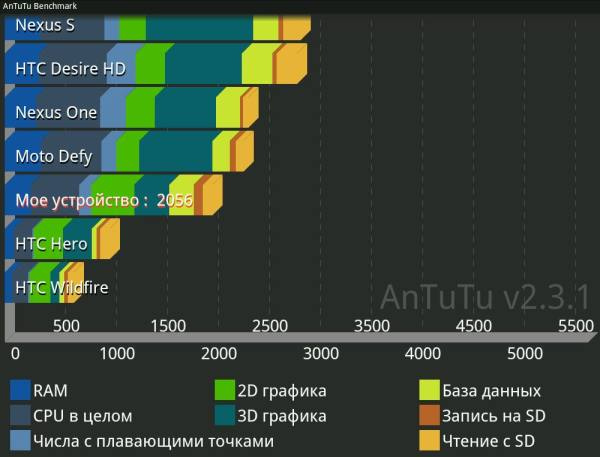
Test results in Quadrant Advanced ... ... and AnTuTu Benchmark.


Housing and connectors
The tablet case is completely made of plastic, consists of two parts, together it is held by 4 screws and several plastic latches along the perimeter. The case is quite tight to the touch, but when twisted, it creaks nonetheless. On the other hand, I once fell asleep on a tablet - taking into account my weight of more than 100 kilograms, the tablet should have visited a polar beast, but the device passed this test with flying colors. In addition, I would also like to note that the design of the device is very pleasant, while being original - you don’t have any buttons from the iPad or frames from the iPhone4. Though a trifle, but nice. General view of the back cover

The sides and back of the tablet are made of high-quality non-marking plastic, the only surfaces on which you can leave fingerprints are two small inserts of glossy plastic and a logo in the center of the lid. Also, most of the case is covered with corrugations at the back (see the following photo), so the tablet sits tightly in the hand. It would be even better if the corrugated surface was also rubberized, but what is not, is not. Power and volume buttons The buttons are located on the upper end of the tablet (if you keep it in landscape orientation). They go flush with the case, not speaking a millimeter, which greatly complicates the search for the power button to the touch, to be honest.
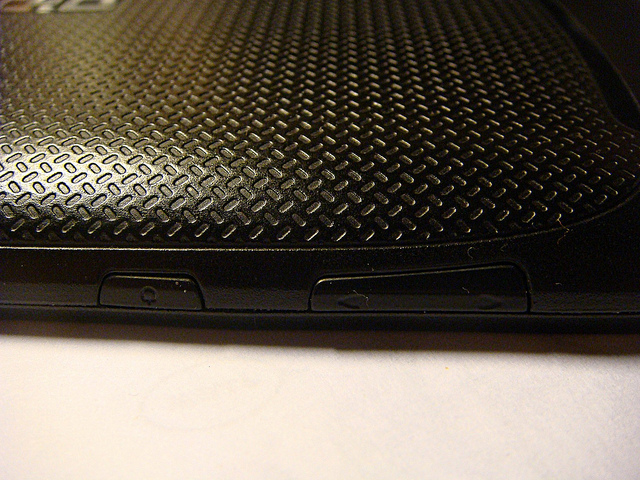
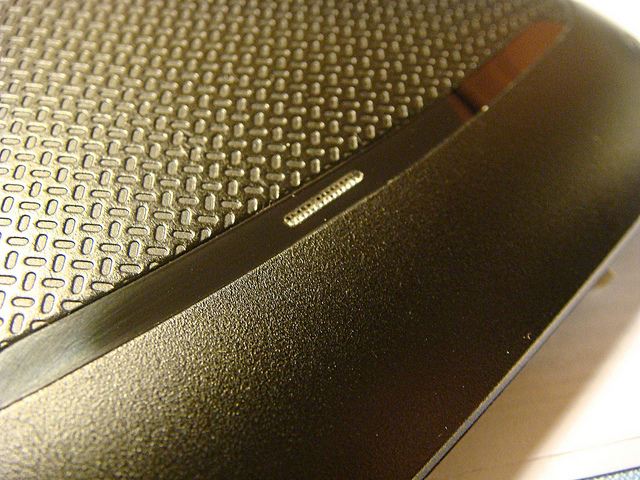
There is only one speaker for the device, and even that one cannot boast of special power. Although you can watch a movie or listen to music using it, you can, but it will succeed only in a quiet room.
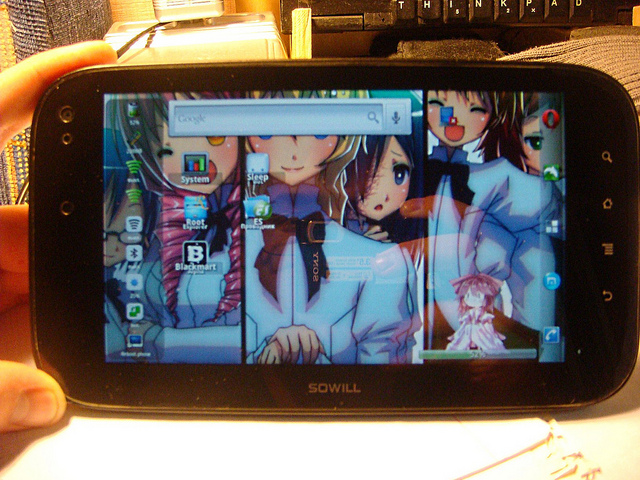
This photo contains almost all the problems of tablet design. The front panel is a thick sheet of plastic that covers almost the entire front of the tablet. There are four touch buttons on it (back, menu, home and search), a camera, a light sensor and an IR receiver for the remote control (where I didn’t find these remote controls - it wasn’t included in the kit). And now to the problems - this whole sheet is glossy, which is why the front panel turns into a mirror. Perhaps this can be fixed with anti-glare matte film. A separate problem is the buttons. They are not separated from the screen in any way, and besides this they are not highlighted. Thus, the buttons are often pressed accidentally, and in the dark to get to the desired button is very difficult.
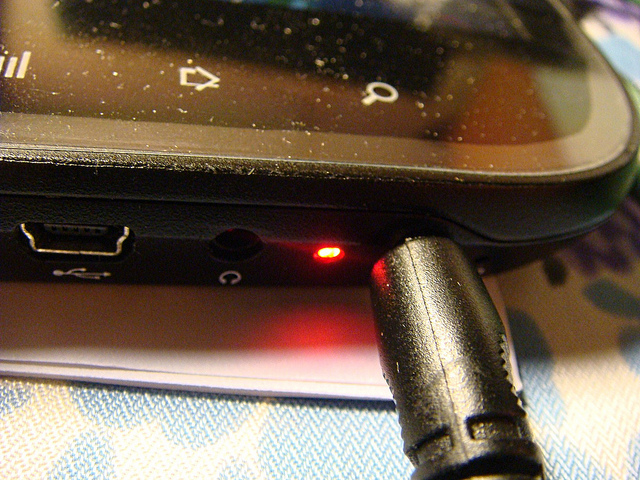
Here we see the greatest of the secrets of this tablet - the charging status LED. Empirically, I found out that the diode lights up red when the tablet is turned on and is charging, green - when it is turned on and is charged or turned off and is charging. Also, the diode can turn off, but when and under what conditions this happens - is still not clear.

All connectors are assembled on the right side of the device (from left to right - a microphone (not visible in this picture), memory card slot, miniHDMI, mini-USB, headphone jack, charging indicator, charger port, reset button). All ports are made very high quality, the connectors inserted into the connectors do not hang out. However, there are a couple of claims to the design here, although these are rather petty nitpicking. Firstly, the deep-seated memory card slot - accidentally remove it, due to this arrangement, will not succeed. It's just that it’s difficult to extract it at all - one cannot do without something narrow and sharp. Secondly, the same diameter connectors of the charger and headphones located nearby. The charging connector fits perfectly into the headphone jack, and in the dark you have to touch to check where you stuck it.
Screen
The screen is one of the main reasons I left this tablet. Brightness, good color reproduction, high resolution - the screen is great, especially at maximum brightness settings of the backlight. In the sun, the screen also behaves very well: at 60% of the backlight you can already read black and white text, at 90-100% of the backlight you can read color PDF files, the screen at least fades, but not much. But at 40% or lower, the screen turns into a mirror. Photos, alas, no - the sun rarely peeks the last week.
Viewing angles are relatively good, but only on three sides of the screen. Actually, it looks like this: And the original image (wallpaper) for comparison. The text on the screen looks very good. Even very small text is not smeared, while maintaining readability.
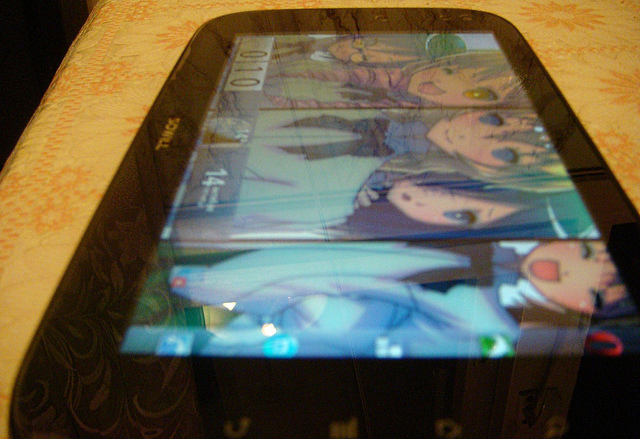
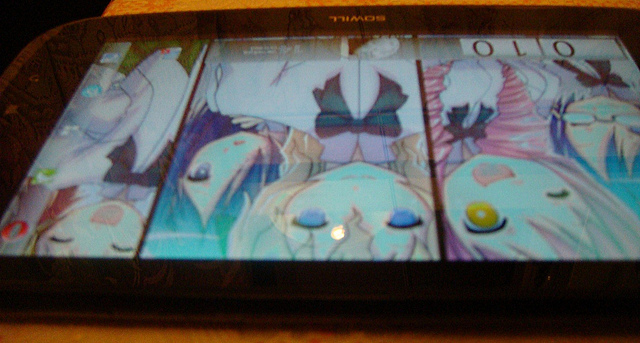
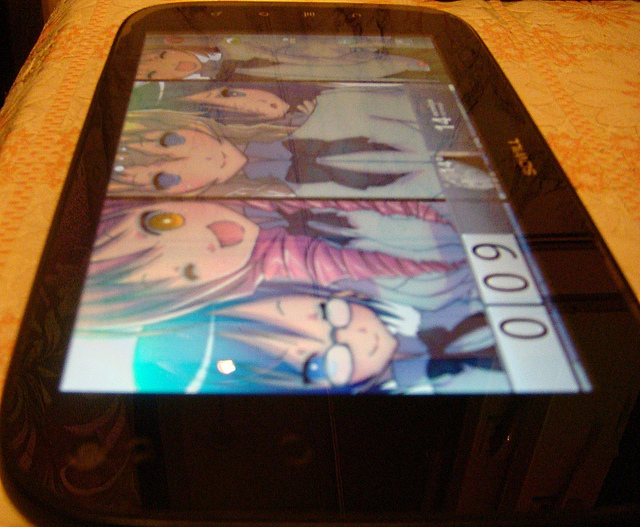
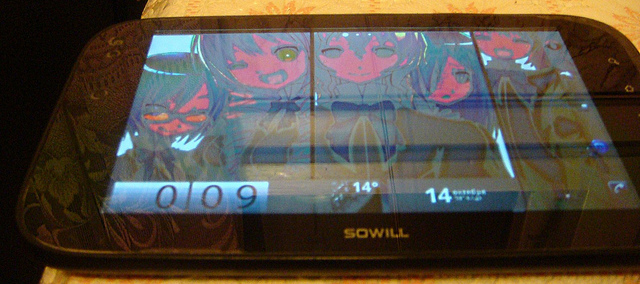
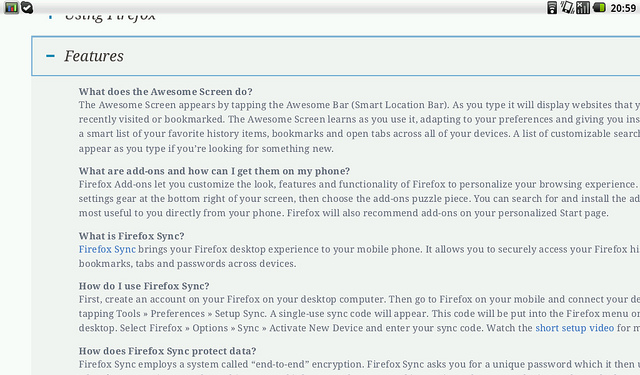

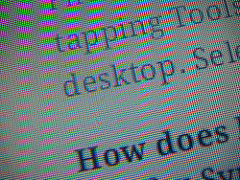
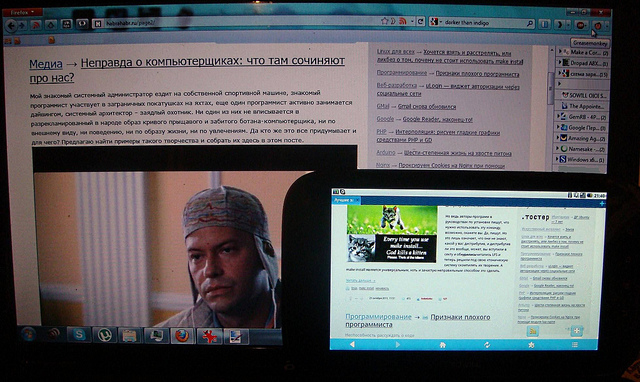
The first image is the original screenshot. Photos were taken in macro mode directly from the tablet screen. The left photo is normal, on the right I sharpened to demonstrate pixel sizes. For comparison - a tablet and laptop with a diagonal of 15.6 . The same page from the manga. The touch part of the screen also did not disappoint. Presses are worked out accurately, multi-touch works. False positives, although they happen, are very rare. During charging with the touchscreen, there are also no problems (some Chinese devices suffer from the sensor getting stuck when charging is connected).

Other
Initially, I bought a tablet so that I could quickly go online to check something (for example, in the morning, before leaving for work / school, when there is no time to start the main computer), read books, comics and manga, watch movies and , sometimes, play. Therefore, further I will evaluate the tablet, mainly, in terms of meeting the above needs.
Turning on
The tablet’s launch time is 8 seconds (the desktop appears), after 10 seconds the device is ready for operation. After installing the launcher (instead of the standard one) and widgets, loading takes 25-30 seconds (the desktop appears, you can launch applications, but the tablet will slow down), after another 20-25 seconds the tablet will be completely ready for use. For me it is fast enough, especially when you consider that my laptop with firefox starts up all six to seven minutes.
Battery
The tablet worked in video playback mode (MP4 1280x720 from a memory card, brightness - 25%, sound through an external speaker at maximum volume) 7 hours 3 minutes (until automatic shutdown). When using WiFi (I watched YouTube videos all this time) and 25% brightness, the tablet turns off after 5 hours 22 minutes. Operating time in mixed mode - WiFi, video, reading - an average of 5-6 hours. In the off state, the tablet consumes approximately 30mV in 12 hours (according to the indications of the System Panel).
Wifi
The antenna in the device is quite weak - through two or three concrete walls, the signal indicator (according to Elixir) drops to 30-50%. There are no problems with encrypted and / or hidden networks. The only thing I could not connect to was the access point created by JoikuSpot on the mobile phone.
Camera and microphone
The device has a front camera of 2 megapixels. Surprisingly, the camera is really 2 megapixels. The quality of the photos ... very mediocre, but if you don’t have cameras at hand, and if you need something urgently to show to the other person, the camera will handle this. Here, in fact, are examples of photographs: On the left is a photo from a tablet. On the right is a photo on a regular camera. It was not possible to photograph the text on the built-in camera. As you can see, the color rendering quality is lame on all four legs. One could say that for video communications of this quality is more than enough, it’s only in Skype that the camera works, but it only transmits a black and white image, besides - not of the best quality.





There is also a microphone in the tablet. But the quality of the sound recorded through it is lower than the plinth. You can still use it on Skype - the interlocutor can even make out what you say, and the sensitivity of the microphone is not bad - there is no need to hold the microphone closer to your face. But you can safely forget about voice search - for hundreds of attempts, the tablet guessed only two words - “tablet” and “Google”.
USB host
USB devices are connected to the tablet via a mini-USB -> USB adapter, there is no full-sized USB port on the device. The device recognizes flash drives, mice and keyboards without problems (I tested it with Logitech G15, I think that keyboards will work easier as well). 2.5 inch external hard drives (which do not require additional power) also work. I did not recognize the drive with additional power (3.5 inches), although the problem may be that there were several partitions on the drive. Devices that can work in drive mode - players, cameras - are recognized without problems. Only devices that are also trying to charge did not work.
I also tested 3G modems - ZTE MF100 and Huawei E171. The first one was determined and even correctly showed the operator to which it was connected, but it did not work out on the Internet. The second was not decided, however, when connecting via Dial-Up (using scripts, as described here , in the first paragraph), the diode on the modem shows the connection to the network, but the tablet still does not see the Internet. The same thing happens when you try to connect via BlueTooth via a mobile phone - the phone connects to the Internet, but the tablet does not.
Sound
As I wrote above, the tablet is equipped with one speaker. The sound quality is not bad, but the volume is rather weak. When playing sound through headphones, I personally did not notice any problems, for me the sound is quite acceptable. However, I am far from a music lover with one hundred percent hearing, so I will not say anything. The tablet, by the way, works without problems with active speakers.
Bluetooth
There is. I have nothing more to say. Transferring files from phone to tablet and back works. It was not possible to send anything to and from a computer (Win 7). I did not connect a wireless headset for lack of one.
Sensors
There are only two sensors in the device, as mentioned above - an accelerometer and a light sensor. Since the manufacturer saved and did not put the gyroscope, sometimes you have to shake the tablet slightly to change the screen orientation. Otherwise, there are no problems with them - the accelerometer works accurately enough so that you can play games using it without any problems, and the light sensor is simply not used.
Video
The tablet plays 720p video quietly and without stuttering. No, 1080p also works, but there isn’t enough iron acceleration for it. Almost all formats are reproduced (MKV with a profile above [email protected] refuses to play, only with software decoding, but this causes terrible brakes), but with audio tracks it’s more difficult. For example, the tablet tightly refused to reproduce sound encoded in AC-3. Then MX Video Player came to my aid, which can use both hardware (for video) and software (for sound) acceleration.
Games
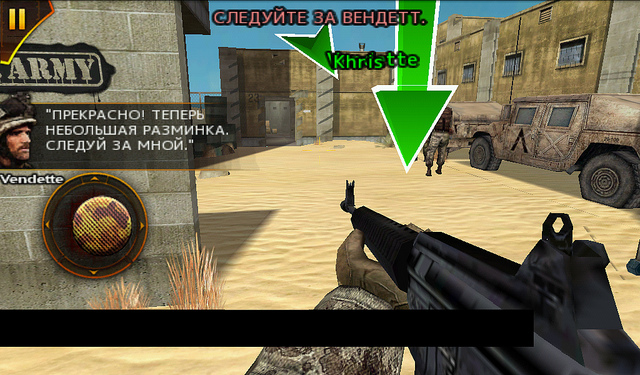
With games on the tablet, the worst is. High screen resolution coupled with almost no GPU (see the test results above) turns all games into turn-based games. Games from Gameloft start at least somehow with a cache from Desire HD, but at the same time graphic artifacts appear, and the game speed does not rise above 10 FPS. Modern Combat: Sandstorm. And it slows down. The only games that do not slow down are two-dimensional games. Normally earned GRave Defense HD, Open TTD, and, what really surprised me, Dead Space from EA. Games on Unity 3D (Samurai Vengeance 2, for example) can be called playable - at least they slow down only periodically.
Performance
In general, the speed of the tablet is very good. 512 MB of RAM and a processor at 800 MHz ensure smooth operation of the system. Approximately 311 megabytes of RAM are initially available for the user, after installing the launcher and widgets - 280-290 megabytes. For the Internet and video, this is quite enough, and I did not require more from the tablet.
Firmware
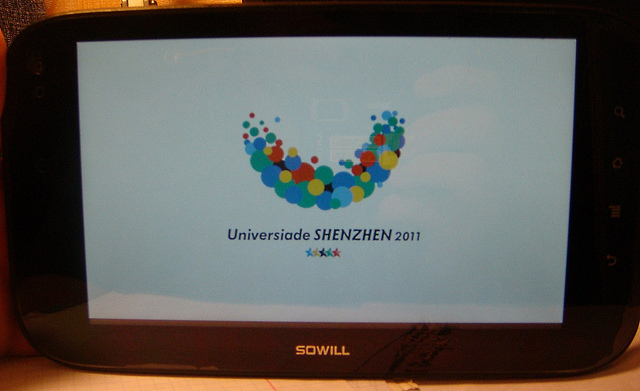
Firmware is the second reason I left the tablet. A pre-installed system in which everything works out of the box is a rarity for Chinese products. And here it is. The standard firmware works very stably (for almost two months of use, I used the reset button twice) and smartly. The tablet comes with a preinstalled launcher, a boot screen and wallpapers dedicated to the Universiade in Shenzhen (the device was certified for sale at the Universiade fair), as well as preinstalled clients for twitter, Facebook and msn, the ubiquitous Angry Birds, Skype, Fring and System Panel. A nice touch - the distributions of all pre-installed applications I found in a separate folder in the device’s internal memory.
Community
The most important thing for Kiai devices, whose manufacturers often lose sight of immediately after launching their products, is user support. A community that will fix bugs, create new firmware and support newcomers. So, the Sowill OiOi S7 does not have such a community. Absolutely. If you enter the name of the model on Google, you will most likely find three stores selling them, and several of my posts. If the manufacturer’s site was not indicated on the first page of the manual (the only English text in the entire booklet), I would never have found it in my life, since neither its Chinese nor English versions appear in the search. True, even this find did not help me much - the original firmware, the statement that there would be no updates and the dead forum - that was all I found there.Briefly about the tablet
For those who do not like to read a lot:
Why is it worth buying
- Stable firmware and work;
- High-quality assembly;
- Matte grooved back cover;
- Battery operation for 5-7 hours;
- Not like i anything;
- High resolution screen;
- Fast enough for internet and 720p video;
- Inexpensive (approximately 6200 rubles ).
Why it is not worth buying
- Does not work on battery for 2-3 days;
- Not like i anything;
- Glossy front panel
- No built-in GPS and 3G;
- No games;
- Does not play 1080p;
- Iron is morally obsolete;
- There is no support for the manufacturer and the community;
- To return under warranty, you have to send to the other end of the world. At my own expense.
Conclusion
Since I’ve been reading a tablet blog for a long time, I’ll immediately reply to the comment that appears after all the reviews of Chinese tablets: “It was possible to save 10/100/1000 dollars and buy ...”. Yes it could. But I wanted a tablet just then, and not in a month / two months / year. In addition, I was not sure if I needed a tablet when I ordered it. And, to be honest, I'm still not sure if I need him. Nice toy, but no more. So if the device goes on the shelf, why pay more? And if I still decide that I need a tablet, then I’ll buy something better.
We pass to the conclusion. A very good tablet for the money. But it could have been much better if the price were lower. Still, the filling on the tablet is far from the most advanced. The device differs from models for $ 150-170 for the better only by a screen and, maybe, a case. But let us leave aside the issues of producer pricing policy. The device perfectly performs the functions of a reader, well - a tablet for the Internet, not bad - a bedside media player and disgusting - a game console. If you are ready to change the excitement of custom firmware and self-made updates for the peace of one, but stable (albeit somewhat outdated - after all 4.0 will be soon) system, put up with the inability to watch FullHD video on a seven-inch screen and run the latest games if you need just keep a collection of manuals on hand
References
Manufacturer site ( English version | translated Chinese (more informative) version ).