October 3, 2011 at 15:30
Short list of WYSIWYG editors

Once I needed a WYSIWYG editor, I remembered what it looked like, its functions, but did not remember the name. After 45 minutes, I still found it ... Then I set myself the task of helping many, including myself: to make a consolidated list of all the slightly more famous WYSIWYG editors.
Introduction
This topic is an extensive list of visual editors, almost or partially suitable for use. The goal I was guided by was to systematize existing data scattered across the Internet.
Tinymce
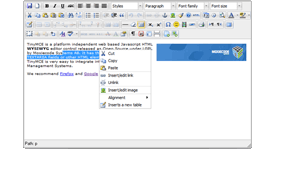
One of the most common visual editors, has a remarkable functionality. There are many add-ons, many plugins are installed by default.
(Browsers: Mozilla 1.3+, MSIE 5.5+, Opera 9.0+, Safari, Chrome)
[ Official site | Demo ]
Ckeditor
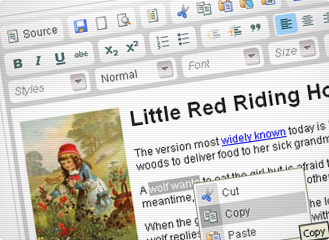
A complete analogue of TinyMCE.
(Browsers: Firefox 1.5+, Opera 9.50+, Safari 3.0+, Camino 1.0+, Internet Explorer 5.5+, Google Chrome)
[ Official site ]
Cleditor
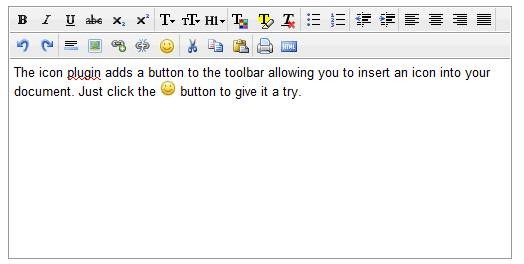
An uncomplicated visual editor, it does not pamper special features. But it was made quite soundly, all the functions are implemented in high quality.
(Browsers: Firefox 1.5+, Opera 9.50+, Safari 3.0+, Camino 1.0+, Internet Explorer 5.5+, Google Chrome)
[ Official site ]
Nicedit

The editor is very similar to CLEditor. It has standard functionality.
(Browsers: Firefox 1.5+, Opera 9.50+, Safari 3.0+, Internet Explorer 5.5+, Google Chrome)
[ Official site ]
elRTE
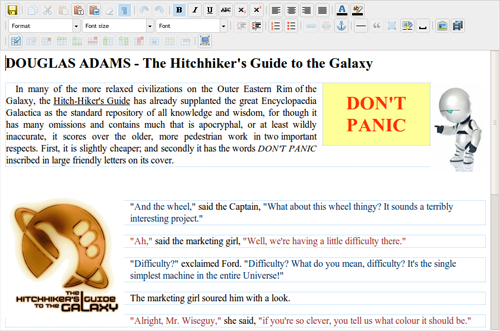
Very high quality visual editor. It has wide functionality. Made very high quality.
(Browsers: Firefox 3.5+, Opera 10+, Safari 3.0+, Internet Explorer 7+, Google Chrome)
[ Official site | Demo ]
Spaw
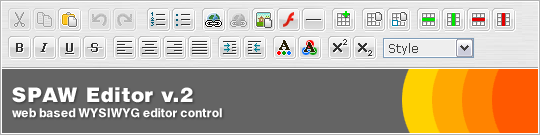
Very average visual editor. It has standard functionality.
(Browsers: Firefox 1.5+, Opera 9+, Safari 3.0+, Internet Explorer 5.5+, Google Chrome)
[ Official site | Demo ]
Xinha

A good visual editor, a distinctive feature - a lot of built-in actions. Those. customize it to your needs is not difficult.
(Browsers: Firefox 1.5+, Opera 9+, Safari 3.0+, Internet Explorer 5.5+, Google Chrome)
[ Official site | Demo ]
Imperavi (Paid)

A pretty cute editor, the functionality is not big, but it is enough. There are a number of errors associated with the transition from html to the visual editor and vice versa. (aligns removed) It is important to note that Imperavi works as a plug-in for jQuery.
There is good documentation .
(Browsers: Firefox 1.5+, Opera 9+, Safari 4+, Internet Explorer 7+, Google Chrome)
[ Official site | Demo ]
Markitup

Markitup is more like a convenient html editor, which is more suitable for a professional than an ordinary user. But if you know html, then it can be quite convenient.
(Browsers: Firefox 3+, Opera 9+, Safari 3+, Internet Explorer 6+, Google Chrome)
[ Official site | Demo ]
Aloha editor

Nice editor, very convenient. However, there is a huge minus that overshadows almost all the pros - this is a refusal to support older and not very browsers (only the latest browser versions are available).
(Browsers: Requires HTML5 support, Opera is not supported)
[ Official site | Demo ]
Mercury editor
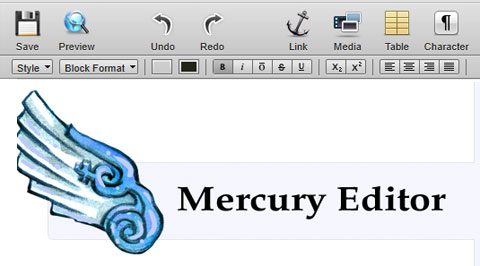
Mercury is a complete web page, and can be used to edit an entire page or individual specific areas. It supports the preview function of edited content, as well as the placement of links, images, videos and tables. Downloading files can be done via drag'n'drop interface.
The editor also supports the collaboration of several people. Mercury can be installed as a standalone Rails, or by embedding it in page code. (Requires jQuery)
And the minus is that only the following browsers are supported: Chrome 10+, Safari 5+, Firefox 4+.
[ Official site | Demo on the main page]
YUI Rich Text Editor
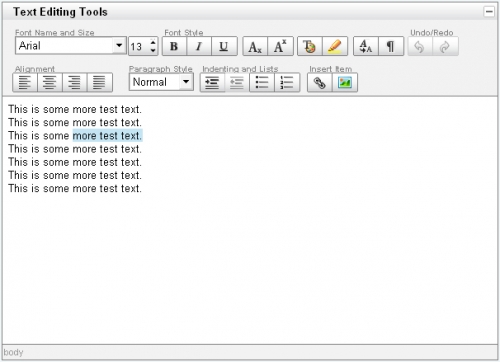
Visual editor from Yahoo. As rightly pointed out by sdevalex , one of the best visual editors. It has comprehensive functionality, supports the vast majority of browsers.
[ Demo ]
Mooeditable

The set of functions is very limited, but sometimes more is not required.
[ Demo ]
Openwysiwyg
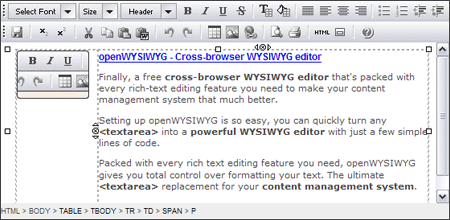
Cross-browser full editor with all the required functions. It even includes attractive drop down menus and buttons. Unfortunately, Chrome will not support it.
(IE 5.5+, Firefox 1.0+, Mozilla 1.3+ and Netscape 7+)
[ Official site | Demo ]
html-5-wysiwyg

HTML5 visual editor with all the consequences. For the most part, the editor is a demonstration of the capabilities of HTML-5, rather than a finished product.
(As the name implies, HTML5 support is required)
[ Page on code.google.com ]
jWysiwyg

Lightweight jquery plugin.
[ Official site | Demo ]
Reformer
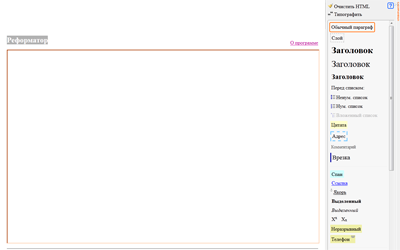
Visual editor from the studio of Artemy Lebedev.
[ Official site | Demo ]
Total
I hope the topic will be useful to you. If you find that any visual editor is missing, please write to me about it, I will be very grateful to you.
UPD 0: corrected the name
UPD 1: supplemented the description of YUI Rich Text Editor (thanks sdevalex ).
UPD 2: added by jWysiwyg (thanks mr47 ).
UPD 3: reformer added (thanks kuber ).
UPD 3: reformer added (thanks kuber ).
UPD 4: fixed: Imperavi became paid
P.S: 1. if you didn’t name which one, write, I’ll fix it. 2. If the topic is not relevant, write, I will remove.