September 20, 2011 at 16:18
Overview of services and applications for Samsung Smart TV
Samsung Smart TV technology combines a TV, a multi-format file player and provides access to Internet sites, various services and applications. Applications can be preinstalled, or downloaded directly from the TV from the Samsung Apps online store. To date, more than 200 global applications are available to users.
If you started reading our blog with this entry (by the way, in that case, welcome!), We recommend that you first return to the main article of the cycle, which talks about the very concept of Smart TV and the key features of products created on its basis. We only note that to date, the functionality of Smart TV in combination with 3D support is implemented in Samsung LCD TVs of the 6500 series and older, as well as plasma TVs starting from the 6900 family. In addition, in the summer, Samsung launched a galaxy of home theaters “in one box ”(HT-D7500W, HT-D6750WK, HT-D5550K, HT-D5530K) and Blu-ray players (HT-D7500W, BD-D6500, BD-D5500K, BD-D5300) endowed with the Smart TV network arsenal. This is a step towards customers who have already purchased “just” televisions and do not intend to change them yet, but would like to join Smart TV. The most “correct” format for Smart TV is the all-in-one super-TV.
There are over a thousand applications in the Samsung Apps TV piggy bank, and we won’t talk about each one, since the giant list is formed not only by useful or simply fascinating solutions, but also by “harmless nonsense”. We will divide the list into two: global and local, for consumers from Russia. The latter requires special consideration, so we decided to separate it into a separate article, which will be published after this. Well, now it's time to go over the “global” applications ...
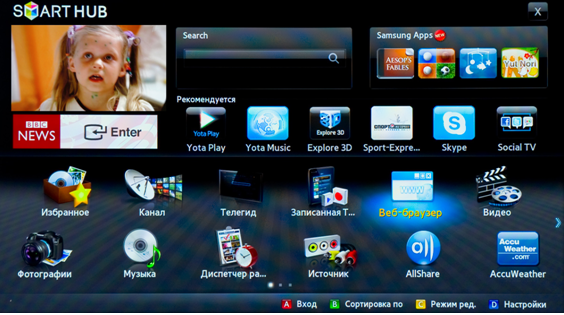
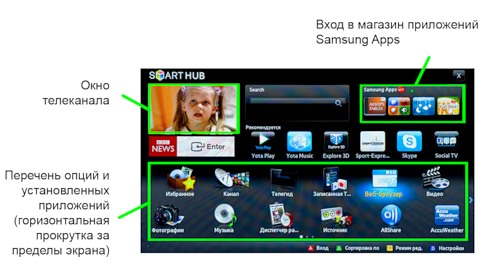
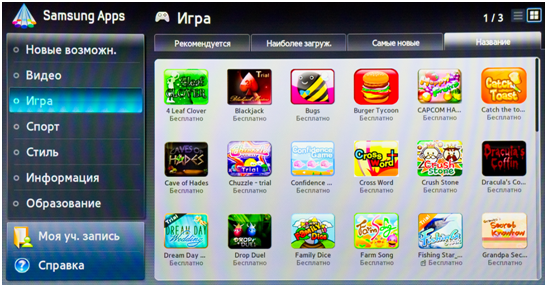
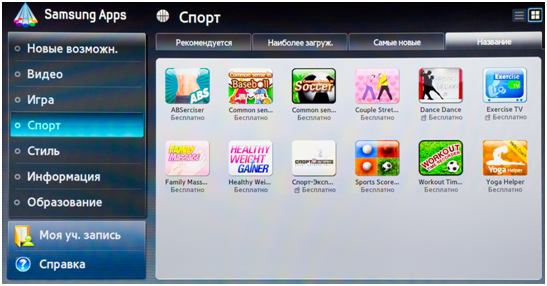
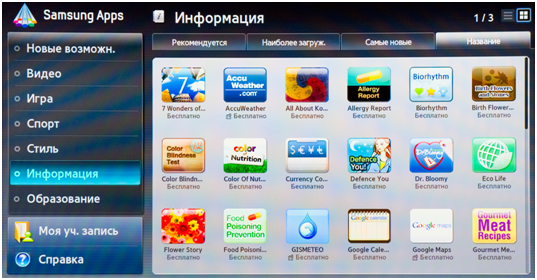
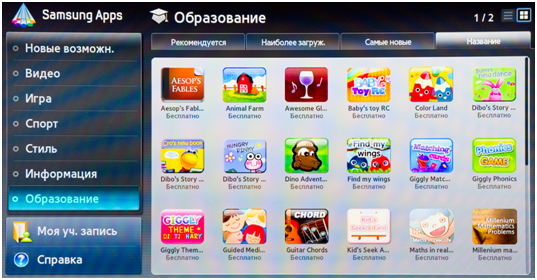
Some of the applications are preinstalled, and after another you need to take a walk to the Samsung Apps virtual store by clicking on the corresponding icon in the Smart Hub menu - the main desktop of the “smart” section of the TV.
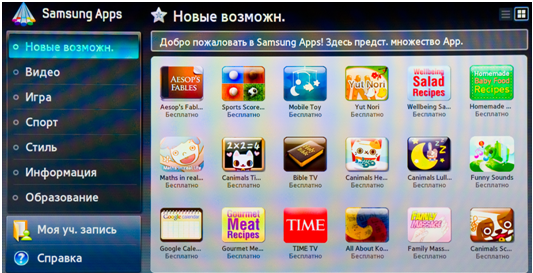
Downloading Samsung Apps takes about seven seconds, after which you can select and install applications of the corresponding categories. For all these operations, the navigation keys, as well as the OK and Return buttons, are sufficient. Everything is extremely simple and intuitive.


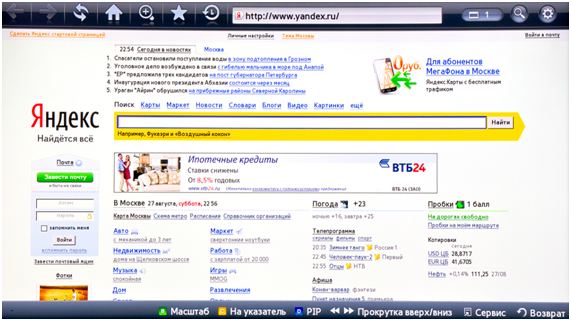
In fact, we have before us the most common computer browser - with Flash support, correctly displaying the vast majority of typical web pages on a 1920 x 1080 screen. The most relevant of them can be added to a structured “favorites”.
The only fundamental difference is that instead of smoothly moving the mouse cursor, there is a stepwise jump of the pointer from one page element to another. But this eliminates the need to “aim” at the link or line, which when using the button joystick of the remote control is often a serious inconvenience.
It is proposed to enter information in the address bar from the complete TV remote control - in this case, graphic prompts appear on the screen, making it easier to find characters and switch layouts.
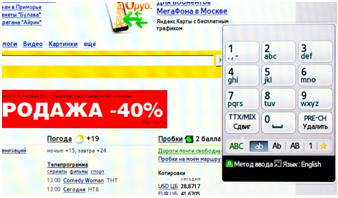
There is also an alternative - a Samsung virtual remote control for Android smartphones, with a QWERTY keyboard more relevant in such situations. Communication between the gadget and the TV will occur via Wi-fi, if you do not forget to turn on the network control function in the TV settings.
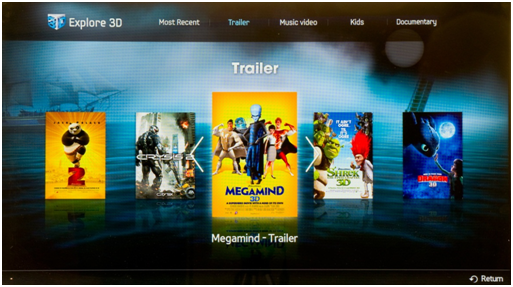
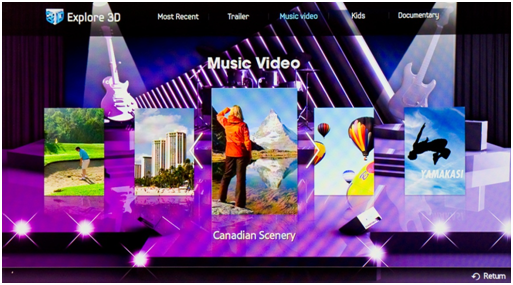
New English-language service launched for 3D video enthusiasts. Here you can find music, spectacular documentaries, trailers and stories for children. All of them are in 3D, and with high resolution. In essence, this is an opportunity to get additional 3D content. For familiarization with the beautiful, you need only a “thick” (from 4Mb) unlimited Internet channel and, of course, the corresponding active 3D glasses. The content itself is free.
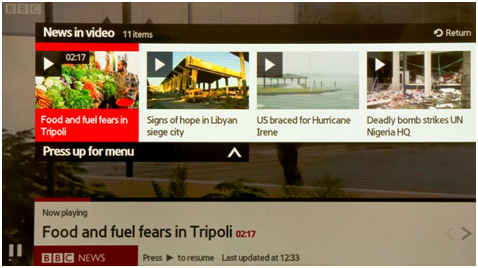
The app provides access to BBC news feed reports. The videos are broadcast in English. But for those who are familiar with it, the service will certainly enjoy the ease of navigation and a good selection of material.

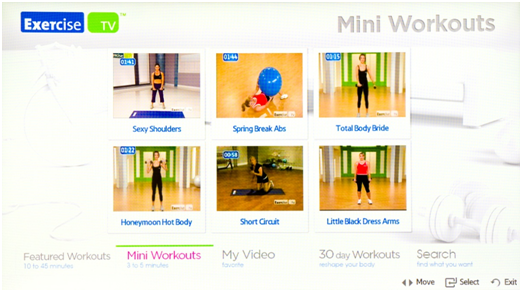
The resource is dedicated to health issues, and more precisely - to fitness. Here you can find a good thematic selection of video lessons to keep fit. Both single clips and monthly courses are presented. You don’t have to pay for viewing.

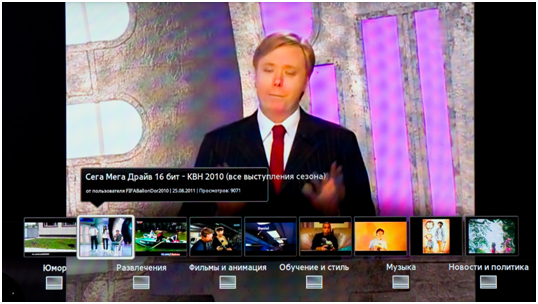
Needs no introduction. Despite the fact that the ability to search and display suitable options here is somewhat more modest than on a classic site, it is convenient to use the service. The interface is translated into Russian.
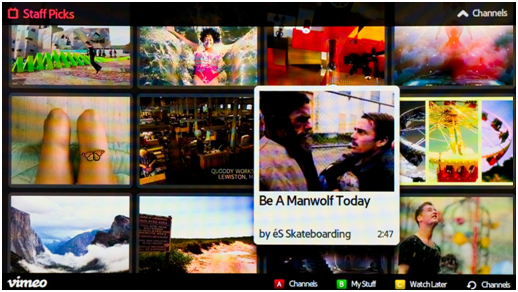
An analogue of YouTube, only in this resource it is customary to lay out not just fragments shot at one stroke by improvised means, but your own conscious creativity - from artistic short films to animated scenes. Among the works there are very entertaining, and sometimes almost completely professional.
The interface and capabilities of Skype for Smart TV are not much different from their counterparts for the computer. The user can send text messages, voice and video.

To make calls of any nature, you need an optional webcam, and, due to the features of the connection, only a special Samsung webcam is suitable. This camera serves not only the eyes of the interlocutor, but also his ears: there is also a microphone in it.
Despite the fact that the interface of these applications is optimized for control using a TV remote control, all of them in structure and capabilities largely correspond to their "computer" counterparts that you are used to seeing on a laptop or tablet screen (therefore, we decided to take screenshots for these applications not to deal with).
In this implementation, the service is somewhat inferior to a fellow for a computer, however, everything you need is there. Display graphic card, satellite or hybrid; search function; zooming out. And due to the large screen size, looking at cards is very nice. The interface is localized for the Russian user.


A fairly well-known weather forecasting service. Positioning is automatic, but you can also specify an arbitrary location.

World Clock visually displays the current time in the largest cities in the world. The Today in History directory talks in English about important events of the current day in the past. And a lot of free games, although it may seem to sophisticated habrozhitelami too simple, still will not let you get bored due to its quantity.
If you started reading our blog with this entry (by the way, in that case, welcome!), We recommend that you first return to the main article of the cycle, which talks about the very concept of Smart TV and the key features of products created on its basis. We only note that to date, the functionality of Smart TV in combination with 3D support is implemented in Samsung LCD TVs of the 6500 series and older, as well as plasma TVs starting from the 6900 family. In addition, in the summer, Samsung launched a galaxy of home theaters “in one box ”(HT-D7500W, HT-D6750WK, HT-D5550K, HT-D5530K) and Blu-ray players (HT-D7500W, BD-D6500, BD-D5500K, BD-D5300) endowed with the Smart TV network arsenal. This is a step towards customers who have already purchased “just” televisions and do not intend to change them yet, but would like to join Smart TV. The most “correct” format for Smart TV is the all-in-one super-TV.
There are over a thousand applications in the Samsung Apps TV piggy bank, and we won’t talk about each one, since the giant list is formed not only by useful or simply fascinating solutions, but also by “harmless nonsense”. We will divide the list into two: global and local, for consumers from Russia. The latter requires special consideration, so we decided to separate it into a separate article, which will be published after this. Well, now it's time to go over the “global” applications ...
Some of the applications are preinstalled, and after another you need to take a walk to the Samsung Apps virtual store by clicking on the corresponding icon in the Smart Hub menu - the main desktop of the “smart” section of the TV.
Downloading Samsung Apps takes about seven seconds, after which you can select and install applications of the corresponding categories. For all these operations, the navigation keys, as well as the OK and Return buttons, are sufficient. Everything is extremely simple and intuitive.
Web browser
In fact, we have before us the most common computer browser - with Flash support, correctly displaying the vast majority of typical web pages on a 1920 x 1080 screen. The most relevant of them can be added to a structured “favorites”.
The only fundamental difference is that instead of smoothly moving the mouse cursor, there is a stepwise jump of the pointer from one page element to another. But this eliminates the need to “aim” at the link or line, which when using the button joystick of the remote control is often a serious inconvenience.
It is proposed to enter information in the address bar from the complete TV remote control - in this case, graphic prompts appear on the screen, making it easier to find characters and switch layouts.
There is also an alternative - a Samsung virtual remote control for Android smartphones, with a QWERTY keyboard more relevant in such situations. Communication between the gadget and the TV will occur via Wi-fi, if you do not forget to turn on the network control function in the TV settings.
Explore 3D
New English-language service launched for 3D video enthusiasts. Here you can find music, spectacular documentaries, trailers and stories for children. All of them are in 3D, and with high resolution. In essence, this is an opportunity to get additional 3D content. For familiarization with the beautiful, you need only a “thick” (from 4Mb) unlimited Internet channel and, of course, the corresponding active 3D glasses. The content itself is free.
Bbc news
The app provides access to BBC news feed reports. The videos are broadcast in English. But for those who are familiar with it, the service will certainly enjoy the ease of navigation and a good selection of material.
Exercise tv
The resource is dedicated to health issues, and more precisely - to fitness. Here you can find a good thematic selection of video lessons to keep fit. Both single clips and monthly courses are presented. You don’t have to pay for viewing.
YouTube
Needs no introduction. Despite the fact that the ability to search and display suitable options here is somewhat more modest than on a classic site, it is convenient to use the service. The interface is translated into Russian.
Vimeo
An analogue of YouTube, only in this resource it is customary to lay out not just fragments shot at one stroke by improvised means, but your own conscious creativity - from artistic short films to animated scenes. Among the works there are very entertaining, and sometimes almost completely professional.
Skype
The interface and capabilities of Skype for Smart TV are not much different from their counterparts for the computer. The user can send text messages, voice and video.
To make calls of any nature, you need an optional webcam, and, due to the features of the connection, only a special Samsung webcam is suitable. This camera serves not only the eyes of the interlocutor, but also his ears: there is also a microphone in it.
Facebook, Twitter, Google Talk
Despite the fact that the interface of these applications is optimized for control using a TV remote control, all of them in structure and capabilities largely correspond to their "computer" counterparts that you are used to seeing on a laptop or tablet screen (therefore, we decided to take screenshots for these applications not to deal with).
Google maps
In this implementation, the service is somewhat inferior to a fellow for a computer, however, everything you need is there. Display graphic card, satellite or hybrid; search function; zooming out. And due to the large screen size, looking at cards is very nice. The interface is localized for the Russian user.
Accuweather
A fairly well-known weather forecasting service. Positioning is automatic, but you can also specify an arbitrary location.
What else?
World Clock visually displays the current time in the largest cities in the world. The Today in History directory talks in English about important events of the current day in the past. And a lot of free games, although it may seem to sophisticated habrozhitelami too simple, still will not let you get bored due to its quantity.