How to build a dosovsky COM file with the GCC compiler
- Transfer
Article published on December 9, 2014
Update from 2018: RenéRebe made an interesting video based on this article ( part 2 )
Last weekend I participated in Ludum Dare # 31 . But even before the announcement of the conference topics because of my recent hobby, I wanted to do an old school game under DOS. Target platform selected DOSBox. This is the most practical way to run DOS applications, despite the fact that all modern x86 processors are fully backward compatible with old ones, up to 16-bit 8086.
I successfully created and showed the DOS Defender game at the conference. The program works in real 32-bit 80386 mode. All resources are embedded in the executable COM file, no external dependencies, so the game is completely packed into a 10 kilobyte binary.
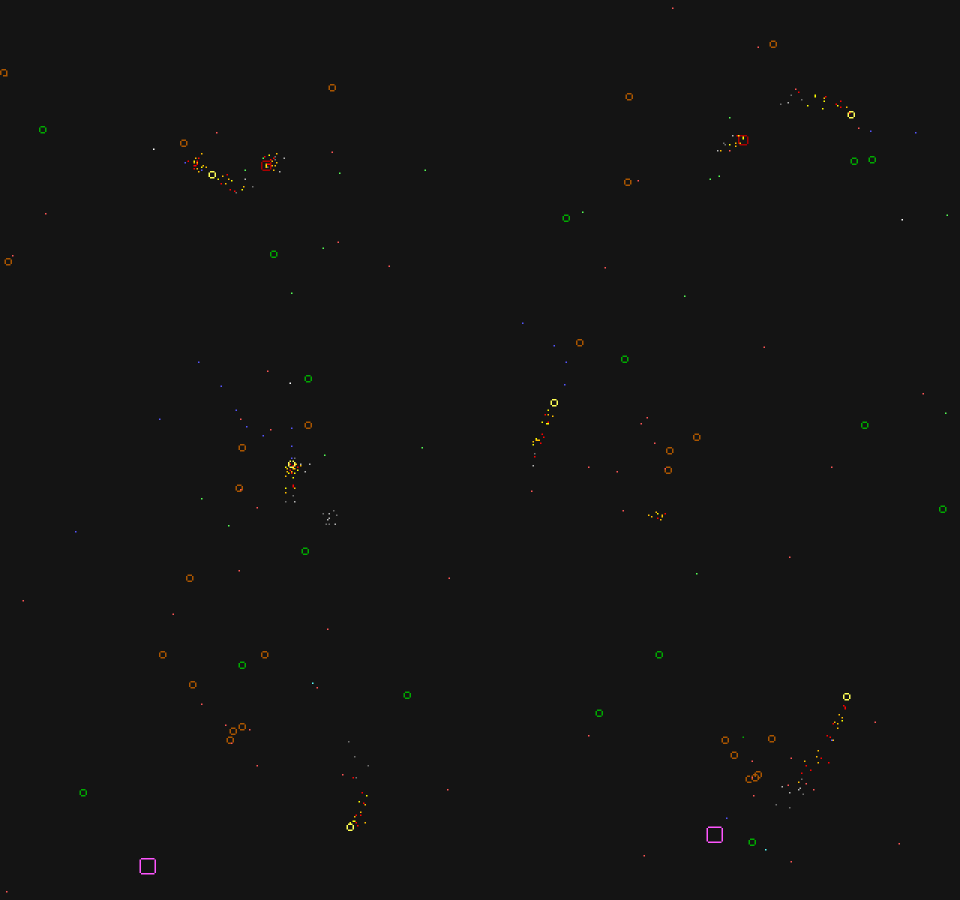
For the game you will need a joystick or gamepad. I included mouse support in the release for Ludum Dare for the sake of the presentation, but then I deleted it because it didn't work very well.
The most technically interesting part is that no DOS development tools were needed to create the game ! I used only the usual Linux C compiler (gcc). In reality, you can't even build DOS Defender under DOS. I see DOS only as an embedded platform, which is the only form in which DOS still exists today . Together with DOSBox and DOSEMU, this is quite a handy set of tools.
If you are only interested in the practical part of development, go to the section “Cheating GCC”, where we will write the DOS COM program “Hello, World” with GCC Linux.
When I started this project, I did not think about GCC. In reality, I followed this path when I discovered the bcc package (Bruce's C Compiler) for Debian, which builds 16-bit binaries for the 8086. It is held to compile x86 loaders and others, but bcc can also be used to compile DOS COM files. This interested me.
For reference: 16-bit microprocessor Intel 8086 was released in 1978. It had no fancy features for modern processors: no memory protection, no floating point instructions, and only 1 MB of addressable RAM. All modern x86 desktops and laptops can still pretend to be this 16-bit 8086 processor forty years old, with the same limited addressing and all that. This is not sickly backward compatibility. This function is called real mode.. This is the mode in which all x86 computers are loaded. Modern operating systems immediately switch to protected mode with virtual addressing and secure multitasking. DOS didn't do that.
Unfortunately, bcc is not an ANSI C compiler. It supports a subset of K & R C, as well as the built-in x86 assembly code. Unlike other 8086 C compilers, it does not have the concept of “long-range” or “long” pointers, so a built-in assembly code is needed to access other memory segments (VGA, clock pulses, etc.). Note: the remains of these "long pointer" 8086 still remained in the API the Win32:
Given these limitations, I decided to look for alternatives.
DJGPP - GCC port under DOS. A really very impressive project that almost all POSIX transfers under DOS. Many DOS-ported programs are made on DJGPP. But it creates only 32-bit programs for protected mode. If in the protected mode you need to work with hardware (for example, VGA), then the program makes requests to the DOS protected mode interface service (DPMI). If I took DJGPP, I would not be able to confine myself to a single standalone binary, because I would have to have a DPMI server. Performance also suffers from requests to DPMI.
Getting the necessary tools for DJGPP is difficult, to say the least. Fortunately, I found a useful build-djgpp project that runs everything, at least on Linux.
Either there is a serious error, or the official DJGPP binaries again became infected with a virus , but when I started my programs in DOSBox, the error “Not COFF: check for viruses” constantly occurred. To further verify that the viruses are not on my own machine, I set up the environment for DJGPP on my Raspberry Pi, which acts as a clean room. This ARM-based device cannot be infected with the x86 virus. Still, the same problem arose, and all binary hashes coincided between machines, so this is not my fault.
So considering this and the problem of DPMI, I began to look further.
What I finally stopped at was the tricky GCC “trick” trick for building real-mode DOS COM files. The trick works up to 80386 (which is usually necessary). The 80386 processor was released in 1985 and became the first 32-bit x86 microprocessor. GCC still adheres to this instruction set, even in the x86-64 environment. Unfortunately, GCC cannot produce 16-bit code, so the original goal of making the game for 8086 had to be abandoned. However, it does not matter, because the target platform of DOSBox is essentially an 80386 emulator.
In theory, the trick should work in the MinGW compiler, but there is a long-standing error that keeps it from working properly (“ "). However, it can be circumvented, and I did it myself: you should remove the directive
For demonstration, we will create a dos program COM-program “Hello, World” using GCC on Linux.
In this way there is a major and significant obstacle: there will be no standard library . It's like writing an operating system from scratch, with the exception of a few services that DOS provides. It means there is no
In DOS there are nine interrupts: 0x20, 0x21, 0x22, 0x23, 0x24, 0x25, 0x26, 0x27, 0x2F. The most important thing that interests us is 0x21, a function 0x09 (print a string). There are thousands of features between DOS and BIOS , named for this pattern.. I'm not going to try to explain the x86 assembler, but in short the function number is clogged in a register
Here is the
The code is declared
You must also take care of the caller, because GCC does not know what the memory it points
Now to the main function. Its name, in theory, is not important, but I avoid calling it
COM files are limited to 65,279 bytes in size. This is due to the fact that the x86 memory segment is 64 KB, and DOS simply loads the COM files into the address of the 0x0100 segment and executes it. No headers, only a clean binary. Since, in principle, a COM program cannot have a significant size, no real freestanding should occur, the whole thing is compiled as one translation unit. This will be one GCC call with a bunch of parameters.
Here are the basic compiler options.
Since standard libraries are not used, the only difference between gnu99 and c99 is in the disabled trigraphs (as it should be), and the built-in assembler can be written as
The parameter
As you can see, the optimizer does not understand that the program will work in real mode with the corresponding addressing restrictions. It performs all sorts of invalid optimizations that break your perfectly valid programs. This is not a GCC bug, because we ourselves do crazy things here. I had to redo the code several times to prevent the optimizer from breaking the program. For example, we had to avoid returning complex structures from functions, because they were sometimes filled with garbage. The real danger is that the future version of GCC will become even smarter and will break even more code. Here is your friend
The next parameter
Options
argument
The parameter is
The parameter
I said that the COM files are loaded into the address
Then all sections follow:
Almost done.
The linker usually knows our entry point (
In the linker script for such things there is an option
Here is the whole program in C.
I will not repeat
And testing it in DOSBox:
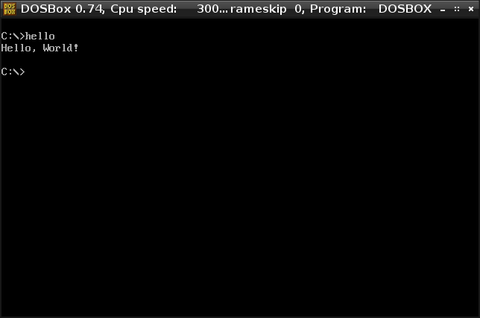
Here, if you want beautiful graphics, the only question is to call the interrupt and write to VGA memory . If you want sound, use the PC Speaker interrupt. I haven't figured out how to call Sound Blaster yet. From that moment grew DOS Defender.
To cover another topic, remember that
As usual on x86, your program and partitions are in the lower memory (0x0100 in this case), and the stack is in the upper one (in our case, in the 0xffff area). In Unix-like systems, memory is returned
Here's how to implement it
It simply sets the pointer to
An interesting thing happened during the creation of DOS Defender. I (wrongly) considered that the memory from mine was
Update from 2018: RenéRebe made an interesting video based on this article ( part 2 )
Last weekend I participated in Ludum Dare # 31 . But even before the announcement of the conference topics because of my recent hobby, I wanted to do an old school game under DOS. Target platform selected DOSBox. This is the most practical way to run DOS applications, despite the fact that all modern x86 processors are fully backward compatible with old ones, up to 16-bit 8086.
I successfully created and showed the DOS Defender game at the conference. The program works in real 32-bit 80386 mode. All resources are embedded in the executable COM file, no external dependencies, so the game is completely packed into a 10 kilobyte binary.
- https://github.com/skeeto/dosdefender-ld31
- DOSDEF.COM (10 KB, v1.1.0, works in DOSBox)
For the game you will need a joystick or gamepad. I included mouse support in the release for Ludum Dare for the sake of the presentation, but then I deleted it because it didn't work very well.
The most technically interesting part is that no DOS development tools were needed to create the game ! I used only the usual Linux C compiler (gcc). In reality, you can't even build DOS Defender under DOS. I see DOS only as an embedded platform, which is the only form in which DOS still exists today . Together with DOSBox and DOSEMU, this is quite a handy set of tools.
If you are only interested in the practical part of development, go to the section “Cheating GCC”, where we will write the DOS COM program “Hello, World” with GCC Linux.
Finding the right tools
When I started this project, I did not think about GCC. In reality, I followed this path when I discovered the bcc package (Bruce's C Compiler) for Debian, which builds 16-bit binaries for the 8086. It is held to compile x86 loaders and others, but bcc can also be used to compile DOS COM files. This interested me.
For reference: 16-bit microprocessor Intel 8086 was released in 1978. It had no fancy features for modern processors: no memory protection, no floating point instructions, and only 1 MB of addressable RAM. All modern x86 desktops and laptops can still pretend to be this 16-bit 8086 processor forty years old, with the same limited addressing and all that. This is not sickly backward compatibility. This function is called real mode.. This is the mode in which all x86 computers are loaded. Modern operating systems immediately switch to protected mode with virtual addressing and secure multitasking. DOS didn't do that.
Unfortunately, bcc is not an ANSI C compiler. It supports a subset of K & R C, as well as the built-in x86 assembly code. Unlike other 8086 C compilers, it does not have the concept of “long-range” or “long” pointers, so a built-in assembly code is needed to access other memory segments (VGA, clock pulses, etc.). Note: the remains of these "long pointer" 8086 still remained in the API the Win32:
LPSTR, LPWORD,LPDWORDand others. That built-in assembler is not even close to the built-in assembler GCC. The assembler needs to manually load variables from the stack, and since bcc supports two different calling conventions, the variables in the code should be hard-coded in accordance with one or another agreement. Given these limitations, I decided to look for alternatives.
DJGPP
DJGPP - GCC port under DOS. A really very impressive project that almost all POSIX transfers under DOS. Many DOS-ported programs are made on DJGPP. But it creates only 32-bit programs for protected mode. If in the protected mode you need to work with hardware (for example, VGA), then the program makes requests to the DOS protected mode interface service (DPMI). If I took DJGPP, I would not be able to confine myself to a single standalone binary, because I would have to have a DPMI server. Performance also suffers from requests to DPMI.
Getting the necessary tools for DJGPP is difficult, to say the least. Fortunately, I found a useful build-djgpp project that runs everything, at least on Linux.
Either there is a serious error, or the official DJGPP binaries again became infected with a virus , but when I started my programs in DOSBox, the error “Not COFF: check for viruses” constantly occurred. To further verify that the viruses are not on my own machine, I set up the environment for DJGPP on my Raspberry Pi, which acts as a clean room. This ARM-based device cannot be infected with the x86 virus. Still, the same problem arose, and all binary hashes coincided between machines, so this is not my fault.
So considering this and the problem of DPMI, I began to look further.
Cheating gcc
What I finally stopped at was the tricky GCC “trick” trick for building real-mode DOS COM files. The trick works up to 80386 (which is usually necessary). The 80386 processor was released in 1985 and became the first 32-bit x86 microprocessor. GCC still adheres to this instruction set, even in the x86-64 environment. Unfortunately, GCC cannot produce 16-bit code, so the original goal of making the game for 8086 had to be abandoned. However, it does not matter, because the target platform of DOSBox is essentially an 80386 emulator.
In theory, the trick should work in the MinGW compiler, but there is a long-standing error that keeps it from working properly (“ "). However, it can be circumvented, and I did it myself: you should remove the directive
OUTPUT_FORMATand add an extra step objcopy( objcopy -O binary).Hello World at DOS
For demonstration, we will create a dos program COM-program “Hello, World” using GCC on Linux.
In this way there is a major and significant obstacle: there will be no standard library . It's like writing an operating system from scratch, with the exception of a few services that DOS provides. It means there is no
printf()such thing . Instead, we will ask DOS to output the string to the console. Create a DOS request requires running an interrupt, which means the built-in assembler code! In DOS there are nine interrupts: 0x20, 0x21, 0x22, 0x23, 0x24, 0x25, 0x26, 0x27, 0x2F. The most important thing that interests us is 0x21, a function 0x09 (print a string). There are thousands of features between DOS and BIOS , named for this pattern.. I'm not going to try to explain the x86 assembler, but in short the function number is clogged in a register
ah— and the 0x21 interrupt is triggered. The function 0x09 also takes an argument - a pointer to a string to print, which is passed in registers dxand ds. Here is the
print()GCC inline assembly function . Strings passed to this function must end with a $ character. Why? Because DOS.staticvoidprint(char *string){
asmvolatile("mov $0x09, %%ah\n""int $0x21\n"
: /* no output */
: "d"(string)
: "ah");
}The code is declared
volatilebecause it has a side effect (printing a string). For GCC, the assembler code is opaque, and the optimizer relies on output / input / clobber constraints (the last three lines). For such DOS-programs any built-in assembler will be with side effects. This is because it is written not to optimize, but to access hardware resources and DOS - things that are not available to simple C. You must also take care of the caller, because GCC does not know what the memory it points
stringto has ever been read. Probably, the array that supports the string will also have to be declared volatile. All this portends the inevitable: any actions in such an environment turn into an endless struggle with the optimizer. Not all of these battles can be won.Now to the main function. Its name, in theory, is not important, but I avoid calling it
main(), because MinGW has funny ideas on how to handle such characters specifically, even if they ask it not to do it.intdosmain(void)
{
print("Hello, World!\n$");
return0;
}COM files are limited to 65,279 bytes in size. This is due to the fact that the x86 memory segment is 64 KB, and DOS simply loads the COM files into the address of the 0x0100 segment and executes it. No headers, only a clean binary. Since, in principle, a COM program cannot have a significant size, no real freestanding should occur, the whole thing is compiled as one translation unit. This will be one GCC call with a bunch of parameters.
Compiler options
Here are the basic compiler options.
-std=gnu99 -Os -nostdlib -m32 -march=i386 -ffreestandingSince standard libraries are not used, the only difference between gnu99 and c99 is in the disabled trigraphs (as it should be), and the built-in assembler can be written as
asminstead __asm__. This is not Newton's bin. The project will be so closely connected with the GCC that I am still not concerned about the extensions of the GCC. The parameter
-Osreduces the result of the compilation as much as possible. So the program will work faster. This is important with a view to DOSBox, because the default emulator is slow as an 80s machine. I want to fit into this restriction. If the optimizer causes problems, then temporarily -O0set to determine if your error or optimizer.As you can see, the optimizer does not understand that the program will work in real mode with the corresponding addressing restrictions. It performs all sorts of invalid optimizations that break your perfectly valid programs. This is not a GCC bug, because we ourselves do crazy things here. I had to redo the code several times to prevent the optimizer from breaking the program. For example, we had to avoid returning complex structures from functions, because they were sometimes filled with garbage. The real danger is that the future version of GCC will become even smarter and will break even more code. Here is your friend
volatile. The next parameter
-nostdlib, since we cannot link to any valid libraries, even statically. Options
-m32-march=i386the compiler is commanded to issue the code 80386. If I wrote a bootloader for a modern computer, then the 80686 scope would also be normal, but DOSBox is 80386. The argument
-ffreestandingrequires that GCC not issue code that refers to the helper functions of the built-in standard library. Sometimes, instead of actually working code, it gives the code for calling the built-in function, especially with mathematical operators. I had one of the main problems with bcc, where this behavior cannot be turned off. Such a parameter is most often used when writing loaders and OS kernels. And now DOS COM files.Linker options
The parameter is
-Wlused to pass arguments to the linker ( ld). We need this because we do everything in one GCC call.-Wl,--nmagic,--script=com.ld--nmagicdisables section page alignment. First, we do not need it. Secondly, it wastes precious space. In my tests, this does not seem to be a necessary measure, but I leave this option just in case. The parameter
--scriptindicates that we want to use a special linker script . This allows you to accurately place the partitions ( text, data, bss, rodata) of our program. Here is the script com.ld.OUTPUT_FORMAT(binary)
SECTIONS
{
. = 0x0100;
.text :
{
*(.text);
}
.data :
{
*(.data);
*(.bss);
*(.rodata);
}
_heap = ALIGN(4);
}OUTPUT_FORMAT(binary)says not to put it in an ELF file (or PE, etc.). The linker should simply reset the clean code. A COM file is just a clean code, that is, we give the linker a command to create a COM file! I said that the COM files are loaded into the address
0x0100. The fourth line offsets the binary there. The first byte of the COM file is still the first byte of the code, but it will be launched from this offset in memory. Then all sections follow:
text(program), data(static data), bss(data with zero initialization), rodata(rows). Finally, I mark the end of a binary file with a symbol _heap. This will come in handy later on sbrk()when we are done with “Hello, World”. I have indicated align _heapby 4 bytes. Almost done.
Run the program
The linker usually knows our entry point (
main) and sets it up for us. But since we requested a "binary" issue, we will have to figure it out ourselves. If the function starts first print(), the program will start with it, which is wrong. The program needs a small header to get started. In the linker script for such things there is an option
STARTUP, but for simplicity we will implement it directly into the program. Usually these things are called crt0.oor Boot.o, in case you bump into them somewhere. Our code must begin with this inline assembler, before any inclusions and the like. DOS will do most of the installation for us, we just need to go to the entry point.asm (".code16gcc\n""call dosmain\n""mov $0x4C, %ah\n""int $0x21\n");.code16gccinforms the assembler that we are going to work in real mode, so that it will make the correct setup. Despite the name, it will not issue a 16-bit code! First, the function dosmainwe wrote earlier is called. It then informs DOS using the function 0x4C (“finish with a return code”) that we have finished by passing the exit code to a 1-byte register al(already set by the function dosmain). This built-in assembler is automatically volatile, because it has no inputs and outputs.Together
Here is the whole program in C.
asm (".code16gcc\n""call dosmain\n""mov $0x4C,%ah\n""int $0x21\n");
staticvoidprint(char *string){
    asmvolatile("mov   $0x09, %%ah\n""int   $0x21\n"
                  : /* no output */
                  : "d"(string)
                  : "ah");
}
intdosmain(void){
print("Hello, World!\n$");
return0;
}I will not repeat
com.ld. Here is the GCC challenge.gcc -std=gnu99 -Os -nostdlib -m32 -march=i386 -ffreestanding \
-o hello.com -Wl,--nmagic,--script=com.ld hello.cAnd testing it in DOSBox:
Here, if you want beautiful graphics, the only question is to call the interrupt and write to VGA memory . If you want sound, use the PC Speaker interrupt. I haven't figured out how to call Sound Blaster yet. From that moment grew DOS Defender.
Memory allocation
To cover another topic, remember that
_heap? We can use it to implement sbrk()and dynamically allocate memory in the main section of the program. This is a real mode and there is no virtual memory, so we can write to any memory that we can access at any time. Some areas are reserved (for example, lower and upper memory) for equipment. So there is no real need to use sbrk (), but it's interesting to try. As usual on x86, your program and partitions are in the lower memory (0x0100 in this case), and the stack is in the upper one (in our case, in the 0xffff area). In Unix-like systems, memory is returned
malloc()from two places: sbrk()and mmap(). What is he doingsbrk()so it allocates memory just above the program / data segments, incrementing it “upwards” towards the stack. Each call sbrk()will increase this space (or leave it exactly the same). This memory will be controlled malloc()and similar. Here's how to implement it
sbrk()in a COM program. Please note that you need to define your own size_t, because we do not have a standard library.typedefunsignedshortsize_t;
externchar _heap;
staticchar *hbreak = &_heap;
staticvoid *sbrk(size_t size){
char *ptr = hbreak;
hbreak += size;
return ptr;
}It simply sets the pointer to
_heapand increments it as necessary. A little smarter sbrk()will also be careful with alignment. An interesting thing happened during the creation of DOS Defender. I (wrongly) considered that the memory from mine was
sbrk()reset. So it was after the first game. However, DOS does not reset this memory between programs. When I launched the game again, it continued exactly where it stopped , because the same data structures with the same contents were loaded into place. Pretty cool coincidence! This is part of what makes this built-in platform fun.