Set up your environment on Mac OS and build a standalone application with PySide / PyQt
Now it’s becoming more convenient to use HTML and JavaScript in application interfaces. And just such a task has recently appeared before me, with one important condition - the output should be a completely standalone application that does not require the installation of additional libraries and is able to run in a normal user environment.
Due to its natural charm, Python + PySide with WebKit on board was chosen as the main language, py2app was used to build the app bundle.
Problems appeared, at the first attempt to run the application on a clean system - a large number of external dependencies were discovered that py2app could not resolve on its own. Under the cat, step by step instructions on how this problem was solved.
In an attempt to understand why py2app does not include all the necessary libraries in the bundle, in one article the idea was found that creating a fully standalone application with a built-in interpreter in Mac OS is impossible and you need to use MacPort. So let's do it.
Training
So we need:
- Xcode
- Macports
- Python
- virtualenv
- Qt4
- Pyside
- py2app
Xcode
It includes both development tools for Mac OS and the gcc we need.
I used the latest version - 4.2, but there should not be any problems with earlier (3.X) ones.
If not already, then take it from the Mac OS installation disks or from the Apple website (free registration is required)
Macports
A package manager that allows you to put a lot of useful tools and libraries on your poppy.
It is installed in the standard way (pkg). Take from MacPorts.org .
After installation, just in case, you can update:
$ sudo port selfupdatePython
We put from MacPorts:
$ sudo port install python27If you use a different version of python, just replace it hereinafter.
virtualenv
A tool that allows you to create isolated environments for python. It is very convenient when you need to have several versions of python or different projects require different libraries, simplifies further deployment. In our case, using virtualenv, we will create a "stand-alone sandbox" from which the standalone application will appear.
$ sudo easy_install virtualenvWe put virtualenvwrapper into the load, which simplifies working with the environment:
$ sudo easy_install virtualenvwrapperQt4
We put from the office. site , I used Cocoa: Mac binary package for Mac OS X 10.5 - 10.6
Pyside
A library for Python that allows you to use all the power and strength of Qt from a familiar programming language.
I tried to install PySide directly into the virtual environment via pip or easy_install (which would be more logical), but it turned out that PySide was not delivered in the form necessary for these package managers, as a result of which a lot of time was killed trying to compile the library ... stopped after a couple of days, when I caught myself sitting and ruled the source code of some third-party lib =)
As a result, we go by installing the paging provided by the developers .
Environment setting
The preparatory part is over, we go directly to creating a virtual environment and filling it.
Create a virtual environment
We select the place where the environment will live, for this we add in ~ / .bash_profile. Create the environment. After that, the basic directory structure and the necessary files will be created in $ WORKON_HOME / py27. In addition, the environment will become active, at the beginning of the command line will appear (py27). In the future, for activation you will need to perform. You can call the python, make sure that the correct version is launched. Now you need to transfer all the libraries and modules to the new environment: So, almost everything is ready, the final polishing and verification remains. virtualenvwrapper, in addition to a convenient way to create and activate environments, provides hooks for various events - preactivate , postactivate , predeactivate ,
export WORKON_HOME=~/Envs

source /usr/local/bin/virtualenvwrapper.sh
$ . ~/.bash_profile
$ mkdir -p $WORKON_HOME
$ mkvirtualenv --no-site-packages --python=/opt/local/bin/python2.7 py27
# --no-site-packages - говорит, что виртуальное окружение не будет использовать системные пекеджи
# --python=/opt/local/bin/python2.7 - какой интерпретор будет использоваться
# py27 - название окружения$ workon py27(py27) $ python
Python 2.7.2 (default, Jul 21 2011, 01:27:20)
[GCC 4.2.1 (Apple Inc. build 5666) (dot 3)] on darwin
Type "help", "copyright", "credits" or "license" for more information.
>>># PySide packages
$ cd /Library/Frameworks/Python.framework/Versions/2.7/lib/python2.7/site-packages
$ mv PySide/ ~/Envs/py27/lib/python2.7/site-packages/
$ mv pysideuic/ ~/Envs/py27/lib/python2.7/site-packages/
# PySide libs
$ cd /usr/lib/
$ sudo mv libpyside-python2.7.* ~/Envs/py27/lib/
# Необходимая для PySide библиотека
$ sudo mv libshiboken-python2.7.* ~/Envs/py27/lib/
# Qt4 libs
$ cd /Library/Frameworks/
$ cp -pR Qt* ~/Envs/py27/lib/
$ cp -pR phonon.framework ~/Envs/py27/lib/ #Обратите внимание на отсутствие слеша после framework!
# Остатки Qt нам не нужны, удаляем
$ sudo /Developer/Tools/uninstall-qt.py postdeactivate and others ( full list ). We are now interested in postactivate , in which we will add variables that will tell where to look in our environment for libraries and different modules. Quick check: If you did everything correctly, then the result should be something like this. If you caught a bunch of mistakes, then ... options are possible :)
$ vi ~/Envs/py27/bin/postactivate
# Добавляем туда
export DYLD_FRAMEWORK_PATH=~/Envs/py27/lib/
export DYLD_LIBRARY_PATH=~/Envs/py27/lib/$ workon py27
(py27) $ python
Python 2.7.2 (default, Jul 21 2011, 01:27:20)

[GCC 4.2.1 (Apple Inc. build 5666) (dot 3)] on darwin

Type "help", "copyright", "credits" or "license" for more information.

>>> import PySide
>>> PySide
>>> py2app and battle check
Now everything is ready to write a test application - qt_test.py : Check
#!/usr/bin/env python


import sys

from PySide.QtCore import *

from PySide.QtGui import *

from PySide.QtWebKit import *


app = QApplication(sys.argv)


web = QWebView()

web.load(QUrl("http://www.pyside.org/"))

web.show()


sys.exit(app.exec_())
$ workon py27
(py27) $ python qt_test.py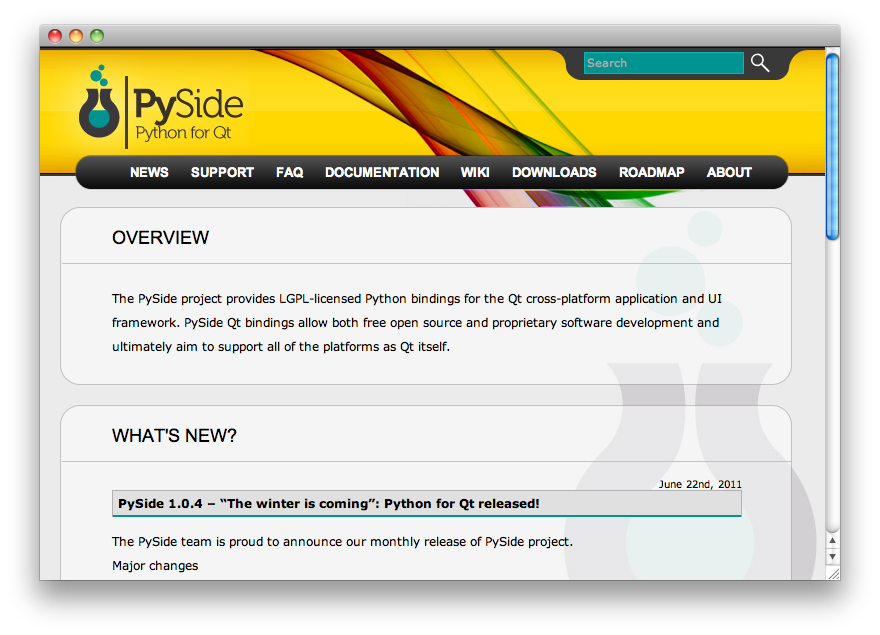
py2app
The turn of py2app has come , which will help to assemble our application into a full bundle. Among other things, virtualenv developers carefully put another pip package manager in our virtual environment , with which we will put py2app : To generate the bundle, py2app uses a special file - setup.py . How to create it from scratch is well described in the dock , and we will use the ready-made one: An app bundle will appear in the dist folder, which you can certainly run! ) The whole algorithm was tested on Mac OS X 10.6.8, and the resulting bundle was tested on the same, but clean system. If you want to use
$ workon py27

(py27) $ pip install py2app
from setuptools import setup
APP = ['qt_test.py']
OPTIONS = {'argv_emulation': False,
'includes' : ('PySide.QtNetwork', ),
'semi_standalone': 'False',
'compressed' : 'True',
'frameworks' : ('libpyside-python2.7.1.0.dylib', 'libshiboken-python2.7.1.0.dylib'),
}
setup(
app=APP,
options={'py2app': OPTIONS},
setup_requires=['py2app'],
)PyQt , then the sequence of actions will be exactly the same, only pyqt is set and in the source file all PySide are replaced by PyQt. You may also need to install SIP , similarly transfer it to a virtual environment and add it to includes in setup.py .
References
Below is a complete list of the tools and libraries that I used, with their versions:
- Xcode 4.2
- MacPorts 1.9.2
- Python 2.7.2
- virtualenv 1.6.3
- virtualenvwrapper 2.7.1
- Qt4 4.7.3
- PySide 1.0.4-r1
- py2app 0.6.3
Two articles that helped me a lot:
How to make standalone OS X application bundles from PyQt apps using py2app
Multiple Python Versions on OSX with Virtualenv and Macports