June 15, 2011 at 18:18
Add a button for UIKeyboardTypeNumberPad
Many developers have come across the fact that if you select UIKeyboardTypeNumberPad for UITextField in iOS for iPhone, then there will be an empty space instead of a button at the bottom left.
The returnKeyType property does not work for this type of keyboard and it is possible to remove it from the screen only by hanging the handler on a touch in an empty place (for example, UIView).
Caution of
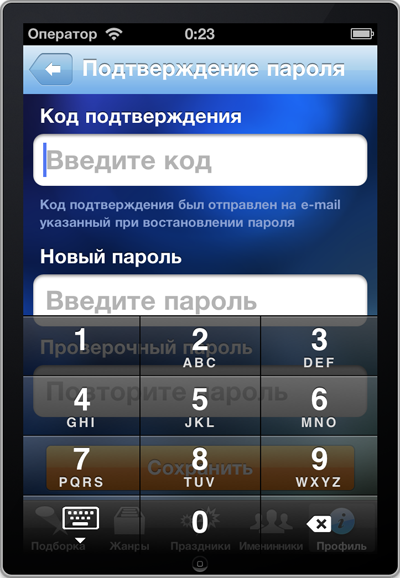
Internet traffic , you can find a lot of examples of how to add my button to such a keyboard, but I had a task to add a hide button on a translucent keyboard (UIKeyboardAppearanceAlert), so that it looks like this:
At first I planned to describe how I solved this problem, but after finishing it to a universal state, I realized that it would be a long and confusing description. As a result, having done everything as a separate class, I will describe how to run it.
First of all, download the class itself .
The archive will have three files and a folder with a demo project. We need only these three files:
AMTextFieldNumberPad.h
AMTextFieldNumberPad.m
AMTextFieldNumberPad.bundle (it contains the necessary images)
Connect them to the project.
Then we connect the class in the necessary controller in the header:

In the Interface Builder, add a UITextField and assign a class to it
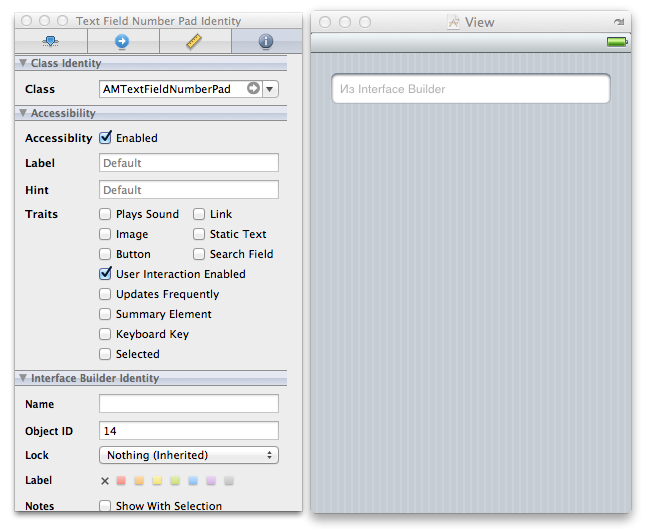
And make the connection between the objects

That's all.
You can also call it programmatically.
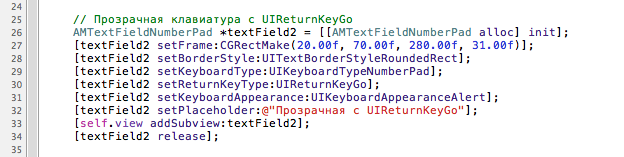
Now I will talk about the capabilities of the class.
The class supports a regular and transparent keyboard.
You can add your own text to the button:
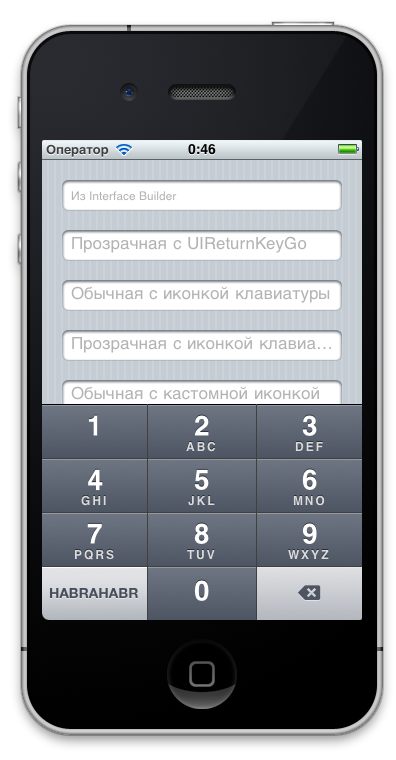
If you don’t specify the text, then it will be substituted automatically from returnKeyType:
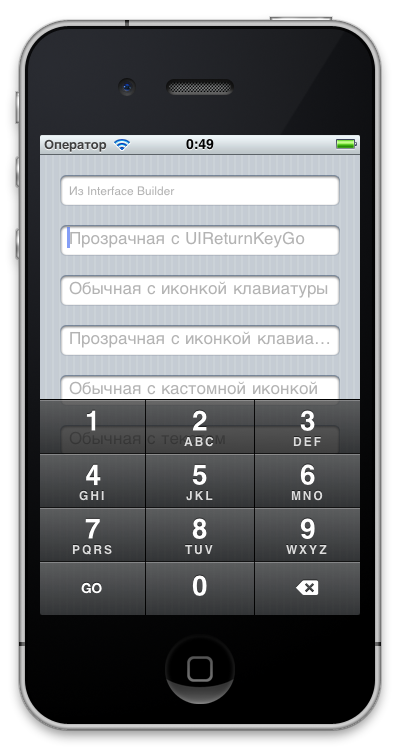
You can make a button with a keyboard icon (as in the iPad):

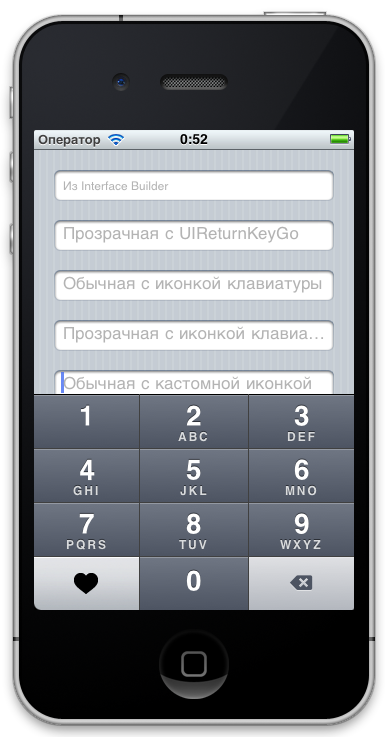
Or specify any of your own:
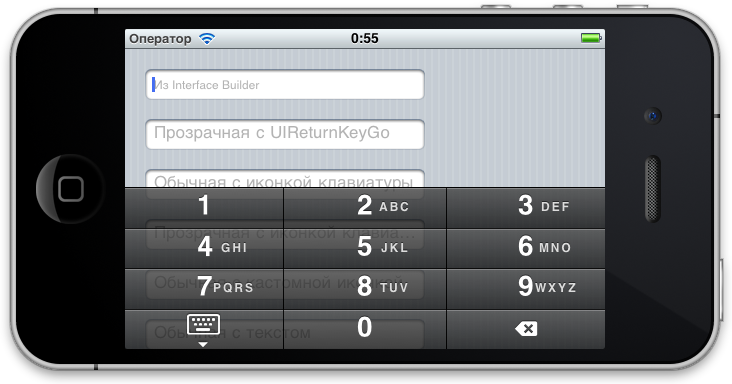
Well, support for horizontal orientation:
I, of course, do not pretend to be the perfect solution, if anyone knows the best ways - I will be very grateful.
I also attach a link to the repository
The returnKeyType property does not work for this type of keyboard and it is possible to remove it from the screen only by hanging the handler on a touch in an empty place (for example, UIView).
Caution of
Internet traffic , you can find a lot of examples of how to add my button to such a keyboard, but I had a task to add a hide button on a translucent keyboard (UIKeyboardAppearanceAlert), so that it looks like this:
At first I planned to describe how I solved this problem, but after finishing it to a universal state, I realized that it would be a long and confusing description. As a result, having done everything as a separate class, I will describe how to run it.
First of all, download the class itself .
The archive will have three files and a folder with a demo project. We need only these three files:
AMTextFieldNumberPad.h
AMTextFieldNumberPad.m
AMTextFieldNumberPad.bundle (it contains the necessary images)
Connect them to the project.
Then we connect the class in the necessary controller in the header:
In the Interface Builder, add a UITextField and assign a class to it
And make the connection between the objects
That's all.
You can also call it programmatically.
Now I will talk about the capabilities of the class.
The class supports a regular and transparent keyboard.
You can add your own text to the button:
If you don’t specify the text, then it will be substituted automatically from returnKeyType:
You can make a button with a keyboard icon (as in the iPad):
Or specify any of your own:
Well, support for horizontal orientation:
I, of course, do not pretend to be the perfect solution, if anyone knows the best ways - I will be very grateful.
I also attach a link to the repository