February 24, 2011 at 21:46
Once upon a time there was the smallest server ...
As they say, computer users are divided into those who make backups and those who DO NOT. Understanding this, more and more users prefer not to store “eggs in one basket”, more and more turning their attention to the possibility of centralized storage of information. The hero of today's review was a small box from a well-known Taiwanese manufacturer, the possibilities of which for home use are enough with the head. This server is on a diet (consumes only 5 watts), silent, small and inexpensive (from 3000 rubles) - in general, if you are interested in this question, then I suggest not postponing the meeting.

Meet - Synology USB Station 2 .
I must say right away that the article will not contain the next meticulously detailed description of the most interesting, web interface - I wrote about it at least twice ( 1 , 2 ), and it’s easier to see it once — the necessary link will be a little lower.
 Specifications
The packaging is very modest in size, but quite informative - it shows the possible ways of using this device:


Inside was:
- Synology USB Station 2 server
- Two -meter patch cord
- Network adapter
- Software disk
- Papers

For starters, everything is there - it's worth connecting the wires , put the software and it all works right away. Papers contain only information for a “quick start” - a full-fledged current manual (in the right language) is best downloaded from the site.
When I removed all the inscriptions from the box in Photoshop and asked on Twitter what kind of device it was, the answers were delivered again) Card reader and magnetic flash drive destroyer, fragrance and ionizer, doorbell and alarm, portable speaker and dock - Station for iPhone - only a small part of what was suggested. And this is just the smallest (46x122x111 mm with a weight of 147 g) server - the size is slightly larger than the average ashtray. The fact is that there is no place for a hard disk inside - it is supposed to be connected from the outside ... that is, initially it would even be like a NAS.

The appearance is as simple as possible - in front is the name of the device and three status LEDs:

... on the left is a button for safely disconnecting all connected USB devices:

... and behind, in fact, several connectors - just USB (in the amount of two pieces - for connecting hard drives, flash drives, printers, Wi-Fi dongles, speakers, etc.) and a gigabit LAN port for connecting to the network. There is also a connector for external power and a Reset button to reset the system settings to their default states.

On the back there are 4 rubber legs (to stand on the table) and two holes (to hang on the wall).
The case is made of a nice matte (rough) plastic that does not get dirty or glare. The indicators, although large, shine very unobtrusively.

There is no power supply as such - everything works from the network through a small adapter. This servochka consumes neither more nor less - 5 watts in active mode. On this in appearance everything.
Synology has an interesting product strategy - all devices (small to large) differ in their hardware characteristics, but the DiskStation Manager software shell (aka DSM ) is the same for everyone. There are certain differences in the capabilities of some functions of the software part, but otherwise this statement is true - it is for this reason that the entire range of devices remains relevant, and over the years, like wine, it’s only becoming prettier. Knowing this, I decided to delay the paragraphs about the software, and even before turning on, I took up a screwdriver.
Initially, there is nothing to unscrew - all the screws (two of them) were hidden under the rubber legs.

Who needs a bun? ) We
turn them off and get full access to the system internals.

The only board was fixed on the bottom of the case - we also unscrew these screws. As a result, we get a thin bare board.

On the one hand, there are all interfaces (including UART), a Marvell 88F6180 processor (800 MHz, 256 Kb L2; although cpuinfo displays 88FR131 ), a Genesys GL850G USB controller and two Gigabit Ethernet controller circuits ( GST5009 and Marvell 88E1116R )


C on the other hand there is a battery from Mitsubishi (and so, it turns out, what they are doing!)), 128 MB Elpida EDE1116AEBG-8E-F RAM (DDR2-800) and Samsung K9F1G08U0C flash memory chip(originally it is sealed with a sticker). Well, also an unknown miniUSB-connector - I did not try to stick something into it, but I assume that it is for some kind of service debugging.


As you can see, there are no coolers and heatsinks - even the processor is cooled passively. This means that it will be quiet, which is great. Moreover - it is not clear why the dimensions of the device are "so large" - even from the photographs it is clear that it could be twice as thin.


Okay, I am collecting everything in reverse order. Although if not assembled, the top cover will remain removable and with a light movement of the hand, the NAS can turn into ... an elegant place for a nest egg! )

uname -a
cat proc / cpuinfo
cat proc / meminfo
free
df -h
Synology was one of the first companies to implement support for 3 TB drives in its devices - even with this server you can connect storage with a total volume of two hard drives (though connected via a USB interface) of 6 TB. My test reserves turned out to be more modest - I used a 32 GB flash drive.

As always, it all starts with Synology Assistant- it allows you to find a stray drive on the network and go to its admin panel. There is still much to be done in the same program (for example, connecting a printer, remotely turning off the device, or simply monitoring the status of all drives on the network), but when I saw in it not the latest version of the server firmware, I decided to update it first. The file I needed weighed about 67 MB and required a flash drive for flashing - it will not work without media.

For "adult" devices, DSM 3.1 beta has recently released with a nice changelog, but for USB Station 2 there is only the previous software version so far - I upgraded from DSM 3.0.1336 to DSM 3.0.1417, just for two changes:

First, create a shared folder on the connected media and add different users to the system (if necessary). We turn on the necessary services (Windows and Mac file services, FTP / Telnet / SSH / DLNA / UPnP / DDNS / WebDAV), activate the necessary applications (Audio Station, File Station, Download Station, iTunes service) and, in principle, we can do anything For a long time, forget about the settings.

One could once again write a sheet of text or dump a ton of screenshots, but I will probably refrain from another rewriting of available functions - firstly, I already partially talked about all this (links above), and secondly, you can download the manual (where everything is painted in detail with pictures), well, and thirdly, there is a wonderful link by which you can see everything yourself on a live example:
 Clickable
In addition to the hard drive, you can also connect a printer to the device, which in a couple of clicks will become available for the network. But the list of USB devices supported by the server does not end there - for example, you can connect a wireless module. I used the D-Link DWA-140 , with the setup of which there were no problems.
Moreover, you can connect USB speakers and through them will play music coming from the Audio Station application built into the server
Clickable
In addition to the hard drive, you can also connect a printer to the device, which in a couple of clicks will become available for the network. But the list of USB devices supported by the server does not end there - for example, you can connect a wireless module. I used the D-Link DWA-140 , with the setup of which there were no problems.
Moreover, you can connect USB speakers and through them will play music coming from the Audio Station application built into the server


(able to play MP3, FLAC, AAC, WMA, M4A, OGG and others); they can also be connected to a DLNA player. Many other formats are supported (including photos and videos) - all this can be made available on the network, but all older models will be more interesting in this regard. You can also use content from mobile devices - the necessary software is available for many platforms (iOS, WM, Android and Symbian), but this topic is worthy of a separate article - I’ll tell you if you want.

Otherwise, this device is very similar to those about which I wrote earlier. The only significant drawback of this drive is, perhaps, the speed of work. She is, to put it mildly, not the highest; although maybe I did something wrong. By the way, I will be grateful if someone will help me with the testing algorithm (in Windows OS) of the speed characteristics of such devices; Intel NASP does not like its sluggishness.
A folder with 293 files (in fact, the contents of the CD-ROM from the kit) was copied to 406 MB (by dragging and dropping the files onto a network drive in the explorer) to the drive for 2 minutes, that is, the write speed was only 3.5 MB / s, which is very small. The archive of this folder (283 Mb file) downloaded a little faster, in 75 seconds (speed 3.7 Mb / s). The same speed was when downloading a file via the web interface.

FTP write speed is slightly higher - more than 5 Mb / s. Reading is about 10. The


situation can be corrected by a more efficient hard drive connected to the box (let me remind you that I used a USB flash drive), as well as its file system (I had NTFS, although supported FAT32 or EXT3 / EXT4 could quite improve the speed) . Yes, and I repeat that I may have done something wrong - in other reviews on the network, the speed was up to 12 Mb / s for writing and up to 25 for reading.

* UPD *: Indeed, the FAT FS drive works faster - the FTP write speed reaches 10-11 Mb / s.


Resource monitoring tab in the admin panel (during one of the copies):

In addition to the Synology Assistant, the kit also includes two cross-platform (Win / Mac) utilities - Data Replicator 3(for backup and data recovery) and Download Redirector (for managing the torrent bootloader without having to log into DSM; this program can be used by any user created in the system). If you install the second program, then after authorization, the following icon will appear on the desktop - if you drag the torrent file onto it (FTP / HTTP / eMule and NZB downloads are also supported), it will be downloaded by the server and will settle on the installed drive.


It is a pity there is no sorting by folder, otherwise it could have turned out very conveniently.
 Compact size
Two USB ports - for drives, printers, etc.
Powerful software shell
Low energy consumption
No noise
Price (from 3000 rubles)
Ability to store a stash)
 Low data transfer speed on a medium with NTFS file system
Again there are almost no minuses, how so? And like this. At least I didn’t find anything significant anymore. Slow data transfer rate? Everything is relative - such undemanding users will be enough for a home, and the analogs in this price range are unlikely to have a higher speed.
You could, of course, point out that there is no RAID0 / 1/5 in the minuses, that you can only connect an external USB drive or that initially there is no Wi-Fi in the box ... but it's like writing in the Audi TT review “ it would be very good, be the ground clearance and boot volume as in the Q7 ". In this case, the "drawbacks" are obvious at the very beginning, but otherwise - the price is quite consistent with the quality.
Unless the FreeAgent DockStar with 3 USB sockets and a place for a 2.5 '' hard drive. Initially, there is no disk either, but the price (I didn’t find it on sale) is slightly higher, from 3800 rubles. I can’t say anything more, since I didn’t use it.

So, well, it’s like it’s that network drive, in the comments to the review of which the phrase “... yes, for this money ... uuuh!” Should not appear. Well, or vice versa, it will appear immediately from some wise guy who wanted to easily cut down the pluses)
Prices for Synology products really bite (and in multi-disc solutions they bite and even bite very noticeably), but this does not apply to USB Station 2 - finally the model range has been replenished with the product that anyone can afford. Of course, you can once again discourage yourself and take some helpless crafts on the principle of “if only for the ruble, but cheaper”, but I still advise you to succumb to the temptation and try once. After all, the popular wisdom "avaricious pays twice" was not invented even in reviews of glands, but here it is more than ever true.
What can I say - once again the company provided the public with an interesting and high-quality product, which, for sure, will find a cozy place in this world. This is an initial level, but for centralized storage of information within the apartment it should be enough. You can find many other ways of application - here the main instruction is to master once or completely go through all the software menus in order to know about the potential. And he is there, despite the modest size of the box. Of course, for more serious tasks, something more productive and with hardware support for various technologies (yes, the same RAID) will be required, but the rest of the USB Station 2 is not like the others and is good in its own way ... and in general it complemented the existing range of models very harmoniously.

You just read to the end (well, or you just looked at all the pictures and decided to dwell on the conclusion, in the hope that I’ll summarize the most, haha) review of the third product from Synology and honestly, each time this company I like it more and more. Everything is “human” and honestly - they make high-quality (in all aspects) and practical products, they are passionate about software development and support; they listen to every opinion and wish, do not bother to send out press releases, and even if they send something, then there is no advertising in the letter - only good news with huge changelogs. I think this is a very correct strategy - this attitude does not just bribe you, but makes you try once and don’t look at anything else (something like Apple).
GL
Meet - Synology USB Station 2 .
I must say right away that the article will not contain the next meticulously detailed description of the most interesting, web interface - I wrote about it at least twice ( 1 , 2 ), and it’s easier to see it once — the necessary link will be a little lower.
SpecificationsEquipment
The packaging is very modest in size, but quite informative - it shows the possible ways of using this device:
Inside was:
- Synology USB Station 2 server
- Two -meter patch cord
- Network adapter
- Software disk
- Papers
For starters, everything is there - it's worth connecting the wires , put the software and it all works right away. Papers contain only information for a “quick start” - a full-fledged current manual (in the right language) is best downloaded from the site.
Appearance
When I removed all the inscriptions from the box in Photoshop and asked on Twitter what kind of device it was, the answers were delivered again) Card reader and magnetic flash drive destroyer, fragrance and ionizer, doorbell and alarm, portable speaker and dock - Station for iPhone - only a small part of what was suggested. And this is just the smallest (46x122x111 mm with a weight of 147 g) server - the size is slightly larger than the average ashtray. The fact is that there is no place for a hard disk inside - it is supposed to be connected from the outside ... that is, initially it would even be like a NAS.
The appearance is as simple as possible - in front is the name of the device and three status LEDs:
... on the left is a button for safely disconnecting all connected USB devices:
... and behind, in fact, several connectors - just USB (in the amount of two pieces - for connecting hard drives, flash drives, printers, Wi-Fi dongles, speakers, etc.) and a gigabit LAN port for connecting to the network. There is also a connector for external power and a Reset button to reset the system settings to their default states.
On the back there are 4 rubber legs (to stand on the table) and two holes (to hang on the wall).
The case is made of a nice matte (rough) plastic that does not get dirty or glare. The indicators, although large, shine very unobtrusively.
There is no power supply as such - everything works from the network through a small adapter. This servochka consumes neither more nor less - 5 watts in active mode. On this in appearance everything.
Showdown
Synology has an interesting product strategy - all devices (small to large) differ in their hardware characteristics, but the DiskStation Manager software shell (aka DSM ) is the same for everyone. There are certain differences in the capabilities of some functions of the software part, but otherwise this statement is true - it is for this reason that the entire range of devices remains relevant, and over the years, like wine, it’s only becoming prettier. Knowing this, I decided to delay the paragraphs about the software, and even before turning on, I took up a screwdriver.
Initially, there is nothing to unscrew - all the screws (two of them) were hidden under the rubber legs.
Who needs a bun? ) We
turn them off and get full access to the system internals.
The only board was fixed on the bottom of the case - we also unscrew these screws. As a result, we get a thin bare board.
On the one hand, there are all interfaces (including UART), a Marvell 88F6180 processor (800 MHz, 256 Kb L2; although cpuinfo displays 88FR131 ), a Genesys GL850G USB controller and two Gigabit Ethernet controller circuits ( GST5009 and Marvell 88E1116R )
C on the other hand there is a battery from Mitsubishi (and so, it turns out, what they are doing!)), 128 MB Elpida EDE1116AEBG-8E-F RAM (DDR2-800) and Samsung K9F1G08U0C flash memory chip(originally it is sealed with a sticker). Well, also an unknown miniUSB-connector - I did not try to stick something into it, but I assume that it is for some kind of service debugging.
As you can see, there are no coolers and heatsinks - even the processor is cooled passively. This means that it will be quiet, which is great. Moreover - it is not clear why the dimensions of the device are "so large" - even from the photographs it is clear that it could be twice as thin.
Okay, I am collecting everything in reverse order. Although if not assembled, the top cover will remain removable and with a light movement of the hand, the NAS can turn into ... an elegant place for a nest egg! )
All inside
BusyBox v1.16.1 (2010-12-24 03:09:45 CST) built-in shell (ash)

Enter 'help' for a list of built-in commands.
uname -a Linux USBStation2 2.6.32.12 #1417 Fri Dec 24 03:05:41 CST 2010 armv5tel GNU/Linux synology_88f6180_us2cat proc / cpuinfoProcessor: Feroceon 88FR131 rev 1 (v5l) BogoMIPS: 794.62 Features: swp half thumb fastmult edsp CPU implementer: 0x56 CPU architecture: 5TE CPU variant: 0x2 CPU part: 0x131 CPU revision: 1 Hardware: Feroceon-KW Revision: 0000 Serial: 0000000000000000
cat proc / meminfoMemTotal: 125856 kB MemFree: 21796 kB Buffers: 27508 kB Cached: 36000 kB SwapCached: 5952 kB Active: 40284 kB Inactive: 41120 kB Active (anon): 10860 kB Inactive (anon): 11484 kB Active (file): 29424 kB Inactive (file): 29636 kB Unevictable: 0 kB Mlocked: 0 kB SwapTotal: 251896 kB SwapFree: 237528 kB Dirty: 0 kB Writeback: 0 kB AnonPages: 12860 kB Mapped: 15208 kB Shmem: 4448 kB Slab: 18704 kB SReclaimable: 9760 kB SUnreclaim: 8944 kB KernelStack: 672 kB PageTables: 1176 kB NFS_Unstable: 0 kB Bounce: 0 kB WritebackTmp: 0 kB CommitLimit: 314824 kB Committed_AS: 246724 kB VmallocTotal: 516096 kB VmallocUsed: 136 kB VmallocChunk: 513464 kB
freetotal used free shared buffers Mem: 125856 104068 21788 0 27508 Swap: 251896 14368 237528 Total: 377752 118436 259316
df -hFilesystem Size Used Available Use% Mounted on / dev / synoboot1 65.1M 65.1M 0 100% / / tmp 61.5M 520.0K 60.9M 1% / tmp / dev / sdk1 30.1G 3.5G 26.5G 12% / volumeUSB1 / usbshare
Inclusion and work
Synology was one of the first companies to implement support for 3 TB drives in its devices - even with this server you can connect storage with a total volume of two hard drives (though connected via a USB interface) of 6 TB. My test reserves turned out to be more modest - I used a 32 GB flash drive.
As always, it all starts with Synology Assistant- it allows you to find a stray drive on the network and go to its admin panel. There is still much to be done in the same program (for example, connecting a printer, remotely turning off the device, or simply monitoring the status of all drives on the network), but when I saw in it not the latest version of the server firmware, I decided to update it first. The file I needed weighed about 67 MB and required a flash drive for flashing - it will not work without media.
For "adult" devices, DSM 3.1 beta has recently released with a nice changelog, but for USB Station 2 there is only the previous software version so far - I upgraded from DSM 3.0.1336 to DSM 3.0.1417, just for two changes:
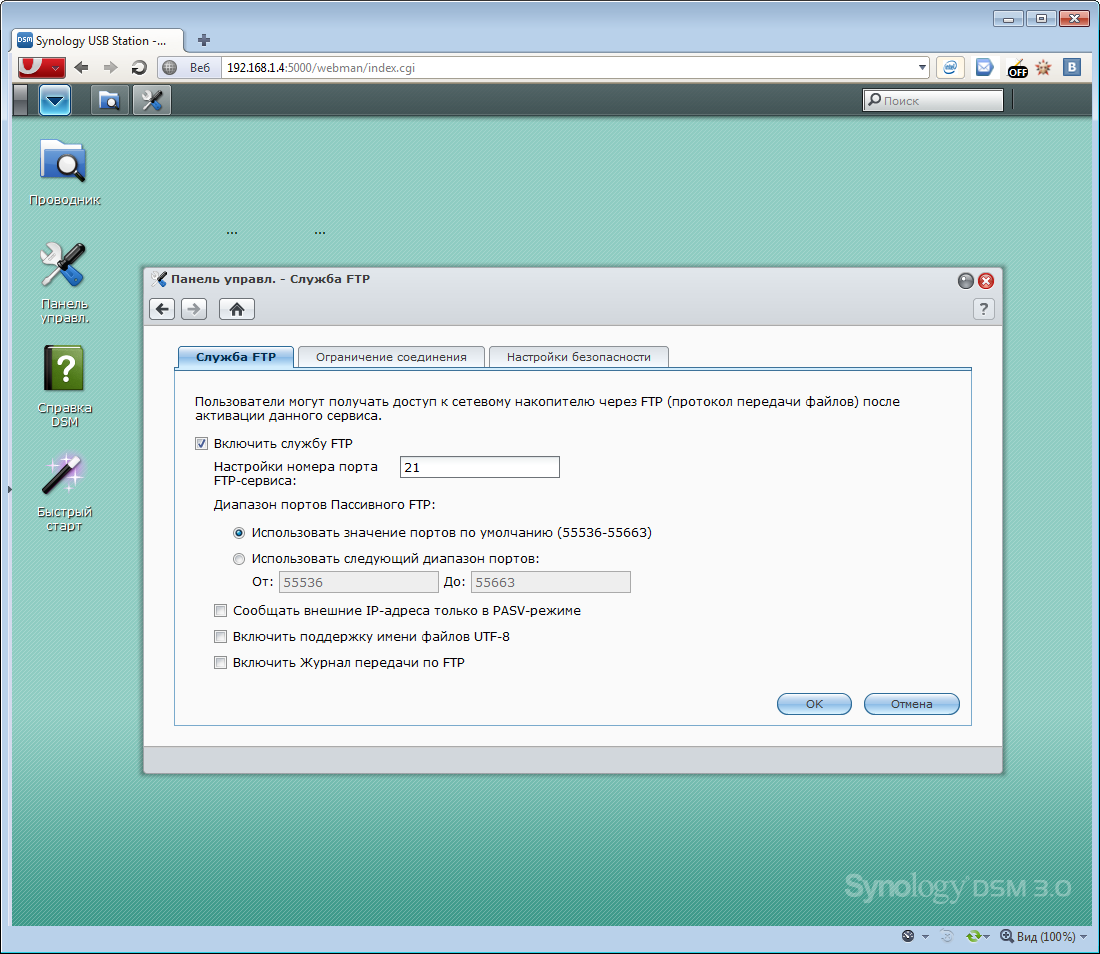
- Multifunction printer is now supported to allow the print / fax / scan functions on their multifunction printer to be shared among family or colleagues over the same network.After updating to a given IP address, a smart admin panel opens (on ExtJS?), Which is not as functional as in more expensive drives, but no less good. An intuitive desktop (with a taskbar and icons) that gives you access to any device settings in a couple of clicks.
- HDD Hibernation is now supported on the external USB HDD.
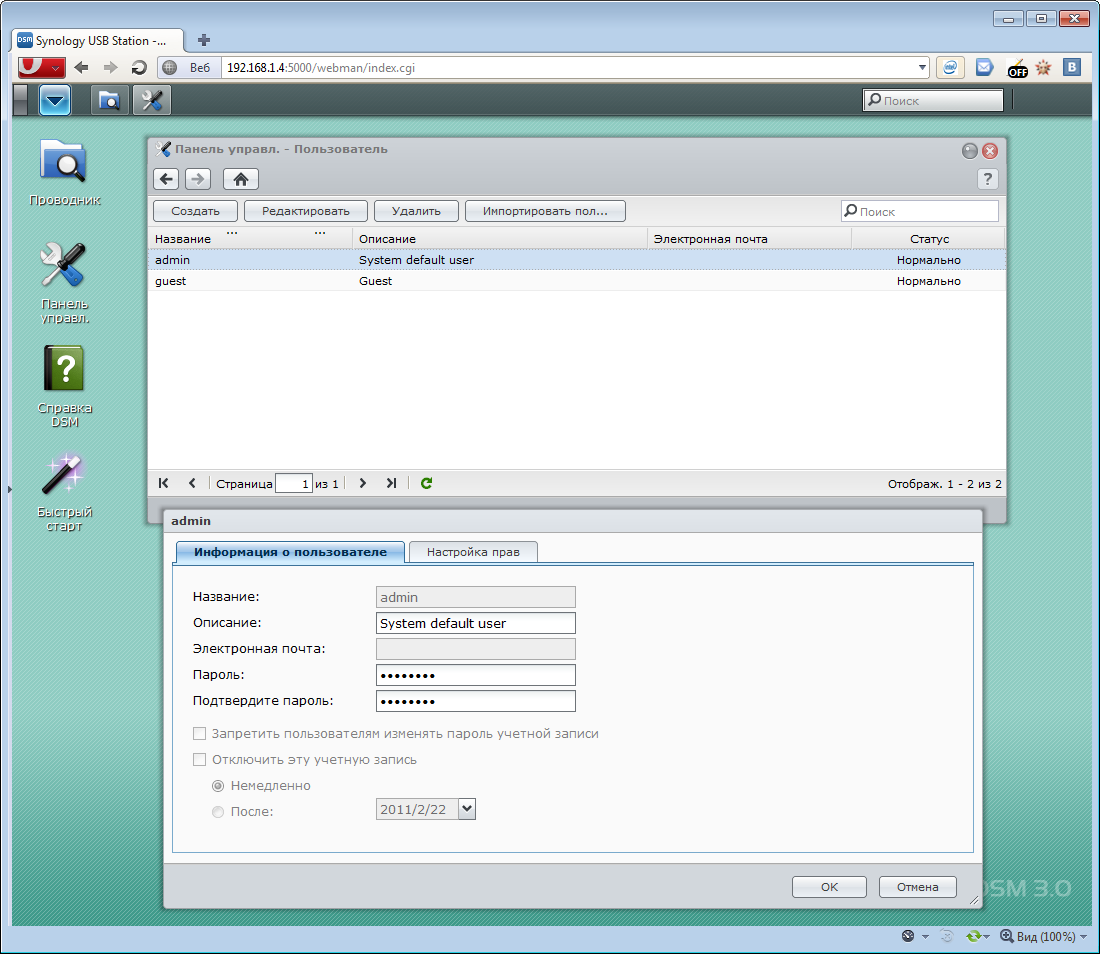
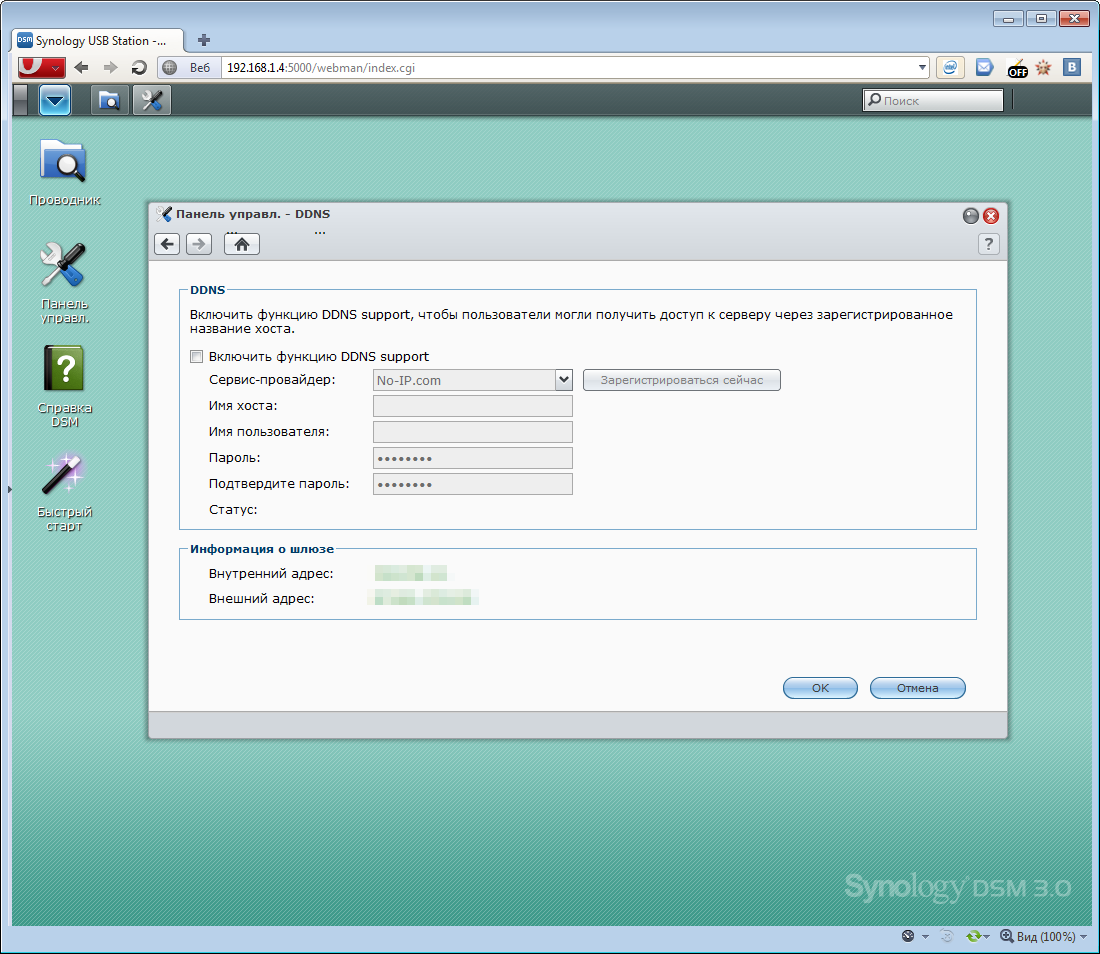
First, create a shared folder on the connected media and add different users to the system (if necessary). We turn on the necessary services (Windows and Mac file services, FTP / Telnet / SSH / DLNA / UPnP / DDNS / WebDAV), activate the necessary applications (Audio Station, File Station, Download Station, iTunes service) and, in principle, we can do anything For a long time, forget about the settings.
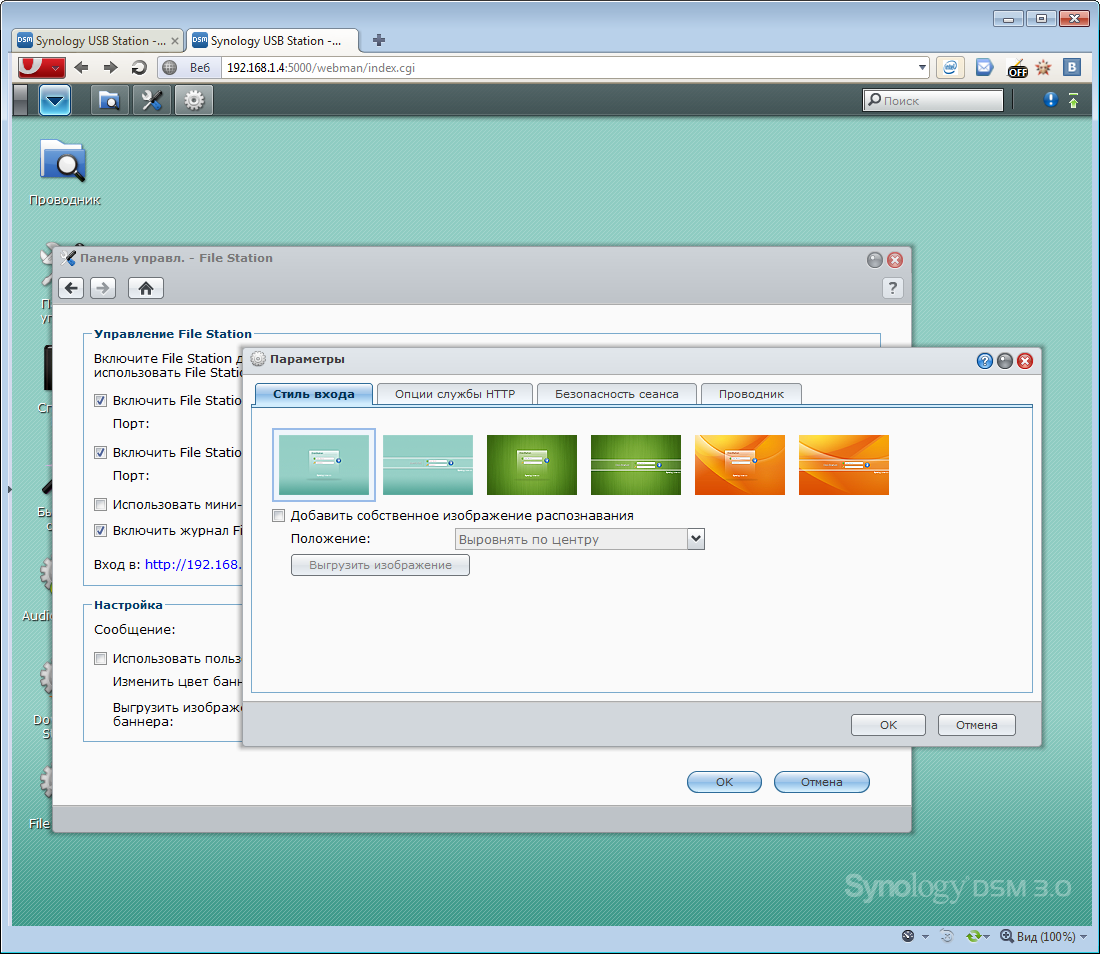
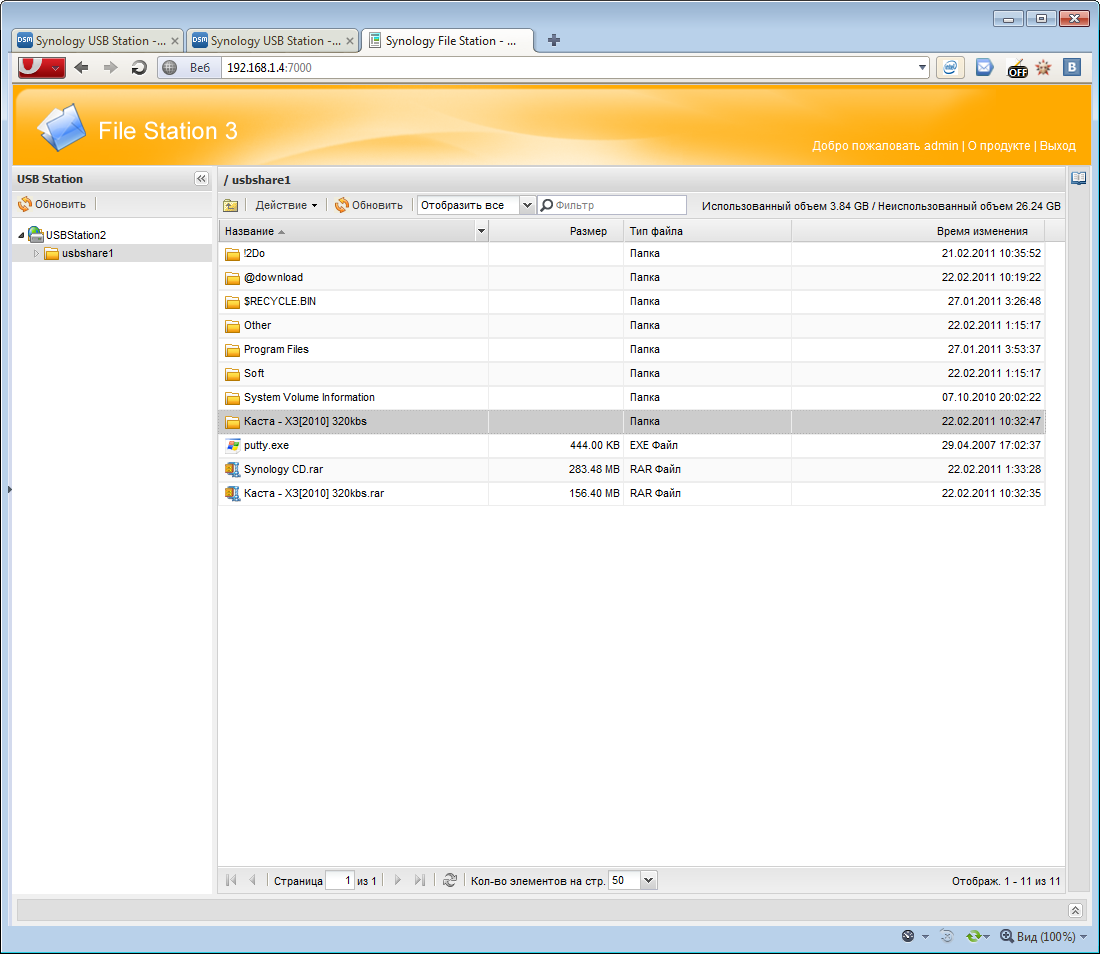
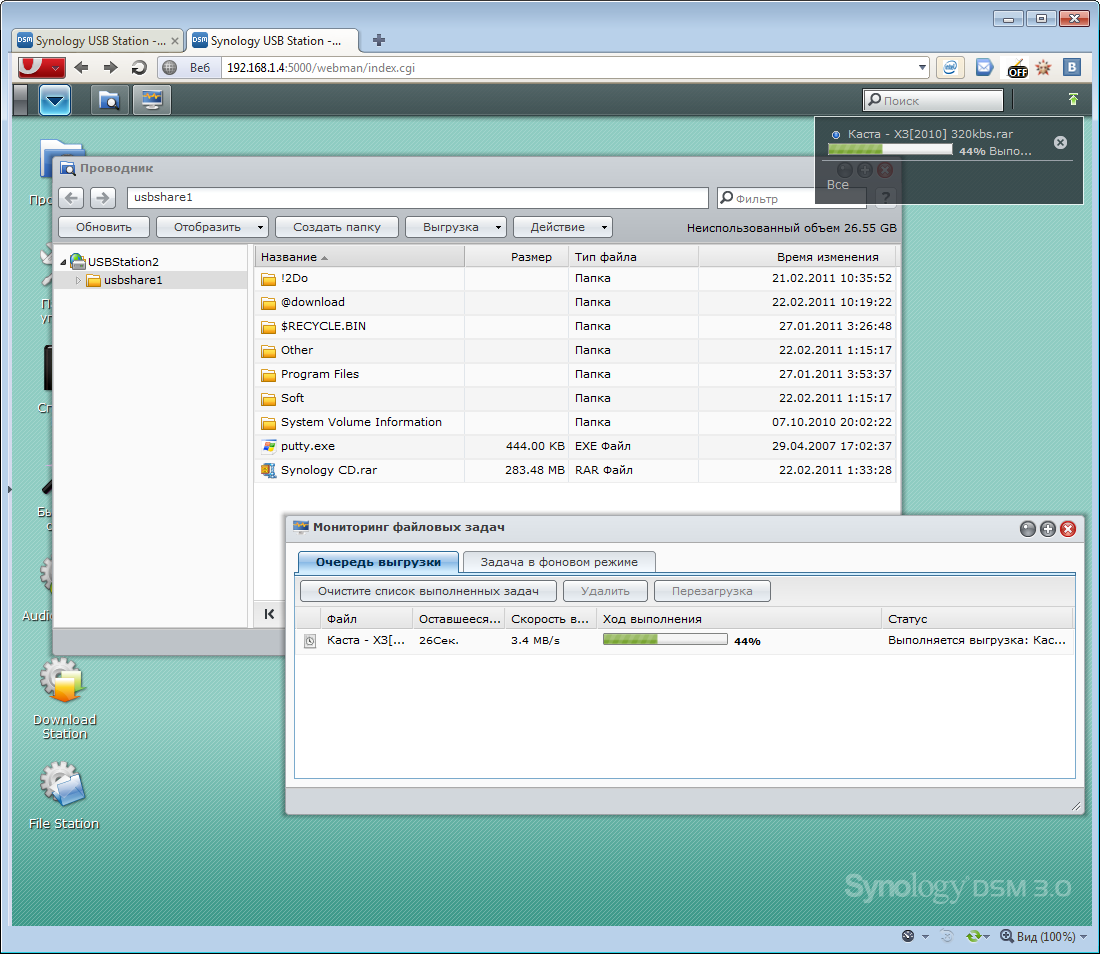
One could once again write a sheet of text or dump a ton of screenshots, but I will probably refrain from another rewriting of available functions - firstly, I already partially talked about all this (links above), and secondly, you can download the manual (where everything is painted in detail with pictures), well, and thirdly, there is a wonderful link by which you can see everything yourself on a live example:
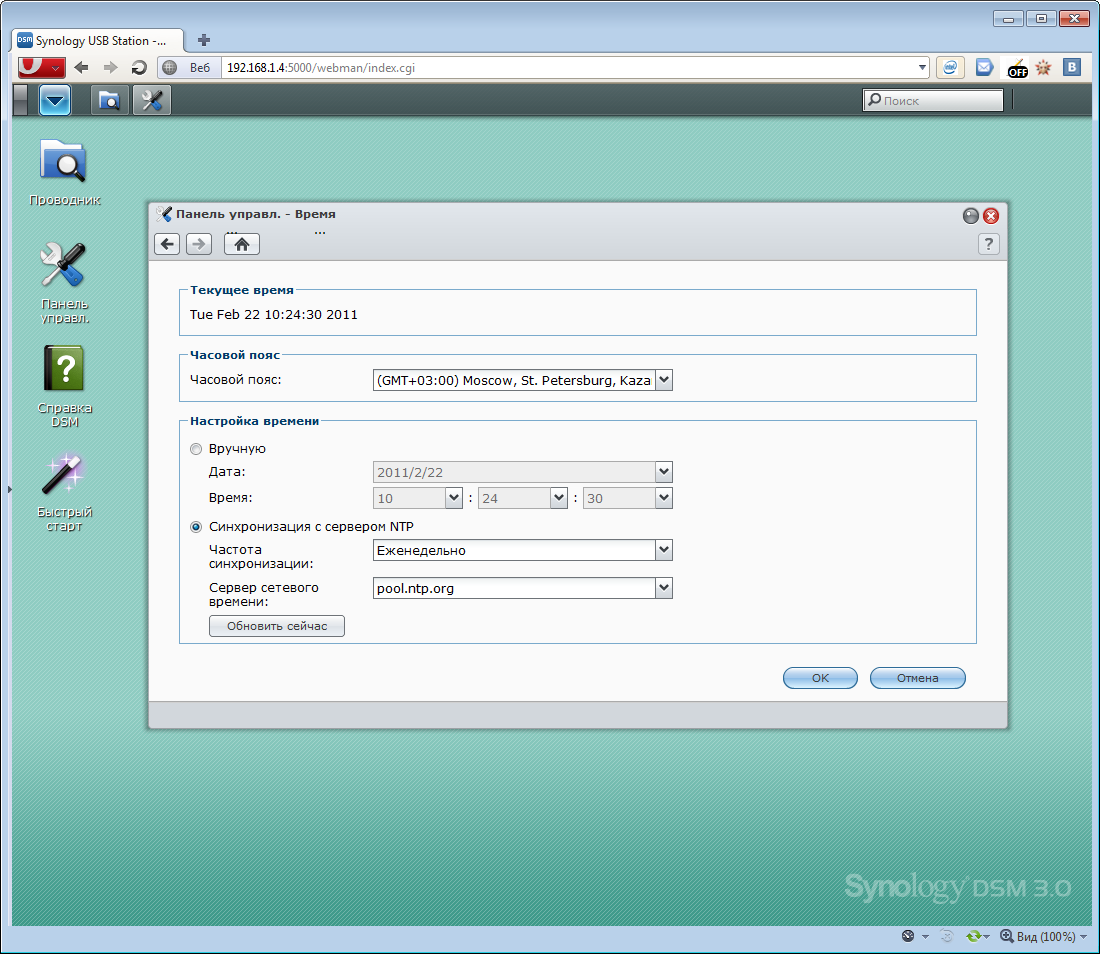
http://demo.synology.com:5000 (admin: Synology)True, this link contains an advanced version of the admin panel, in which there are all the items inherent in full-fledged drives; in USB Station 2, the admin panel is simpler, so I’ll still post a couple of screenshots so that you know what is in it and what is not in it.
Clickable
In addition to the hard drive, you can also connect a printer to the device, which in a couple of clicks will become available for the network. But the list of USB devices supported by the server does not end there - for example, you can connect a wireless module. I used the D-Link DWA-140 , with the setup of which there were no problems.
Moreover, you can connect USB speakers and through them will play music coming from the Audio Station application built into the server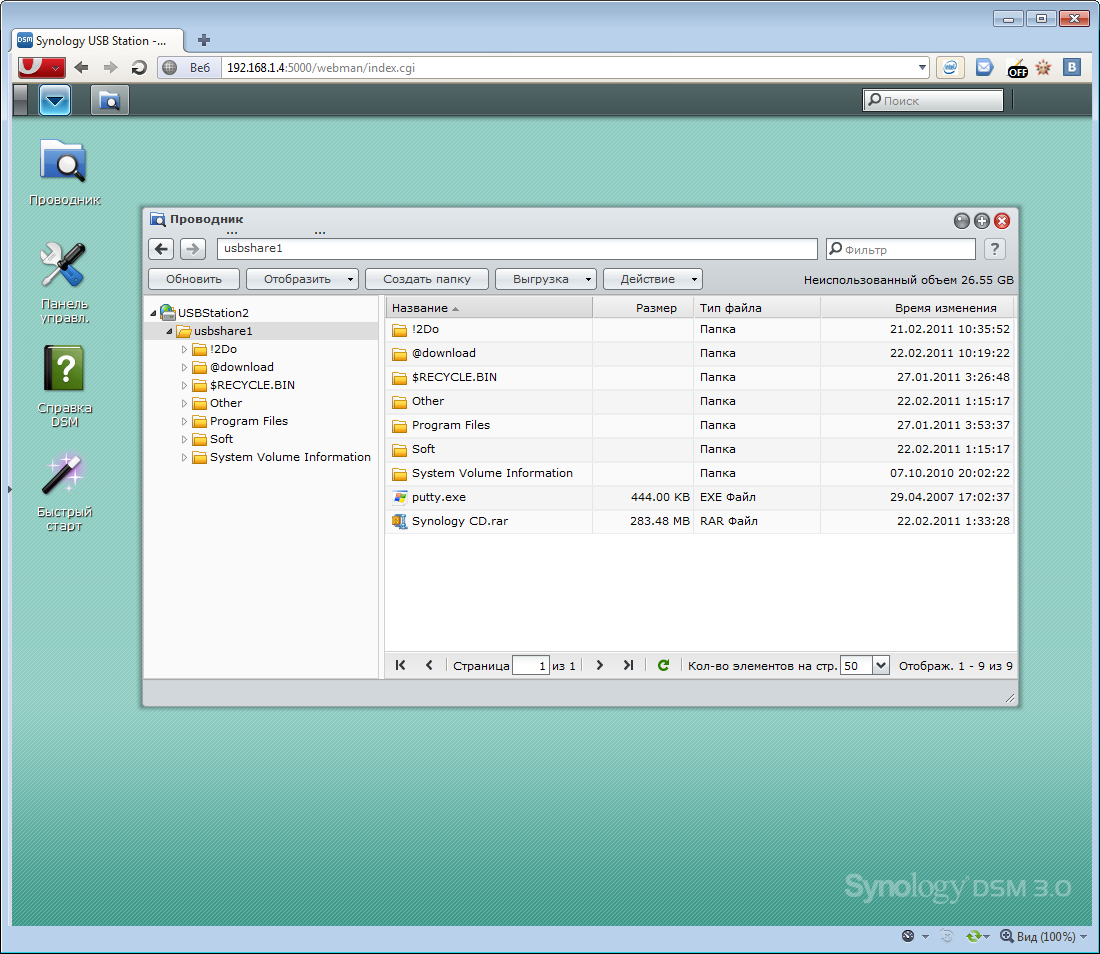
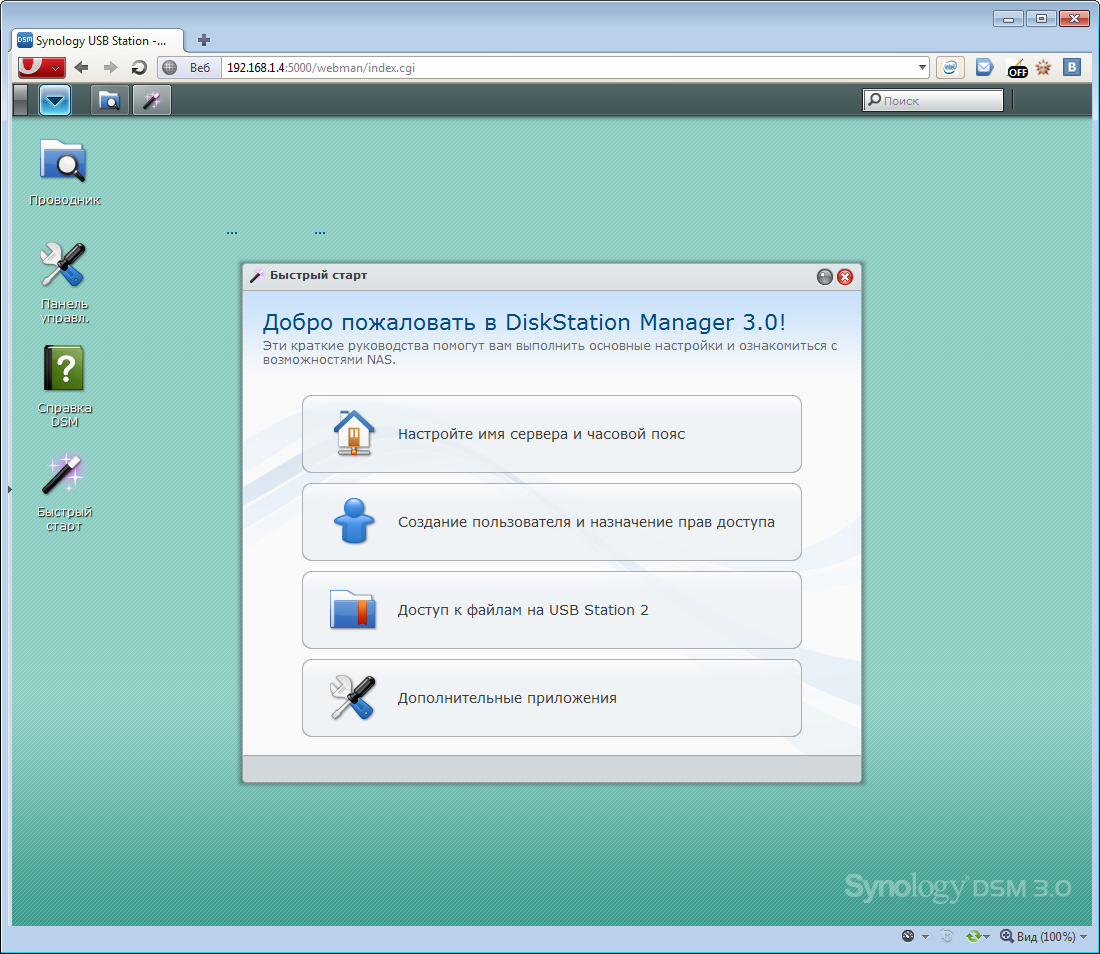
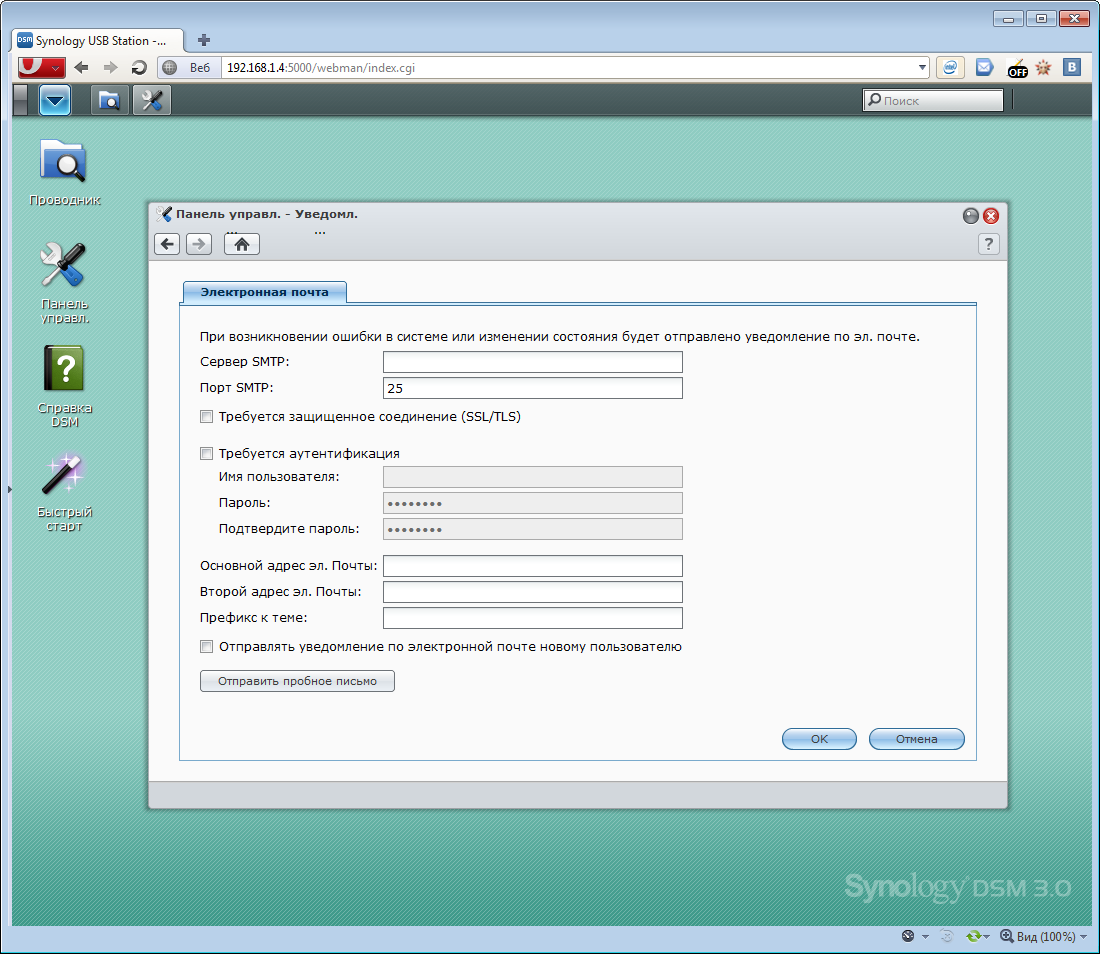
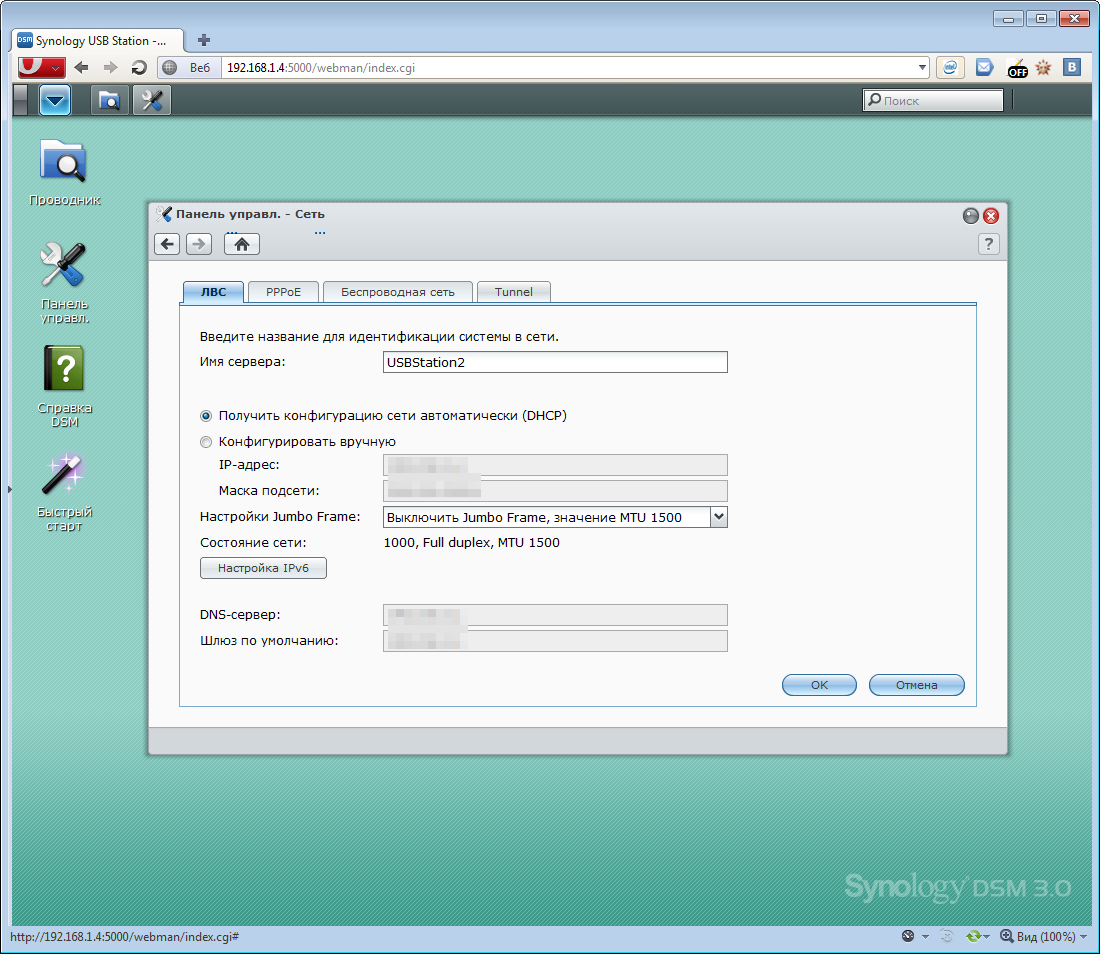
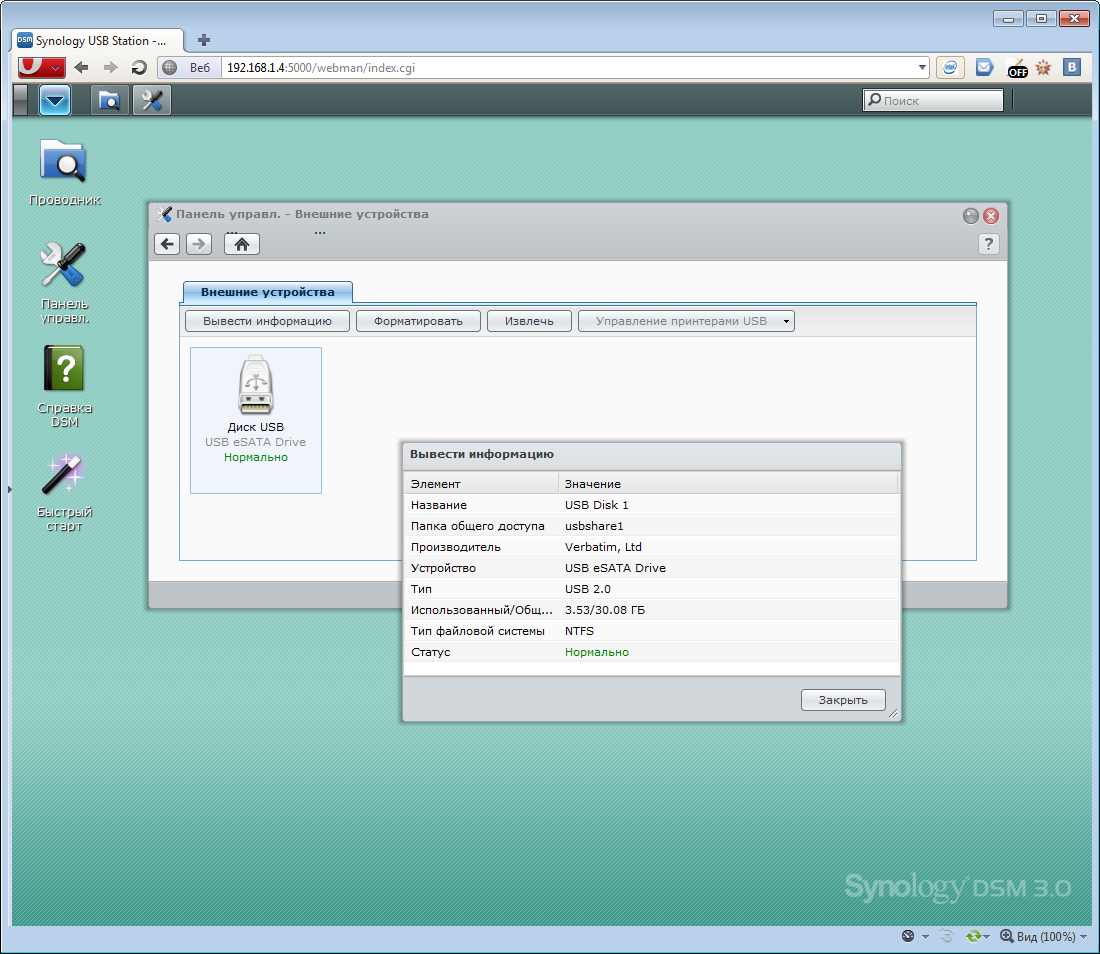
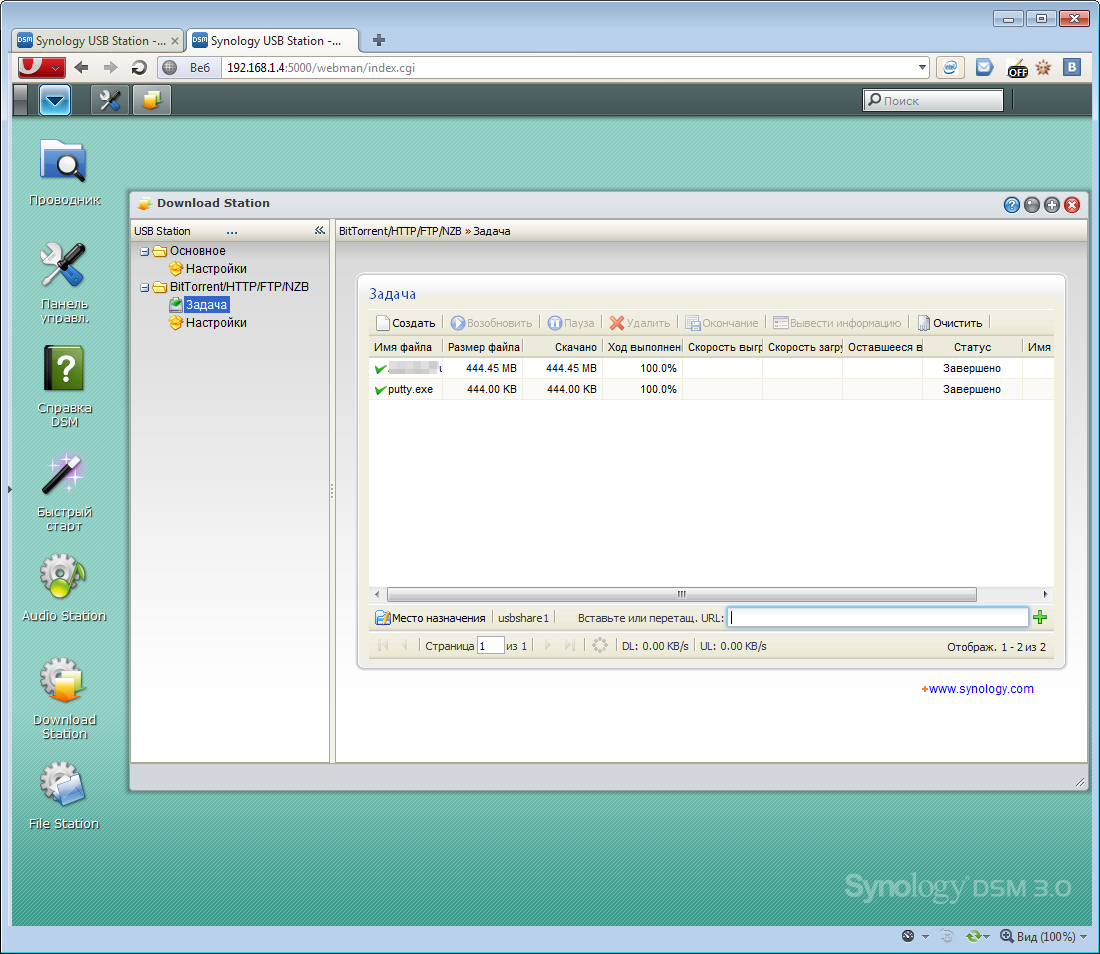


(able to play MP3, FLAC, AAC, WMA, M4A, OGG and others); they can also be connected to a DLNA player. Many other formats are supported (including photos and videos) - all this can be made available on the network, but all older models will be more interesting in this regard. You can also use content from mobile devices - the necessary software is available for many platforms (iOS, WM, Android and Symbian), but this topic is worthy of a separate article - I’ll tell you if you want.
Otherwise, this device is very similar to those about which I wrote earlier. The only significant drawback of this drive is, perhaps, the speed of work. She is, to put it mildly, not the highest; although maybe I did something wrong. By the way, I will be grateful if someone will help me with the testing algorithm (in Windows OS) of the speed characteristics of such devices; Intel NASP does not like its sluggishness.
A folder with 293 files (in fact, the contents of the CD-ROM from the kit) was copied to 406 MB (by dragging and dropping the files onto a network drive in the explorer) to the drive for 2 minutes, that is, the write speed was only 3.5 MB / s, which is very small. The archive of this folder (283 Mb file) downloaded a little faster, in 75 seconds (speed 3.7 Mb / s). The same speed was when downloading a file via the web interface.
FTP write speed is slightly higher - more than 5 Mb / s. Reading is about 10. The
situation can be corrected by a more efficient hard drive connected to the box (let me remind you that I used a USB flash drive), as well as its file system (I had NTFS, although supported FAT32 or EXT3 / EXT4 could quite improve the speed) . Yes, and I repeat that I may have done something wrong - in other reviews on the network, the speed was up to 12 Mb / s for writing and up to 25 for reading.
* UPD *: Indeed, the FAT FS drive works faster - the FTP write speed reaches 10-11 Mb / s.
Resource monitoring tab in the admin panel (during one of the copies):
In addition to the Synology Assistant, the kit also includes two cross-platform (Win / Mac) utilities - Data Replicator 3(for backup and data recovery) and Download Redirector (for managing the torrent bootloader without having to log into DSM; this program can be used by any user created in the system). If you install the second program, then after authorization, the following icon will appear on the desktop - if you drag the torrent file onto it (FTP / HTTP / eMule and NZB downloads are also supported), it will be downloaded by the server and will settle on the installed drive.
It is a pity there is no sorting by folder, otherwise it could have turned out very conveniently.
 Pros and cons
Compact size Two USB ports - for drives, printers, etc. Powerful software shell Low energy consumption No noise Price (from 3000 rubles) Ability to store a stash) Low data transfer speed on a medium with NTFS file system Again there are almost no minuses, how so? And like this. At least I didn’t find anything significant anymore. Slow data transfer rate? Everything is relative - such undemanding users will be enough for a home, and the analogs in this price range are unlikely to have a higher speed.
You could, of course, point out that there is no RAID0 / 1/5 in the minuses, that you can only connect an external USB drive or that initially there is no Wi-Fi in the box ... but it's like writing in the Audi TT review “ it would be very good, be the ground clearance and boot volume as in the Q7 ". In this case, the "drawbacks" are obvious at the very beginning, but otherwise - the price is quite consistent with the quality.
Competitors
Unless the FreeAgent DockStar with 3 USB sockets and a place for a 2.5 '' hard drive. Initially, there is no disk either, but the price (I didn’t find it on sale) is slightly higher, from 3800 rubles. I can’t say anything more, since I didn’t use it.
conclusions
So, well, it’s like it’s that network drive, in the comments to the review of which the phrase “... yes, for this money ... uuuh!” Should not appear. Well, or vice versa, it will appear immediately from some wise guy who wanted to easily cut down the pluses)
Prices for Synology products really bite (and in multi-disc solutions they bite and even bite very noticeably), but this does not apply to USB Station 2 - finally the model range has been replenished with the product that anyone can afford. Of course, you can once again discourage yourself and take some helpless crafts on the principle of “if only for the ruble, but cheaper”, but I still advise you to succumb to the temptation and try once. After all, the popular wisdom "avaricious pays twice" was not invented even in reviews of glands, but here it is more than ever true.
What can I say - once again the company provided the public with an interesting and high-quality product, which, for sure, will find a cozy place in this world. This is an initial level, but for centralized storage of information within the apartment it should be enough. You can find many other ways of application - here the main instruction is to master once or completely go through all the software menus in order to know about the potential. And he is there, despite the modest size of the box. Of course, for more serious tasks, something more productive and with hardware support for various technologies (yes, the same RAID) will be required, but the rest of the USB Station 2 is not like the others and is good in its own way ... and in general it complemented the existing range of models very harmoniously.
You just read to the end (well, or you just looked at all the pictures and decided to dwell on the conclusion, in the hope that I’ll summarize the most, haha) review of the third product from Synology and honestly, each time this company I like it more and more. Everything is “human” and honestly - they make high-quality (in all aspects) and practical products, they are passionate about software development and support; they listen to every opinion and wish, do not bother to send out press releases, and even if they send something, then there is no advertising in the letter - only good news with huge changelogs. I think this is a very correct strategy - this attitude does not just bribe you, but makes you try once and don’t look at anything else (something like Apple).
GL