 February 8, 2011 at 20:42
PNG palette clustering and compression
annotation
In this article, the reader is invited to experience the development of an algorithm for compressing an image stored in PNG format. Compression is performed by quantizing the palette using the classifier K – intragroup means. The source code of the algorithm written in Java is given. The problems and further ways to improve the algorithm are indicated.
Introduction
The PNG format (pronounced "ping") is intended for storing and transmitting bitmap images. The format provides a phased display of image data, storage of information about the gamma index, the transparency of each pixel, as well as text information. The format uses an efficient lossless compression method [1].
A PNG file (or data stream) consists of an identification signature and at least three pieces of data. PNG defines four standard portions called critical portions, which should be supported by all readers and writers [1]:
- Serving Header (IHDR).
- Portion Palette (PLTE) - Stores color table data associated with image data. This portion is present in the file only when the image data uses a color palette (color indexing).
- Portion of Image Data (IDAT).
- The final portion (IEND).
More details about the description and features of the PNG format are given in [2]. It also describes the compression algorithms used by the format and indicates the scope.
The main idea of reducing the size of the image stored in PNG format is to reduce the number of different colors represented in the image. Moreover, the loss of the original number of colors can be completely invisible to the human eye. According to the author, one of the highest quality programs for today (02.2011) is Color Quantizer (CQ) [3]. The main features of this program include:
- Convert to any number of colors,
- convenient editing of the palette,
- batch optimization.
As a test drawing for further research, we select the image from [4], presented in Figure 1 below. Note that Figure 1 does not contain an alpha channel and the chess background is just an imitation. The original image contains 43,500 unique colors. Using the CQ program, Table 1 was compiled containing data on the number of colors left on the image and the size of the output file. When compressing in CQ, an error level of 25% was set.
Table 1 - Image compression rates using the CQ program
| Number of colors | Size, bytes on disk |
| 43,500 (source) | 184 320 |
| 4096 | 147 456 |
| 1024 | 106 496 |
| 256 | 53,248 |
As can be seen from the data in table 1, when reducing the number of colors to 256, the size of the resulting file is 53,248 bytes, which is almost 3.5 times smaller than the original file.
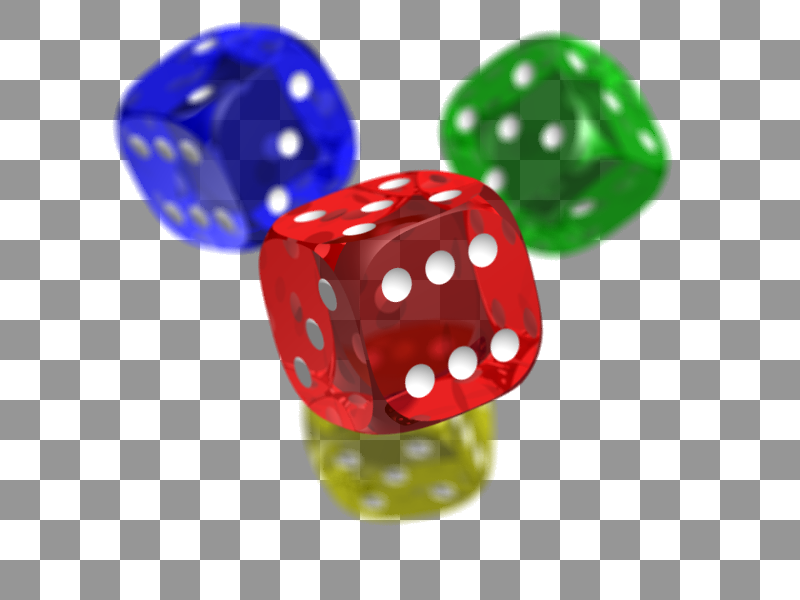
Figure 1 - Test image of PNG format for research, resolution - 800x600
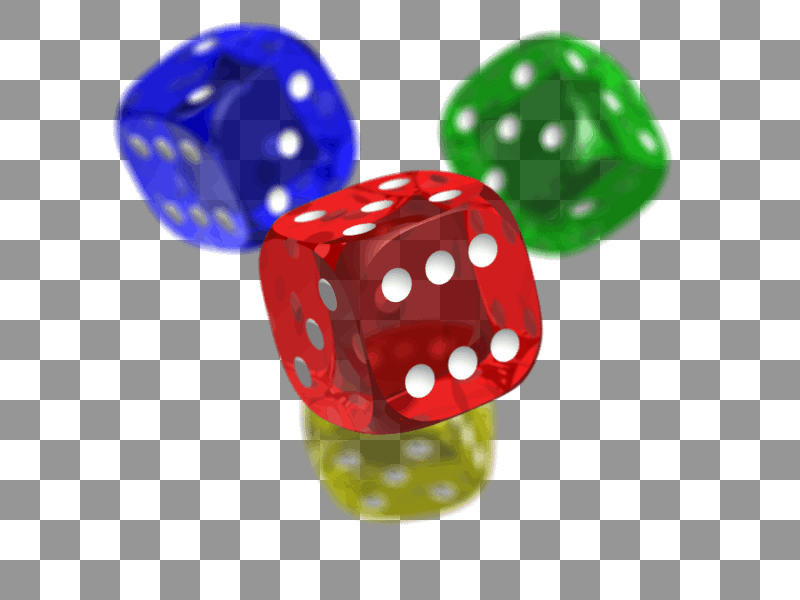
Figure 2 - Compressed image to 256 colors using Color Quantizer program

Figure 3 - Compressed image to 256 colors using developed algorithm
Naturally, such a serious loss of color cannot pass without leaving a trace for the image, but in this case it is insignificant in the opinion of the author. Figure 2 shows a compressed image up to 256 colors. Thus, you can significantly reduce the volume of PNG images by simply reducing the number of colors, which is especially important when using images on the web. However, this is not so simple, the CQ program has a significant drawback - the extremely slow speed, which makes it difficult to use it in real time, for example, when transmitting data from geographic information systems. It turns out that the time it takes to compress the image is several times greater than the time it takes to transmit the original - uncompressed image.
The next chapter will describe a very simple and fairly fast algorithm that allows in real time to reduce the number of colors in the image by quantizing (clustering) the palette (here we are not talking about PLTE portions) of the image.
Image Palette Clustering Algorithm
The image palette is the set of colors used in the image. If the image is stored in RGB format, then each point of this set has three coordinates - Red, Green, Blue; and if in the ARGB format, then another, very important component is added - the alpha channel or transparency.
The palette can be represented as a set of points in three-dimensional for RGB or four-dimensional for ARGB spaces. Due to the presence in the image of smooth transitions and halftones of color, the points will form “clouds” - the so-called clusters, where all points of the same cluster have a color close to each other. Therefore, for points that fall into the same cluster, you can assign one averaged (one of the options) color, and thereby reduce the dimension of the set — the palette.
However, first you need to determine the measure of proximity between the colors. There are many options, all of them are based on the construction of a color space that is visually uniform [5]. In this article, the author uses the simplest approach - a weighted Euclidean metric is chosen. In this case, the distance between the colors in the ARGB format is determined by the formula

where x and y are colors with the components {x A , x R , x G , x B }, {y A , y R , y G , y B } and α, β , γ, ε- parameters that possibly provide visual uniformity, which are selected experimentally.
Many data clustering algorithms have been developed [6], one of the simplest algorithms is K – intragroup means, which is used if the number of clusters into which many objects are divided (in our case, many colors) is known. The algorithm can be represented by the following steps:
- 0. For N required clusters, any N points of the set are taken, for example, the first by number.
- 1. For each cluster found, we calculate the center — the average value (center of mass) among all the objects included in it.
- 2. For each object from the set, we calculate the set of distances to each of the N clusters.
- 3. Each object of the set is attributed to that cluster, the distance to which is minimal.
- 4. We proceed to step 1 until a certain formal criterion for the quality of clustering is satisfied.
The author used the following criterion for stopping the iterative clustering algorithm: iterations are terminated if the number of objects that changed their cluster in the current step is equal to the number of the same objects in the previous step.
The implementation of this algorithm does not cause significant difficulties. The file attached to the article contains the source code of the algorithm. To work with PNG images, the PNGEncoder module [7] is used.
Link for downloading the archive with the source text
Example of calling the function to reduce the number of colors
- String imageFileName = "D:/Projects/PNG/big.png";
- String outImageFileName = "D:/Projects/PNG/bigout";
- int ColorCounts = 255;
- // Чтение PNG картинки
- PngImage image = new PngImage();
- BufferedImage bufImage = image.read(new File(imageFileName));
- // Сжатие картинки
- CPNGCompression.Compression(bufImage, true, ColorCounts);
- // Сохранение
- encoder.setColorType(encoder.COLOR_INDEXED_ALPHA);// Поддержка альфа канала
- encoder.setCompression(encoder.BEST_COMPRESSION); // Уровень сжатия PNG
- // Индексированная палитра (блок PLTE) - поддерживается если количество цветов не превышает 255
- encoder.setIndexedColorMode(encoder.INDEXED_COLORS_AUTO);
- // Запись в поток
- FileOutputStream outfile = new FileOutputStream(outImageFileName + ".png");
- encoder.encode(bufImage, outfile);
- outfile.flush();
- outfile.close();
* This source code was highlighted with Source Code Highlighter.
Function Signature The Compression function is static for the CPNGCompression class. If the aUseFixedColorList parameter is set to true, then some colors in the image become “untouchable” - the list of such colors is configured in a static array of the CPNGCompression class. Untouchable colors are introduced so that, for example, there is no mixing (when calculating the center of the cluster) of white and black with the formation of gray. It is logical to assume that the visual quality of the classification strongly depends on the coefficients in formula (1), which can be determined for a limited class of images, for example, the author selected the following values for special cartographic data: α = 100, β = 30, γ = 59, ε = 11 .
- public static void Compression
- (
- BufferedImage aImage, // Изображение для сжатия
- boolean aUseFixedColorList, // Настроены ли цвета которые нельзя изменять
- int aColorCount // Количество требуемых цветов на выходе
- )
* This source code was highlighted with Source Code Highlighter.
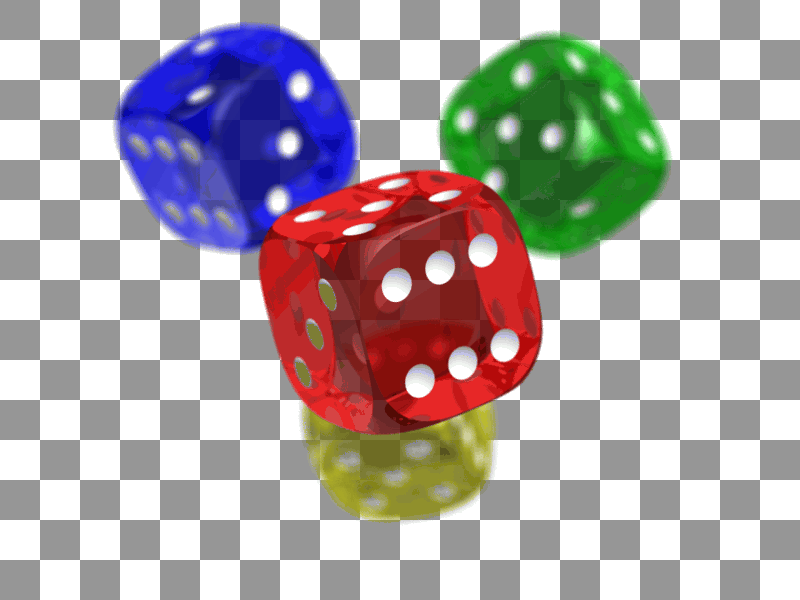
Figure 3 shows the result of compression to 256 colors of the original image using the developed algorithm. The total opening, compression, and retention times were 4700 ms . The size of the output file is 53,248 bytes , as well as for the CQ program (table 1). As we can see, Figure 3, compared to Figure 2, has a changed background color - visually it has become closer to yellow than to gray . This defect is easily eliminated if you specify as "untouchable" white and gray colors - which make up the background.
Conclusion
The article considers one of the simplest clustering algorithms used in the task of reducing the number of colors in an image. The algorithm is compared with a well-known solution - the CQ program. Further improvements to the algorithm may be related to
- changing the criterion for completing iterations,
- modification of the function of the distance between colors,
- transition to another color space during clustering.
Additions to the article - based on comments
The main article does not provide an image compressed by this algorithm using “untouchable colors”. We configure untouchable colors as follows: Then the result of compression by the algorithm considered here will be an image: Figure 4 - Compressed image using two untouchable colors The size of this image is also 53,243 bytes on disk. How to make a comparison of the operating time of the CQ program with the desired accuracy I do not know. Using the system clock, with an accuracy of + -2 seconds, CQ is compressed to 256 colors in 34 seconds , which is an order of magnitude worse than the result of the proposed algorithm.
- // Настраиваем неприкасаемые цвета
- CPNGCompression.m_fixedColors = new int [2];
- CPNGCompression.m_fixedColors[0] = 0xFF969696;
- CPNGCompression.m_fixedColors[1] = 0xFFFFFFFF;
- // Сжимаем
- CPNGCompression.Compression(bufImage, true, 256);
* This source code was highlighted with Source Code Highlighter.
Sources used
- D. Murray, W. van Riper. Encyclopedia of graphic file formats.
- Greg Roelofs, Ivan Zenkov, Dimok Busheff. PNG: A simple introduction to the format / link features
- Color Quantizer: A program that allows you to easily optimize images for web / Link
- Wikipedia material, test image, GNU Free Documentation License / Link
- A.I. Kulikov, T.E. Ovchinnikov. CIE Luv Space, Algorithmic Fundamentals of Modern Computer Graphics / Link
- Overview of Data Clustering Algorithms / Link
- PNGEncoder package for working with PNG images, Java / Link










