January 6, 2011 at 18:18
Overview of the 3G router Huawei E960
I want to talk about one of the best examples of equipment that fell into my hands from the ones created by hardworking Chinese comrades - the 3G Huawei E960 router.
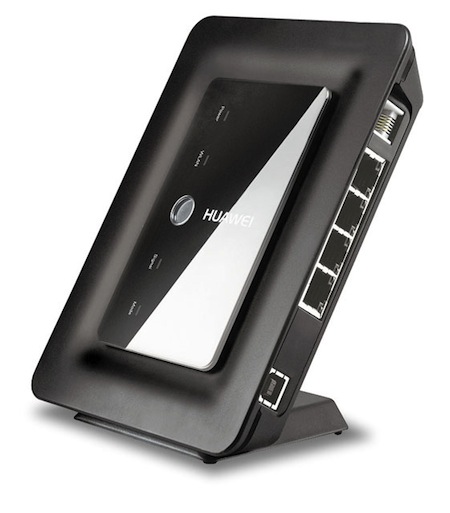
Unfortunately, it is not found in free sale and is exclusively branded for mobile operators providing Internet access using 3G technology. I have it marked with the logo of the Ukrainian Utel (the photo is not mine due to the lack of decent photo equipment at hand).
HUAWEI E960 SPECIFICATIONS:
It is based on the Broadcom's BCM5354 chipset and an unknown HDSPA modem (possibly something native to Huawei) that is connected via internal USB.
The device can work as a regular standalone router with Wi-Fi and 4-port Ethernet switch. There is no only WAN port - the Internet comes exclusively through mobile networks. The power supply is connected to a regular USB Type B connector (like printers / scanners), but if you connect the E960 with a standard cable to the computer’s USB port, the router turns into a regular USB 3G modem that does not require additional power, although it’s quite large in size. Of course, the switch and Wi-Fi do not work in this mode ... There is also an RJ-11 port to which a regular analog telephone set with tone dialing is connected and you can fully communicate using UMTS / GSM voice - this function was met only in this device.
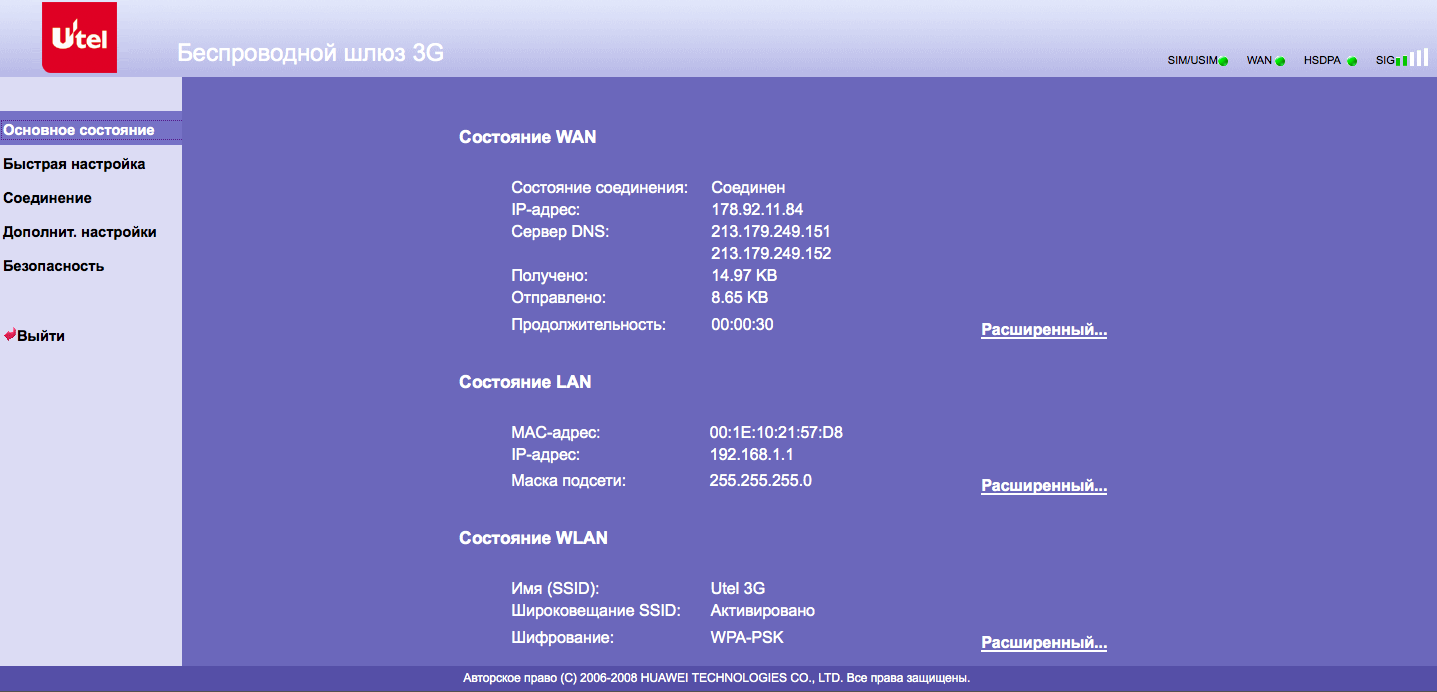
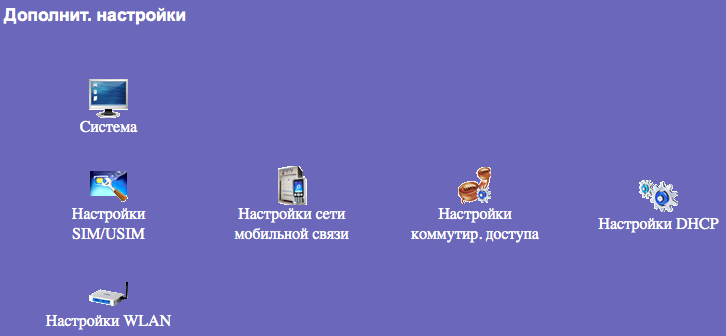
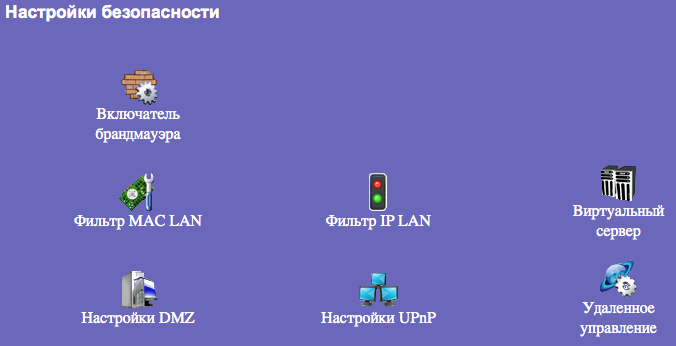
The web-interface itself is a little clumsy in Chinese, but it performs all the functions necessary for the router as expected. Mobile network settings are configured (PIN entry, PPP connection profile with the provider), DHCP server and Wi-Fi access point (supports WEP, WPA-PSK, WPA2-PSK, TKIP and AES, bridge mode): Firewall is configured in security settings , MAC / IP filters, port forwarding to the local network, DMZ (transfer of all incoming connections from WAN to one of the computers on the local network), UPnP port mapping is also supported: You can access the router via telnet, login / password is standard - admin / admin (and regardless of the password for the web interface): The working environment is very stripped down, but a little bit You can overwhelm. By the way, in the console, you can easily recover the password for the web interface:

Given the standard unchangeable password for telnet - security is not up to par ...
It turned out to be an excellent apparatus for the rapid deployment of a mobile office, and besides the Internet we also get a telephone line, but, unfortunately, only for voice - analog faxes are not transmitted on mobile networks. Despite the built-in antenna, it catches a signal very well and provides stable 1-2 Mb / s even with one or two “sticks”.
It also successfully works as a backup channel for Cisco, which steadily raises the DMVPN tunnel through the NAT router.
I don’t really like falling, one copy after a couple of times knocking off the windowsill stopped seeing my built-in modem, was cured by simple disassembly / assembly - the contact was visible ... By the way, the internal assembly is pretty high-quality, almost everything is wrapped in screens.
Unfortunately, it is not found in free sale and is exclusively branded for mobile operators providing Internet access using 3G technology. I have it marked with the logo of the Ukrainian Utel (the photo is not mine due to the lack of decent photo equipment at hand).
HUAWEI E960 SPECIFICATIONS:
- Single-standard UMTS - 2100 MHz;
- Three-standard GSM / GPRS / EDGE - 900/1800/1900 MHz;
- Real data transfer speed in 3G networks: 3.6 / 7.2 Mbit / s for download and 384 Kbit / s for upload;
- Connect to a computer via Ethernet, Wi-Fi, USB 2.0;
- Voice chat support: RJ-11 port for phone;
- Operating modes: modem, gateway;
- Antenna: built-in;
- Weight: less than 500g .;
- Options: router, USB cable, patch cord, CD with driver and instructions;
It is based on the Broadcom's BCM5354 chipset and an unknown HDSPA modem (possibly something native to Huawei) that is connected via internal USB.
The device can work as a regular standalone router with Wi-Fi and 4-port Ethernet switch. There is no only WAN port - the Internet comes exclusively through mobile networks. The power supply is connected to a regular USB Type B connector (like printers / scanners), but if you connect the E960 with a standard cable to the computer’s USB port, the router turns into a regular USB 3G modem that does not require additional power, although it’s quite large in size. Of course, the switch and Wi-Fi do not work in this mode ... There is also an RJ-11 port to which a regular analog telephone set with tone dialing is connected and you can fully communicate using UMTS / GSM voice - this function was met only in this device.
The web-interface itself is a little clumsy in Chinese, but it performs all the functions necessary for the router as expected. Mobile network settings are configured (PIN entry, PPP connection profile with the provider), DHCP server and Wi-Fi access point (supports WEP, WPA-PSK, WPA2-PSK, TKIP and AES, bridge mode): Firewall is configured in security settings , MAC / IP filters, port forwarding to the local network, DMZ (transfer of all incoming connections from WAN to one of the computers on the local network), UPnP port mapping is also supported: You can access the router via telnet, login / password is standard - admin / admin (and regardless of the password for the web interface): The working environment is very stripped down, but a little bit You can overwhelm. By the way, in the console, you can easily recover the password for the web interface:
# nvram show | grep pass

user_passwd=user

admin_passwd=admin
Given the standard unchangeable password for telnet - security is not up to par ...
conclusions
It turned out to be an excellent apparatus for the rapid deployment of a mobile office, and besides the Internet we also get a telephone line, but, unfortunately, only for voice - analog faxes are not transmitted on mobile networks. Despite the built-in antenna, it catches a signal very well and provides stable 1-2 Mb / s even with one or two “sticks”.
It also successfully works as a backup channel for Cisco, which steadily raises the DMVPN tunnel through the NAT router.
I don’t really like falling, one copy after a couple of times knocking off the windowsill stopped seeing my built-in modem, was cured by simple disassembly / assembly - the contact was visible ... By the way, the internal assembly is pretty high-quality, almost everything is wrapped in screens.