June 3, 2010 at 03:00
AeroWindow plugin for jQuery. Creating windows in the style of Windows Aero
- Transfer
I want to bring to your attention an interesting jQuery plugin - AeroWindow, which allows you to create your site in the style of Windows Aero. It creates pop-up windows in the style of Window 7 Aero that offer the usual options and full functionality similar to windows.
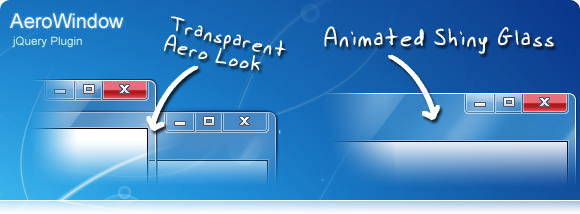
Key features:
It is possible to set the following parameters:
Examples:
Simple description of the AeroWindow window: Special window properties can be easily set: Checked compatibility with the following browsers: Internet Explorer 6, Internet Explorer 7, Internet Explorer 8, Mozilla Firefox 3, Google Chrome 4, Apple Safari 4, Opera 10. Current version 2.0 based on jQuery v1.4.2. Download AeroWindow Demo
Key features:
- Using Buttons: Minimize, Maximize, and Close
- Special function: animation in the form of glossy glitters when moving the window;
- Support for double-clicking on the window (animated window deployment);
- Infinitely sliding window;
- Visual illumination of the active window;
- Animated window resizing;
- Moving a window with the mouse;
- Window overlay management (Z-order management);
- Many other settings.
It is possible to set the following parameters:
- Window title;
- The initial position of the window in X and Y coordinates (the possibility of centering is provided);
- Standard Window Size;
- Minimum window size;
- The state of the open window (minimized, maximum size, normal);
- Customize window animations;
- Window generation based on mouse events and JavaScript function calls.
Examples:
Simple description of the AeroWindow window: Special window properties can be easily set: Checked compatibility with the following browsers: Internet Explorer 6, Internet Explorer 7, Internet Explorer 8, Mozilla Firefox 3, Google Chrome 4, Apple Safari 4, Opera 10. Current version 2.0 based on jQuery v1.4.2. Download AeroWindow Demo
$ ('#YourContainerDiv').AeroWindow((WindowTitle: 'My first very cool Aero Window for Web',));
$ ('# YourContainerDiv').AeroWindow((WindowTitle:'My first very cool Aero Window for Web', WindowPositionTop: 'center', WindowPositionLeft: 'center', WindowWidth: 400, WindowHeight: 100, Window Animation: 'easeOutCubic' WindowResizable: true, WindowDraggable: true WindowMinimize: true, WindowMaximize : false, WindowClosable: true));