 February 26, 2010 at 23:04
Highscreen PP5420 Review
About two weeks ago, they sent me a Highscreen PP5420 communicator for a test . For a long time I was not going to write about him. But then they called me and asked to do it.

This is the second Highscreen device that fell into my hands. The first was Zeus .
As can be seen from the characteristics - such an average, even a weak communicator. But it looks funny and unusual.
Two screens, whatever you say, still attract the eye.
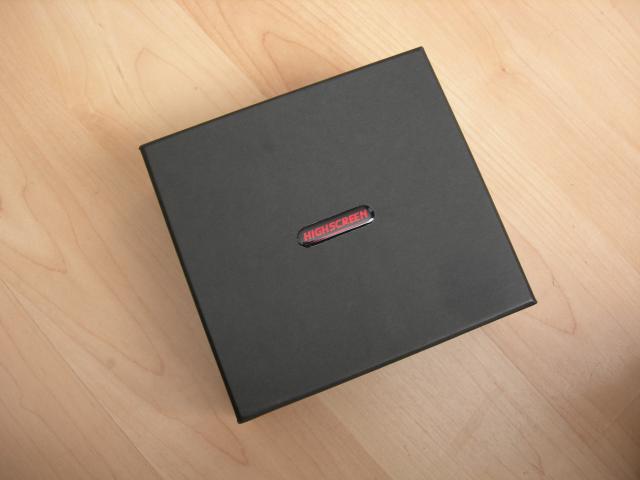
Black box with company logo. For a modern communicator, the box is big.
Not a brick;) We
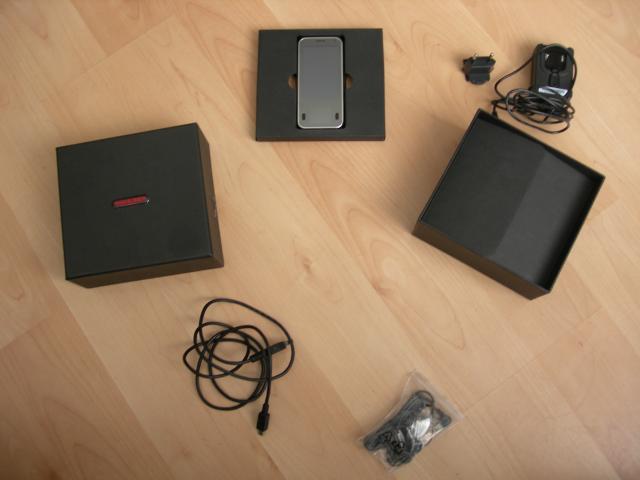
open it. What do we see? The kit is standard: charging, headset, communicator itself, battery, stylus, interface cable. Could you narrow down? Can. Two times smaller box - two times less during transportation, two times less space in the user box ... So. Turn on. What do we see? A funny android looks at us from two screens. By the way, I never found how to make at least something so funny when using a communicator. Does not work. Only navigation is shown (more on that later).
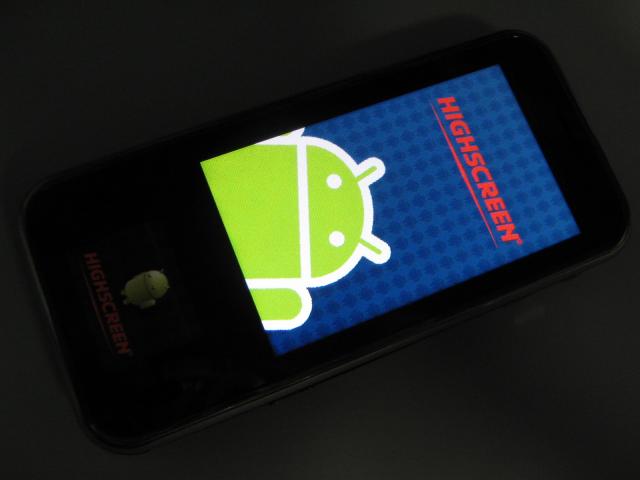
So. The main display is TFT, classic, resolution 240 × 400 (wqvga), there is grain. The screen is similar to the younger models of other manufacturers (HTC Tatto with the same grain, GSmart S1200 - with a smaller one).
The "younger" screen is 1.15 "OLED 128 × 96. An interesting solution. Under normal lighting and in the dark, it is good. In the sun - do not read at all.
Both screens are resistive. They respond to the finger, stylus, sausage and whatever you want. Navigation in the device is done using a touchscreen - a large screen and a mini-screen - a small one. It’s a very convenient solution. I got used to it quickly, but I won’t say that this method is optimal. Using physical buttons (menu, search, return) is still more convenient. The benefit of the end button and the reception of the call is “iron”. Speaking of buttons.

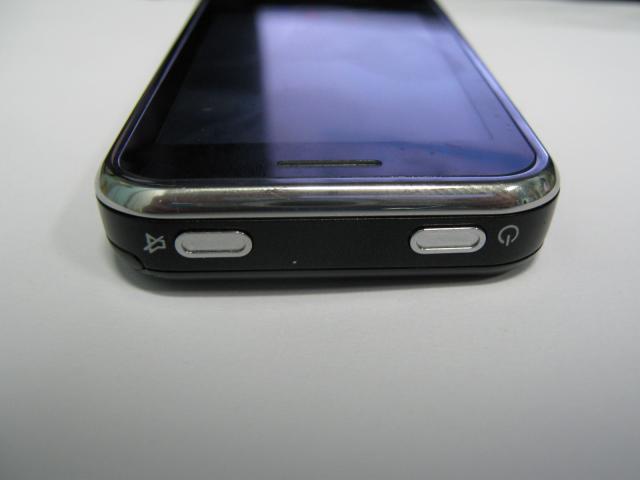
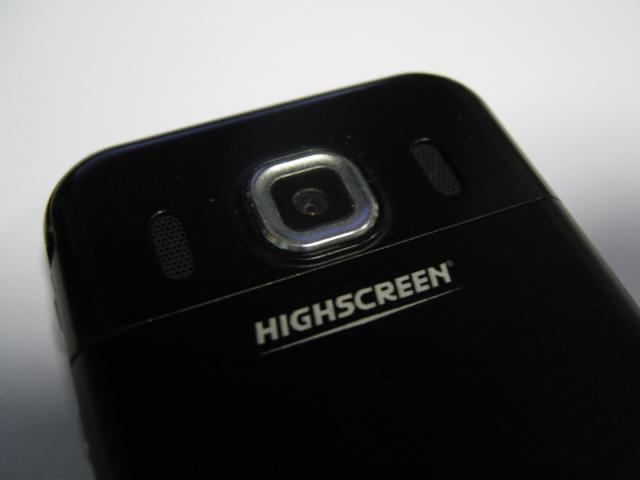
The communicator on the top has a power button, as well as a mute button. However, the implementation deserves ... Swearing. In the locked state, the button is useless. In the active mode - when you press it, a menu opens and you need to press the “turn off the sound” button on the screen ... Not quite ideologically true ... The device also has volume buttons, a two-position camera button, a micro SD card slot: On the other hand there are no buttons, but There is a slot for an interface cable (mini-usb). By the way, I still couldn’t install the driver normally on the device ... On the back cover we will see a speaker hole, a decorative hole, as well as a camera eye (3 megapixels with autofocus):


In life, the communicator has shown its best side. Despite the absence in the system (Anroid 1.5) of Google services (neither market, nor gmail) - you can live with it. SlideMe (an alternative to the Android Market) is a convenient solution in this case. Yes, and no one canceled apk files.
Yes, the platform does not produce great speeds, but listening to a player, reading a book is a pleasure. Sit on the Internet via wi-fi. Using navigation (Sygic is quite a program) is easy! Watching videos on the subway is easy. And it knows how to call and sms very well.
I could not make screenshots of the system - there was a problem connecting to the computer. There is no driver.
Take a picture of friends - you can! Shooting videos too!
Here you are, for example:


Perhaps you will say that such communicators are now rampant. However, look at the Highscreen PP5420 a bit more closely. Also ... and? ..
Do you see how much it costs? 6000 !!! You do not believe?
For this money, everyone will receive a communicator that can do anything. Literally. And what can’t - no one can for that money!
Geek, student, youth - get a good communicator for great money!
Pros:
Price Unusual second display
Auto focus on the camera
Price Wi-Fi
GPS
Cons:
mini-usb with non-standard drivers screen grain ergonomics suffer from
non-standard screen resolution - this causes problems with the installation of programs
lack of market
lack of synchronization with Google services
resistive screen
“Chinese” design
lack of any For any support from Vobis,
some commentators notice problems with the MTS operator on this unit.
I would take it!
You need to think about why you need the device. If you want synchronization services, heaps of games, different versions of programs, buy programs and games for it - do not take it. You will regret. But if you have enough of what you can do with it (reader, phone, browser, audio and video player, navigator) - then take it.
update: for those who do not know what SlideMe is: slideme.org
At the request of solarwind , Davidov , Himari, I add minuses to the device.
update2: if anyone loves WinMo and likes to flash - w3bsit3-dns.com/forum/index.php?showtopic=130176 - there is a recipe for firmware on WinMo, a radio appears, the battery lasts longer. and there’s also a recipe to bring everything back.
This is the second Highscreen device that fell into my hands. The first was Zeus .
Specifications
Operating system:: | Android OS 1.5 |
CPU:: | 528 MHz Qualcomm® MSM7201A ™ |
RAM: | 128 MB |
ROM: | 256 MB |
Dimensions :: | 114 × 53.5 × 13 mm |
Bluetooth: | 2.0 + EDR |
WiFi: | 802.11b / g |
Warranty:: | 1 year |
Display:: | touch 3.0 “, 240 × 400 (WQVGA), 262K colors + 1.15” OLED 128 × 96 |
Expansion Slot :: | microSD |
Battery:: | Removable Li-Pol 1080 mAh battery |
Talk time :: | 4 hours |
Standby time :: | 200 hours |
Networks :: | GSM: 850/900/1800/1900; WCDMA / HSDPA: 900/2100; GPRS Class 10 (EDGE); HSDPA 7.2 Mbps download / HSUPA 2.0 Mbps upload; |
GPS: | Qualcomm + GPSOne XTRA |
Camera:: | 3 megapixels, digital zoom, takes photos and videos |
User's manual:: | highscreen.org/uploads/ICE_manual.pdf |
As can be seen from the characteristics - such an average, even a weak communicator. But it looks funny and unusual.
Two screens, whatever you say, still attract the eye.
Well, let's unpack it?
Black box with company logo. For a modern communicator, the box is big.
Not a brick;) We
open it. What do we see? The kit is standard: charging, headset, communicator itself, battery, stylus, interface cable. Could you narrow down? Can. Two times smaller box - two times less during transportation, two times less space in the user box ... So. Turn on. What do we see? A funny android looks at us from two screens. By the way, I never found how to make at least something so funny when using a communicator. Does not work. Only navigation is shown (more on that later).
So. The main display is TFT, classic, resolution 240 × 400 (wqvga), there is grain. The screen is similar to the younger models of other manufacturers (HTC Tatto with the same grain, GSmart S1200 - with a smaller one).
The "younger" screen is 1.15 "OLED 128 × 96. An interesting solution. Under normal lighting and in the dark, it is good. In the sun - do not read at all.
Both screens are resistive. They respond to the finger, stylus, sausage and whatever you want. Navigation in the device is done using a touchscreen - a large screen and a mini-screen - a small one. It’s a very convenient solution. I got used to it quickly, but I won’t say that this method is optimal. Using physical buttons (menu, search, return) is still more convenient. The benefit of the end button and the reception of the call is “iron”. Speaking of buttons.
The communicator on the top has a power button, as well as a mute button. However, the implementation deserves ... Swearing. In the locked state, the button is useless. In the active mode - when you press it, a menu opens and you need to press the “turn off the sound” button on the screen ... Not quite ideologically true ... The device also has volume buttons, a two-position camera button, a micro SD card slot: On the other hand there are no buttons, but There is a slot for an interface cable (mini-usb). By the way, I still couldn’t install the driver normally on the device ... On the back cover we will see a speaker hole, a decorative hole, as well as a camera eye (3 megapixels with autofocus):
And how is it at work?
In life, the communicator has shown its best side. Despite the absence in the system (Anroid 1.5) of Google services (neither market, nor gmail) - you can live with it. SlideMe (an alternative to the Android Market) is a convenient solution in this case. Yes, and no one canceled apk files.
Yes, the platform does not produce great speeds, but listening to a player, reading a book is a pleasure. Sit on the Internet via wi-fi. Using navigation (Sygic is quite a program) is easy! Watching videos on the subway is easy. And it knows how to call and sms very well.
I could not make screenshots of the system - there was a problem connecting to the computer. There is no driver.
Take a picture of friends - you can! Shooting videos too!
Here you are, for example:
So what's next? There are many of those!
Perhaps you will say that such communicators are now rampant. However, look at the Highscreen PP5420 a bit more closely. Also ... and? ..
Do you see how much it costs? 6000 !!! You do not believe?
For this money, everyone will receive a communicator that can do anything. Literally. And what can’t - no one can for that money!
Geek, student, youth - get a good communicator for great money!
And what do you think?
Pros:
Price Unusual second display
Auto focus on the camera
Price Wi-Fi
GPS
Cons:
mini-usb with non-standard drivers screen grain ergonomics suffer from
non-standard screen resolution - this causes problems with the installation of programs
lack of market
lack of synchronization with Google services
resistive screen
“Chinese” design
lack of any For any support from Vobis,
some commentators notice problems with the MTS operator on this unit.
Verdict
I would take it!
You need to think about why you need the device. If you want synchronization services, heaps of games, different versions of programs, buy programs and games for it - do not take it. You will regret. But if you have enough of what you can do with it (reader, phone, browser, audio and video player, navigator) - then take it.
update: for those who do not know what SlideMe is: slideme.org
At the request of solarwind , Davidov , Himari, I add minuses to the device.
update2: if anyone loves WinMo and likes to flash - w3bsit3-dns.com/forum/index.php?showtopic=130176 - there is a recipe for firmware on WinMo, a radio appears, the battery lasts longer. and there’s also a recipe to bring everything back.









