 May 12, 2007 at 11:10
 Google Talk Hints
Since recently the ranks of Gtalk users have been relatively replenished, I think it would not be bad to recall some features of the native client for this service:
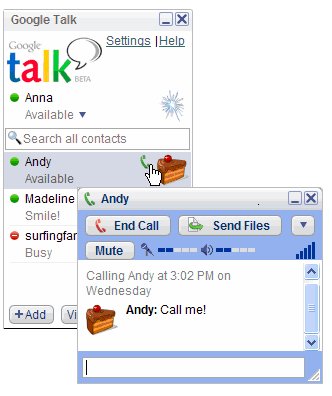
1. In order to highlight the text in bold , we put it between two asterisks (*), etc. e. so - an example: * the text to be highlighted in bold *
2. In order to highlight the text in italics , we place it between two underscore characters (_), i.e. so - an example: _text that must be in italics_
3. You can also use special characters, for example, these are ♥ ♫ ☺
(on Windows you can find them here -Start / Programs / Accessories / System Tools / Character Maps )
4. The length of one message in GTalk is limited to 32,767 characters
5. The following emoticons in GTalk are highlighted in blue -
... I will be glad if you can add to the above list :)
1. In order to highlight the text in bold , we put it between two asterisks (*), etc. e. so - an example: * the text to be highlighted in bold *
2. In order to highlight the text in italics , we place it between two underscore characters (_), i.e. so - an example: _text that must be in italics_
3. You can also use special characters, for example, these are ♥ ♫ ☺
(on Windows you can find them here -Start / Programs / Accessories / System Tools / Character Maps )
4. The length of one message in GTalk is limited to 32,767 characters
5. The following emoticons in GTalk are highlighted in blue -
: - |
: -O
: -x
:-P
:-D
;-)
:-(
: |
: O
: x
: P
: D
:)
:(
; - |
; -O
; -x
;-P
;-D
;-)
;-(
; |
; O
; x
; P
; D
;)
; (
B- |
BO
Bx
BP
BD
B-)
B- (
B '(
BO
Bx
BD
B)
B (
... I will be glad if you can add to the above list :)









