How to force Oracle BI 12c to make as many session variables as a programmer needs?
- Tutorial
We create in the scheme into which we enter from the physical layer the following table:
USERID     NAME       VALUE
---------- ---------- ---------------
weblogic   level      11
weblogic   status     FULL-TIME
Tom Kyte   status     PART-TIME
Tom Kyte   level      9
Tom Kyte   flow       cache
We will describe in more detail a query that can dynamically create session-level variables. We use the system session variable USER .

SELECT NAME, VALUE
FROM RW_SESSION_VARS
WHERE USERID='VALUEOF(NQ_SESSION.USER)'
Note that we do not create new variables, but check the Row-wise initialization checkbox (do not forget to clear the Use caching checkbox).

Create a dashboard with a single text field to view the created variables.

[b]@{biServer.variables['NQ_SESSION.USER']}[br/]
@{biServer.variables['NQ_SESSION.level']}[br/]
@{biServer.variables['NQ_SESSION.status']}[br/]
@{biServer.variables['NQ_SESSION.flow']}[/b]
We notice that two variables were created and initialized for the weblogic user.

[b]@{biServer.variables['NQ_SESSION.USER']}=>weblogic[br/]
@{biServer.variables['NQ_SESSION.level']}=>11[br/]
@{biServer.variables['NQ_SESSION.status']}=>FULL-TIME[br/]
@{biServer.variables['NQ_SESSION.flow']}=>не создалась[/b]
We notice that the user Tom Kyte created and initialized three variables.
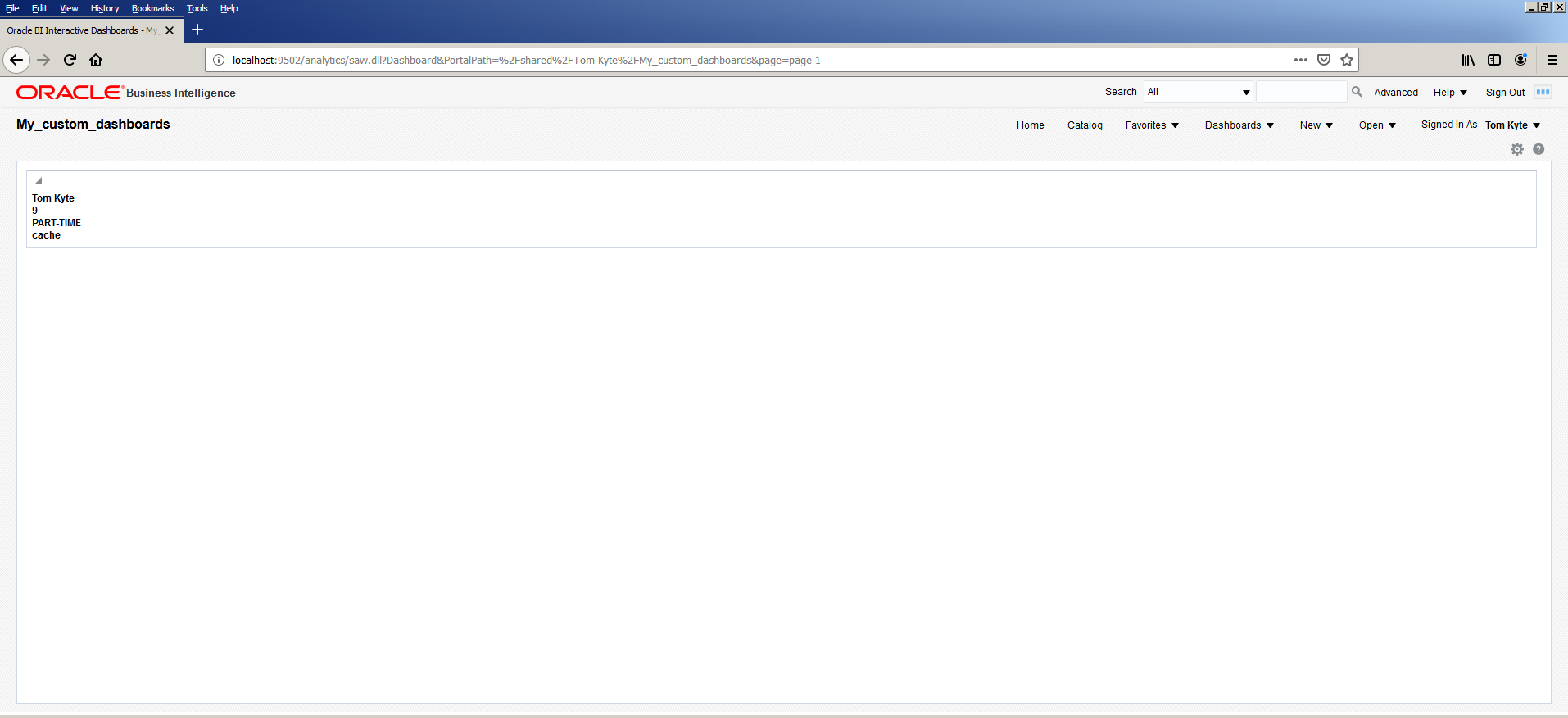
[b]@{biServer.variables['NQ_SESSION.USER']}=>Tom Kyte[br/]
@{biServer.variables['NQ_SESSION.level']}=>9[br/]
@{biServer.variables['NQ_SESSION.status']}=>PART-TIME[br/]
@{biServer.variables['NQ_SESSION.flow']}=>cache[/b]
The question of how to make as many session variables as the programmer needs, we received from the student of the course on building the Oracle BI 12c repository of our Training Center.
The answer to the question can be useful when creating a set of session variables to ensure the operation of objects of a given authorized user.
PS Since up to the full tutorial one tablet from the documentation is missing,
put it under the cat.
Type | Syntax | Example | |
Session | @ {biServer.variables ['NQ_SESSION. variablename ']} | @ {biServer.variables ['NQ_SESSION.USER']} | |
where variablename is | |||
For | |||
Repository | @ {biServer.variables. variablename } | @ {biServer.variables.prime_begin} | |
or | or | ||
@ {biServer.variables [' variablename ']} | @ {biServer.variables ['prime_begin']} | ||
where variablename is | |||
Presentation | @ {variables. variablename } [ format ] { defaultvalue } | @ {variables.MyFavoriteRegion} {EASTERN | |
or | or | ||
@ { scope .variables [' variablename ']} | @ {MyFavoriteRegion} | ||
where: | or | ||
■ variablename is | @ {dashboard.variables ['MyFavoriteRegion']} | ||
■ (optional) format is | or | ||
■ (optional) defaultvalue is | (@ {myNumVar} [#, ## 0] {1000}) | ||
■ scope identifies | or | ||
Note: When | (@ {variables.MyOwnTimestamp} [YY-MM-DD | ||
or | |||
(@ {myTextVar} {A, | |||
Global | @ {global.variables. variablename } | @ {global.variables.gv_date_n_time} |









