February 20, 2019 at 15:07
The cloud is just someone's computer
- Transfer
When we launched Discourse in 2013 , our server requirements were high:
I do not mean a cheap shared cpanel server, but a dedicated virtual private server with such characteristics.
This was enough for us, because over the next decade of the Internet, we wrote in Ruby . I immediately predicted that the rental price of VPS with such characteristics would fall to $ 5 per month, and thanks to Digital Ocean it really happened in January 2018 .
The cloud has become cheaper and faster. And this is not very surprising, because over time, the price of iron decreases to zero . But this is still a cloud, that is, it is not entirely cheap . After all, this is someone else's computer for which you pay the rental privilege.
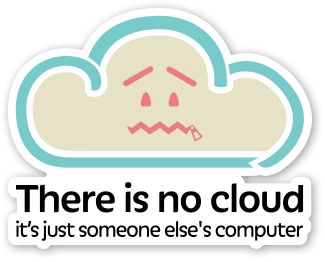
But wait ... what if you can put your computer "in the cloud" ?
Wouldn't this solution have the advantage of both approaches? Reliability of connection plus low monthly payment for extremely fast equipment? If this seems crazy to you, then you should change your mind - Mac users have been doing this for several years now .
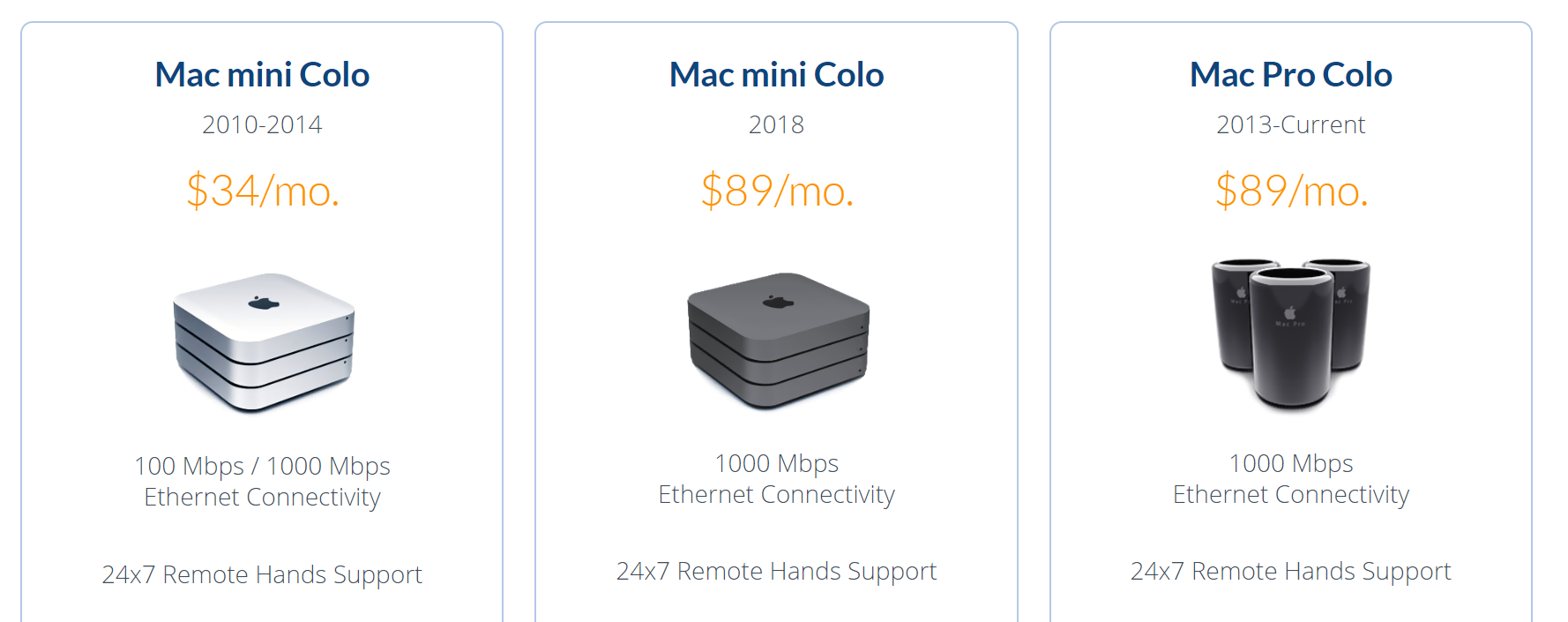
I think it’s understandable why Mac users in this area are at the forefront of technology, because Apple almost does not make server hardware , while the PC world has always been the de facto standard for server hardware .

Given the prevalence and level of development of cloud service providers, the idea of collocating real servers today seems a bit controversial. We also experimented with mini-pc collocation in different hosting configurations. I'm still curious why there aren’t so many small businesses providing mini PC collocation services. Because ... I think they must exist .
Initially, I wrote about scooter computers added to our Discourse infrastructure in 2016, plus about my own experiment with collocation running in parallel. After three years of experimentation, I came to the conclusion that these small boxes are pretty reliable.but with one caveat, which I will explain in the comments. I still remain a fan of the mini-PC collocation. I like it so much that I put together a new version of 2019:
This year's scooter computer has tripled the number of cores, doubled memory and three times faster drive . This is what kids say on the Internet ... absolute unit .

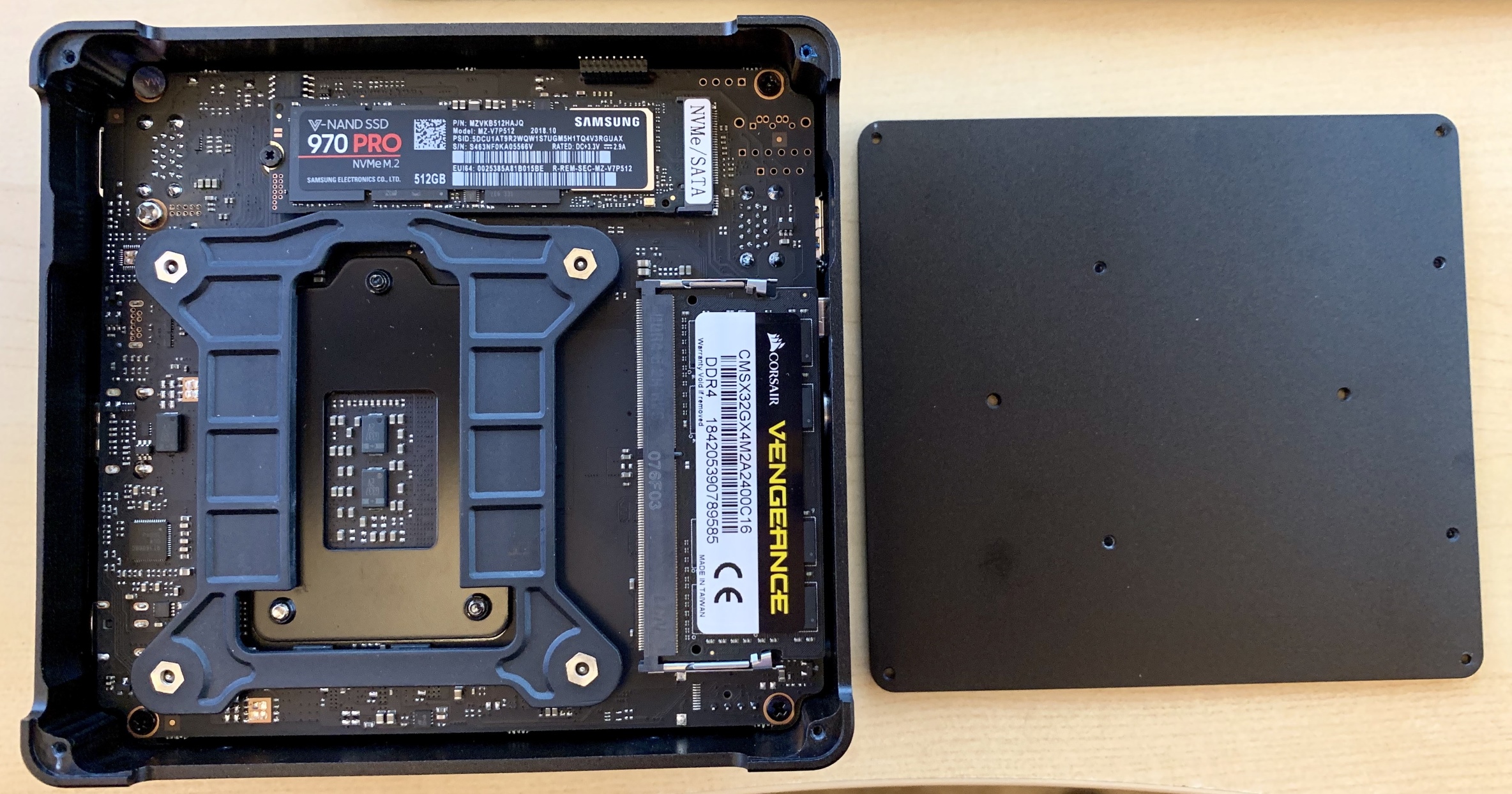
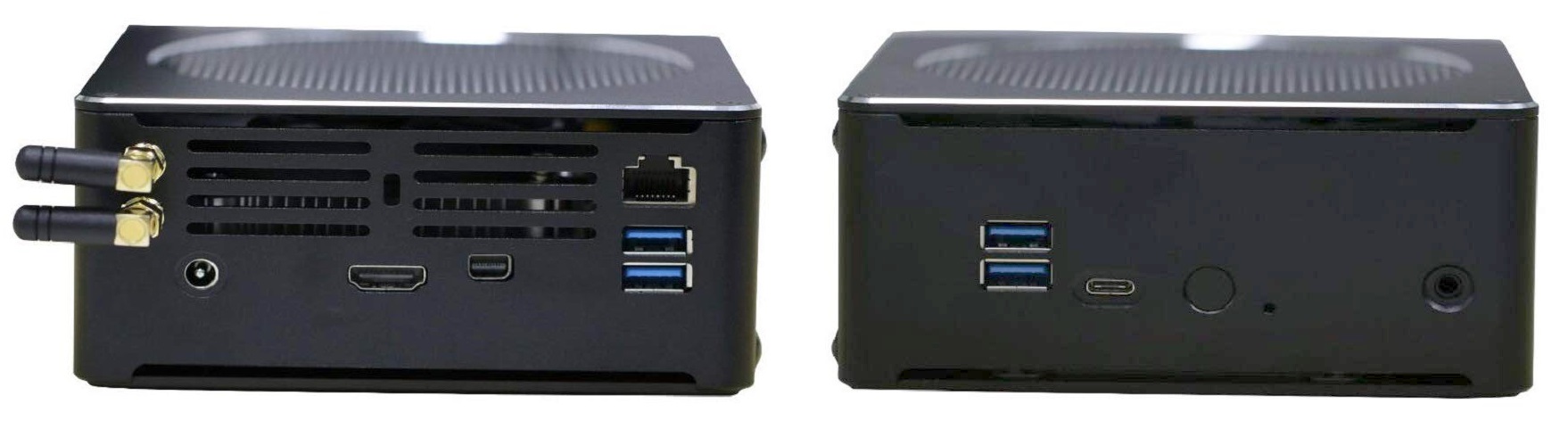
In addition, it has a rather elegant double-sided internal circuit. It has a slot for an old-school 2.5-inch drive, plus built-in wi-fi, but you will not see them in my photos, because I physically removed them.
I checked the viability of the box using my recommended test of stability and work under load , and they all passed it with honor, although in the process I had to replace one set of buggy RAM slats. Benchmarks show the truth compared to the mid-range Digital Ocean droplet:
Core performance
Multi-core performance
Disk speed
Rebuild Discourse
Energy consumption can be a problem, because the 2017 version had a much smaller heat dissipation (TDP) of 15 watts compared to 45 watts of the current version. Triple the number of cores does not pass without a trace! So I tested everything on their own combination of

I would expect to see about 10-20 watts when doing typical tasks with low load, not really taking up the CPU. Note that the launch of current versions
(No need to worry about noise. This active cooling system is obviously too powerful for a load of 65 watts, because it barely spins even at full load on the cores. It was extremely quiet.)
Therefore, I am very pleased with the purchase of this machine for $ 820 - it is very fast and fairly reliable. But what about colocation costs? My location provider is EndOffice, located in the suburbs of Boston, providing very affordable Mini-PC colocation prices: $ 29 / month.
Personally, I put in a colocation three Mini-PCs for the sake of redundancy and just in case; for colocation of several cars a discount is provided. All of them are rack mounted and are in operation. Of course, I installed them before installation.

Let's analyze everything and compare the costs of the Mini-PC colocation and the cloud. Given the plateau in increasing CPU speeds, I believe that five years of useful work for these boxes will be a realistic estimate, but let's be conservative and take a three-year period of operation for reliability.
That is $ 2,044 for three years of hosting . What's the picture on Digital Ocean? According to their current price list :
The comparison is inaccurate because we get an extra 140 GB of disk space and 2 additional CPUs, but compared to our dedicated, isolated CPUs, these processors are slower and partially absorbed by multi-tenancy. (I was curious, so for a short test I created a new DO instance for $ 160 / month. It
I do not claim that the solution is suitable for everyone. If you just need to quickly create one or two servers for testing and experimentation, but absolutely do not want to spend money on assembling and colliding mini-pcs, then there is no doubt that the servers in the cloud provide unprecedented flexibility and redundancy. But if you need dedicated computing resources for several years , then assembling your own small personal cloud with the machines that belong to you does not make up only a third of the costs ... but it’s also just convenient.

If you want to participate in such a project too, you can buy on Amazon the same Partaker B18 that I have for $ 490 , or order for $ 460 directly from China through AliExpress . Add memory and storage to your taste, build a car, and then choose any location provider to your liking.
- 1 GB RAM
- fast dual core cpu
- fast solid state drive from 20 GB
I do not mean a cheap shared cpanel server, but a dedicated virtual private server with such characteristics.
This was enough for us, because over the next decade of the Internet, we wrote in Ruby . I immediately predicted that the rental price of VPS with such characteristics would fall to $ 5 per month, and thanks to Digital Ocean it really happened in January 2018 .
The cloud has become cheaper and faster. And this is not very surprising, because over time, the price of iron decreases to zero . But this is still a cloud, that is, it is not entirely cheap . After all, this is someone else's computer for which you pay the rental privilege.
But wait ... what if you can put your computer "in the cloud" ?
Wouldn't this solution have the advantage of both approaches? Reliability of connection plus low monthly payment for extremely fast equipment? If this seems crazy to you, then you should change your mind - Mac users have been doing this for several years now .
I think it’s understandable why Mac users in this area are at the forefront of technology, because Apple almost does not make server hardware , while the PC world has always been the de facto standard for server hardware .
Given the prevalence and level of development of cloud service providers, the idea of collocating real servers today seems a bit controversial. We also experimented with mini-pc collocation in different hosting configurations. I'm still curious why there aren’t so many small businesses providing mini PC collocation services. Because ... I think they must exist .
Initially, I wrote about scooter computers added to our Discourse infrastructure in 2016, plus about my own experiment with collocation running in parallel. After three years of experimentation, I came to the conclusion that these small boxes are pretty reliable.but with one caveat, which I will explain in the comments. I still remain a fan of the mini-PC collocation. I like it so much that I put together a new version of 2019:
| 2017 - $ 670 | 2019 - $ 820 |
| i7-7500u 2.7-3.5 Ghz, 2c / 4t | i7-8750h 2.2-4.1 Ghz, 6c / 12t |
| 16GB DDR3 RAM | 32GB DDR4 RAM |
| 500GB SATA SSD | 500GB NVMe SSD |
This year's scooter computer has tripled the number of cores, doubled memory and three times faster drive . This is what kids say on the Internet ... absolute unit .
In addition, it has a rather elegant double-sided internal circuit. It has a slot for an old-school 2.5-inch drive, plus built-in wi-fi, but you will not see them in my photos, because I physically removed them.
I checked the viability of the box using my recommended test of stability and work under load , and they all passed it with honor, although in the process I had to replace one set of buggy RAM slats. Benchmarks show the truth compared to the mid-range Digital Ocean droplet:
Core performance
sysbench cpu --cpu-max-prime=20000 run| Droplet DO | 2,988 |
| Mini-PC 2017 | 4,800 |
| Mini-PC 2019 | 5,671 |
Multi-core performance
sysbench cpu --cpu-max-prime=40000 --num-threads=8 run| Droplet DO | 2,200 |
| Mini-PC 2017 | 5,588 |
| Mini-PC 2019 | 14,604 |
Disk speed
dd bs=1M count=512 if=/dev/zero of=test conv=fdatasynchdparm -Tt /dev/sda| Droplet DO | 701/8818/471 MB / sec |
| Mini-PC 2017 | 444/12564/505 MB / sec |
| Mini-PC 2019 | 1200/17919/3115 MB / sec |
Rebuild Discourse
time ./launcher rebuild app| Droplet DO | 6:59 a.m. |
| Mini-PC 2017 | 3:41 |
| Mini-PC 2019 | 3:24 |
Energy consumption can be a problem, because the 2017 version had a much smaller heat dissipation (TDP) of 15 watts compared to 45 watts of the current version. Triple the number of cores does not pass without a trace! So I tested everything on their own combination of
i7z, stressand my personal power meter .| (idle login) | 800 mhz | 10 watts |
stress --cpu 1 | 4.1 GHz | 30 watts |
stress --cpu 2 | 4.1 GHz | 42 watts |
stress --cpu 3 | 4.0 GHz | 53 watts |
stress --cpu 4 | 3.9 GHz | 65 watts |
stress --cpu 5 | 3.7 GHz | 65 watts |
stress --cpu 6 | 3.5 GHz | 65 watts |
stress --cpu 12 | 3.3 ghz | 65 watts |
I would expect to see about 10-20 watts when doing typical tasks with low load, not really taking up the CPU. Note that the launch of current versions
mprimeincreases power consumption up to 75 watts, and the overall clock frequency decreases 3.1 GHz ... and I must say that I learned to be very afraid of the AVX2 extensions . (No need to worry about noise. This active cooling system is obviously too powerful for a load of 65 watts, because it barely spins even at full load on the cores. It was extremely quiet.)
Therefore, I am very pleased with the purchase of this machine for $ 820 - it is very fast and fairly reliable. But what about colocation costs? My location provider is EndOffice, located in the suburbs of Boston, providing very affordable Mini-PC colocation prices: $ 29 / month.
Personally, I put in a colocation three Mini-PCs for the sake of redundancy and just in case; for colocation of several cars a discount is provided. All of them are rack mounted and are in operation. Of course, I installed them before installation.
Let's analyze everything and compare the costs of the Mini-PC colocation and the cloud. Given the plateau in increasing CPU speeds, I believe that five years of useful work for these boxes will be a realistic estimate, but let's be conservative and take a three-year period of operation for reliability.
- $ 880 Miini-PC with 32 GB of RAM, 6 CPUs, 500 GB SSD
- 120 dollars - taxes / delivery / other
- 29 × 12 × 3 = 1,044 dollars
That is $ 2,044 for three years of hosting . What's the picture on Digital Ocean? According to their current price list :
- 32 GB RAM, 8 virtual CPUs, 640 GB SSDs
- 160 dollars / month
- 160 × 12 × 3 = 5,760 dollars
The comparison is inaccurate because we get an extra 140 GB of disk space and 2 additional CPUs, but compared to our dedicated, isolated CPUs, these processors are slower and partially absorbed by multi-tenancy. (I was curious, so for a short test I created a new DO instance for $ 160 / month. It
sysbenchshows the results in 4086 and 11760, respectively, which is much less than the results of the Mini-PC of 2019 shown above.) As you can see, we pay almost for a cloud server three times more.I do not claim that the solution is suitable for everyone. If you just need to quickly create one or two servers for testing and experimentation, but absolutely do not want to spend money on assembling and colliding mini-pcs, then there is no doubt that the servers in the cloud provide unprecedented flexibility and redundancy. But if you need dedicated computing resources for several years , then assembling your own small personal cloud with the machines that belong to you does not make up only a third of the costs ... but it’s also just convenient.
If you want to participate in such a project too, you can buy on Amazon the same Partaker B18 that I have for $ 490 , or order for $ 460 directly from China through AliExpress . Add memory and storage to your taste, build a car, and then choose any location provider to your liking.