DEXP Ursus KX210i - Windows 10 Transformer Tablet with Intel® Atom ™ Processor
We are already used to such a phenomenon as transformer tablets. It is enough to fasten the keyboard to them, and typing, as well as the creation of other content, becomes much easier. If the tablet runs on Windows, the keyboard turns it into a laptop. Until recently, tablets based on the full version of Windows were mainly built on the expensive Intel® Core ™ processors, and now available and no less productive alternatives on the Intel® Atom ™ are on sale. For example, the DEXP Ursus KX210i is powered by an Intel® Atom ™ Z3735F processor. For just 11,990 rubles, we get a lightweight and compact 10-inch tablet, which with the help of a complete docking station is transformed into a laptop on which you can solve quite complex professional tasks.
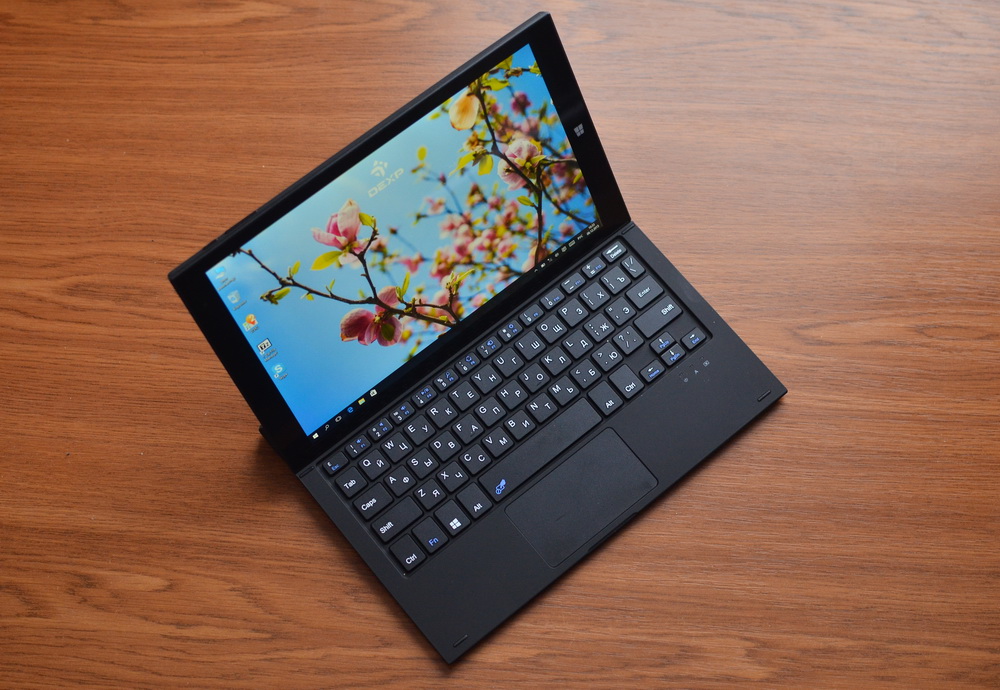
Readers may already be familiar with the DEXP brand thanks to an extensive line of smartphones with enhanced Ixion batteries. But no less widely in the assortment of this Far Eastern Russian brand belonging to the DNS holding are tablets, among which our test subject.
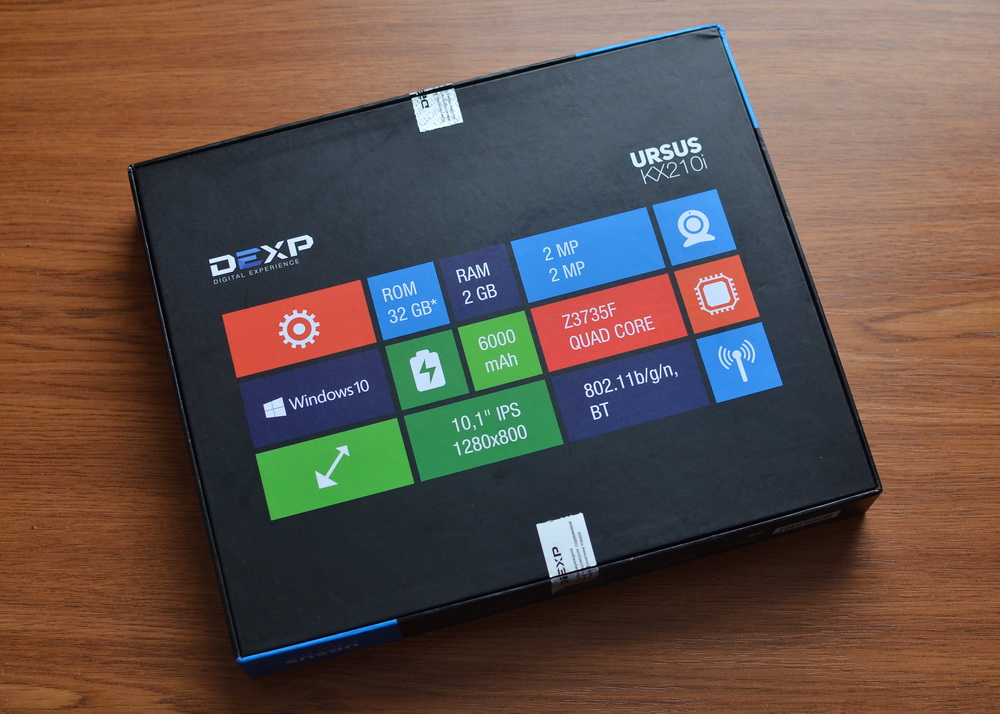
The box with the tablet is designed strictly and concisely. But all the necessary information about the characteristics of the device can be gleaned.

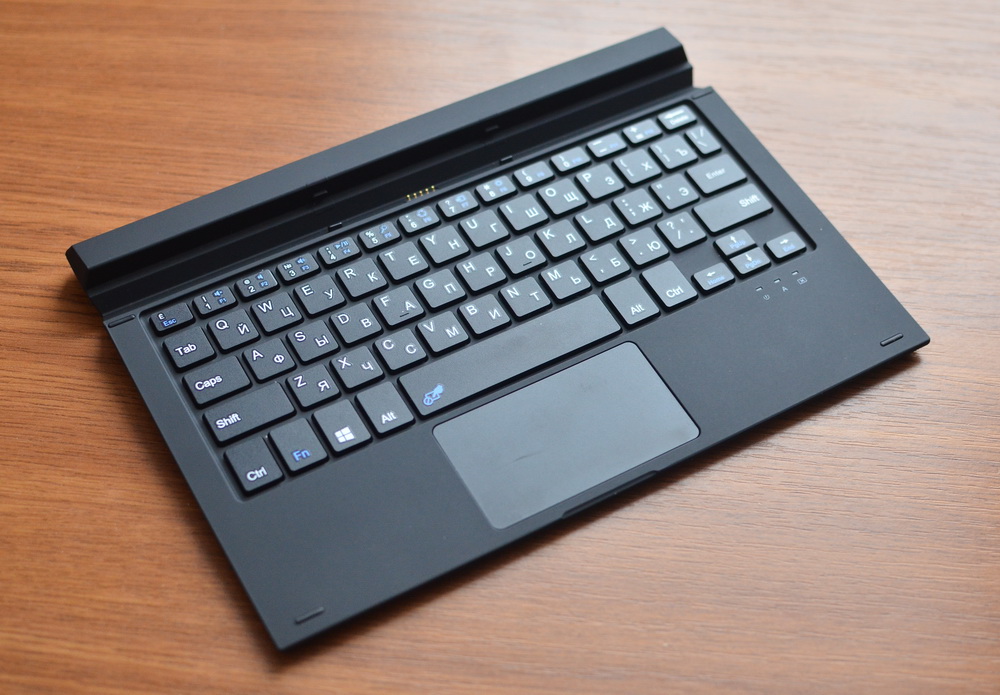
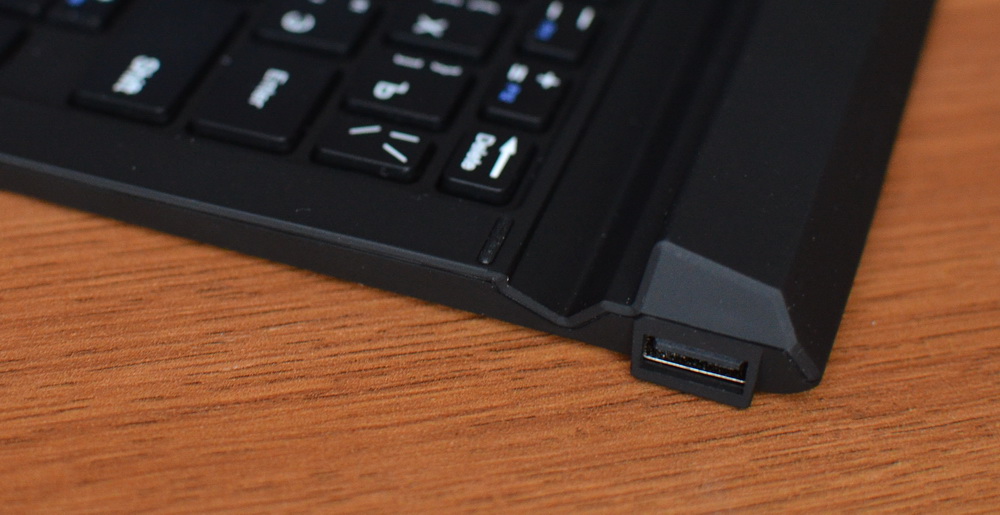
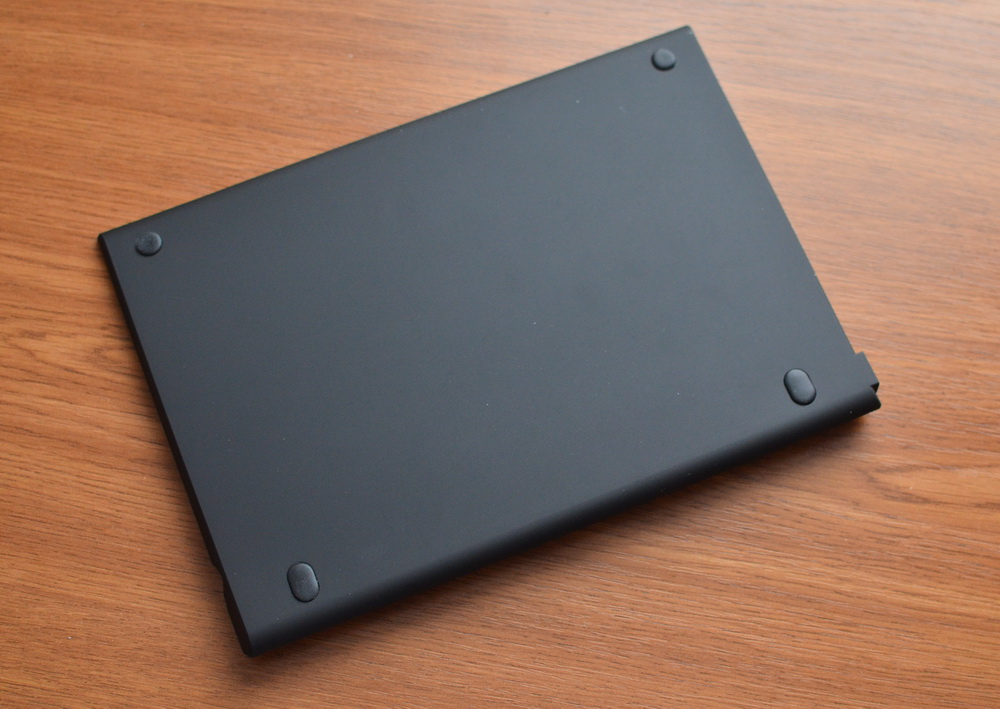
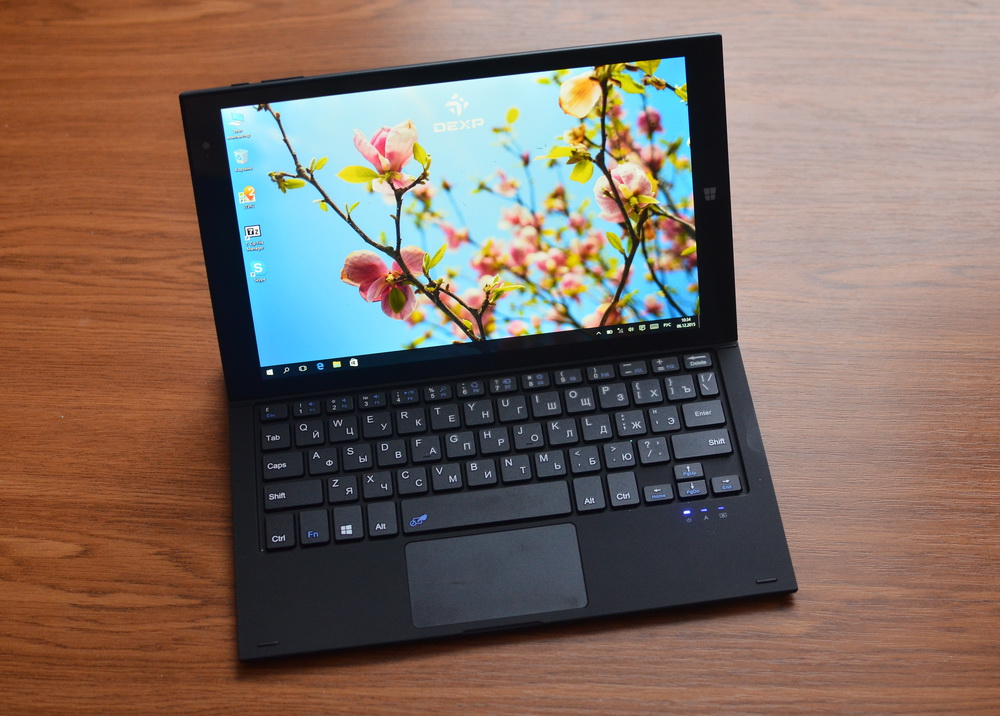
The main thing in the delivery set is a hard dock, “having inserted” into which the tablet we get a small laptop. If other models of transformers often come with keyboard cases that protect them when carrying them, then the emphasis is on stationary work. Due to the rigid joint, the docking station reliably stands on the table or on your knees, there is no possibility of overturning the transformer. By the way, the “dock” has a USB port.
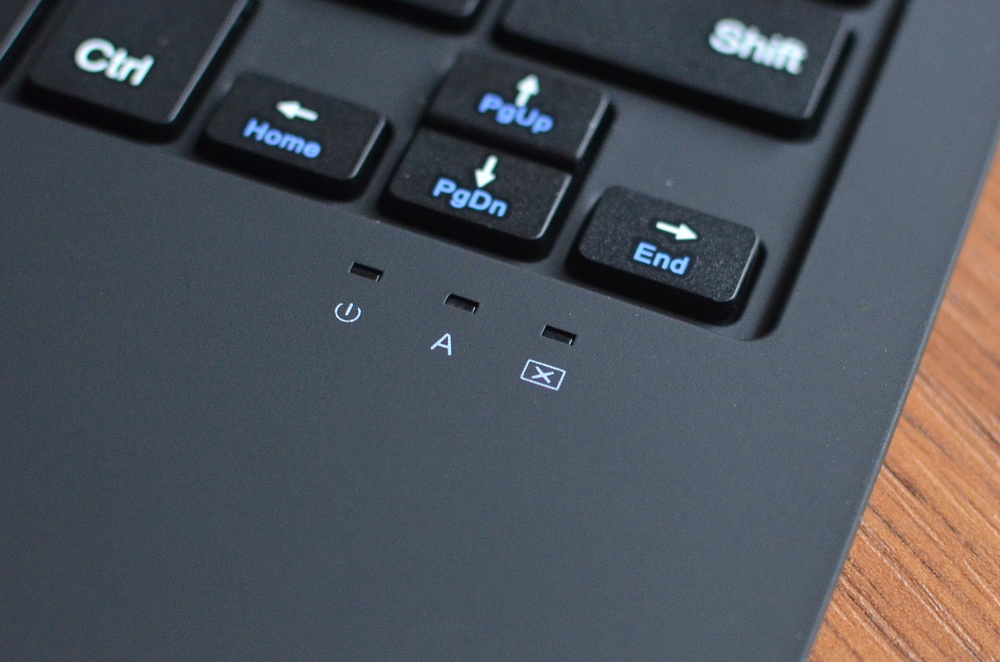

Also included is all the necessary documentation and a powerful charger. The kit turned out to be partly Spartan, but the price tag of the device can not be called high.


The appearance of the tablet as a whole repeats many other Windows 10 devices. Strict forms, right angles, monotonous surfaces. In this case, the surface of the tablet is mainly made of non-slip plastic soft touch very high quality, pleasant to the touch. Of course, we are talking about the back of the tablet and the side faces, the screen is covered with a protective glass. On the back surface you can also find the company logo and the Intel® logo, the rear camera peephole and the markings for the connectors and keys located on the ends of the device.

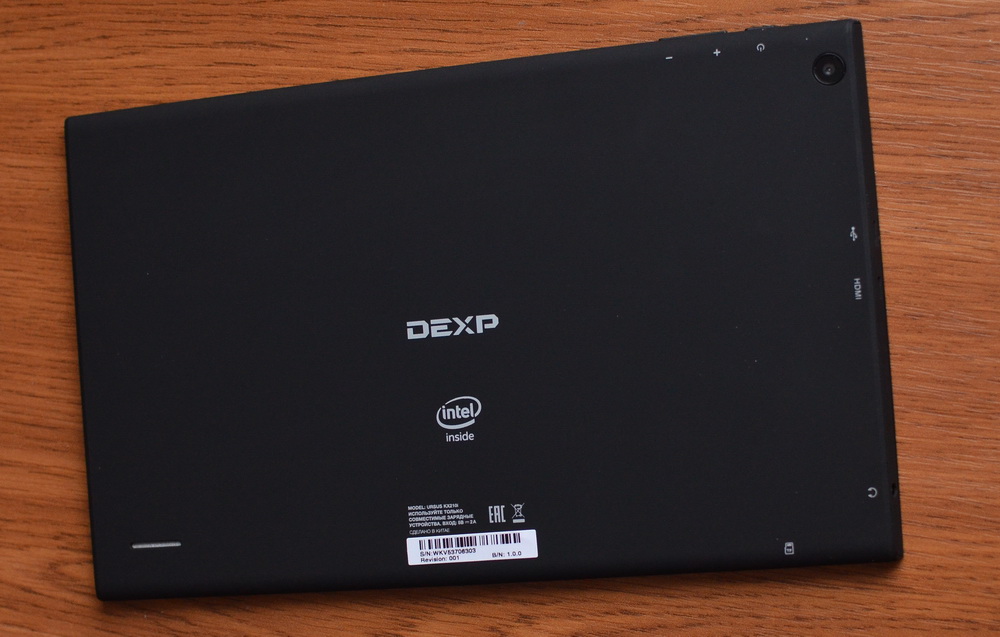
The bottom end of the tablet is occupied by an interface connector, a microSD slot under the plug and a lock for the docking station with a keyboard. The lock is reliable, this connection will not open spontaneously. On the left side are the main connectors of the device, namely microUSB, microHDMI and audio output for a standard “jack”. At the top there is a power button and a volume rocker.


The front panel, closed by glass, carries the front camera eye in the upper part, and the canonical Windows button at the bottom. The frames around the display are wide, thanks to this it is convenient to hold the tablet with both hands.
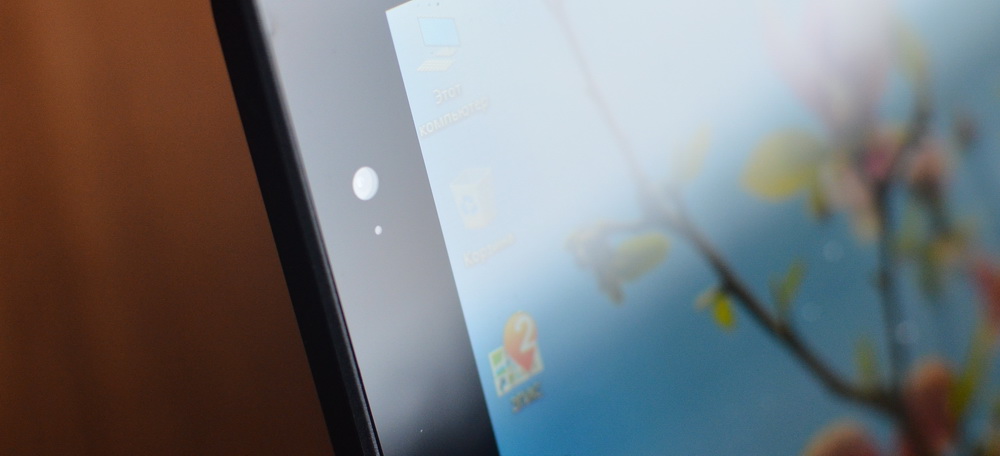
In general, the tablet is assembled very high quality. Pleasing is also modest enough for a 10-inch model with a powerful filling, only a little more than half a kilogram, of course without a docking station.
Despite the budget price category, the tablet is equipped with a display with IPS technology. This means that when the screen deviates, the colors and the picture are not distorted, the image has high contrast, pleasant saturation and a sufficient margin of brightness. Indeed, the picture retains contrast even if viewed from extreme angles. The resolution in this case is 1280 x 800 pixels, against the background of modern Full HD screens in high-end devices, this may look a little faded, but in reality pixelation at 10 inches is almost not felt, but the battery saving is significant, and the graphics processing on this The display is faster.

Another point, which, perhaps, allows us to consider non-record resolution a virtue, is a feature of the Windows interface, which is still imperfectly scaled on "retina-like" displays. That is, the user has to choose - either strain his eyes on small fonts and interface elements, or put up with scaling flaws, but with a resolution of 1280x800 none of these problems exist.
The sensor supports five-point multitouch, it works accurately and responsively, no problems were detected during the test.
There are two cameras in our tablet, both equipped with a 2-megapixel module. Both of them, however, are more suitable for video calls than for photos, which will further delight. However, it’s possible to take some purely informational frame, say, text, without problems, but it’s better not to count on more, especially in low light conditions. But there are completely manual settings available, like in a good camera - if you really want to, this can help to stretch the picture a little.



The tablet is based on a quad-core 1.83 GHz Intel® Atom ™ Z3735F processor with 64-bit x86-compatible architecture. Intel’s Atom ™ processor line is lower than the Core ™ M processors, but Intel® Atom ™ processors are more than enough for the vast majority of tasks, especially those related to web surfing or texting. At the same time, it is a very energy-efficient solution that allows you to count on many hours of battery life.
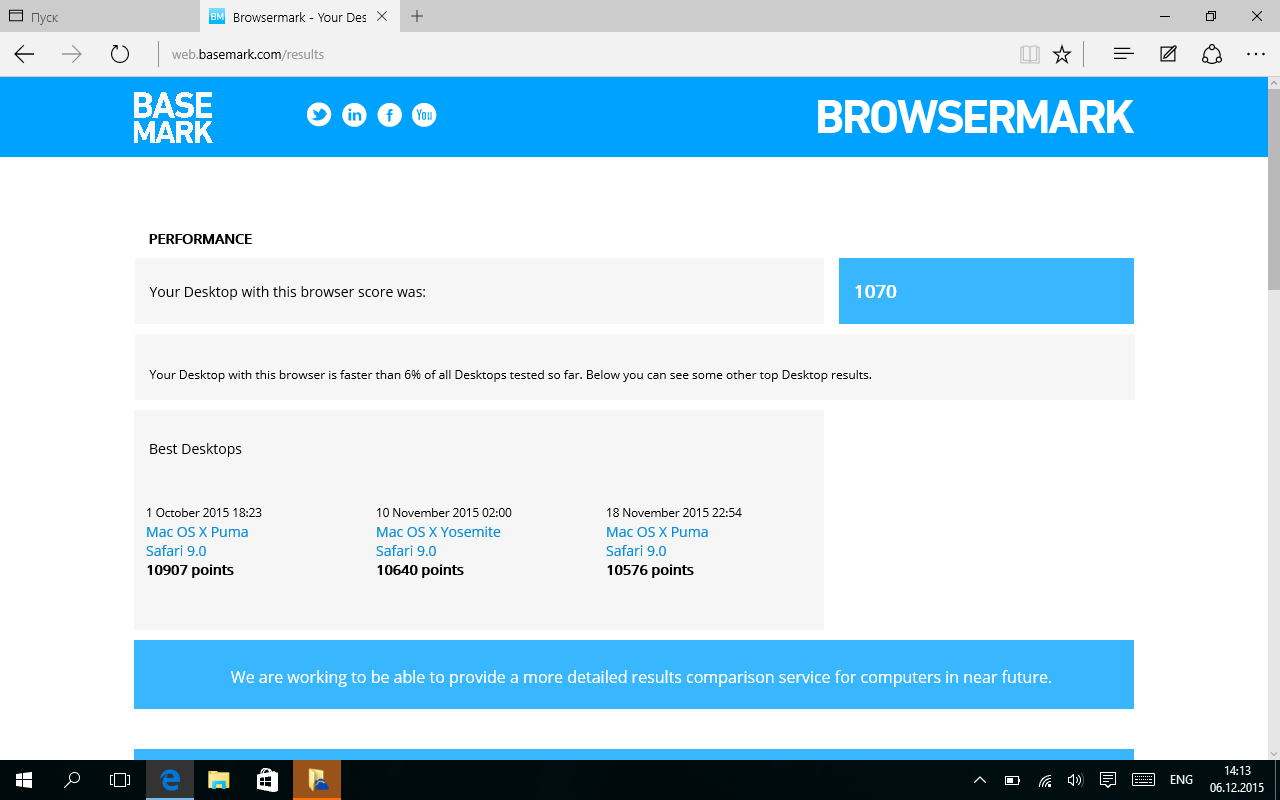

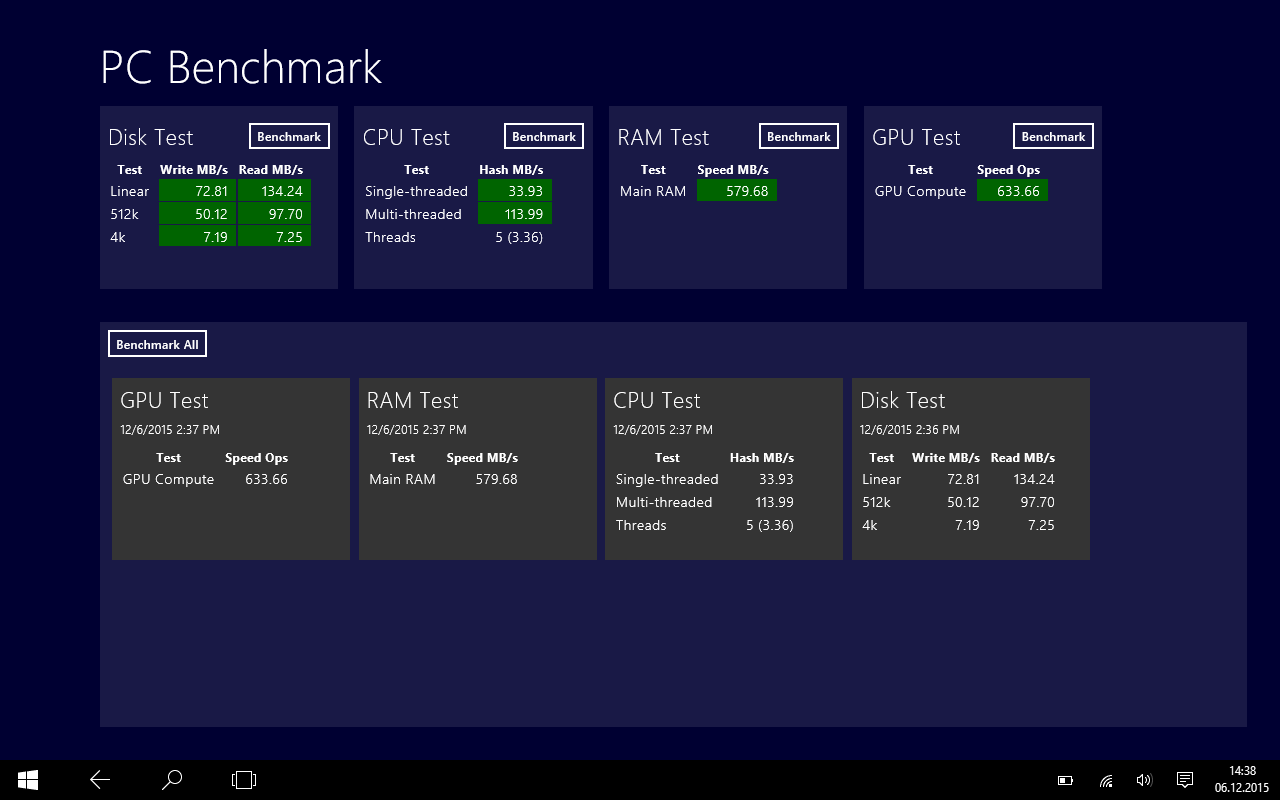
In terms of memory resources, the tablet is equipped with 2 gigabytes of RAM and a 32-gigabyte drive. The last volume, of course, can be tripled using a memory card. As for the "RAM", then, of course, when launching "heavy" applications, you need to be ready to close the others that work in the background. At the same time, in the vast majority of cases it will work quite comfortably, especially when it comes to the Internet or office tasks. But even playing streaming Full HD video stuffing is pretty tough.
We have no complaints about wireless modules. Wi-Fi cleverly “clings” even from weak access points, pairing with Bluetooth devices without problems.
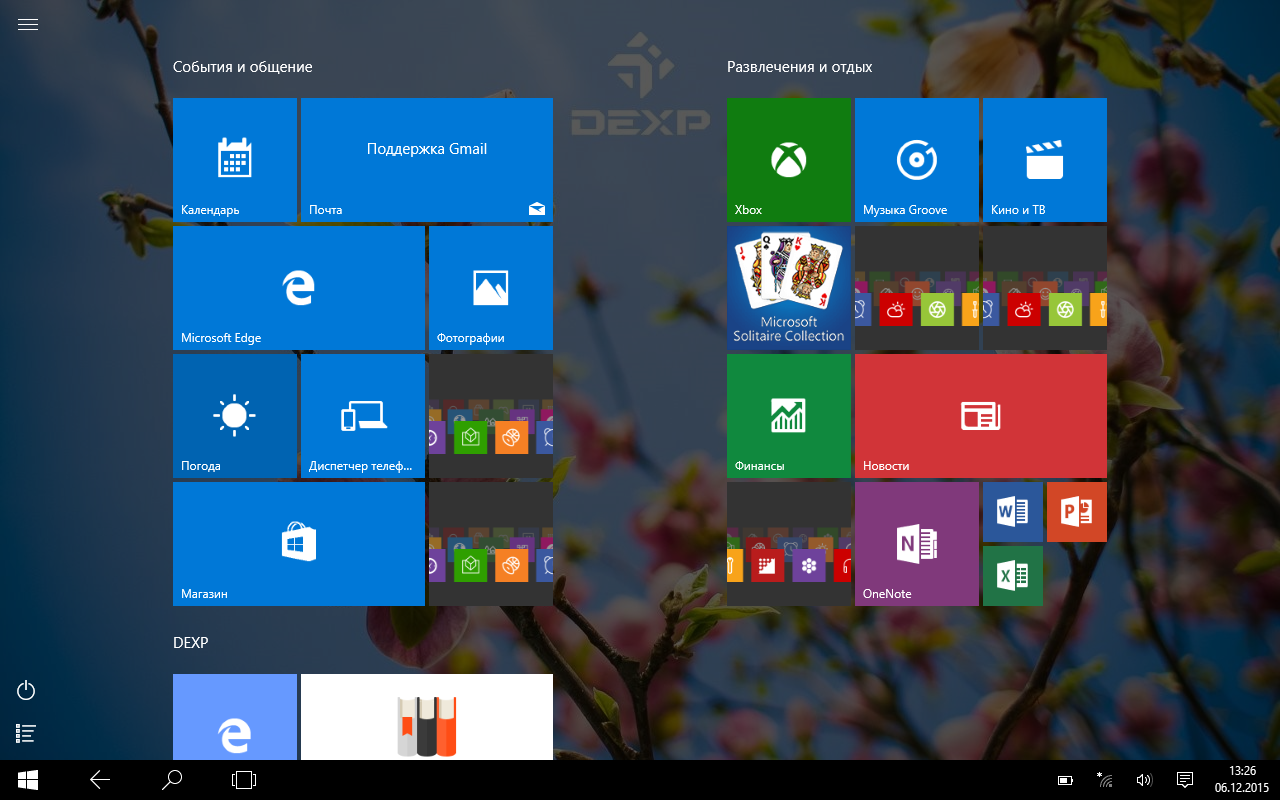
Windows 10 in the "desktop" version, anyway, the most flexible platform for tablets today. Although it lacks the smoothness and grace of iOS interfaces or the unpretentiousness of Android resources, it simply doesn’t have such tasks that this OS could not solve. Whether it’s playing video files in a “tricky” format or creating drawings and 3D models, a tablet based on Windows 10 will be ready (albeit with performance restrictions) to replace a full-fledged PC.


The tablet has a non-removable 6000 mAh battery, it may take about three hours to charge it if you use the bundled five-volt adapter. In case of emergency, the tablet can be charged from USB, but then the amount of time increases to 12-14 hours.
Battery life is very dependent on the operating scenario and load. So, it is quite possible, using the tablet as a player with the screen off, to hold out on one charge for more than 20 hours. Admittedly, this is a somewhat strange use case. In a more realistic version, when we browse the Internet through Wi-Fi, the tablet lasts about 7 hours - almost a working day. Three-dimensional games (yes, some of them may well go on the built-in graphics) “drain” the battery in three hours, watching a video in five. In general, the margin of autonomy is like an average laptop.
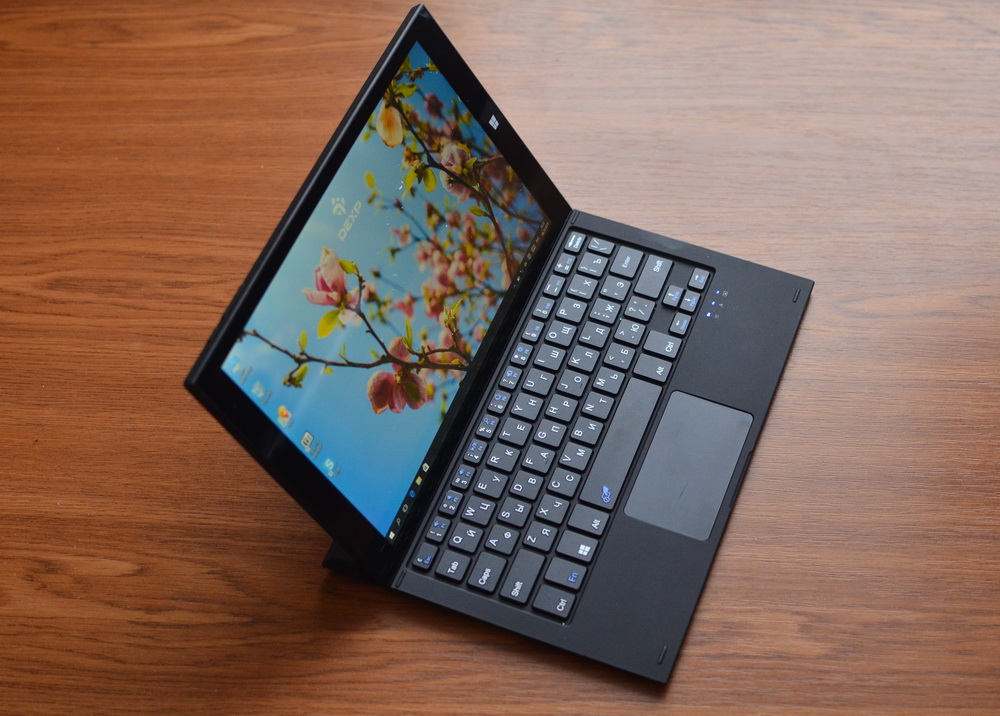
If you lack the capabilities of a traditional Android tablet or iPad, you need to work on the road occasionally, or you need to run specific Windows applications, then definitely pay attention to the transformer models. DEXP Ursus KX210i was one of the first Windows 10 tablets on the Russian market, it has a very affordable price for its capabilities, high-quality screen, decent performance and a good set of interfaces. The kit comes with a reliable docking station with a keyboard, allowing you to use it in laptop mode. Perhaps, I would only like the tablet to have a better camera, and the autonomy margin would be a little more, otherwise I do not have to complain about the KX210i.
Intel Inside, Core, and Intel Atom ™ are trademarks of Intel Corporation in the U.S. and other countries.
Readers may already be familiar with the DEXP brand thanks to an extensive line of smartphones with enhanced Ixion batteries. But no less widely in the assortment of this Far Eastern Russian brand belonging to the DNS holding are tablets, among which our test subject.
Specifications
- Screen: 10.1 inches, 1280x800, IPS
- Processor: Quad-Core Intel® Atom ™ Z3735F, 1.83 GHz
- Graphics Accelerator: Intel® HD Graphics
- Operating System: Windows 10
- RAM: 2 GB
- ROM: 32 GB
- Support for memory cards: microSDXC up to 64 GB
- Wireless interfaces: Wi-Fi 802.11 a / b / g / n, Bluetooth 4.0
- Cameras: main - 2 MP, front - 2 MP
- Sensors: G-sensor
- Battery:built-in at 6000 mAh
- Dimensions: 254x165x11 mm
- Weight: 520 g
Packaging and equipment
The box with the tablet is designed strictly and concisely. But all the necessary information about the characteristics of the device can be gleaned.
The main thing in the delivery set is a hard dock, “having inserted” into which the tablet we get a small laptop. If other models of transformers often come with keyboard cases that protect them when carrying them, then the emphasis is on stationary work. Due to the rigid joint, the docking station reliably stands on the table or on your knees, there is no possibility of overturning the transformer. By the way, the “dock” has a USB port.
Also included is all the necessary documentation and a powerful charger. The kit turned out to be partly Spartan, but the price tag of the device can not be called high.
Tablet design and functionality
The appearance of the tablet as a whole repeats many other Windows 10 devices. Strict forms, right angles, monotonous surfaces. In this case, the surface of the tablet is mainly made of non-slip plastic soft touch very high quality, pleasant to the touch. Of course, we are talking about the back of the tablet and the side faces, the screen is covered with a protective glass. On the back surface you can also find the company logo and the Intel® logo, the rear camera peephole and the markings for the connectors and keys located on the ends of the device.
The bottom end of the tablet is occupied by an interface connector, a microSD slot under the plug and a lock for the docking station with a keyboard. The lock is reliable, this connection will not open spontaneously. On the left side are the main connectors of the device, namely microUSB, microHDMI and audio output for a standard “jack”. At the top there is a power button and a volume rocker.
The front panel, closed by glass, carries the front camera eye in the upper part, and the canonical Windows button at the bottom. The frames around the display are wide, thanks to this it is convenient to hold the tablet with both hands.
In general, the tablet is assembled very high quality. Pleasing is also modest enough for a 10-inch model with a powerful filling, only a little more than half a kilogram, of course without a docking station.
Display
Despite the budget price category, the tablet is equipped with a display with IPS technology. This means that when the screen deviates, the colors and the picture are not distorted, the image has high contrast, pleasant saturation and a sufficient margin of brightness. Indeed, the picture retains contrast even if viewed from extreme angles. The resolution in this case is 1280 x 800 pixels, against the background of modern Full HD screens in high-end devices, this may look a little faded, but in reality pixelation at 10 inches is almost not felt, but the battery saving is significant, and the graphics processing on this The display is faster.
Another point, which, perhaps, allows us to consider non-record resolution a virtue, is a feature of the Windows interface, which is still imperfectly scaled on "retina-like" displays. That is, the user has to choose - either strain his eyes on small fonts and interface elements, or put up with scaling flaws, but with a resolution of 1280x800 none of these problems exist.
The sensor supports five-point multitouch, it works accurately and responsively, no problems were detected during the test.
Camera
There are two cameras in our tablet, both equipped with a 2-megapixel module. Both of them, however, are more suitable for video calls than for photos, which will further delight. However, it’s possible to take some purely informational frame, say, text, without problems, but it’s better not to count on more, especially in low light conditions. But there are completely manual settings available, like in a good camera - if you really want to, this can help to stretch the picture a little.
Hardware and software platform
The tablet is based on a quad-core 1.83 GHz Intel® Atom ™ Z3735F processor with 64-bit x86-compatible architecture. Intel’s Atom ™ processor line is lower than the Core ™ M processors, but Intel® Atom ™ processors are more than enough for the vast majority of tasks, especially those related to web surfing or texting. At the same time, it is a very energy-efficient solution that allows you to count on many hours of battery life.
In terms of memory resources, the tablet is equipped with 2 gigabytes of RAM and a 32-gigabyte drive. The last volume, of course, can be tripled using a memory card. As for the "RAM", then, of course, when launching "heavy" applications, you need to be ready to close the others that work in the background. At the same time, in the vast majority of cases it will work quite comfortably, especially when it comes to the Internet or office tasks. But even playing streaming Full HD video stuffing is pretty tough.
We have no complaints about wireless modules. Wi-Fi cleverly “clings” even from weak access points, pairing with Bluetooth devices without problems.
Windows 10 in the "desktop" version, anyway, the most flexible platform for tablets today. Although it lacks the smoothness and grace of iOS interfaces or the unpretentiousness of Android resources, it simply doesn’t have such tasks that this OS could not solve. Whether it’s playing video files in a “tricky” format or creating drawings and 3D models, a tablet based on Windows 10 will be ready (albeit with performance restrictions) to replace a full-fledged PC.
Autonomy
The tablet has a non-removable 6000 mAh battery, it may take about three hours to charge it if you use the bundled five-volt adapter. In case of emergency, the tablet can be charged from USB, but then the amount of time increases to 12-14 hours.
Battery life is very dependent on the operating scenario and load. So, it is quite possible, using the tablet as a player with the screen off, to hold out on one charge for more than 20 hours. Admittedly, this is a somewhat strange use case. In a more realistic version, when we browse the Internet through Wi-Fi, the tablet lasts about 7 hours - almost a working day. Three-dimensional games (yes, some of them may well go on the built-in graphics) “drain” the battery in three hours, watching a video in five. In general, the margin of autonomy is like an average laptop.
Conclusion
If you lack the capabilities of a traditional Android tablet or iPad, you need to work on the road occasionally, or you need to run specific Windows applications, then definitely pay attention to the transformer models. DEXP Ursus KX210i was one of the first Windows 10 tablets on the Russian market, it has a very affordable price for its capabilities, high-quality screen, decent performance and a good set of interfaces. The kit comes with a reliable docking station with a keyboard, allowing you to use it in laptop mode. Perhaps, I would only like the tablet to have a better camera, and the autonomy margin would be a little more, otherwise I do not have to complain about the KX210i.
Intel Inside, Core, and Intel Atom ™ are trademarks of Intel Corporation in the U.S. and other countries.









